Help Employees Set Up their
Member Access Accounts
| | |
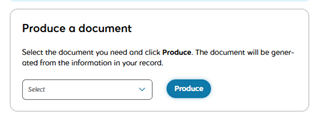
In the same way that employers use Employer Access to get important documents and update information, every IMRF member and retiree can use Member Access to do the same.
It is easy to set up a Member Access account, however members must have an email address on file with IMRF. If their email is not in their member data, which is created by their employer, members need to call IMRF to provide their email address.
| |
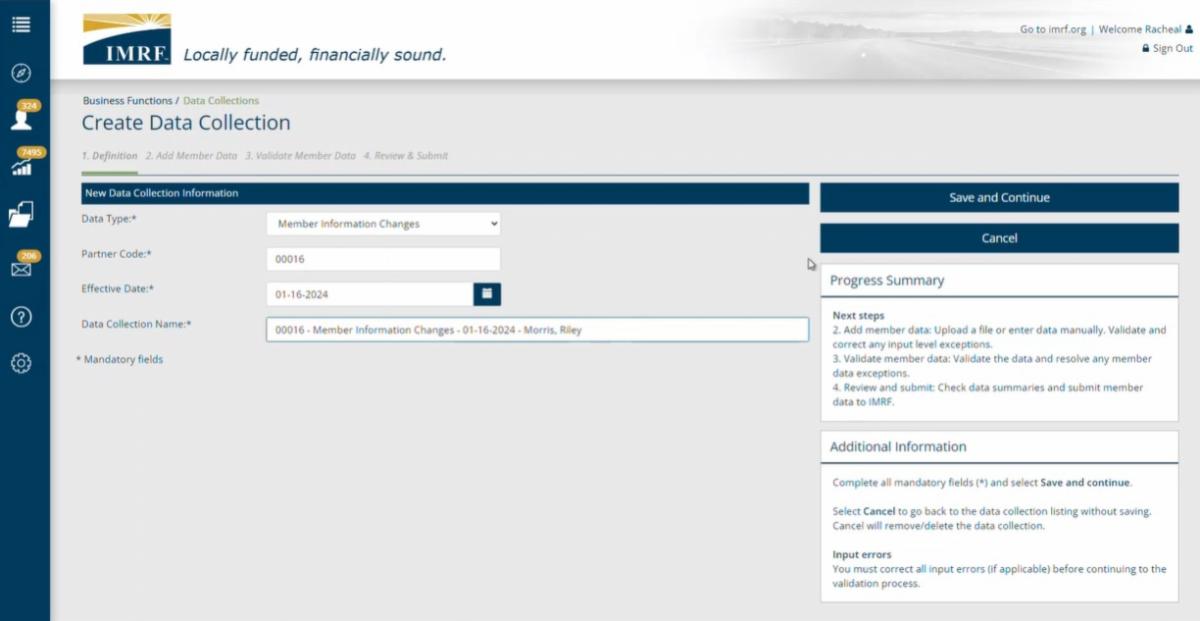
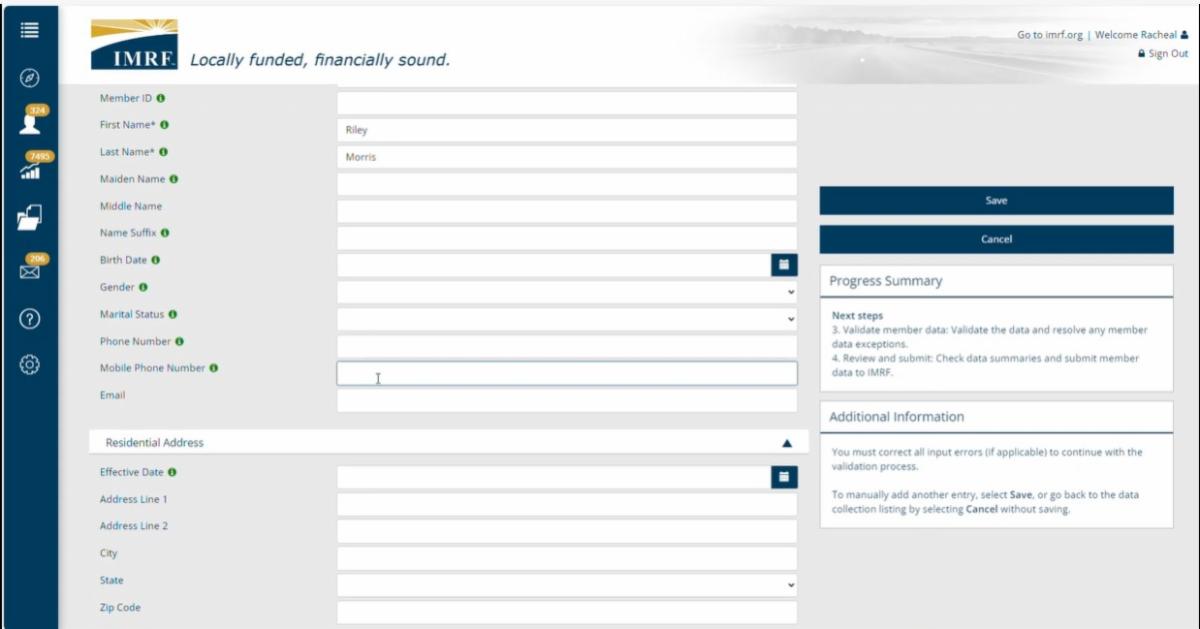
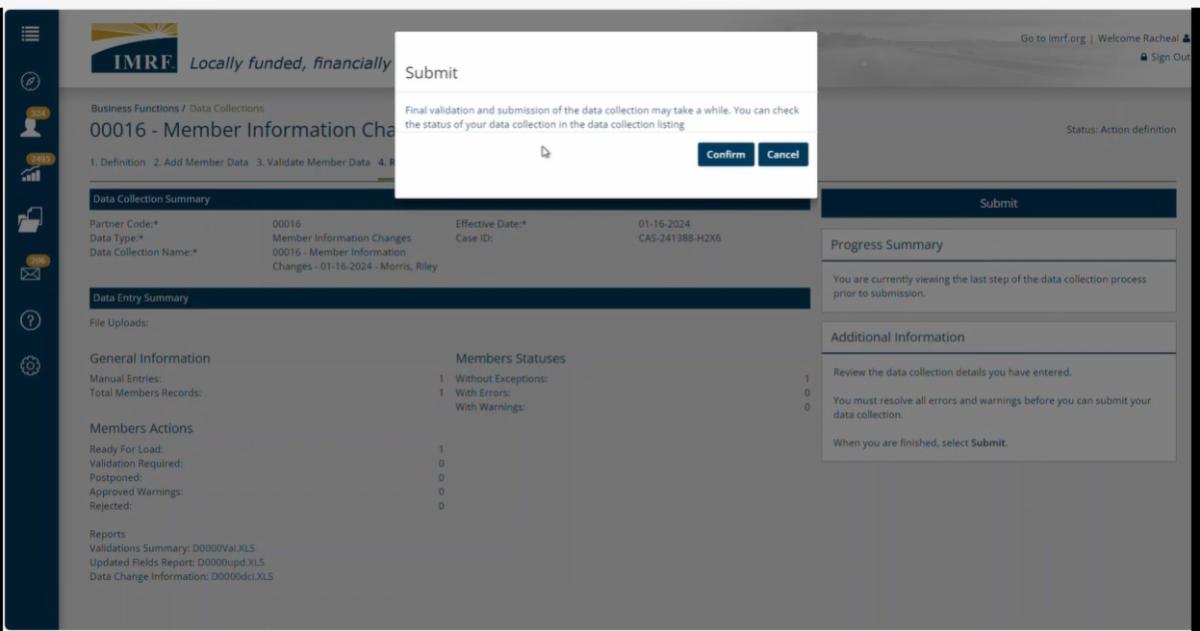
If a member is already enrolled, employers can update the member record by selecting “Business Function” on the left side panel of your home page in Employer Access and choose the “Data Collection" option. On the next page, select “Member Information Changes” as the “Data Type.” The rest of the information will populate on the page, and after clicking "Save and Continue" and you can continue entering the rest of the updated member information.
As you are adding new employees to your organization, please consider adding an email address to their member data to make it easier for them to create a Member Access account.
| |
This small addition allows your employees to easily submit information directly to IMRF, update their contact information and get important documents through Member Access.
Employers can use their work or personal email address to create the account. Once the IMRF member can access the account, they can change it to their preferred email.
Check out our Update Member Information Change or Employer Access: Enrollment video to learn more.
Note: The images above are from a training video and do not include any personally identifiable information.
| | |
Pay Attention to Barcodes on IMRF Forms | |
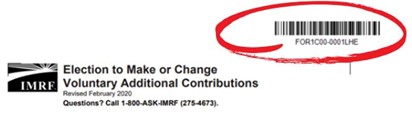
Many of the forms generated by IMRF have barcodes.
This barcode directs the form to the member's account it was generated from when it is received by IMRF.
It is designed to help make updating member information faster and we need your help!
Please do not reuse or make copies of barcoded forms for either your own use, or to share with your employees.
If a duplicated, barcoded form is used by a different member and is sent to IMRF, the form will be directed to the original member's account whose name is associated with the barcode. This causes delays in fully processing updates of the member who submitted the form with the someone else's barcode.
Please encourage IMRF members to sign up for a Member Access Account, which will allow them to get correctly barcoded documents and find other important information.
|
UPDATED Calendar Dates
for Insurance and
Union Deductions
| |
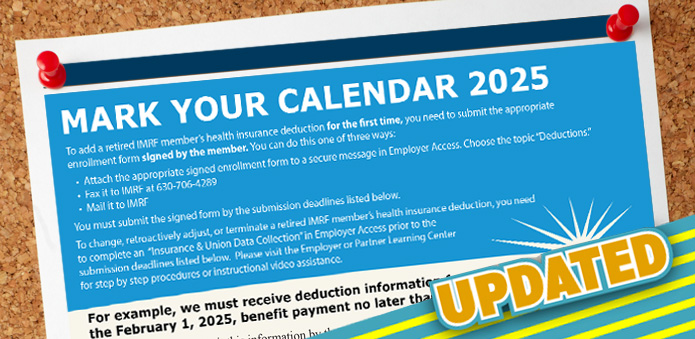
IMRF has changed the cut-off for employers to make adjustments to retiree insurance and union deductions. The submission cut-off for the May 1 Benefit Payment is now April 17. The remaining months of 2025 have also changed. Please discard any saved copies and refer to the new Mark Your Calendar for 2025 here.
(Please note: you may need to clear your internet browser cache to view the new schedule.)
|
| Coming Soon! Employer Rate Meetings | |
The Rate Meetings will review year-end financial results and actuarial data for IMRF, and the data's estimated impact on employers. IMRF Executive Director Brian Collins, and Chief Financial Officer Mark Nannini will conduct the meetings.
Please register for one of the following dates:
Wednesday, May 14
In-person:
Western Suburbs – Wheaton
Presentation: 10-11 AM
Arrowhead Golf Club (26W151 Butterfield Rd., Wheaton, IL 60189)
In-person:
Northern Suburbs – Northbrook
Presentation: 2 pm -3 pm
Hilton Chicago/Northbrook (2855 Milwaukee Ave., Northbrook, IL 60062)
Thursday, May 15
Online Webinar
Presentation: 10-11 AM
In-person:
South Suburbs – Tinley Park
Presentation: 2-3 PM
Hilton Garden Inn Chicago/Tinley Park (18335 LaGrange Rd.,
Tinley Park, IL 60487)
Friday, May 16
In-person:
Central Illinois – Springfield
Presentation 10-11 AM
Express Personnel Building - Lower Conference Room
(3000 Professional Dr., Springfield, IL 62703)
| | | |
Eligible Unused, Unpaid Sick Days are Converted into Service Credit
IMRF does not "pay out" on unused, unpaid sick days from IMRF employers. Instead, when eligible, IMRF members can convert unused/unpaid sick time they have with their employer when they retire. These days can add service credit, which may increase their monthly pension payments.
Service credit is the member’s total time under IMRF, stated in years and months, and it is used along with the Final Rate of Earnings (FRE) to determine the amount of each member’s pension. The more service credit members have, the larger their pension amount will be.
For details, select the member’s specific plan below:
| |  | |
Retirement Planning Webinars Available ON DEMAND!
If your employees have any questions about how their IMRF pension works as they are planning for their retirement, IMRF has two webinars available on our website.
| | | Upcoming Authorized Agent Webinars | |
We offer these online webinars for Authorized Agents to learn more about IMRF procedures and how to administer IMRF. Register today!
IMPORTANT NOTE: By law, all new Authorized Agents must attend Authorized Agent training within three months of appointment.
April 2025
-
Module 2: IMRF Benefits, Employer Rates, and Legislation – April 23
May 2025
-
Module 1: Introduction, Enrollment, Wage Reporting, and Termination –May 13
-
Module 2: IMRF Benefits, Employer Rates, and Legislation – May 27
All sessions run 9:30 AM to 11:00 AM.
Webinar Structure
This 2-part webinar series prepares IMRF Authorized Agents to perform common IMRF tasks. Note: To receive a completion certificate, you must attend the online session live. Watching a recording at a later date will not result in a certificate of completion.
Together, these two 90-minute webinars cover the topics included in the former one-day workshop. Each webinar stands alone, and you can attend them in either order. Canceling your registration from just one module is not permitted.
| | | Employer Access Learning Center | | |
Visit IMRF's Employer Access Learning Center for training materials to help you complete your daily tasks. Instructions are available as PDFs, PowerPoint presentations, and MP4 videos.
Topics include:
-
Employer Access Management: Setting up or removing your team's access to Employer Access
-
Wage Report Procedures: Creating and submitting your monthly wage report
- Wage Adjustment Procedures: Making individual or bulk wage adjustments in current or prior years
-
Manage Member Events: Enrolling, terminating, or updating a member's information, viewing a member's profile, or filing for disability
-
Documents and Reports: Searching for and viewing documents and generating reports
-
Pay Online Procedure: Making payments to IMRF and viewing your account summary
-
Find Important Information: Locating your Employer Rate in Employer Access
-
Employer Access FAQs: Frequently asked questions about setting up your new employer access account and adding team members
-
Employer Checklists: Helpful checklists for a variety of common tasks including enrolling an employee, terminating an employee or submitting death, disability, and retirement benefits
| | Stay Connected with IMRF! | | |
2211 York Rd., Ste. 500
Oak Brook, IL 60523-2337 (Main Office)
3000 Professional Dr., Ste. 101, Springfield, IL 62703
Member-only Phone: 1-800-ASK-IMRF (275-4673)
Employer-Only Phone Number: 1-800-728-7971
| | You are receiving this email because you have been identified as an Employer Contact of IMRF. As such, you cannot opt out of receiving this email. To update your Employer Contact information, log in to your Employer Access account. | | | | | |