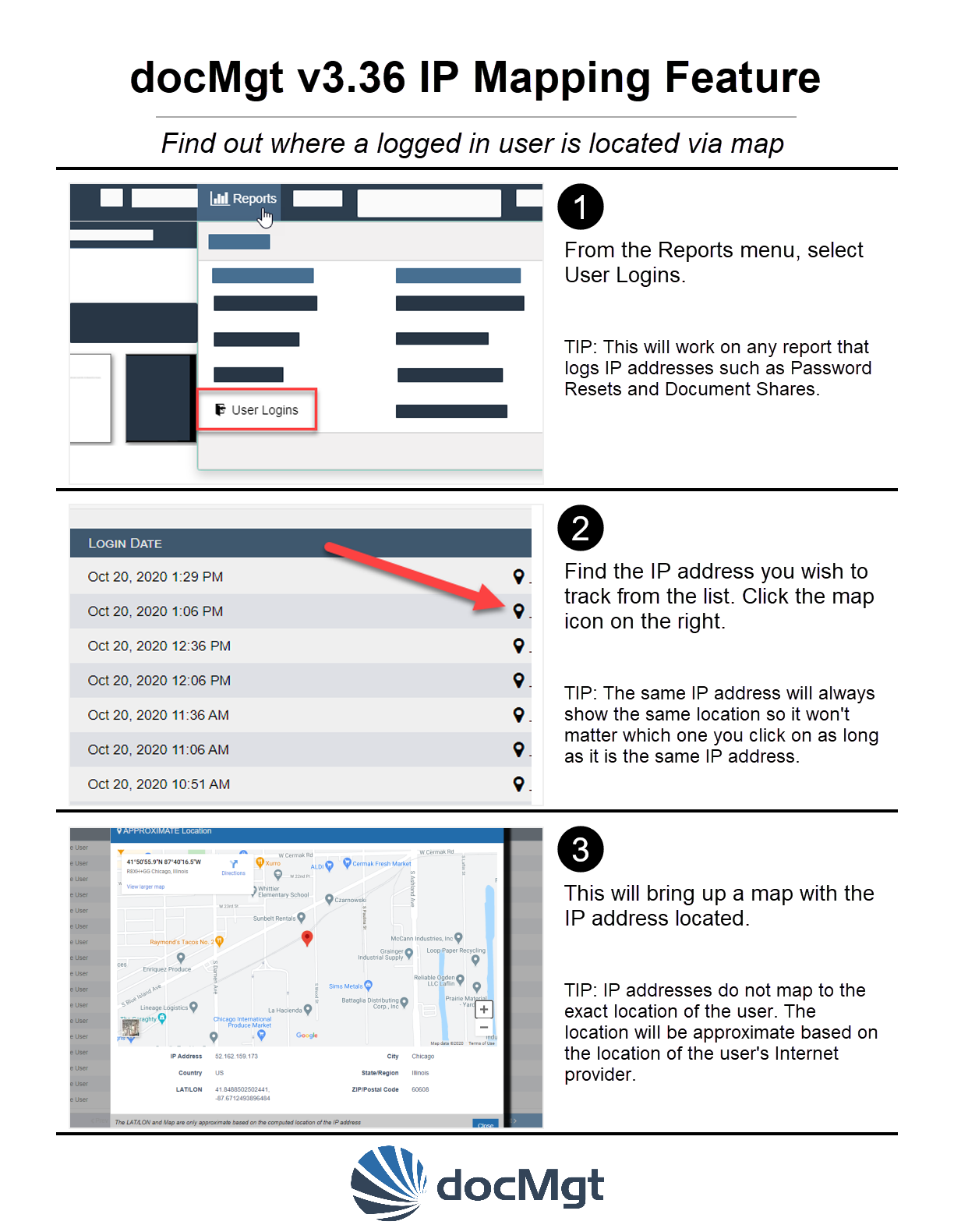
docMgt version 3.36 has added the capability to see from where users are logging in. In this release we upgraded our maps to use embedded Google maps which give more detail and are more interactive.
Below is a quick step-by-step guide that walks you through how to see a map of where the user logged in from. This is based on the IP address of the user so will not be 100% accurate - just in the vicinity.
Why Is This Important?
Security is always important and knowing where a user is located can help you determine if that user is a legitimate user. If you find out the user is not allowed you can block their IP address using the IP Limits capability right on the login report.