The IRIS Update - Fall 2026

All IRIS-Using Counties Now Migrated to IRIS 10

Welcome to the IRIS Update! In this edition, we are excited to announce that as of September, the IRIS team has completed migrating all IRIS-using counties from IRIS 9 to IRIS 10. Additionally, we also share information on changes coming to how you can continue to access IRIS 9 to view historical data, as well as new screens and features available to you in IRIS 10.


IRIS 10 Migration Complete

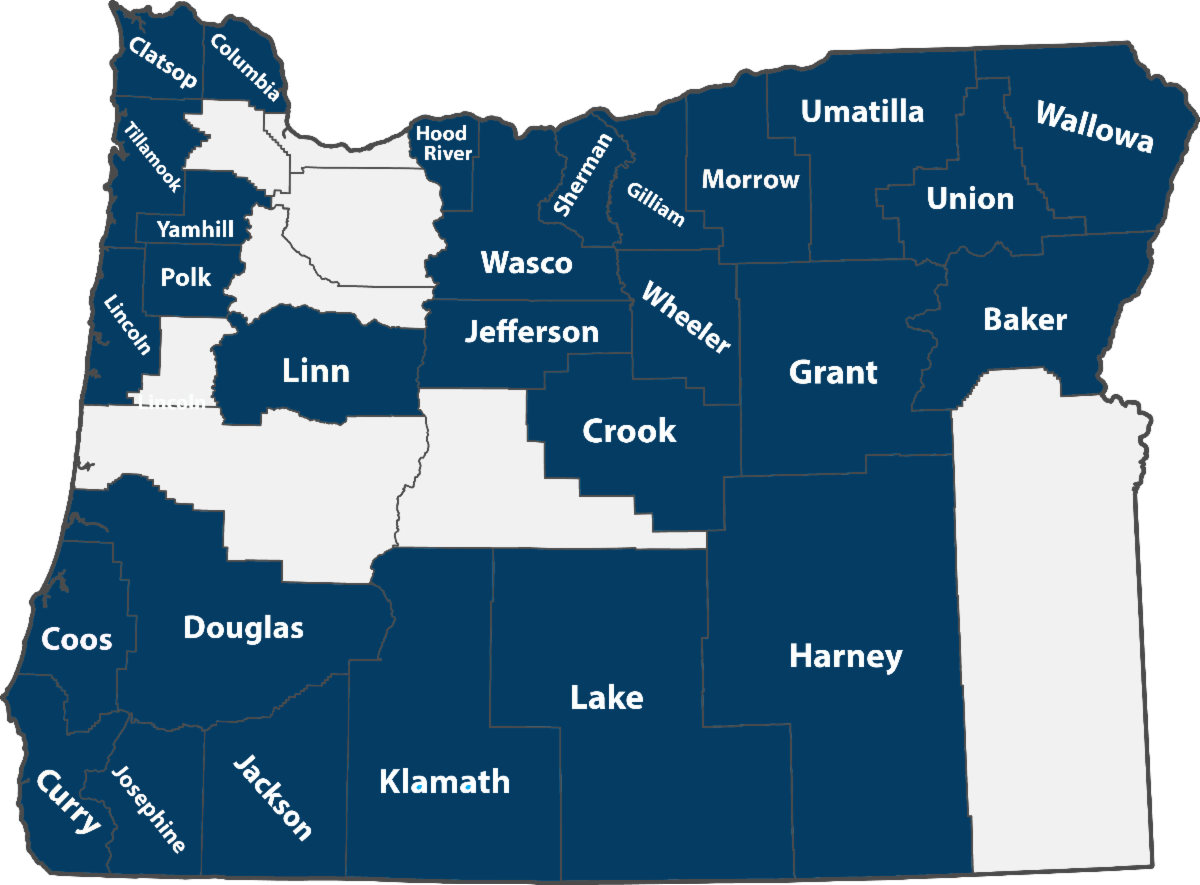
After nearly two years of building, refining, and testing, the IRIS team brought the final county onto the new system August 30, marking the end of the migration from IRIS 9 to the web-based IRIS 10. Now that all 28 IRIS-using counties are using IRIS 10 exclusively, the IRIS team will concentrate our efforts on continuing to augment and improve IRIS 10, focusing on system enhancements, user wish-list items and more user customization and preference options.


The migration truly has been a collaborative project, and the IRIS team would like to thank all of our IRIS users for the time you have invested in testing and learning the new system. We appreciate all of the feedback and suggestions that you provided during this process, as your input and ideas were crucial in the development of IRIS 10. Thank you to everyone for your patience and grace during the migration, and we look forward to continuing to work with you as we add new tools and features to IRIS 10.


If you have questions about the conclusion of the migration from IRIS 9 to IRIS 10, please reach out to our team at support@aociris.org.

Changes to Accessing IRIS 9

With all counties now moved to IRIS 10, the IRIS team will soon make changes to how users can continue to access and view historical data in IRIS 9.


For security purposes, the IRIS 9 server will be turned off on Friday, October 2. Following Oct. 2, if you would like to view historical data in IRIS 9, you will need to use the newly built IRIS 9 web portal. The IRIS 9 web portal has been designed to replicate the IRIS 9 desktop client, and you will be able to view all of your historical data up to your county's IRIS 10 migration date. *All of this same data is also available to you in IRIS 10.


To log in to the IRIS 9 web portal, go to: https://iris9.aociris.org, and use the same IRIS 9 credentials that you used to sign into the IRIS 9 remote desktop client.


If you have questions about the IRIS 9 web portal, please contact us at support@aociris.org

Recently Added IRIS Screens and Tools

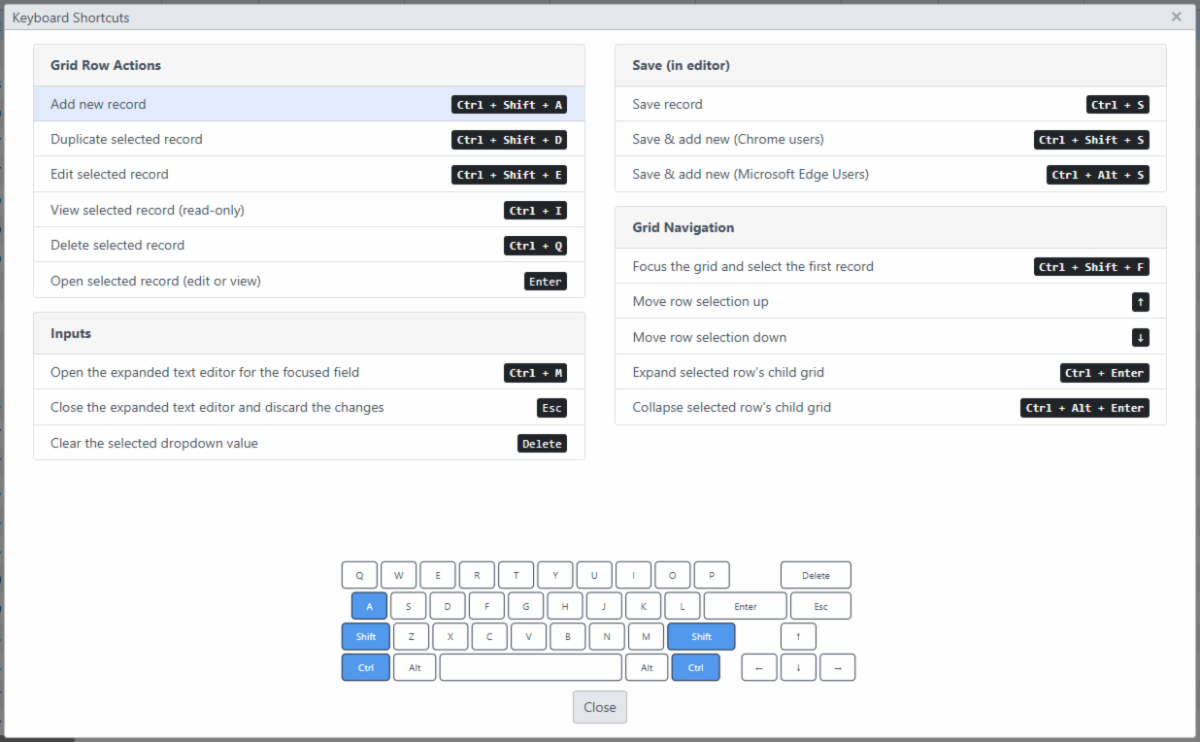
Over the past month, the IRIS team has added several new screens and features to IRIS 10 to further enhance the user experience and provide more customization options.


To help you get familiar with these new screens and tools, we have linked the following tip sheets below:


If you have questions or trouble accessing the tip sheets, please contact us at support@aociris.org.

Questions & Feedback

If you have general questions for IRIS Support or a discussion topic for other users, please email it to support@aociris.org, and we will share your questions and answers in the next edition of The IRIS Update.