|
What Is Changing?
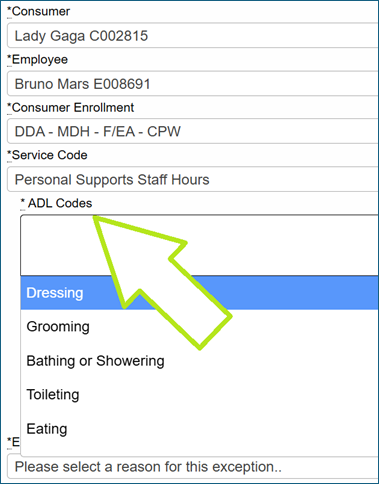
Starting June 7, 2026, you must pick at least one ADL code every time you enter a shift in Evvie. ADL stands for Activities of Daily Living. These codes show the tasks you did during your shift.
This is a rule from DDA (Developmental Disabilities Administration) as stated in their Self-Directed Services manual: "To be paid, employee timesheets must include a list of tasks completed by the employee during their shift."
If you do not select an ADL code, you will not be able to submit your shift.
How Do I Add an ADL Code?
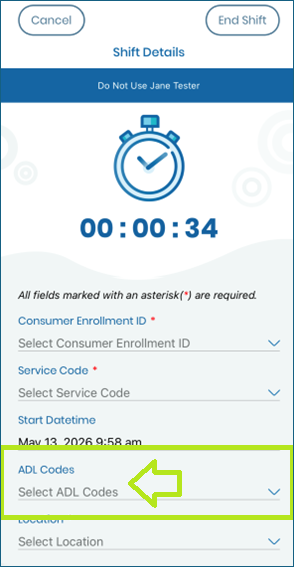
Using the Evvie App on your phone:
- Open the app and go to your shift details.
- You will see a drop-down menu. Pick at least one ADL code from the list.
|