Meet BUURT – CCMC's Resident Portal 

We're thrilled to introduce you to BUURT, our updated resident portal. BUURT replaces our previous VMS portal and will serve as a one-stop shop for all your association needs. The portal is designed to simplify your experience: from viewing and paying your association account balance to accessing your current compliance issues.


Why “BUURT”?   

BUURT stands for Building Unified User and Resident Tools and is also a play on the Dutch word buurt, which means neighborhood.   


How Does BUURT Benefit You?     

We understand how overwhelming it can be to juggle multiple systems for association details. That’s why we’ve created this streamlined experience to:    

  • Simplify the way you pay and view your account balance     
  • Streamline access to your resident account information 


While all the previous payment options are still available to you, with BUURT, you can set up single sign-on (SSO) with Western Alliance Bank (WAB) to make payments quicker and easier moving forward. While you can view your balance in BUURT, payments and recurring payments are still processed by WAB through their banking portal. After logging into BUURT and clicking pay, you will be transferred to the WAB banking portal and can choose to enable Single Sign-On (SSO). CCMC does not store any personal banking information; the SSO simply allows you to have a single login and password to view your association-related business and pay assessments. 


The addition of BUURT does not impact any scheduled payments or your existing recurring payments. Although you are not required to sign up, we encourage you to sign up to help you monitor your account moving forward and to take advantage of SSO with our banking partner.


What You Can Expect in BUURT   

The new portal is a centralized technology platform that will optimize how you currently:    

  • Pay and view your account balance   
  • View any current compliance issues   
  • View assessment statements and letters associated with your account 
  • Update your BUURT account contact information 

Start Here: Register for BUURT  

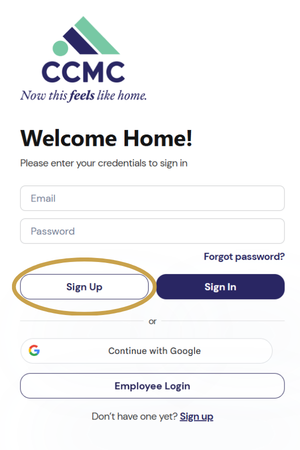
  1.  To register for the portal, go to buurt.ccmcnet.com and click the "Sign Up" button. Please sign up with the email associated with your resident account.  
  2. On the next page, fill out the short form and click “Create account,” or select “Continue with Google,” located below, if your resident account is associated with your Gmail. 


Please note: If you don't have an email on file with the association, include your account number and property address when registering. If you don't know your account number, you can find it listed on your mailed assessment statement or contact CCMC's customer service team at 1-480-921-7500.   

View How-to Guides   

We’re here to help you feel confident with this new portal, and we’ve prepared a variety of resources to guide you every step of the way. Visit the BUURT portal page on CCMC’s website to find step-by-step guides on how to:    

  • Create your account 
  • Pay and view your account balance   
  • Access any current compliance issues 


Training and Support   

CCMC resident experience and customer service departments will be hosting six virtual training sessions via Teams to walk you through how to navigate the portal features on Wednesday, February 25, and Thursday, February 26. If you can’t make the live session, don’t worry; recordings are also available with step-by-step instructions on how to access the most commonly used features online at ccmcnet.com/buurt. 


Additionally, you can always reach out to your management team for assistance.

February 25 Trainings

(8:30 am PST/11:30 am EST)

Meeting ID: 232 003 115 907 77

Passcode: Z35HB6Sn

(3:00 pm PST/6:00 pm EST)

Meeting ID: 236 312 488 945 92

Passcode: qp3dm7sJ

(5:30 pm PST/8:30 pm EST)

Meeting ID: 210 815 770 132 12

Passcode: 8VX2Yr2x

February 26 Trainings

(10:00 am PST/1:00 pm EST)

Meeting ID: 281 082 529 669 97

Passcode: fa7rw6ci

(3:30 pm PST/6:30 pm EST)

Meeting ID: 277 396 986 106 47

Passcode: gB9mP2WE

(5:30 pm PST/8:30 pm EST)

Meeting ID: 278 261 784 682 60

Passcode: xs9qn3C4

We're thrilled to bring this improved experience to your fingertips! Please take time to log in to the system and view all that the portal has to offer. If you have any questions, please don’t hesitate to contact the team at ricelandtx@ccmcnet.com or 346-577-5168 or contact CCMC’s customer service team at 1-480-921-7500 or via email at customerservice@ccmcnet.com.