September 15, 2020 - In This Issue:

INVOICING AND PAYMENT CHANGES

The repercussions from the COVID-19 pandemic - economic uncertainty, budget reductions and a hiring freeze­ - are taking a significant toll on UCSF. Like many other UCSF departments, SCM is forced to make difficult decisions that will impact the services we provide to the University community. Immediate changes include the following areas:
  • Electronic Invoicing for BearBuy Purchase Orders
  • Payment Methods 
  • Invoice and Expense Processing Times
For details, please read the complete article about these changes.

BearBuy
Shipping Off Campus Using a One-Time Ship-To Address

As a best practice, BearBuy orders should be shipped to a UCSF campus location. A BearBuy One-Time Ship-To Address should only be used when it is necessary to ship orders to a non-UCSF address for the purpose of conducting official University business. Each requisition containing a One-Time Ship-To Address requires the department Requisition Approver's approval regardless of dollar amount.
 
The Requisition Approver has the responsibility to carefully review the requisition for accuracy and to verify that there is a legitimate business reason for shipping to a non-UCSF location. The department management also has responsibility for oversight on orders that are shipped to One-Time Ship-To Addresses. It is critical that departments confirm the appropriateness of these orders to provide a financial control against fraud and ensure university assets are safeguarded.
SUPPLY CHAIN NEWS
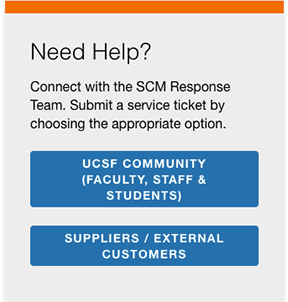
Contact the SCM Response Team for Support

Supply Chain Management support is now being managed band another for suppliers and external customers. theSCM Response Team. To better serve our customers, all requests for support now are required to be created through two new online intake forms - one for the UCSF community

Emails sent to scmap@ucsf.edu and supplierinquiry@ucsf.edu as well as our Accounts Payable support phone lines are not being monitored, so please use the links below to submit a ticket via the appropriate form.
Please continue to submit BearBuy functionality and operational issues to appsupport@ucsf.edu.
 
You can also find helpful procurement information on the Supply Chain Management website.
BEARBUY
Thomas Scientific Hosted Catalog Goes Live

Thomas Scientific's hosted catalog is now available on BearBuy. Thomas Scientific provides products and services that support life science research. E&K Scientific, Denville Scientific, and Phenix Research Products have been acquired by Thomas Scientific and their products are available on the hosted catalog. Please reach out to your local sales representative for your lab's needs.
 
Our local representative is Spencer Alves (spencer.alves@thomassci.com).
PAYMENTS
Payment Request Form Changes

On August 31, the Payment Request Form (PRF) was enhanced to provide additional guidance for using the form, help obtain additional information on payments, and improve purchase order (PO) compliance.

The changes include removing the option in the Activity Type menu for "Suppliers who will not accept a PO." Invoices for purchases of goods and services can no longer be submitted on the PRF. POs or procurement cards should be used for making these purchases (see the Buying Goods and Services article below for guidance).
 
The Payment Request Form can now only be used for the following types of payments:
  • Cell Phone/Phone Lines
  • Donations/Contributions
  • Government Fees/Visas
  • Guest Lodging
  • Honoraria
  • Journal Publications
  • Memberships
  • Postage/Small Package Courier
  • Refunds
  • Registration Fees
  • Student Summer Programs
  • Subscriptions
  • Utilities
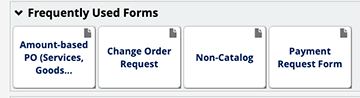
Please immediately begin using the latest version of the form, which is available in the Frequently Used Forms section of the BearBuy homepage (via MyAccess). Please do not copy old BearBuy requisitions containing previous versions of the form.

For amazon.com and ebay.com purchases, please refer to the BearBuy tips below.
BEARBUY
Buying Goods and Services

To purchase goods or services, create a BearBuy requisition and purchase order (PO) prior to making the purchase. POs help ensure authorization, financial controls and policy compliance. Purchasing of goods or services without using a pre-approved PO is considered unauthorized per UC policy.
 
When creating a requisition in BearBuy and a supplier appears with a red stop sign next to its name, this means the supplier is not currently accepting POs. To make a purchase through the supplier, you should:
For one-time purchases of low-risk goods and services under $5,000 from a supplier, you may use a procurement card (P-Card), if you have one. Visit Supply Chain Management's P-Card webpages for more information.
UCSF EXCLUSIVE
DELL SEMI ANNUAL SALE

It's time for Dell's Semi Annual Sale. Starting September 10 through September 24 faculty, staff, students and alumni can save 17 percent on select Dell branded products when applying coupon code: SAVE17 at check out. 

Purchases through this program are for personal-use only.

BEARBUY TIPS

Q: An invoice needs to be paid from different accounting codes (chartstrings) than those on the purchase order (PO). Can I submit a Change Order Request Form to change the accounting codes and will it automatically change the funding on the invoice(s)?

A: A request to change the accounting codes on a PO can be processed if the PO is not fully-invoiced or over-invoiced. The changes in the PO accounting codes will only apply to future invoices. If an invoice has been already been applied to the PO but it did not get paid due to expired funding, please contact our  SCM Response Team for assistance. 
BEARBUY TIPS

Q: I need to increase the amount of a purchase order (PO) that was created from a BearBuy form. What amount do I enter for the new PO total amount on the Change Order Request Form?

A. The new PO total is the sum of the current PO value plus the amount of the increase. The amount should include the amount already invoiced plus the estimated expenses on invoices that will be applied to the PO in the future.
BEARBUY TIPS

Q: Can I use BearBuy to purchase items or pay invoices for amazon.com or ebay.com?

A: Unfortunately, no. Ebay and Amazon do not accept purchase orders (POs) from UCSF, and we cannot process invoices for these companies as a Payment Request. Our recommendation is to use a different supplier that will accept a PO or place your orders using a Procurement Card (P-card).

Note: Amazon Web Services will accept a PO for cloud computing services only. Do not use BearBuy to try to order books, office supplies, lab supplies, etc. - your order will not be fulfilled.
CONTACT US

Need Help? Connect with the SCM Response Team. Submit a service ticket by choosing the appropriate form
___________________________________________________________________________

FOR BEARBUY functionality and operational issues, continue to contact the IT Service Desk.
Phone: (415) 514-4100, option 2 (M-F, 8 a.m. to 5 p.m.)
___________________________________________________________________________

FOR LOGISTICS services
Phone: (415) 502-6245

© 2017 The Regents of the University of California