Dear Valued ARINCDirect Customers,  


We are excited to announce enhancements to our Calendar Exchange and NextGen Flight Planning applications within Izon.

Now available within Calendar Exchange


  • NextGen Flight Planning Integrations 
  • Flight Logging 

Now available within NextGen Flight Planning


  • Mobile and Tablet Compatibility 
  • Flight Plan Filing 

Calendar Exchange 


NextGen Flight Planning Integrations 


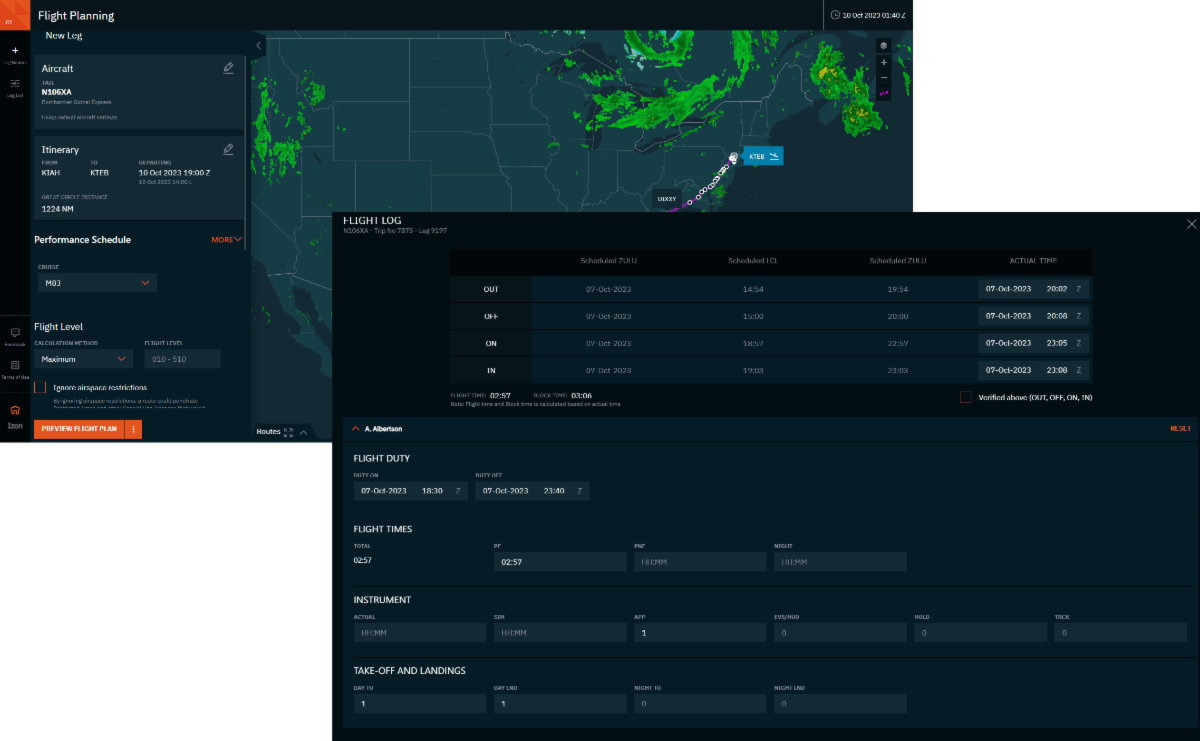
Integration of our NextGen and Legacy flight planning solutions allows you to plan and schedule your flights with ease. You may now send leg data from Calendar Exchange directly into NextGen Flight Planning or from NextGen Flight Planning into Calendar Exchange. This feature brings efficiency to Calendar Exchange and Flight Planning users by eliminating the need to build a leg in both applications.  


Flight Logging 


With Flight Logging, you can quickly input and track post flight Out, Off, On, In (OOOI) times, crew duty times, and flight times. Historical crew flight time overviews and flight log details are easily accessible through Calendar Exchange or the Izon Contact Application.  

In this release: Integration with NextGen Flight Planning (left) and Flight Logging (right) 

Flight Logging is the newest feature included in the Scheduling bundle. The Scheduling Bundle enhances your Calendar Exchange experience with the Timeline Manager, Tasks and Services, and Flight Logging features.  


More information about these updates can be found in the NextGen Flight Planning Integration and Flight Logging Release Notes


NextGen Flight Planning 


Mobile and Tablet Compatibility 


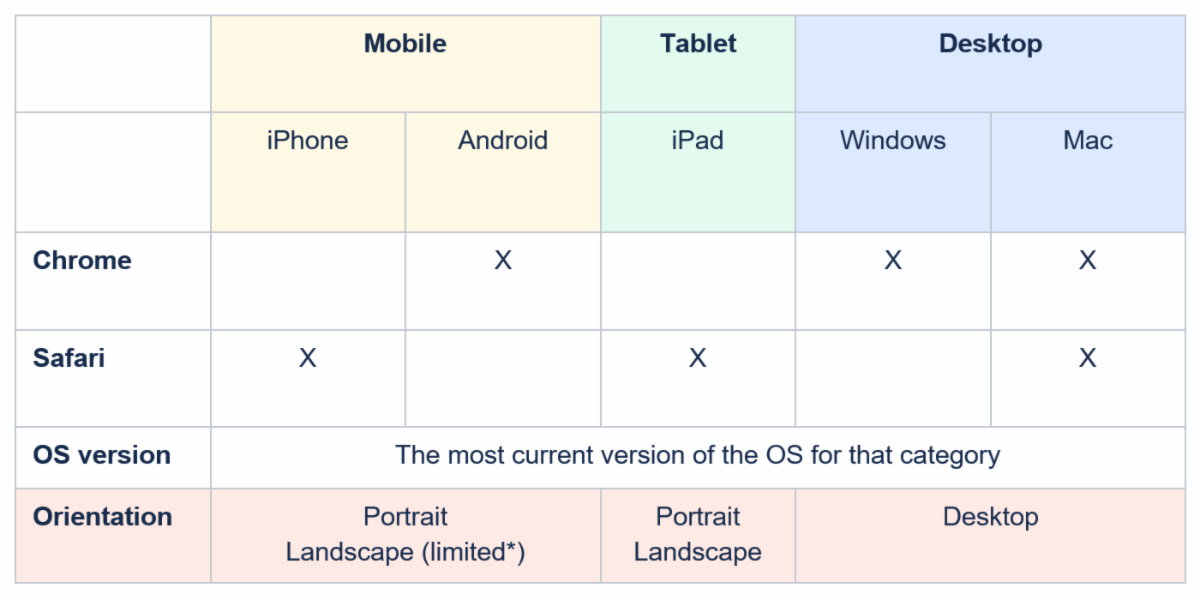
Now you can take advantage of the features NextGen Flight Planning offers no matter what device you have available. The PWA, or progressive web application, approach allows for flight planning to be at your fingertips and available at a moment’s notice. Whether you are creating a new flight plan or filing an existing flight plan, you can now do this from the tablet or mobile device of your choice.  


Below are the supported browsers and devices:  

Flight Plan Filing 


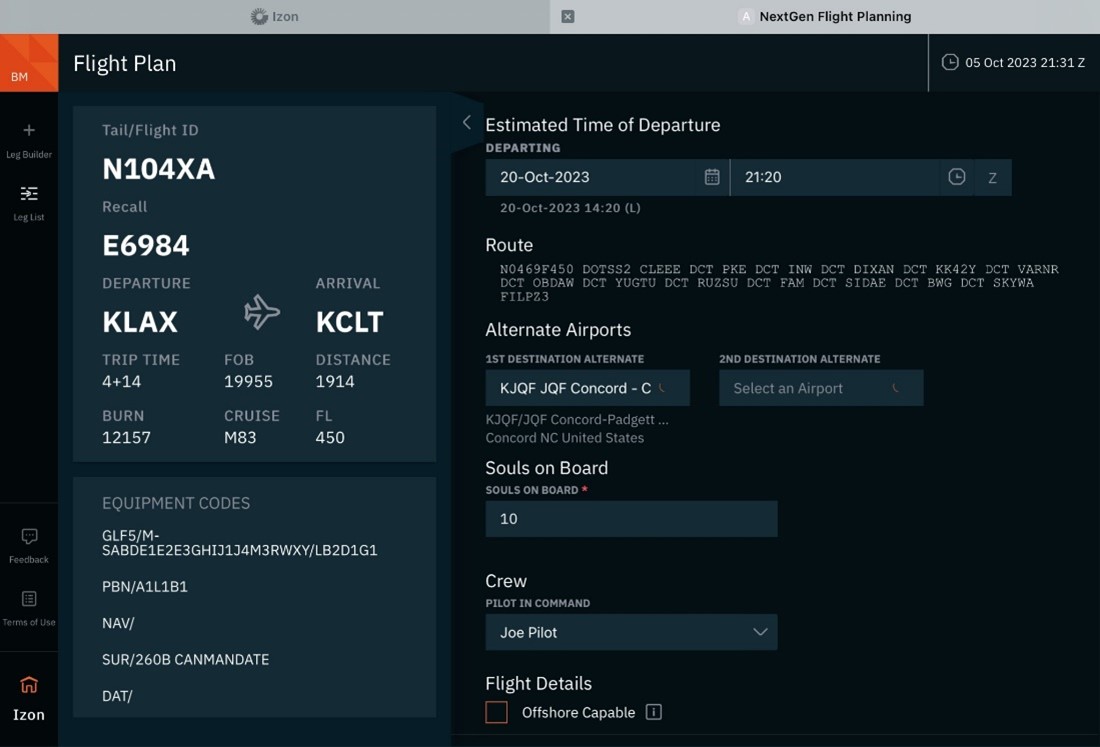
This release also provides the ability to file a NextGen flight plan with an emphasis on the mandatory fields. We’ll continue to add to this functionality in upcoming releases.  

While this feature provides the ability to file the NextGen flight plan from within the NextGen Flight Planning application, the ability to also file the NextGen flight plan in the Legacy tool will remain, for now. Note: In the NextGen Flight Planning application, Legacy flight plans cannot be filed. 


For more information, please review the File Flight Plan and Mobile-Tablet Release Notes


Accessing Calendar Exchange and NextGen Flight Planning 


Our NextGen solutions are available only on Izon. To access the applications, you must create or log into your Izon account. See the Izon Setup Guide in the links at the end of this message if you do not yet have an Izon account. It’s easy to set up and FREE. 


Share your Feedback 


NextGen Flight Planning is in BETA phase, and we really want to hear from you about the application - both feedback from using it and guidance about the features you’d most like to see incorporated next. If you have any questions or concerns, please contact us at 1-866-321-6060 (International: +1 410-266-2266), email flightops@arinc.com, or use the feedback icon located in the lower-left-hand menu of the applications. Screenshots are always helpful when referring to specific features or scenarios.   


Get Access   


Learn More 


As the backbone of the new Collins business aviation digital experience, the Izon dashboard will continue to expand as additional integrated solutions are brought online. From all of us at ARINCDirect, we want to thank you for your continued support as we rise above business as usual

Contact 24x7 Support
Navigate to Izon
Izon Setup Guide