Today we are pleased to introduce new features available within Izon: Multi-Factor Authentication and the Help Page
Multi-Factor Authentication  
 
Multi-Factor Authentication, or MFA, is a verification method that requires proof of identity past just a username and password. MFA provides added layers of security to protect users and their data while meeting regulatory requirements.  
 
Within this initial release, Izon users may elect to configure MFA via several options: Push Notifications, a One-Time Passcode, and via Text Message. 

Help Page   

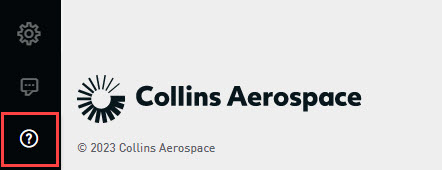
In addition to MFA, Izon now has a support page with access to Frequently Asked Questions, Izon-based Release Notes, and an Izon Setup Guide. To navigate to this new section, click on the link within the left-hand toolbar.  
As you transition to using these news tools on Izon, we will provide you with all the information and guidance that you need. Detailed information about MFA and the Help Page can be found within the Izon Version 5.0 Release Notes and the Izon Setup Guide.

For general information about Izon, navigate here: Izon Connected Platform 

Need further assistance?

We are here to help. Please reach out to our 24x7 Izon Support Team at +1 410-266-2266 or via the embedded feedback button within Izon.  
 
As the backbone of the new Collins business aviation digital experience, the Izon dashboard will continue to expand as additional integrated solutions are brought online. From all of us at Collins Aerospace, we want to thank you for your continued support as we aim to simplify the business of flight