We hope you are as excited as we are about our new app!
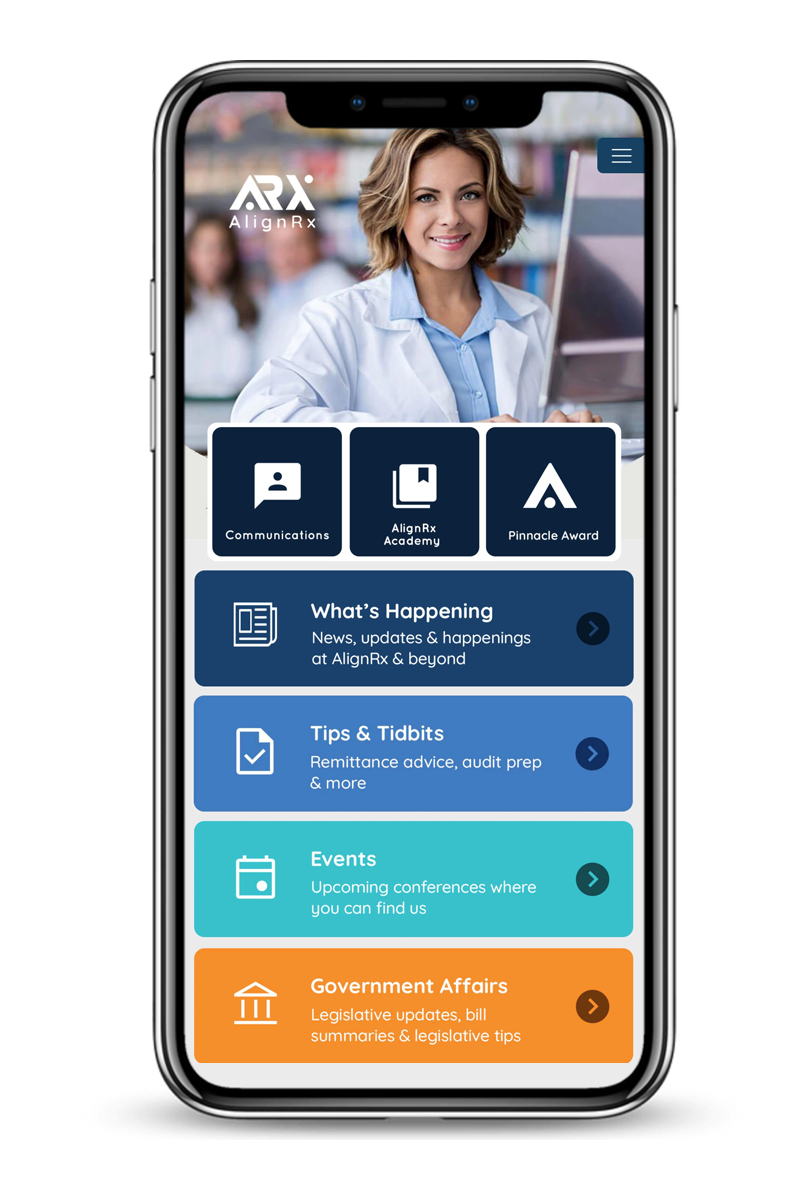
Download the AlignRx app from the app store today and kick off a great user experience. Our goal is to put an array of useful tools at your fingertips, including:
What's Happening - Stay in the know about what’s happening at AlignRx and inside the industry. From new solutions to industry trends, catch the latest here.
Tips & Tidbits -Discover helpful information for your community pharmacy, including eRecon advice, audit preparation tips, and more.
Events -Check out the upcoming events our team will be attending. Stay in the know on where to find us next.
Government Affairs -We’re working hard advocating on your behalf. Check here for legislative updates, bill summaries, and legislative tips to help you amplify the voice of community pharmacy.
You can also easily connect to our Member Portal. Your pharmacy's communications and the AlignRx Academy are just a log-in away.
Logging in to the App for the First Time
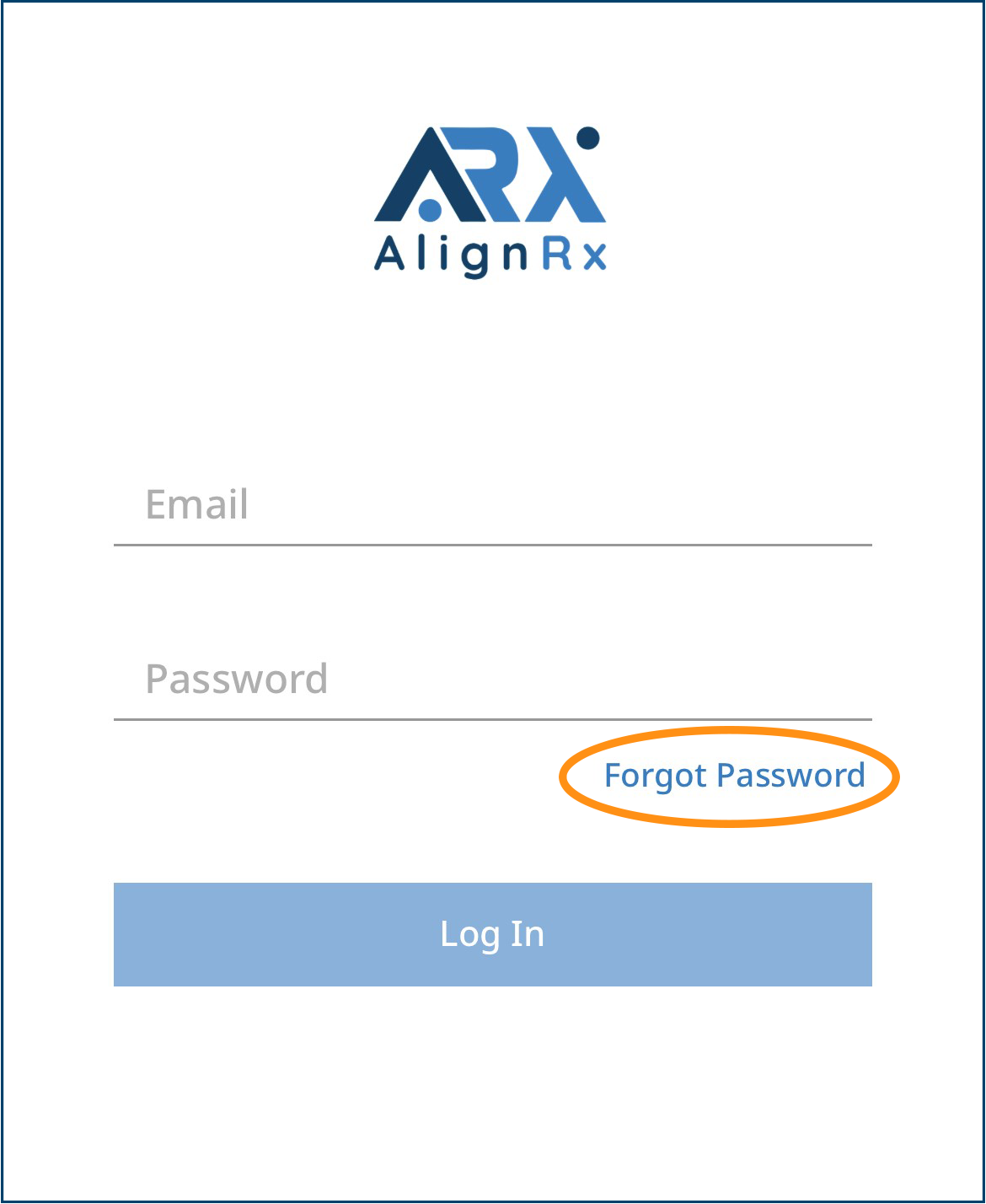
Once you download the app and open it, you will be prompted to log in.
Enter the email you use to access the Member Portal. Then, tap "Forgot Password."
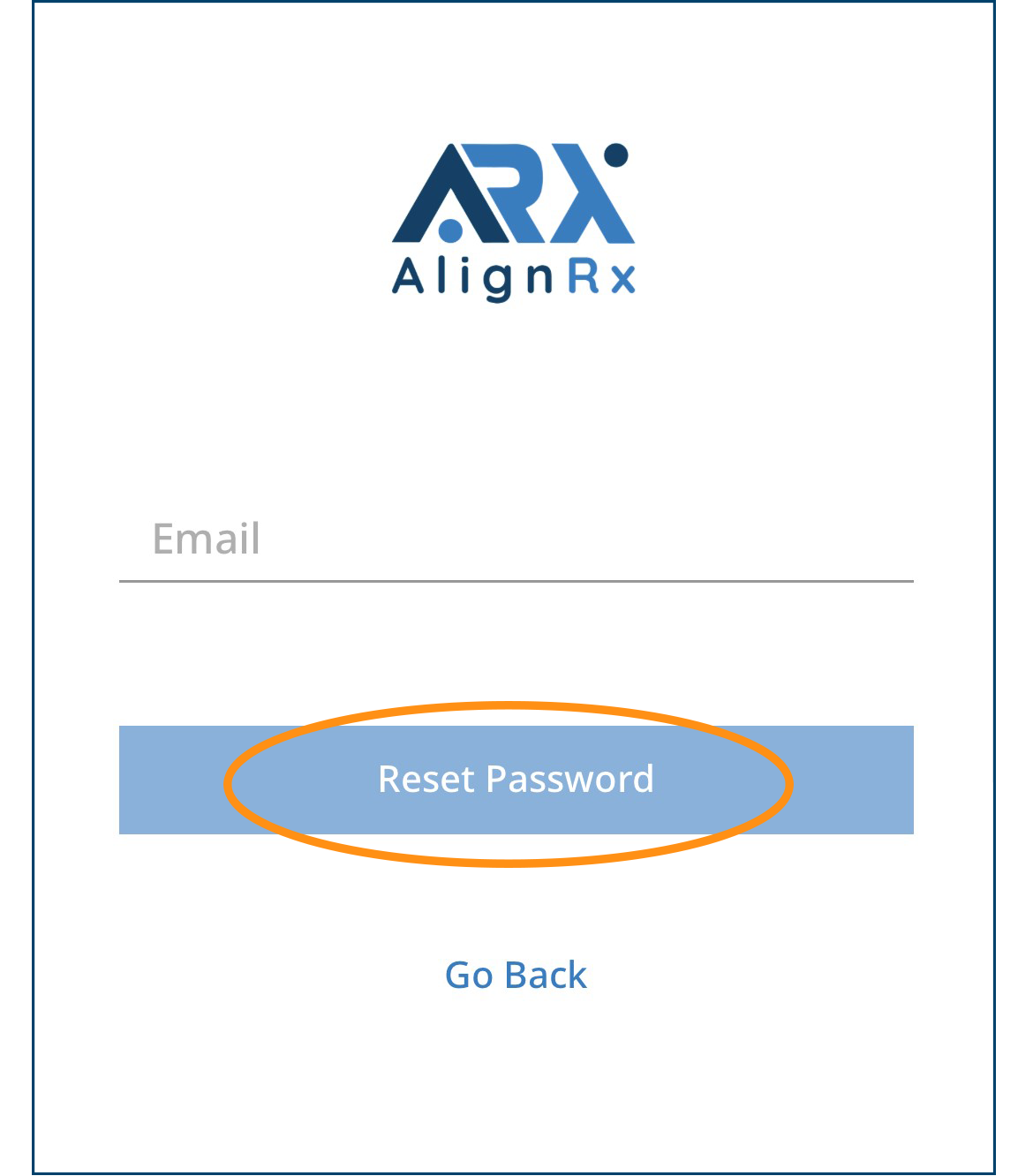
On the next screen, enter your email address again and tap on "Reset Password."
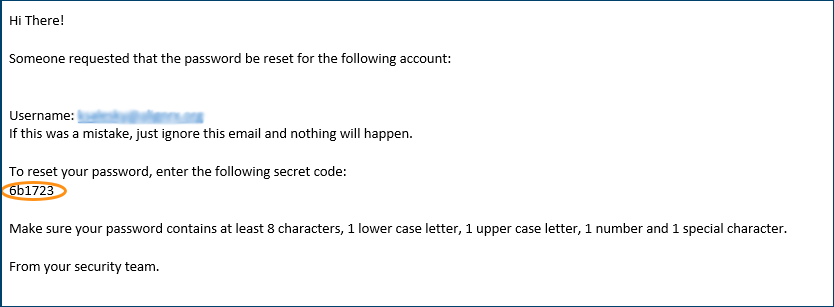
You will receive an email with the subject line "Somebody requested a new password for your account." Be sure to check your spam folder if you do not see this email.
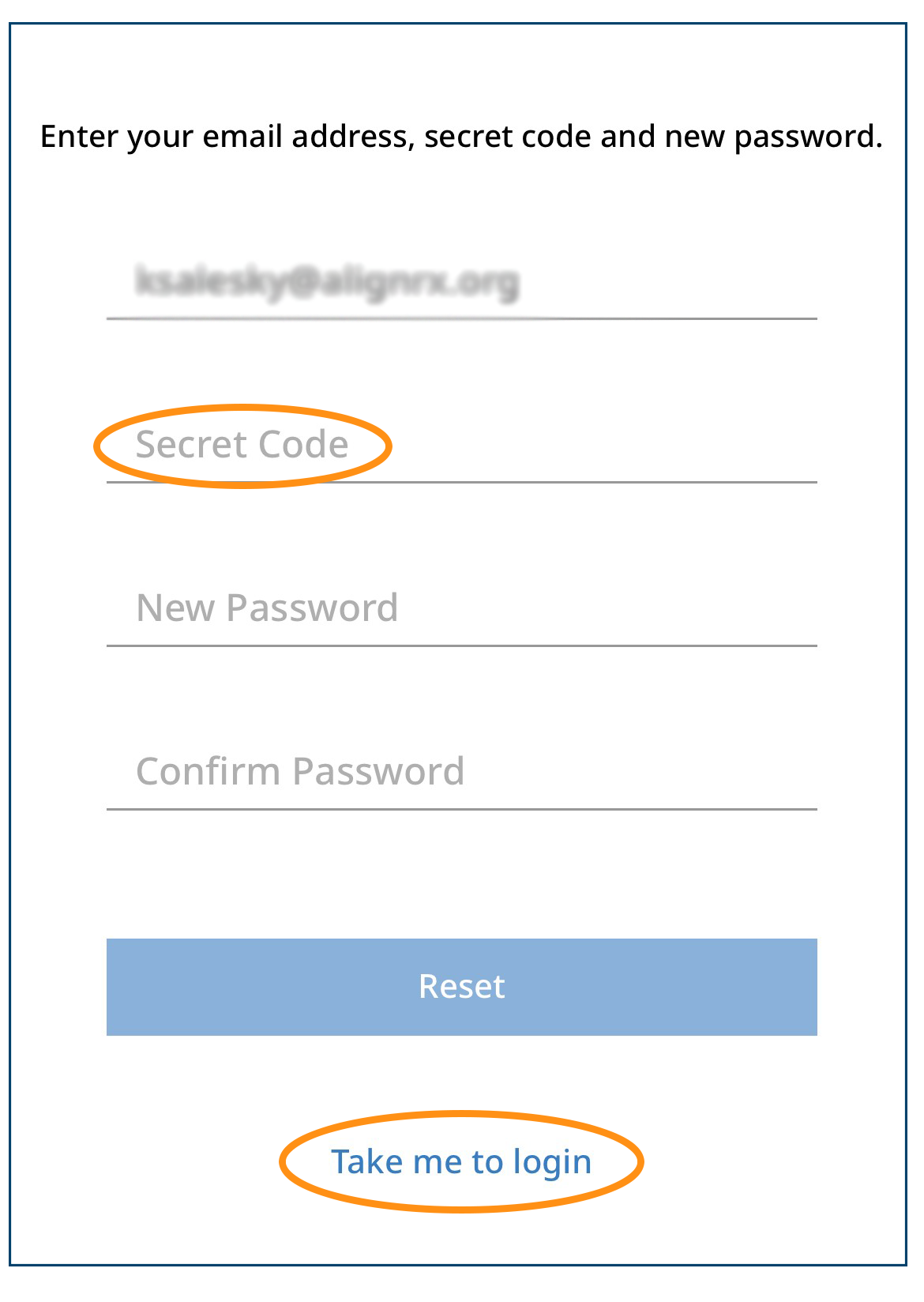
Open the email and copy the secret code.
On the next screen in the AlignRx app, paste the secret code. Then, create your new password.
Tap "Take me to login" at the bottom of your screen.
On the login screen, enter your email and new password.
QUESTIONS? Contact AlignRx Pharmacy Services at 844-ALIGNRX (844-254-4679), option 1.