2026 Technology Updates


Read more about new TCruise updates, easy Juniper RTK, and more! Questions? Give us a ring: 866-395-5440


New Hardware

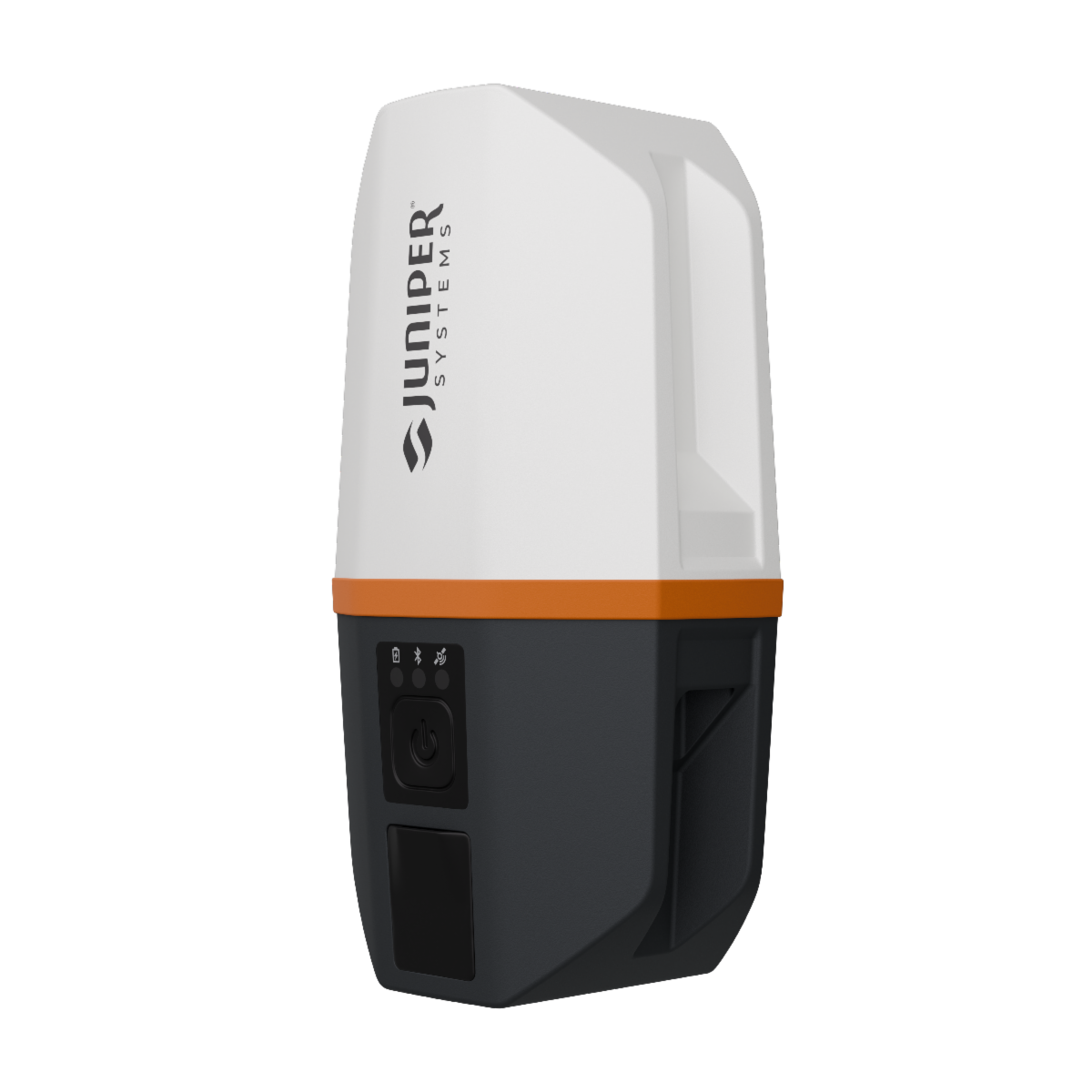
Juniper Systems Spire

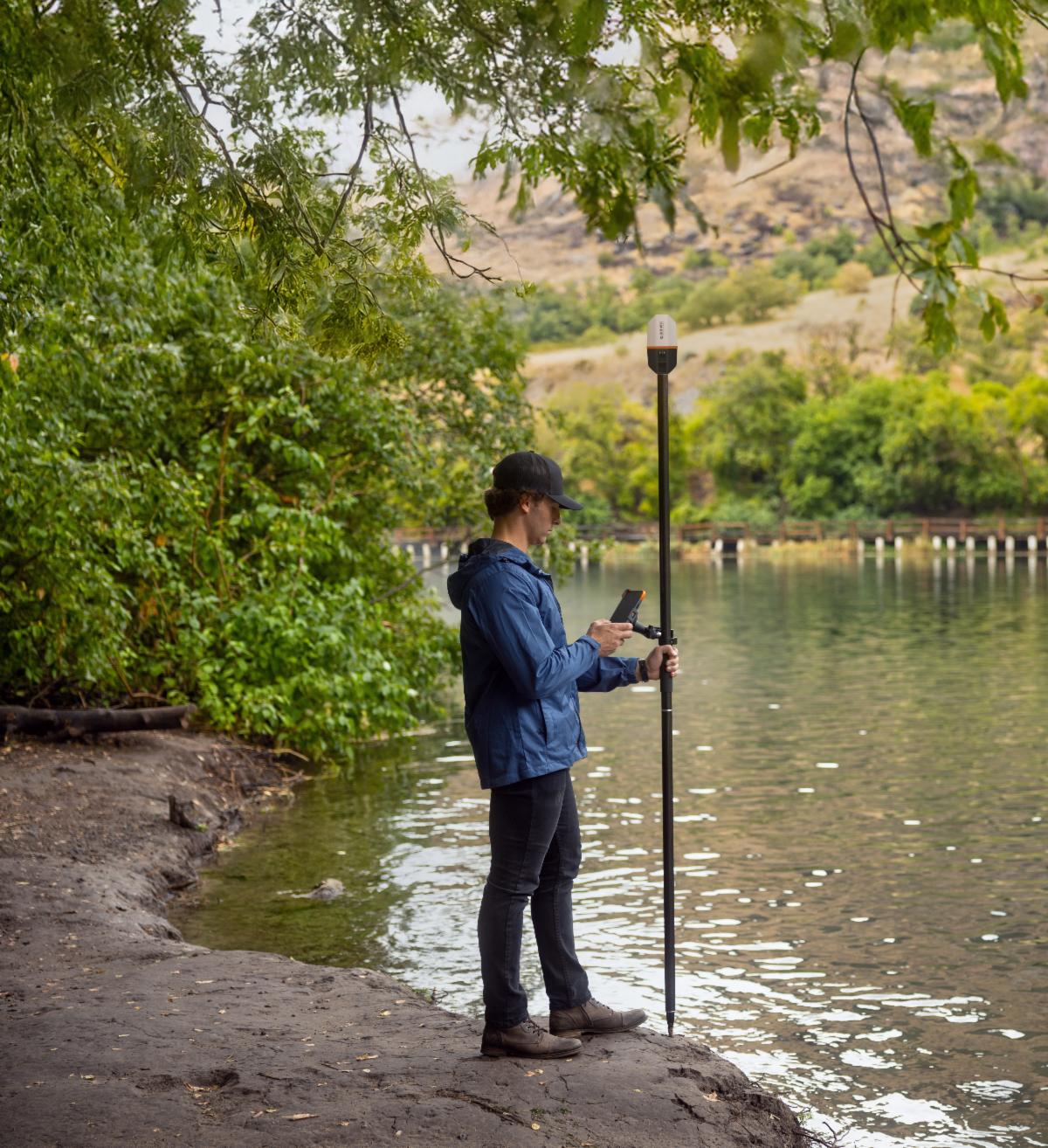
Juniper Systems newest GNSS receiver simplifies location data collection! This compact, floating, lightweight device yields high-accuracy results with a single button. The Spire is compatible with Android, iOS, and Windows devices.


Easily connect to meter or centimeter-level data with fast satellite acquisition, multi-constellation tracking.

Highlights:

  • IP68 Juniper Rugged
  • Accuracy down to 2 centimeters with RTK
  • Compact size
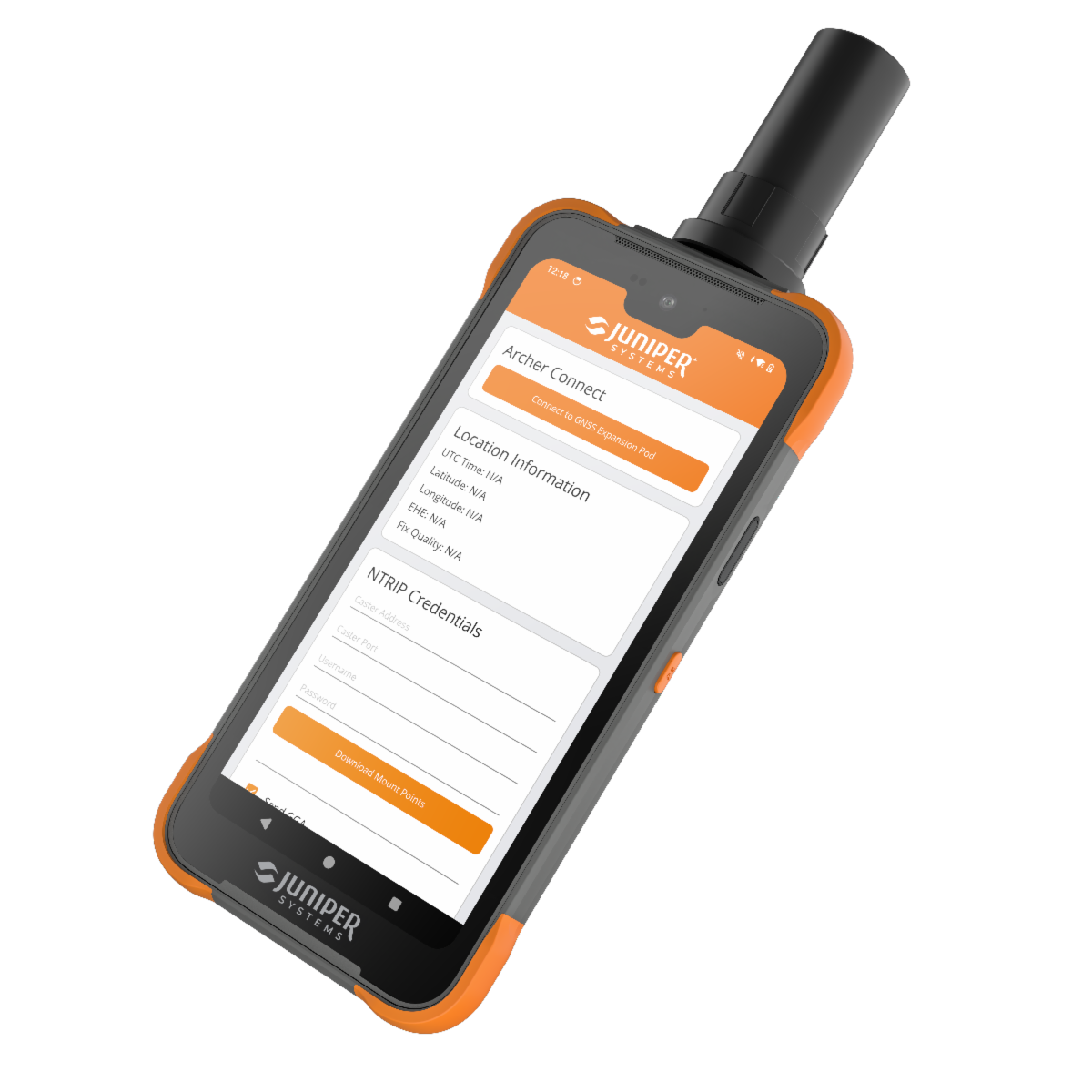
  • Open Interface - works with Juniper Systems' handhelds or your own device
  • Simple to use - one button
  • 20-hour battery


Click here for more information!


New Software

Juniper RTK - High Accuracy Service


Want the RTK easy button? Juniper Systems now offers subscription-based RTK corrections. Accessing Juniper RTK is easy through Uinta (learn more here) or the Juniper Connect app.


Juniper RTK is a large, global network-based RTK correction service specifically designed to work seamlessly with Juniper GPS receivers.


Key Features:

  • Up to 2 cm accuracy - location dependent
  • Simple login-based activation
  • Easy enough for an RTK beginner
  • Robust enough for an advanced user

What Do I Need to Get Started?

  • 1 or 3-year subscription options
  • A Juniper Systems GPS - Geode, Spire, or Archer 4 GNSS Pod
  • Mapping software - Uinta, Field Maps, MobileMap
  • Internet connection required on the device
  • FYI - LMSS can now set you up with a DAC wireless SIM card, which will enable your device to use the best cell network in the area (AT&T, Verizon, or T-Mobile). Call Johnny for more details.


Contact Johnny Thompson for a demo or to learn more!

866-395-5440 ext. 1

jthompson@lmssmail.com


TCruise X Lite - Now Available!


Ready to upgrade to a new, more user friendly, and faster version of TCruise? Look no further than TCruiseX Lite! Run multi-stand cruises and get Excel reports in seconds.


New updated toolbars make working up a cruise easier than ever. Still enjoy classic TCruise functionality you have come to trust.


Product Highlights:


  • 10x faster Excel reporting
  • Updated & color coordinated toolbars
  • Upgraded 64-bit framework
  • Subscription based license


TCruise Cloud for InventoryManager Users


Need a way to compile your inventory data into a volume report without the hassle of an additional desktop program?


Introducing TCruise Cloud for InventoryManager!


Simply select the stands for reporting, select the template with project merch specs, enter an email, and click Export.


A report is compiled and sent to your email in seconds!

Product Highlights:


  • Easily generate TCruise Excel reports from InventoryManager
  • No need to have TCruise Desktop on the PC
  • Run reports from anywhere
  • Choose which template is used to run the reports
  • Fast results - email report delivered in seconds


Tech Tips

How Does the Geode Compare to Other GPS Devices Under Canopy?

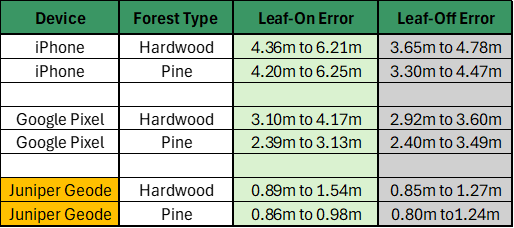
Krista Merry, a PhD candidate at the University of Georgia conducted an independent test of different GPS devices as part of her PhD research. Below is a summary of a graphic that Krista created comparing an iPhone, Android phone, and the Juniper Geode GNS3S in leaf-on and leaf-off conditions.


Graph summary:


Click here to review Krista's complete graph.


When accuracy matters, chosing the right device makes all of the difference. Thank you Krista for sharing your work!


If you have any questions about which device might be right for you, contact Johnny at 866-395-5440 or jthompson@lmssmail.com

For a Limited Time - Get Started with Skylab for a Reduced Price!


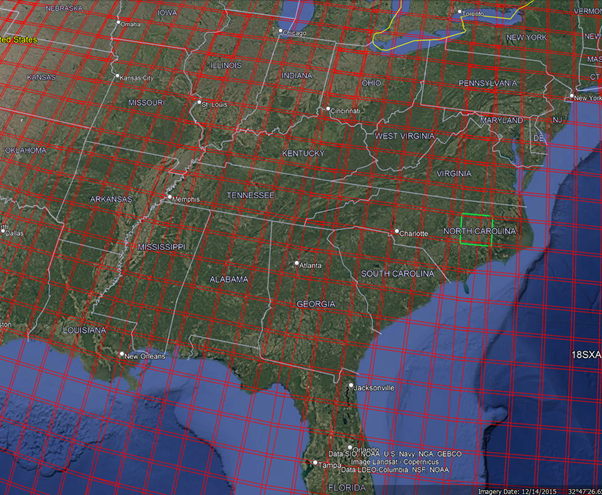
Our image processing parter, Skylab, is offering a special discount for their Change Monitor product that uses satellite data to look at change (be it positive or negative) that has occurred in the forest between two date stamps. The change could be from ice damage, fire, disease, bugs, hurricane, logging, excellent growth, etc. For a fixed fee of $990, you can get an analysis of change monitoring using 10m resolution Sentinel imagery. You choose the area of interest (AOI) and a timeframe, and they will deliver the results.


Conditions apply - the comparative areas must fall within ONE Sentinel tile. These tiles are roughly 3861 sq miles and cover about 2.5 million acres. Skylab will check your AOI and determine which stands are within one tile.  Please click here for an overview of the many use cases and benefits.


The picture above displays the Sentinel tile boundaries.

Terrain Navigator Pro Tip

Want to refresh TNP aerial background imagery with more recent NAIP imagery? See below for this LMSS top tip!


How to get more recent NAIP imagery in TNP:


Option #1:

If you log out of TNP and log back in, and the newer photos are not showing up, you may go in TNP under File > Preferences > Internet Access and Map Cache. You will see an option to Clear Temporary Cache. Once this is done, select Rebuild Map/Aerial Photo Lists. It may take a while to complete, but you may then restart TNP and the new photos may show up.


Option #2:

If they are still not showing up:

1. Exit Terrain Navigator Pro

2. Delete the following folders (be very careful if you do this as you will create problems if you delete the wrong folders):

   C:\ProgramData\Maptech\Terrain Navigator Pro\MAPDATA\Engine\catalog

   C:\Users\\AppData\Local\Maptech\Terrain Navigator Pro\Engine

3. Restart TNP and new NAIP photos should be there.


If you have any questions, reach out to Darian Yawn at dyawn@lmssmail.com or 866-395-5440 ext. 2

The Next Generation of Cruising Software is Here!


Are your Windows Mobile Devices just about dead? Are you tired of your devices not connecting reliably to your computer? Do you need better basemaps and a SIMPLER solution? Give us a call to schedule a demo soon to see our next-generation cloud based solution! InventoryManager and MobileMap uses cloud technology and rugged Android devices to bring you a new and modern system! The best part? This solution integrates with your existing TCruise Desktop program, so you can keep calculating ACCURATE volumes (or become more accurate if you are using something else).


Simple to use, configurable, secure, and accurate!

Click here to read more on our website.


For more information or a demo, contact Johnny Thompson at: 866-395-5440 ext. 1, or jthompson@lmssmail.com


Where to Find Us

LinkedIn Share This Email

Contact Us! 866-395-5440   WEBSITE

Facebook  LinkedIn  YouTube