NEWS - April 12, 2021
EIGHT tutorials this week covering both Adobe Premiere Pro and Apple Final Cut Pro. My lead is for Final Cut - how to animate logos or text by putting video into a shape and compositing it over video. Smile... I know, it sounds complex. It isn't, though, it's fun.


In the news:

BorisFX released a new, free, comprehensive training series that presents the ins and outs of the Mocha Pro planar tracking & masking toolset. Mocha Essentials.


Sennheiser launched a series of kits to support its latest compact shotgun mic for cameras: the MKE 400 and a new law: XS Lav Mobile These include a Manfrotto PIXI Mini Tripod and Sennheiser Smartphone Clamp. To complement existing microphones, the Mobile Kit is also available on its own as an accessory.


Sonnet Technologies announced the SF3 Series – SxS PRO X Card Reader. The SF3 Series – SxS PRO X Card Reader features dual card slots and a dual-port 40Gbps Thunderbolt interface. Developed for shooting stable 4K video at high bit rates, SxS PRO X is the latest SxS memory card created by Sony.


This is a reminder that Maxon's 3D & Motion Design Show starts Tuesday, April 13. This is a chance to to soak in some valuable tips, techniques and real-world production workflows using Cinema 4D, Redshift and the Red Giant suite of products. All presentations are free.


Panavision published an in-depth look at how Adam Etherington, DP for "A Discovery of Witches," evaluated lenses for Season 2. This is a firsthand account of the cinematographer’s creative approach to balancing the show’s period and contemporary settings, and the process that led him to frame the story with Panavision’s PVintage optics. 

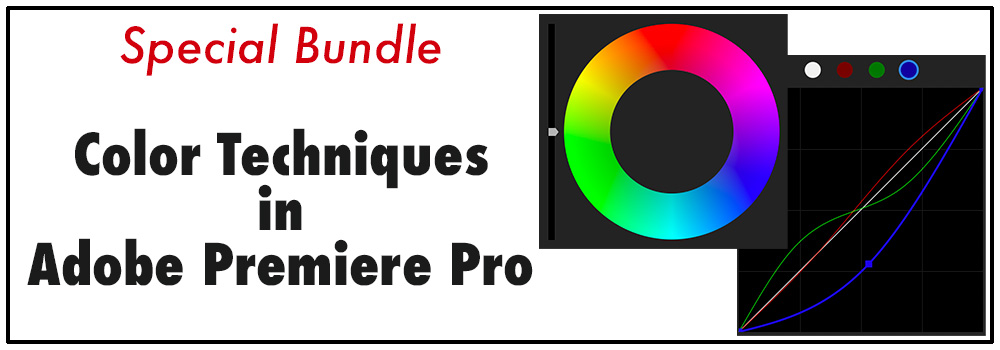
Last week, I completed a two-part series on Color Techniques in Adobe Premiere Pro. Because these two webinars go hand-in-hand, I created a special bundle where you can buy both and save almost 30%. These two sessions start with color basics and expand into a variety of advanced color techniques. If you are looking for ways to make your Premiere projects look better, this is a great place to start.


This week's webinar is a return to the basics: "Exploring Visual Literacy." This presentation is designed for people who are new to images and visual composition. I first presented this three years ago. Since then, this idea grew into my book: "Techniques of Visual Persuasion." This week, I decided to update my original presentation. As always, registration for the live event is free.


I have a plethora - yea, verily, a vast host - of tutorials this week. My video tutorials look at different color techniques in Premiere Pro. Plus, I have some arcane tutorials that I enjoyed writing about: A Frame.io workflow for Final Cut Pro, better audio mixing in Premiere and better audio mixing in Adobe Audition. You'll find links to all of these in the Tutorials & Review section below.

It is good to see our world coming back to life. But, please, if you haven't gotten vaccinated yet, get yourself a shot as soon as you can. It will help all of us. 

In the meantime, stay safe, healthy and hopeful. Until next Monday, edit well.
TUTORIALS & REVIEWS
» Final Cut: Put Video Inside Video Using Compound Clips (Tutorial)
» Here's how to animate a logo or shape in very interesting ways.

» Mix Dialog & Room Tone Faster in Premiere Pro (Tutorial)
» Auto-ducking makes this normally laborious process much faster.

» Mix Dialog & Room Tone Faster in Adobe Audition (Tutorial)
» Auto-ducking is faster and more flexible in Audition than Premiere

» Change Color Looks During a Clip in Premiere (Video Tutorial)
» Here's the secret to changing color grading within a shot.

» Use the Video Limiter to Control Levels in Premiere (Video Tutorial)
» The Video Limiter is an essential tool for any professional-grade output.

» Masks & Tracking to Fix/Change Colors in Premiere (Video Tutorial)
» This illustrates masks and tracking in Premiere.

» Change the Color of an Object in Premiere (Video Tutorial)
» Here's how to use the Hue / Saturation Curves to change hues or luma.

» Frame.io to Final Cut Pro Media Workflow (Tutorial)
» Bryan asked me to explain how this works. It is surprisingly easy.

Exploring Visual Literacy
* Image content and emotions
* Positioning actors and cameras
* Camera framing
* The emotional content of visual composition

Everything you need - all in one place!
BUNDLE: Color Techniques in Premiere Pro

* Two webinars in one
* Color basics
* Automatic color tools
* Video scopes
* Manual color tools
* Color effects and techniques

Everything you need - all in one place!
TOP 3 + 1