Jan. 9, 2023
"Never make buying decisions based upon rumors." This maxim came to mind this last week reading all the breathless reports on different rumor sites: "Everything We Know About [X]," or "The Date, Time and Location for Every Apple Announcement in 2023," or this timeless classic from Forbes: "Don't Buy [X], Apple Has Something Better."

Why, it's enough to get your heart racing with delight. Such assurance. Except... remember all those great products supposedly arriving in October and November last year? "The New Mac Pro Will Absolutely, Positively, Guaranteed Be Announced In October." Or, "Wait, We Meant November." Nope. "Positively Coming Before Christmas... for sure." 

For the first time in 22 years, Apple did not ship any new Macs in the fourth quarter. All the rumor sites were wrong - even though they were so certain!

Does this mean that Apple is incompetent? No. It simply means that the perfect storm of pandemic, supply chains, geopolitical tensions and the always-hard business of inventing new technology make it incredibly difficult for any company - even one as competent as Apple - to create, build and ship products in the quantity required to meet the demands of a global market.

Rumor sites exist to generate page views. Sometimes they're right. Sometimes they're wrong. Sometimes they just make it up. In the meantime, never make buying decisions based upon rumors. There's no harm in dreaming about the future - just don't plan on it. We can only buy what Apple ships.

My lead story presents a true story of an ethical dilemma. What should an editor do if they take a job only to discover that it's dishonest? What's your advice?


In the news:

Canon released a video showcasing all their CES news, with a corporate theme of "Limitless is More."


Avid released updates to its MediaCentral workflow platform, including the new MediaCentral | Acquire IP-based ingest scheduler, along with remote collaboration and improved hybrid working support. These innovative capabilities empower media companies to accelerate production on premises and in the cloud.

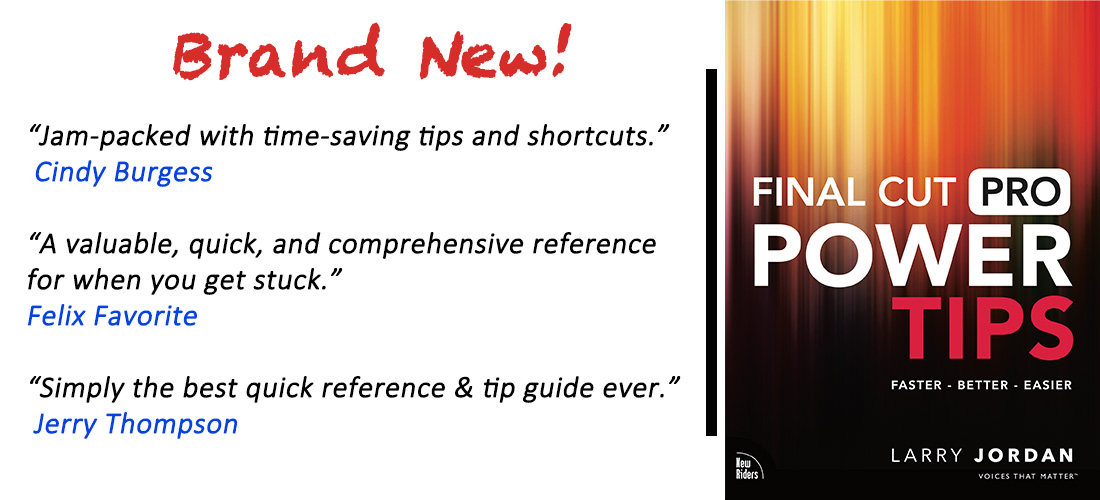
Webinars return this Wednesday with a session on Final Cut Pro Power Tips! (Premiere editors, my next webinar will do the same for Premiere.) In this session, I explain how to set preferences for best results, look into secrets of the multicam Angle Editor, then explain how to create great looking chroma-key, slow-motion, and mask effects. This will be a deep dive into some of Final Cut's power tools. Best of all, registration is FREE!


I have three more tutorials this week; subjects which I haven't written about for more than ten years. Time to correct that. The first looks at how to open, switch between, and close multiple projects inside Final Cut. Sounds simple - but there's a lot of hidden power here that can speed your editing.


Next, I have a pair of articles - one for Premiere and one for Final Cut - that look at how to stabilize hand-held footage. The one thing you don't want to see is an entire audience throwing up while watching your film. That would be bad. Here's how to fix it.


CES just wrapped for 2023. Lots of new tech announced, but most of it of limited use to media creators. One of the take-aways is that 8K video seems to be losing traction, thank goodness, along with ongoing debate about the value of higher-frame rate movies. New monitors are coming from Samsung, Dell, LG and others; in addition to whatever Apple is working on. So there is much to look forward to this year. But, though the tech may change, the process of telling stories remains the same. Just remember, audiences (and clients) don't care about the gear you use, but care passionately about the stories you use it to tell.

Until next Monday, stay safe. Stay healthy and edit well.
TUTORIALS & REVIEWS
» A Question of Editorial Ethics (Commentary)
» What are the ethics of taking a job that proves to be dishonest?

» Open, Switch or Close Multiple Projects in FCP (Tutorial)
» Final Cut supports opening multiple projects at once. Learn more.

» Stabilize Shaky Video in Final Cut Pro (Tutorial)
» Here's how to use two different methods of video stabilization.

» Stabilize Shaky Video in Premiere Pro (Tutorial)
» Here's how to use the Warp Stabilizer effect.
Apple Final Cut Pro Power Tips
* How to optimize preference settings
* Secrets of the multicam Angle Editor
* How to create a clean chroma-key from bad source
* How to create clip speed changes
* How to use color and shape masks

Everything you need - all in one place.
Ask Larry Anything! (Dec. 14, 2022)
* Storage speed tests
* Comparing speeds of 2-, 3- and 4-drive SSD RAIDS
* Illustrate actual speeds needed for media editing
* How to read video scopes
* How to fix color problems
* Where to set audio levels... and more

Everything you need - all in one place.
TOP 4 Popular Titles