|
Guide to Go-Live
The Wave Two Guide to Go-Live is now available on the OPOR Hub—an essential read for all end users, outlining what to expect in the days leading up to and following implementation. Review the guide on the OPOR Hub. (NSH login required)
Downtime: roles and responsibilities for physicians
A new resource is now available that outlines physicians’ roles during downtime, including how to document and communicate orders, what tasks they are and are not responsible for, and how to support safe record restoration and return to normal operations. Learn more on the OPOR Hub. (NSH login required)
Cutover: important steps for physicians
Cutover refers to the planned transition from the current system to the CIS. Physicians should follow the steps below to support a safe and smooth transition.
Between now and May 8
- Support the smooth transfer of patient information into the CIS by reviewing and updating your patient charts to ensure information is current. Thin paper charts when and where possible.
- Review and update active patient orders, including verbal orders.
- Sign off all documentation (including e-signature) to support smooth cutover process.
- Update the Expected Discharge Date (EDD) field in STAR because our scope is to cutover all Patients with an EDD of past May 9.
- Reduce patient movements as much as possible
May 8
-
Use existing processes to chart/document on admitted patients registered in STAR until Go-live at 6:00 am. on May 9.
- Discontinue orders which have not been used - e.g. medications placed for multiple routes, where only oral has been used
May 9 from 12 a.m. to go-live (planned for 6 a.m.)
-
Use CIS downtime order sheets to chart on new admissions (or new registrations in ED) only
- As above, use existing processes for admitted patients during this time period
May 9 go-live
- Providers enter new orders into the CIS once live.
- Orders documented in the downtime order sheets will be cutover by the Nursing Cutover Team as part of delta management before the go-live
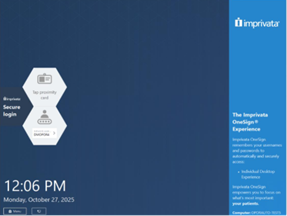
Reminder: Opportunities to test your CIS login
Save the headache at Go-Live! Physicians who have completed clinical information system (CIS) training have two ways to test their login details ahead of Go-Live on May 9:
Support channels during Wave Two
A comprehensive support model is in place to help you navigate the CIS during Wave Two, starting with the *new* CIS Virtual Assistant for real-time answers, guidance and resource navigation, with additional support available through Provider Peer Mentors, At-the-Elbow teams, CIS Help and the Health Service Desk. Learn more about Wave Two support channels on the OPOR Hub.
Reminder: Provider Portal registration
As of May 9, patient data from Central Zone and the provincial Mental Health and Addictions Program (MHAP) services included in Wave Two will only be available in Provider Portal. The new data will not be routed to SHARE.
Providers in other provincial zones are strongly encouraged to register for Provider Portal and begin using it to access patient information. A Provider Portal demo is available on the OPOR Hub.
If you have did not receive an email from the Provider Portal Team indicating you have access, you have not been registered and must take the following steps to request access through IT Self Serve:
- Select “Access” then “User Access” then “Add Additional Application Access” and scroll down to select OPOR Provider Portal.
-
Physicians are to input their Department Chief as Approver.
Community providers can learn more about requesting access on the OPOR website (no NSH login required).
Patient Summary available for CIS users
Patient Summary will give CIS users access to a single, view-only location to access key patient health information, including allergies and intolerances, diagnostic imaging, hospital visits, immunizations, lab results and medical conditions. It includes data from primary care, hospitals, pharmacies and virtual care.
Accessible through the PowerChart module (left-hand menu), information is displayed as it appears in the province’s electronic health record. This secure integration supports quick, comprehensive access to patient information
CIS Training and Practice
Remember: CIS training = CIS access.
Practice following training can be done through Virtual Practice Labs (group participation is now available!) daily from 6 a.m. to midnight until May 8.
Training remains available for end users who were unable to attend End User Training, as well as for staff with newly identified training needs. A standard schedule for high demand classes is in place; however, availability is limited.
Providers may self-register and Managers can register staff who require core CIS training through the Training Registration Portal. If required training is not available in the Training Registration Portal, Managers or Providers can submit an Additional Class Request Form.
Continued access to core CIS training beyond May 30 will build on hyperphase learnings to further support participants, leadership and processes.
*Access to content on the OPOR Hub requires active Nova Scotia Health or IWK Health network credentials.
|