Monday Morning Coffee and Technical Notes

September 1, 2025 View as Webpage

Upcoming Events


September 11 – Alabama Required Monthly Test 11:15


September 21 – 26 – ABA Radio Engineering Class


October 3 - Deadline to fill ETRS form one


November 2 - DST ends


November 3 – 7 – ABA Television Engineering Class


ETRS Form One


Engineers are reminded to file form One of the Emergency Alert System Test Reporting System (ETRS). October 3, 2025 is the deadline to update the form.


While FEMA will not conduct a nationwide EAS test in 2025, EAS Participants are still required are required to make their 2025 ETRS Form One filings by that date.


Filers can access ETRS by visiting the ETRS page of the Commission’s website at https://www.fcc.gov/general/eas-test-reporting-system.

Important Legal Items


Engineers are encouraged to remind station management of some very important items coming up soon. Both will probably need some input from the station’s communication attorney.


One has to do with the Radio Music License Committee announcening settlements with both ASCAP and BMI of the royalties to be paid these organizations by commercial radio companies for the public performance of musical works. It appears the fees have been increased and will be retroactive to 2022.


The second includes the annual Regulatory Fees which must be paid prior to the October 1 start of the federal government’s fiscal year. However, the actual amounts of the fees have yet to be determined. Stay tuned, film at eleven!


Also October 10 is the deadline by which all full-power radio and TV stations (as well as Class A television stations), both commercial and noncommercial, must upload to their online public inspection files their Quarterly Issues/Program lists for the third quarter of 2025. It is important that these be timely uploaded to your public file, as the untimely uploads of these documents probably have resulted in more fines in the last decade than for any other violation of the FCC’s rules.


Management should not let these very important items slip through the crack!

ABA Engineering Academy Classes


A quick reminder that the next Radio Engineering Class is scheduled for the week of September 22nd – 26th. Classes are held at the ABA Training Center, 2180 Parkway Lake Drive in Hoover (Birmingham) AL. Class outlines, hotel information, and online registration are available at the Engineering Academy website.


A limited number of seats remain available; registration is still open.

The Television Class will be held November 3rd – 7th


Remember these classes are offered to anyone around the country and at no cost, as a service to the engineering community by the Alabama Broadcaster Association’s Engineering Services.


EAS Code update


The FCC has authorized the use of a new EAS code MEP (Missing and Endangered Persons). This EAS event code is for persons over the age of 17 who are missing or abducted from states, territories, or tribal communities (known as Ashanti Alerts). The effective date is September 8th.


Sage Alerting Systems has posted an update for their Sage Endec 96.1 on its web site. Harold Price with Sage said “This is not a mandatory update, but Sage recommends that you install it during your normal maintenance cycle. Your state may have plans to use the new Missing and Endangered Persons event code - you’ll need this update to be able to receive and relay it. There are several other improvements, read about them in the release notes at https://www.sagealertingsystems.com/rev96-1-release-notes.pdf.


This is a free update, and can be installed on any ENDEC that is already on Rev96. To download, go to https://www.sagealertingsystems.com/rev96-1download.html and follow the steps there. You don’t need to know your serial number. Alternatively, you can go to your ENDEC’s Version page, then click the “Check For Updates” button.


Stations also need to update the configuration firmware on the computer you are using to update the Sage Unit.


Visit https://www.sagealertingsystems.com/rev96-1download.html then download and run the ENDECSetD v2.63 installer. You'll need this to use several of the new features of this release. Once the firmware update completes, you can make any necessary changes to your settings file for the new features.


DasDec units with version 5.4 issued in April includes the MEP event code. Customers can check their website or contact support@digitalalertsystems.com for details.


Reviewing the Rules – Tower Light Monitoring


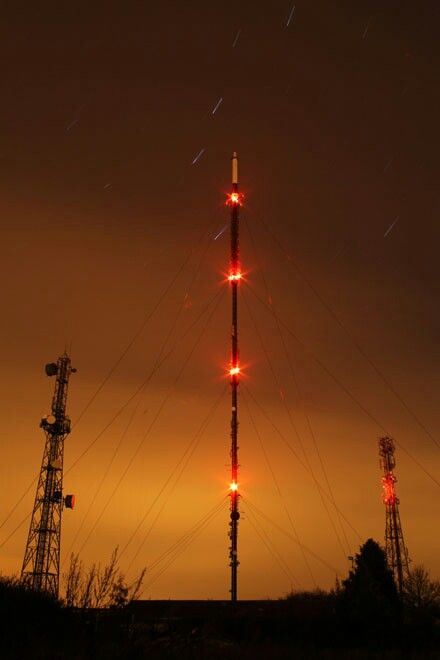
Engineers should already be aware that if your station owns a tower that the FAA has issued lightning instructions for, the rules require they be checked at least once every 24 hours. This can be accomplished by checking the operation visually or some remote-control device that indicates that the lights are functioning correctly. Stations may also install a automatic monitor system that will alert the required personnel of a issue. If you choose to use an automatic system, then you do not have to check the lights once every 24 hours.


To ensure that the entire lightning system including control, alarm reporting and the lights themselves are working properly the system must be checked quarterly. The results of this “Quarterly Tower Lights System Inspection” must be either entered into a transmitter site maintenance log or kept separately for a period of two years.


I am often asked if it is required to keep a written log indicating that the lights have been checked daily. The short answer is NO. The only required written log is to enter a failure of the lighting system in the “Station Log” along with information about notifying the FAA. It should include information about the repair and the date that the system was returned to proper operation


However, that being said, it is still a good engineering practice to have a log of the 24 hour tower light checks. Should you use a third party to check the lights (farmer down the road) make sure they are keeping a written log of the daily observations.

Operating Power Measurements


Over the last couple of weeks, we have reviewed the procedures used to check and maintain the correct power level for non-directional AM stations, directional AM transmitter sites, and FM broadcast.


This week we look at monitoring transmitter output power for Television stations. The correct procedure is to use an external device to measure the power to the transmission line at the output of the mask filter. The output power of the actual transmitter will be slightly higher due to loss in the mask filter. Remember to set up the measuring device before reading by conducting a close loop test and entering the listed port insertion into the unit. This insertion level should be printed on the actual port of the transmission line.


Make an entry in the transmitter maintenance log of the reading at the output of the mask filter (this should be the same as listed on the station authorization) and the transmitter TPO. How often you should be checking the actual power to the transmission line is left up to the engineer.

Commission rules indicate “as often as necessary to ensure compliance”.

Regular observations of the transmitter power compared to the level recorded in the maintenance log will help ensure correct power. Should any change be observed on the transmitter, then recheck the actual power at the mask filter output.


As a reminder, this reading for digital transmission is a “average power” reading not peak. Finally check the calibration date on the measurement device and have it recalibrated if out of date.


FCC rules require the output power must be maintained between 80% and 110% of the licensed value.

Pro Audio – Revisiting Microphone Placement


Professional audio engineers will agree that the most important part of mixing audio either at a live event or in the studio is proper microphone selection and placement.


Most of the time the sound that you want to achieve should be the same as listening to the source live in person. In rare cases it may be different if you are trying to get a special effect.


Start by understanding the source (the tone, level and frequency range). Each instrument or voice has its unique timbre, frequency range, and dynamic characteristics, making mic placement a critical step to capture the essence of the sound accurately.


Proper mic placement allows you to seize the full spectrum of tones an instrument produces, ensuring the recording is rich and full-bodied. Just like how certain angles can flatter a photo subject, positioning the mic correctly accentuates the best aspects of an instrument’s sound.


Secondly, it reduces the need for excessive post-processing. A well-captured source needs less EQ tweaking, compression, and other effects, making your mix cleaner and more natural.


You hear engineers talk about the “sweet spot”. The microphone sweet spot is the position of the microphone in relation to a sound source where that source sounds at its absolute best. There are no absolute rules of positioning the microphone, you have to trust your ears and try several different placements to achieve the sound you are looking for.


An in-depth review of microphones and placement is available from Izotope

Grab a quick nap till the antenna arrives!

Quote of the Week

  You must be ready to give up even the most attractive ideas when experiment shows them to be wrong.


-Alessandro Volta

Inspirational Quote of the Week


“Prayer reminds us that God is omniscient and we are finite. We do not know the future He does”

-Chuck Swindoll


The information offered in this newsletter is that of the editor and not of any other entity or individual.

We welcome any comments or suggestions about this newsletter, send to lwilkins@al-ba.com