Monday Morning Coffee and Technical Notes

March 23, 2026 View as Webpage

Upcoming Events


March 23 – Station Log Review


April 1 - The Shift to IP-Based Operation Webinar


April 9 – Alabama RMT 12:15 AM


April 18–22NAB Convention, Las Vegas

ABA Engineering Webinar


We will not host an Engineering Webinar in April due to the NAB Convention in Las Vegas. Next webinar is scheduled for Tuesday May 19th.


Most all of the past webinars are available on the ABA Engineering Academy YouTube channel along with a number of informative technical webinars.


Visit the channel here

Verify EAS Operation


The correct operation of station EAS equipment is not only a priority for FCC enforcement but also represents an important service to both listeners and viewers.


In addition to the required entry of EAS operation in the Station Log, engineers are encouraged to conduct a review of the equipment operation and programming regularly.


1. Units must be using the most current software (Sage 96.00, DasDec 5.4)


2. Review the State EAS Monitoring Assignments for your location. (Contact your State Broadcasters Association to verify)


3. Verify that the two designated local monitor sources in your area maintain optimal quality and appropriate levels.


4. Verify the EAS unit receives tests from IPAWS (weekly tests from IPAWS are fed each Monday at 11:00 AM local time).


5. Review the programming, especially all required incoming filters. At a minimum you should have the following:

   a) EAN (National Emergency Message – auto relay)

   b) NPT (National Periodic Test = auto relay)

   c) RWT (Required Weekly Test – log only)

   d) RMT (Required Monthly Test – Relay)


6. Ensure EAS unit is set up to send a Required Weekly Test either automatically or manually. 


Back to the Basics – Understanding Video


Television has had a significant influence on society as a whole.


Since Philo Farnsworth introduced the concept in 1927, television technology has undergone substantial advancements.


First, we need to remember that there is no such thing as moving pictures. A video consists of a series of sequential still images that are displayed in rapid succession to create the illusion of motion.


This phenomenon occurs because the human visual system processes images at a refresh rate of approximately 14 times per second. Consequently, when still images are displayed in rapid succession at a frequency exceeding this rate, the objects depicted appear to be in motion.


Another area to review is video resolution. This refers to the total number of individual pixels used to display the image. A pixel (short for "picture element") is the smallest controllable unit of light on a television screen. Millions of these tiny dots combine to form images.


Display resolution is typically described by the number of pixels across the screen multiplied by the number of pixels vertically. Today, several different standards are commonly used.


Standard Definition (SD) 720 X 480 (345,600)

High Definition (HD) (720p) 1280×720 (921,600)

Full HD (1080p) 1920×1080 (2,073,600)

Ultra HD (4K) 3840 X 2160 (8,294,400)

8K (4320p) 7680×4320 (33,955,200)


This only touches on a small part of what it takes to create a video stream. In future newsletters we will look at other items, including color.

The Shift to IP Webinar


The media and entertainment industry is rapidly transitioning from traditional SDI infrastructures to IP-based workflows, driven by the need for greater scalability, flexibility, and cost efficiency.


TVtechnology is hosting a special webinar “The Shift to IP-Based Workflows in Media & Entertainment” featuring speakers from several major companies.


The webinar will be held Wednesday April 1st at 2:00 PM Eastern time. Click IP webinar  for registration

Increase Your Word Power – Understanding Dither


Dither is one of the least understood words in digital audio, but it’s an essential ingredient and one that you really should understand if you’re involved in using digital audio.


So, what is dither? It’s a form of low-level noise that is intentionally added to a digital audio file as it’s rendered to a lower bit depth. The concept of dithering might seem counterintuitive, but it’s an effective process. Dither noise actually masks what’s called “quantization distortion,” which causes noise and artifacts in digital audio.


When you convert a file from a 24 to 16-bit resolution, your digital audio software removes (“truncates”) the last 8 bits and has to round out the data to fit the smaller number of digits available. This process is known as “quantization.”


When your DAW or audio editor quantizes the bits when converting from 24-bit audio to 16-bit audio (or from 32-bit fixed point to 24-bit, or any other such reduction), there are significantly fewer steps available to map the amplitude levels to. As a result, the rounding can cause something called quantization error (aka “quantization distortion” or “truncation distortion”), which manifests itself as low-level noise or distortion.


The solution is to add dither when you save the file to a lower sampling rate. When dither is added to audio with quantization distortion, it masks it (a process known as "decorrelation"), making it more random and therefore harder for your ears to discern.


Pro Audio – Capturing the Venue sound


Church livestreaming has become one of the primary ways ministries reach people.


For many churches, the livestream is no longer simply a convenience for members who cannot attend. It is often the first experience someone has with the church.


Most churches capture the pastor and worship team clearly. But when the congregation is distant or underrepresented, the livestream loses the shared sense of participation that defines worship in the room.


Accurately capturing the congregation allows the livestream to communicate the full worship environment, helping online viewers feel present rather than separate from the moment.


In worship, the congregation’s singing, spoken responses, and moments of agreement communicate participation and unity. These auditory cues help online viewers experience the service as part of the congregation rather than as observers.


The use of ambience microphones can help add the venue to the mix, however you should be careful not to wash out the mix with too much ambience. Microphone selection and placement is very important as well. Making mistakes here can create localized ambience sound.


Shure microphone, who furnished information for this article has introduced a digital array microphone technology that enables churches to capture the congregation’s sound more efficiently and consistently. 


The Shure DCA901 digital broadcast microphone array uses 78 individual microphone elements to create up to eight steerable lobes, defined in software. Instead of relying solely on physical placement, audio teams can shape coverage based on the sanctuary’s actual dimensions and layout.


Contact your broadcast dealer for more details.


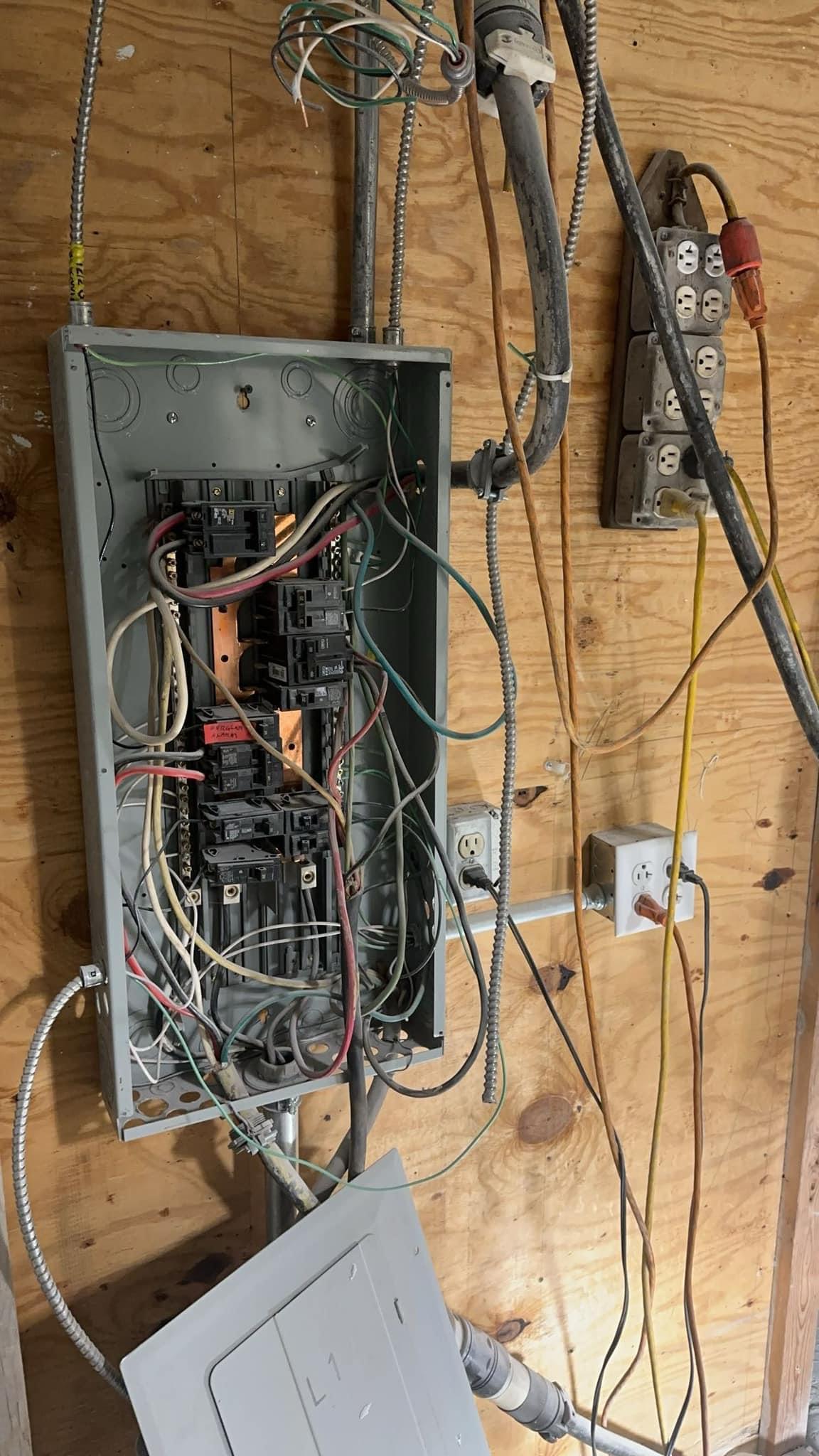
Someone from the city left a nasty note about this power panel...

Quote of the Week

 “Organizing is what you do before you do something, so that when you do it, it is not all mixed up.”

– A.A. Milne

Inspirational Quote of the Week


Grace is not simply leniency when we have sinned. Grace is the enabling gift of God not to sin. Grace is power, not just pardon.


-John Piper


The information offered in this newsletter is that of the editor and not of any other entity or individual.

We welcome any comments or suggestions about this newsletter, send to lwilkins@al-ba.com