|
Get the benefits you deserve - FREE TO JOIN and
FREE TO UPGRADE TO MVP
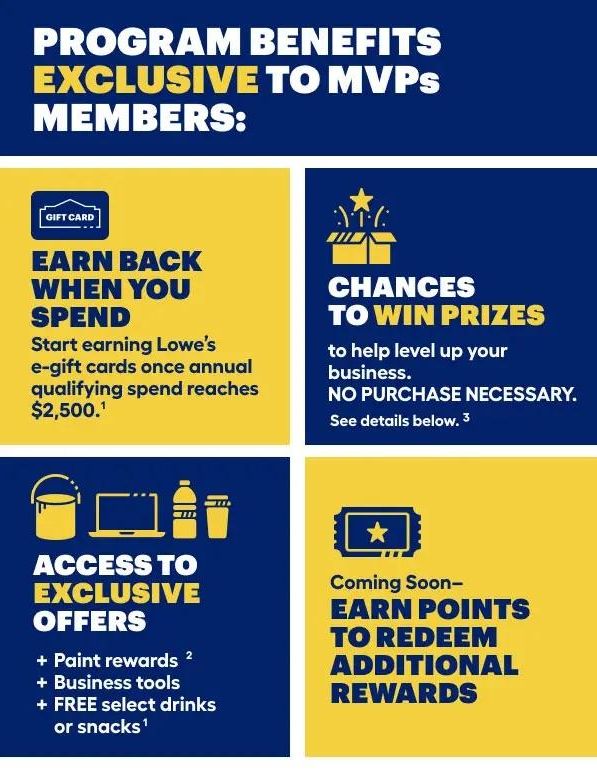
Earn Back When You Spend:
- Your business will start earning Lowe’s E-Gift Cards on eligible purchases once annual qualifying spend reaches $2,500
Access to Exclusive Offers:
- Up to 15% Off with Variable Discounting online at Lowe’s
- Qualify for up to 20% off on paint for larger purchases (10% off for annual spend over $1K, 15% off for annual spend over $3K and 20% off for annual spend over $5K)
- Business Tools: purchase tracking and account management
- Free select drink or snack coupon once you reach Silver MVP (annual spend of $2,500)
Access to Program Benefits:
- Automatically enrolled in online variable price discounts
- Free Appliance Delivery & Haul-A-Way
- Automatically enrolled in spot promotions
- Volume Savings Program: "BUY-IN BULK & SAVE MORE"
- Free Local & National Customer Support
Bonus Points:
- Earn Bonus Points to redeem additional rewards
How to Sign Up
For members who already have an MVP account and want to upgrade, follow the directions below:
-
Go to Lowes.com and Sign into your account (click “Sign In” at the top right-hand side of the menu bar next to “Cart”). Enter your Email Address and Password.
- Your first name should now be visible at the top right-hand side of the menu bar next to “Cart.” Click on your name.
- Select Organization Settings (the very last option at the bottom of the “My Account” drop-down menu).
- Then Select Organization Information (the first option in the drop-down menu).
-
In the box under Join Group Purchasing Organization (GPO), enter the code: FEFB965232 then click on Join GPO.
- Add Payment Method(s). It’s important to add the payment method(s) (credit and/or debit) that you used throughout the year at Lowe’s, so you can receive all the discounts you deserve.
For a New Lowe’s MVP Account:
- Click here
- Click "Join Now"
- Select "Lowe’s Pro Business Account"
- Click "Create Your Account"
- Input your email address
- Click "Join an Existing Account"
-
Where it says “Enter Lowe’s Pro Account ID,” enter the code: FEFB965232
- Enter all required fields, to create your login and password
- Add Payment Method(s)
|