User Spotlight:

  • Progress Reports have impacted advising on all levels of student affairs due to detailed appointment summaries and consistency 
  • New referral to “Marieb Adult Learner Success Center”
  • Shoutout to the tutors for their participation in helping students use the new kiosk in the Tutoring Center. We hope to implement kiosks in all centers this Fall!


CONNECTED24

HCC stole the show at EAB's conference! We brought 3 game-changing artifacts, rocked enrollment campaigns, and are ready to soar to new heights!

Navigate360 Rebranding


EAB has rebranded the Navigate platform to Navigate360.

  • Navigate Student will now be Navigate360 Student.
  • Students and staff will see the name change in the desktop and mobile apps.
  • The app name in the app store will remain Navigate Student for this release.

Spring 2024 Progress Reports

Progress Reports will be for ALANA, Dual Enrollment, El Centro, Gateway Students in a Credit course, Probation students, SAMP, and all TRIO SSS students. Starting on Monday, 2.12.24 and ending on Saturday, 2.24.24


Whom it will come from:

  • HCC Progress Report <navigate@hcc.edu> via email.gradesfirst.com 
  • Subject: HCC Faculty: Academic Progress Report Requested for Students Enrolled in Your Course(s) - Complete by Saturday, February 24


Training:

  • Tuesday, 2/13 at 3 p.m. - Progress Reports
  • In the Collaborative, Frost (FR) 265
  • or over Zoom
  • Open Office Hours, Thursday 2/15 at 11 a.m.
  • In Student Engagement, Campus Center (CC) 227H
  • or over Zoom
  • Tuesday, 2/20 at 3 p.m. - Kudos/Referral/Alerts and Cases
  • In the Collaborative, Frost (FR) 265
  • or over Zoom
  • Open Office Hours, Thursday 2/22 at 11 a.m.
  • In Student Engagement, Campus Center (CC) 227H
  • or over Zoom


NextGen Academic Planning

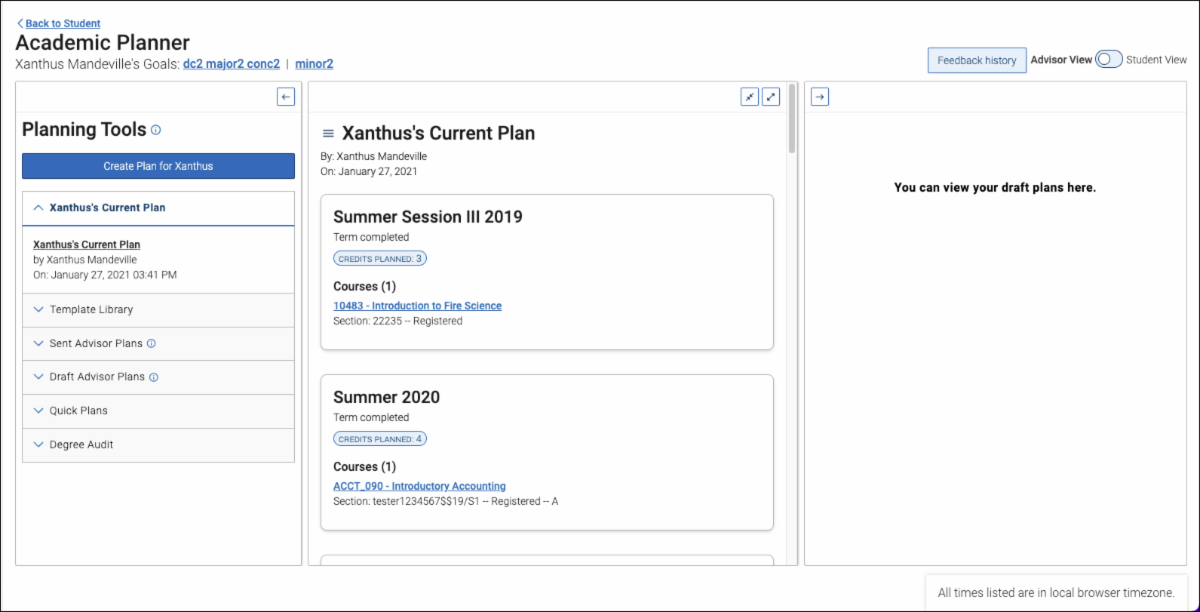
Academic Plans are a great way to help your students visualize their education journey and timeline here at HCC. 

New to HCC and Navigate360?

Adding Availability and Sync Your Calendar

Campaigns

There are several types of campaigns. Some are permission-based, so you may not have access to every type. Learn more about campaigns, guides, and videos on the HCC Navigate Google site.

Appointment Campaign: They enable staff and faculty to send messages with unique appointment scheduling links to students. What makes them so useful is that appointment campaigns give staff the ability to set criteria for their campaign. This means availability, location, and length of the appointment can be pre-set. 

Messaging Campaign: Email and/or Text(permission-based) Campaigns let staff reach out to specific student populations and encourage them to take certain actions with a link that is tracked.

Enrollment Campaign: Email message to specific student populations that will track their enrollment in the next or desired semester. Starting January 2023, texting is now an option as a nudge. 
If you have any questions please contact us at navigate@hcc.edu
Thank you,
HCC Navigate Leadership Team
HOLYOKE COMMUNITY COLLEGE
303 Homestead Ave., Holyoke, MA 01040