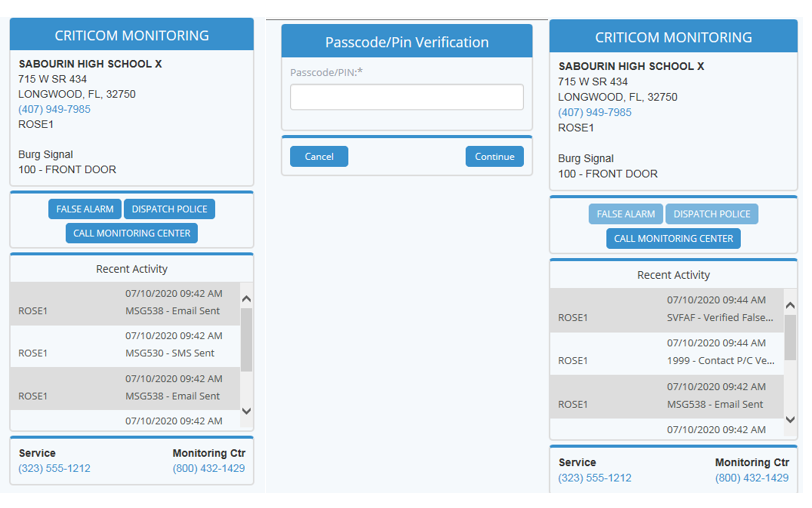
Cancel/Dispatch via Text Message!
Subscribers and alarm company employees that have been registered in CMS Compass to receive auto-notifications via Text Message or Email can now verify a false alarm or request dispatch without calling the monitoring center! Take a look at this Compass Chat recording to learn more Compass Chat with Jason - July 2020 New Features.

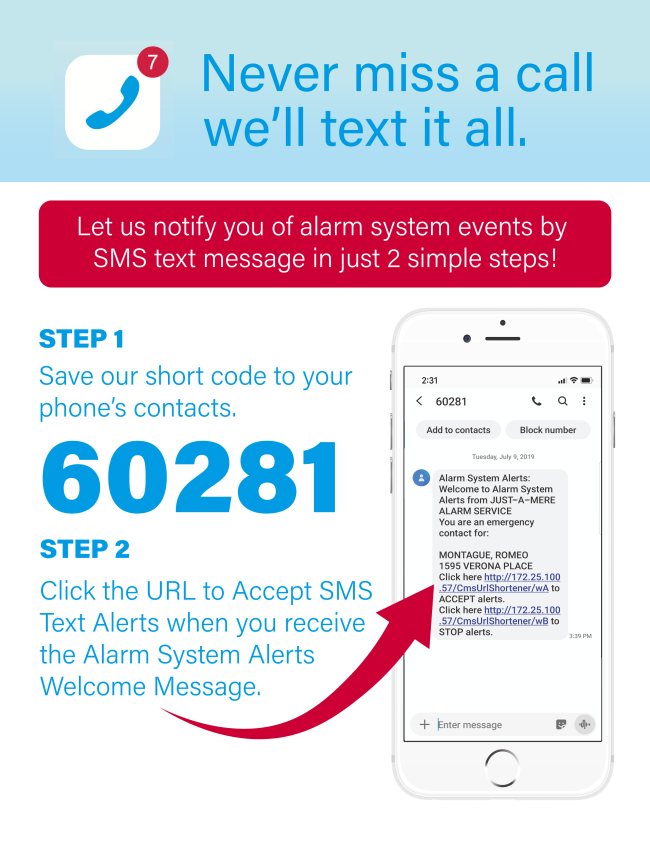
If you haven't activated SMS text notifications for your customers and staff yet, click on the step by step setup guide below.
Compass Updates
My Dashboard
Alerts Tab
  • The Alerts tab has been removed from My Dashboard. To access your Alerts click on the envelope in the top right corner of your screen. An “opened envelope”, indicates that you have unread Alerts.
Repeat Activity tab and Fire Activity tab
  • The widget for Wrong Numbers has been removed from the Repeat Activity and Fire Activity tabs. This widget will be available on a new tab in the very near future. In the interim, please contact Dealer Support for assistance on running reports for Wrong Numbers.
SMS Exceptions Tab
  • The SMS Exceptions tab is now "SMS Status", and has been updated to simplify viewing. The tab reflects total SMS contacts, pending SMS Contacts, and stopped SMS Contacts. You now see the SMS Contacts by a percentage of their total, by individual contacts, or by location. To view details of each column you can click on the value in that column. 
Head Up Tab
  • The widget for Missed Timers has been updated to show a legend that defines the qualification for an account to be displayed on the Missed Timer widget. The number of days for Daily, Weekly, and Monthly values can be edited in Personal Settings.
Account Statistics
  • The Cancelled Accounts grid has been updated to include the column “Cancel Reason”. Only Administration Dealers can use this field, and may make Cancel Reason a required field when cancelling an account to better track reason for attrition.
Reports
Add/Cancel Report
  • Cancel Reason has been added to the Add/Cancel Report, can used for alarm companies that are Administration dealers. Only Administration Dealers can use this field, and may make Cancel Reason a required field when cancelling an account to better track reason for attrition.
MyAlarms.com Access
Self Registration
  • An update has been made to the My Alarms Self Registration process. If the location type is a commercial or commercial fire account, the self registered user will not have access to view Site Codewords or Contact PINS. If the user wants access to those fields they will need to contact their alarm company for an update.
Looking for a quick way to brush up on your CMS Compass skills?
Take a look at the CMS Compass Playlist on our YouTube page!
In case you missed our last release...
My Alarms End User Self-Registration
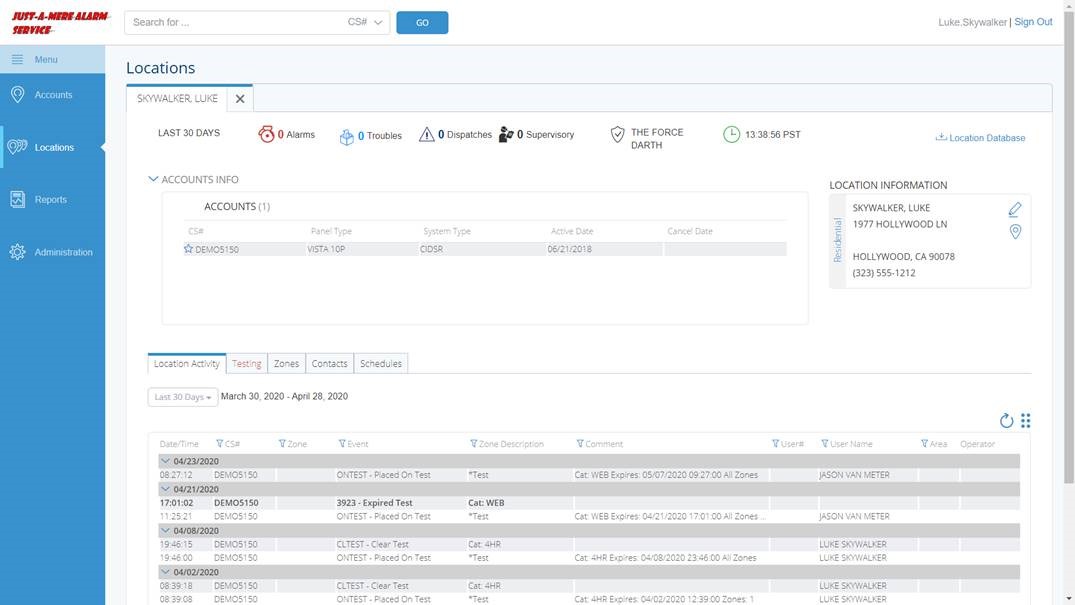
Subscribers can now go to www.myalarms.com and register themselves for a My Alarms username and account. This website gives users "View Only" access to location information and history for all of their accounts monitored by CMS. In order to register with My Alarms, users must have their CMS account number and a valid account password.

For step by step self-registration instructions that you can provide to your customers, click below.

My Dashboard - Heads Up Display
The "Heads Up" tab is the newest addition to Compass' My Dashboard feature. The Heads Up display allows users to quickly see any accounts that need immediate attention. Currently, there are a total of eight widgets available, including Missed Timer Tests, Runaways, Service Requests, Dispatches and Accounts with No Activity. The Heads Up display can be customized by the user or dealer admin to view only the widgets that are important to them.

For more information on the Heads Up Display and details on each widget click below.

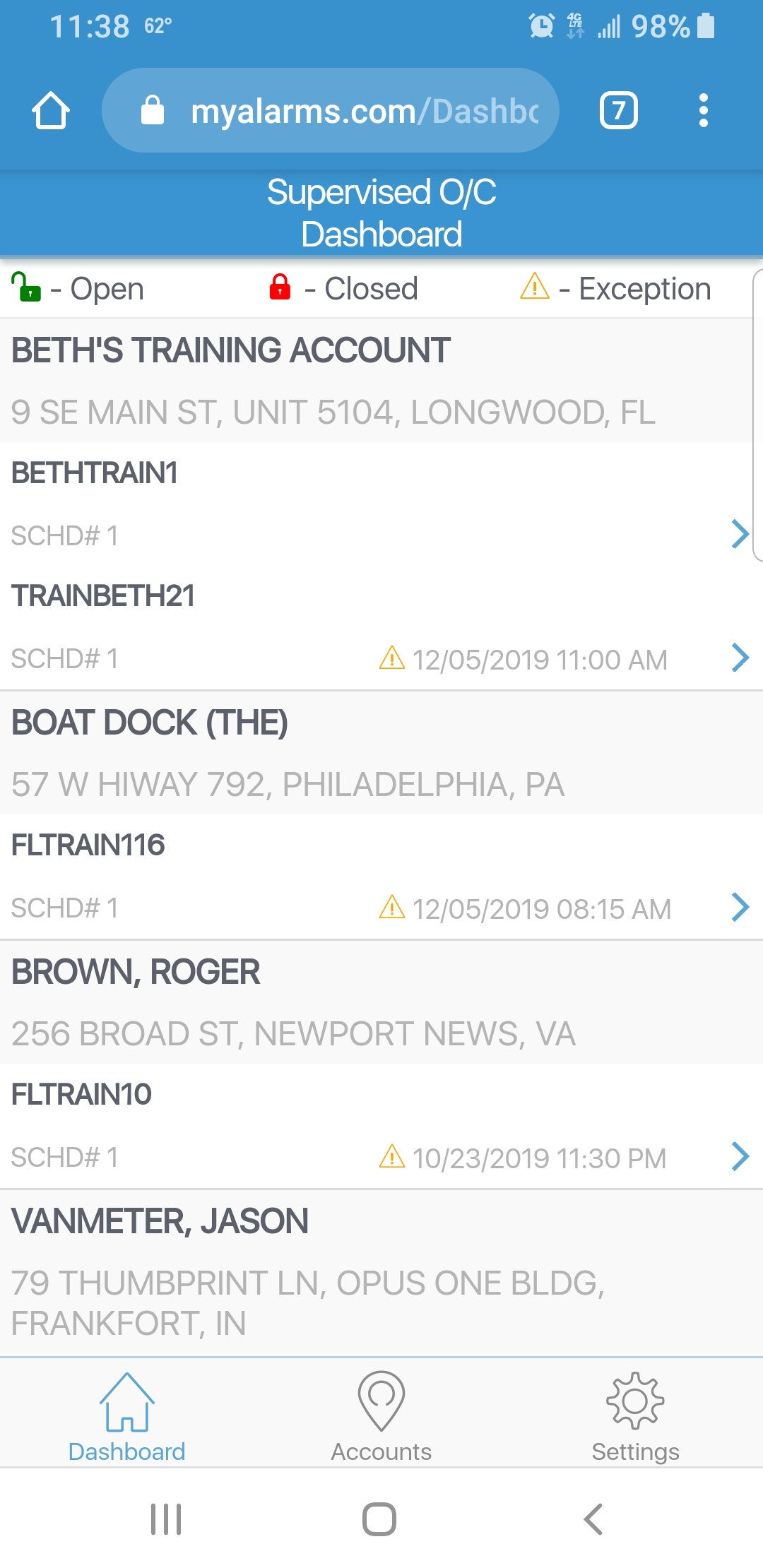
Supervised O/C Dashboard on MyAlarms
Subscribers with access to more than one location AND where the locations have supervised open/close schedules, can utilize this dashboard via the mobile version of MyAlarms.com. This dashboard allows users to see the open/close status of a location, as well as the option to modify the time of the next expected open/close event for that location.
SMS Text Exceptions & Marketing
This tab, featured on Compass' My Dashboard, allows users to track acceptance of SMS text notification welcome messages. Dealers can also differentiate between users who have not yet clicked to accept messages, and those who have clicked "stop" to opt out of receiving messages.

We've created a helpful document for you to share with subscribers about the SMS Text Notification feature. Click below to view and save the flyer. This document can be emailed, posted on social media, used as a bill stuffer, or mailed directly to your customers.