Mychart update
Introducing Lurie Children’s MyChart – make managing your child’s care easier! MyChart offers secure access to your medical record online. You can schedule appointments, check test results, request prescription refills, pay your bill, message your care team, and complete documents ahead of time. To sign up, visit www.luriechildrens.org/mychart. Here is a short video on what to expect.

Need help? For technical questions, call 1-833-706-4507 or email us.

We are also excited to share these recent digital enhancements, designed to provide you with the best experience possible.
Virtual Immediate Care
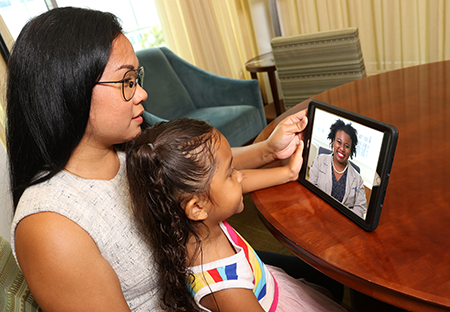
Lurie Children’s now offers virtual visits for your Immediate Care needs from the comfort of your home. Virtual and in-person appointments are available to schedule at your convenience by visiting www.luriechildrens.org and clicking on Make an Appointment. Bookmark this link for easy access to scheduling your next visit.
Improved Text Messaging
Manage your upcoming appointments using our improved text messaging platform. It’s very helpful for us to know if you can make your scheduled appointment. Be sure to confirm, reschedule, or cancel your appointments through the text messages you receive.
MyChart Scheduling
Schedule your appointment with any of our 30+ specialties using MyChart. Login, choose Schedule an Appointment, and choose the provider, date/time, and location that works best. Want the first available appointment? Select “any provider” and “any location” to see the earliest possible appointment. Here’s a quick video showing how easy it is to schedule your own appointments.

MyChart Functionality

Continue to access your child’s MyChart account with some new features:


  • MyChart Proxy Standard: Caregivers of children ages 12-17 can now sign up for an account with a quick authorization form. This access allows a caregiver the ability to make appointments, message the care team, and check general health information. 


  • MyChart Spanish: All Lurie Children’s MyChart users can now use MyChart in Spanish. After logging in through a web browser, click on the Globe at the top right of the page to switch languages. If you are using MyChart via the mobile app, update your phone settings to Spanish to view the app in Spanish.
Quick Survey
We’ve been hard at work making improvements to your digital experience with Lurie Children’s. We’re looking for feedback on how the experience has been and what could be better. Please take 5 minutes to fill out this survey to help guide our development over the coming months.

Thank you for trusting Lurie Children’s with your child’s care needs. All, for your one.
Lurie Children's logo
Facebook  Twitter  Youtube  Instagram  Linkedin