|
Now back to our regularly scheduled newsletter... It's November so you can almost smell the turkey. But it also means that the weather is quickly getting worse and you're using the phrase "freezing level" far too often. Therefore, we focussed the next FlyQ release on
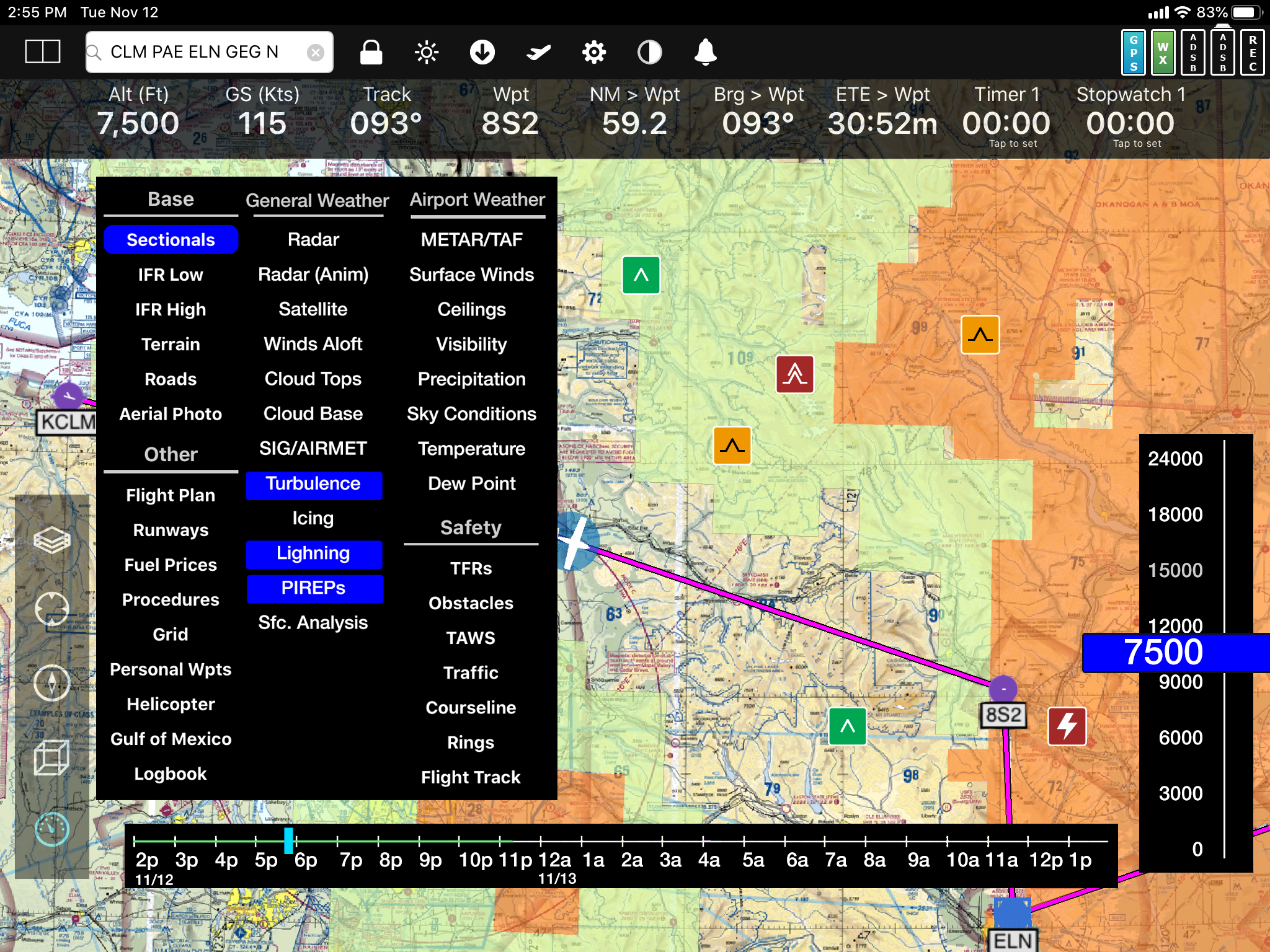
dramatically improving our weather features. In fact, it has
3x more weather as we
go from seven weather layers to 20 and added an
altitude slider and timeline for better analysis. See the next section for much more on this.
I'm Steve Podradchik, the CEO here. I write the newsletter so
email me personally if there is something you'd like me to cover next month. And use the "Follow" feature on our
Blog to keep up with daily news, product info, and more.
|
|
FlyQ EFB 4.5 - The 3X Weather Release
Also, I want to mention that we spent much of the summer doing important but unsexy "foundation" work to improve speed, stability, and fix bugs, resulting in about 150 issues resolved in
FlyQ EFB 4.0.1. We've also been improving our backend systems so new weather and monthly ChartData are both delivered faster than before.
Now back to FlyQ EFB 4.5. Here is what we added to make 4.5 such a major release:
- FlyQ expands from 7 weather layers to 20! That's nearly 3x more weather layers!
- New Timeline with Predictive Radar and other forward-looking features like TAFs and Winds Aloft let you see how weather is expected to change during flight.
- An Altitude Slider so you can check winds aloft and other layers at different altitudes and different time periods.
- New ADS-B weather products (lightning, icing, turbulence, PIREPs, and cloud tops)
- New weather layers when connected to the Internet including all of the above plus cloud base, ceilings, surface winds, surface analysis, visibility, temp/dew point, and more.
- Unlike some other apps, virtually all weather layers are available from both ADS-B and the Internet.
Also, while unrelated to weather, we think that VFR pilots will love the
new VFR Flyways map layer.
If you're a beta tester, you should see the first beta very soon. If not and you're interested, please email
beta@seattleavionics.com and we'll set you up. Be sure to
specifically note the email address you use for your Apple ID.
|
|
Webinar Week!
With the weather getting worse, you're probably flying less so it's a great time to brush up on FlyQ and learn some new tricks, not to mention see all the great new weather features in FlyQ EFB 4.5.
In keeping, we're doing a record eight different webinars next week, all offered on multiple days and multiple times. Each is one hour and requires a free registration.
Also, remember that we have more than 80 training videos on our YouTube channel.
The table below is organized by topic. Click a date/time to sign-up.
Click here to see the presentations organized by day.
Important! After you click to register, the sign-up page defaults to the first time that each webinar is offered. Be sure to check the date/time on the sign-up page to be sure you're registering for the date/time you want.
|
Topic
|
Dates/Times
|
| Intro to FlyQ EFB |
Mon. Nov. 18, 11 am
Tues. Nov. 19, 2 pm
Wed. Nov. 20, 5 pm
Thurs. Nov. 21, 8 pm |
| Advanced FlyQ EFB |
Mon. Nov. 18, 2 pm
Tues. Nov. 19, 11 am
Wed. Nov. 20, 8 pm
Thurs. Nov. 21, 5 pm
|
| New FlyQ EFB 4.5 - The 3x Weather Release |
Thurs. Nov. 21, 11 am
Thurs. Nov. 21, 2 pm
Fri. Nov. 22, 11 am
Mon. Nov. 25, 2 pm
Tues. Nov. 26, 11 am
|
| Intro to Flight Planning |
Mon. Nov. 18, 5 pm
Tues. Nov. 19, 8 pm
|
| Advanced Flight Planning |
Tues. Nov. 19, 5 pm
Wed. Nov. 20, 11 am
|
| Visual Logbook & Visual Analysis and Playback |
Wed. Nov. 20, 2 pm
|
Buying and Using an iPad
|
Mon. Nov. 18, 8 pm
Mon. Nov. 25, 11 am |
| Choosing an ADS-B System (In and Out) |
Fri. Nov. 22, 2 pm
Tues. Nov. 26, 2 pm |
|
|
$19 FlyQ EFB for CFIs and Students
CFIs get the full VFR + IFR package for just $19.
Student pilots (private private) get the VFR package for the same $19.
|
|
Using FlyQ EFB + Garmin GTX 345
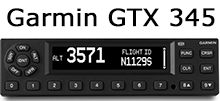
FlyQ EFB works with more than 20 ADS-B and MFD systems including the Stratus 3, Merlin, Stratux, Dynon SkyView, Avidyne, L-3 Lynx, and more (See the complete list.) But we get a lot of questions about using FlyQ EFB with the Garmin GTX 345 ADS-B system. Short answer: FlyQ EFB works great with the Garmin 345, albeit a bit indirectly. Longer answer below.
First, it's important to understand that an ADS-B Out system does not need to talk to the iPad as Out does not send weather and traffic; only ADS-B In does that and the two do not need to be linked in any way. Also, the FAA's 2020 mandate requires just ADS-B Out; the FAA does not require any ADS-B In system so you're free to use any portable ADS-B In receiver you like or even no ADS-B In at all -- but you won't see wx and traffic without ADS-B In!
|
|
| Click for a larger image. |
ADS-B Out is basically just a transponder on steroids that sends your tailnumber and position to the ground station -- your current transponder doesn't talk to your iPad now, does it? The goodies for you, weather and traffic, are both provided by the ADS-B In system. Hence, adding any ADS-B receiver (Merlin, Stratus 3, Stratux, Dynon, Dual, iLevil, or whatever you already use with FlyQ) to a Garmin GTX 345 installation will work great to provide weather and traffic to FlyQ. In fact, adding any ADS-B Out - Garmin or otherwise - makes all ADS-B In system work beautifully because the presence of an Out tells the ground station to broadcast all traffic relevant to you. The fact that the data is received by a Stratux or some other ADS-B In rather than the In provided by the Garmin is not relevant. In other words, FlyQ EFB works well with a Garmin GTX 345 so long as you also have some other inexpensive ADS-B In receiver.
By the way, FlyQ now works with the great Stratus 3 line of systems. That also applies to the newest ESG ADS-B In/Out systems that use the Stratus 3i receiver. FlyQ does not work with the older Stratus 1 or 2 devices but you can easily sell them on eBay or Craigslist then upgrade.
Another option for direct FlyQ EFB support is to use an installed ADS-B solutions from L-3 Lynx, FreeFlight, or more. |
|