Dear Valued ARINCDirect Customers,  


We are excited to announce enhancements to our NextGen Flight Planning application. These releases mark the start of our continuous launch of new features. To access, navigate to the ARINCDirect platform Izon where all NextGen products and services are available.


This release (Version 1.4.6) introduces new functionality to the NextGen Flight Planning application: 


  • Replan, a feature that provides added flexibility via the ability to change existing flight plans  
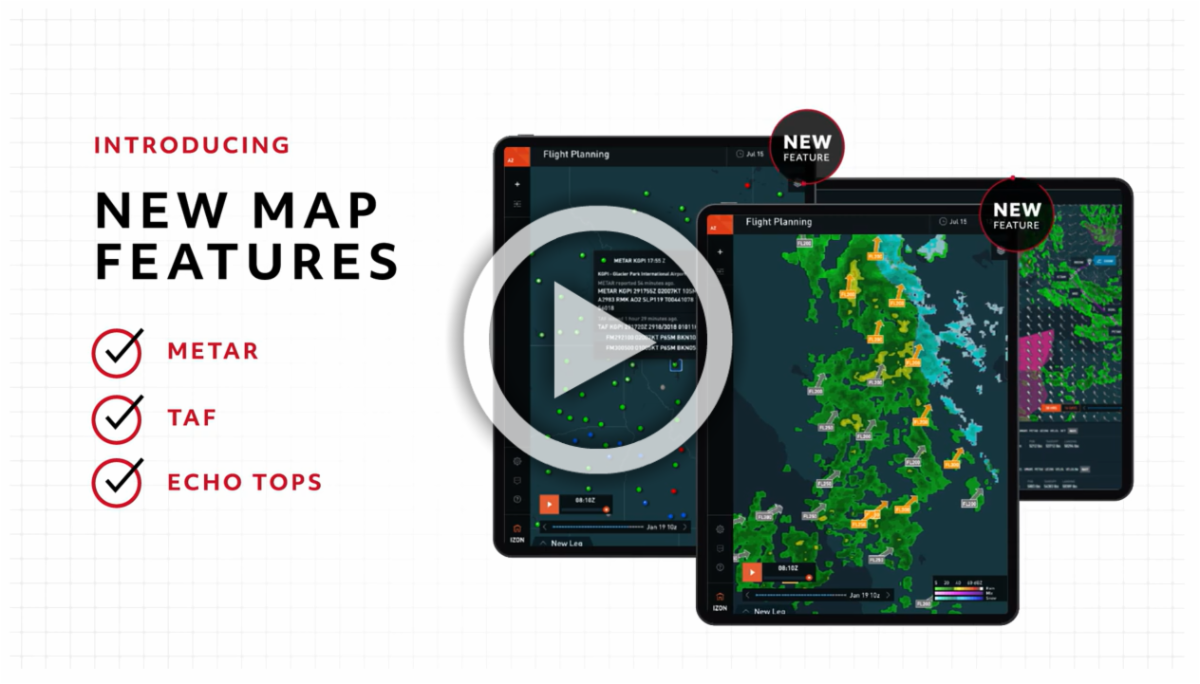
  • Echo Tops, a new map layer that enhances your situational awareness when weather is present 
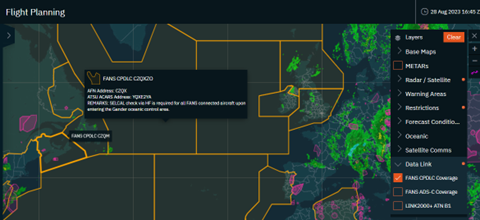
  • Data Link layers, coverage layers to overlay on the map of your route 
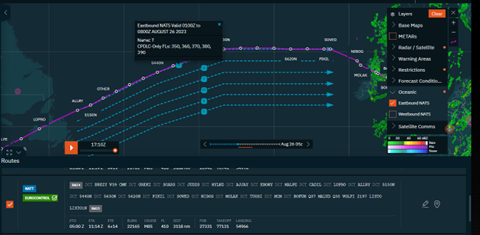
  • NAT Track layers, 2 layers that provide overlay of Eastbound or Westbound North Atlantic tracks 
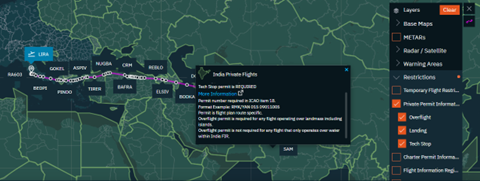
  • Permit Information Layer, 2+ layers that provide permit requirements for private and charter operations 


Replan 


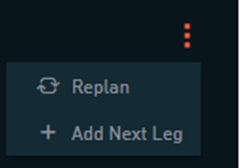
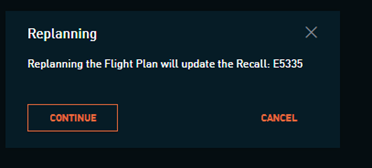
Replan allows you to remain within the NextGen Flight Planning application and carry out a replan of an existing NextGen Flight Plan recall number (i.e., previously saved NextGen plan). From the leg list, select the Replan option from the three-dot menu on the far-right side of the NextGen leg. 

From this point, changes to any parameter except for departure or destination airport can be made and saved. Note that the ability to replan the NextGen plan in the Legacy flight plan tool, which we provided at the launch of NextGen Flight Planning, is still possible at this time. This enhancement specifically gives you NextGen flight plan replan ability within the NextGen application.  


Echo Tops 


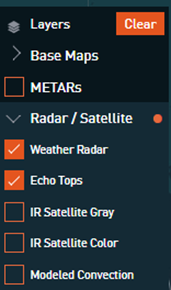
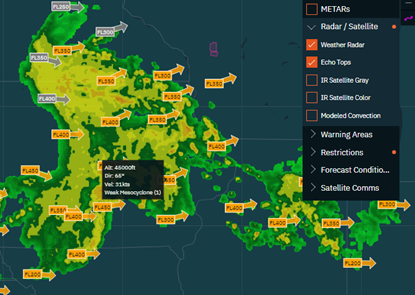
The Echo Tops layer will provide storm tops, speed, and direction information and is designed to accompany the Weather Radar layer. It can be enabled from the Map menu beneath the Radar/Satellite category. To gain the full benefit of storm intensity and direction information, ensure that you have both enabled. Echo Tops data is available for the U.S. region only. 

Data Link Layers 


The Data Link Communications layers can be found in the map menu beneath the new Data Link category. The coverage layers include:  


  • FANS CPDLC Coverage 
  • FANS ADS-C Coverage 
  • LINK2000 + ATN B1 

NAT Track Layers 


The NAT Track layers can be found beneath the new Oceanic category in the map layer menu. Overlaying NAT tracks while planning your North Atlantic Crossing allows you to visualize the planned route in comparison to the latest structured tracks, including referencing applicable flight levels for CPDLC capable aircraft and track valid times. 

Permit Information Layer 


The Private and Charter Permit information layers offer the ability to toggle on and off a country-based map layer that will at a quick-glance view identify if there are overflight, landing or tech stop permit requirements.   

For more information, please review the Replan, Echo Tops, and More Map Layers Release Notes


How to Access NextGen Flight Planning 


Like other NextGen solutions we are developing, NextGen Flight Planning is only accessible on Izon. To access the new application, you must create or log into your Izon account. The tile for NextGen Flight Planning will be available to all flight planning subscribers automatically. See the Izon Setup Guide in the links at the end of this message if you do not yet have an Izon account. It’s easy to set up and FREE. 

You can learn more about NextGen Flight Planning in the video below:

Share your Feedback


This is in BETA phase, and we really want to hear from you about the application, both feedback from using it and guidance about the features you’d most like to see incorporated next.  


If you have any questions or concerns, please contact us at 1-866-321-6060 (International: +1 410-266-2266), email flightops@arinc.com, or use the feedback icon located in the lower-left-hand menu of the NextGen Flight Planning application. Screenshots are always helpful when referring to specific features or scenarios in the application.


Get Access  


Learn More


As the backbone of the new Collins business aviation digital experience, the Izon dashboard will continue to expand as additional integrated solutions are brought online. From all of us at ARINCDirect, we want to thank you for your continued support as we rise above business as usual

Contact 24x7 Support
Navigate to Izon
Izon Setup Guide