Computer / Internet Tips - October 2023

Computer Techs Help Key

Reno's PC & Technology Help Experts since 2003 


Affordable PC Repair - Experienced IT Consultants 

In-Home Service & Remote Support


No Geek Speak: Local techs that speak 

a language you can understand


Support for Windows - macOS - iOS - Android

  • Read how this 77-year-old widow lost her life savings in a common tech support scam


  • Update your account recovery methods now - before you could get permanently locked out


  • How to troubleshoot and fix many computer problems


  • Our Computer Maintenance Plan now offers VIP pricing for In-Home service calls


  • Update: Outlook for Windows now supports Charter and AT&T email accounts - replacing the old Mail app


Read how this 77-year-old widow lost her life savings in a common tech support scam

The moral of this story is NEVER allow remote access to your computer or device to someone that you don't personally know, no matter what company they say that they represent.


  • Marjorie Bloom, a retired civil servant, was the victim of a “tech support” scam in 2021. Criminals used cryptocurrency to carry out the fraud.
  • Bloom, now 77, lost her life savings: $661,000.
  • Her experience highlights the growing threat of fraud that targets older adults.


Read the article...
 

Update your account recovery methods now - before you could get permanently locked out

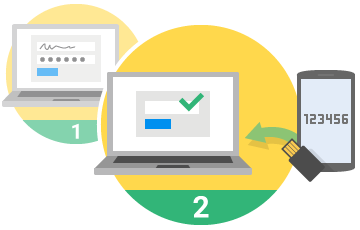
You may have signed up for your email account long ago – before additional account recovery information was required. If you get locked out of your email account tomorrow, does your account have enough account recovery information to allow you to easily reset your password and get back into your account?


Account recovery information includes other methods to confirm your identity including:

  • A mobile phone number that can receive a text message
  • A secondary email address
  • Account security questions – i.e. “your first pet’s name”


In the past year we’ve had several clients get permanently locked out of their AT&T/Yahoo email and other accounts because there wasn’t enough secondary verifiable information to convince the customer support representative to reset the password. Don’t let that happen to you.

Take action...
 

How to troubleshoot and fix many computer problems

If your computer is slow or freezing up, your internet is not working or you can’t print – before calling for help there’s often some troubleshooting you can do that will likely fix the problem.

 
Read/print troubleshooting tips...
 

Our Computer Maintenance Plan now offers VIP pricing for In-Home service calls

Since 2003 clients regularly ask us for a way to keep their computers secure and up-to-date, and not have to worry about the seemingly constant barrage of updates. With websites getting hacked on a daily basis, and the increasing chance of your personal information being lost or compromised, it's more important than ever to keep your computer up-to-date and maintained.


With the Computer Techs Maintenance Plan, we will maintain, update and check the security on your computer on a convenient quarterly schedule. Service can be performed via a Remote Support session which takes about an hour. Services include:

Read about our Computer Maintenance Plan with VIP pricing...
 

Update: Outlook for Windows now supports Charter and AT&T email accounts - replacing the old Mail app

On a Windows PC, if you currently use the Mail and Calendar apps to access your email instead of going to your email provider’s website, you’ll likely be happy to hear that Microsoft will be replacing those (awful) apps on Windows 10/11 with the new Outlook for Windows app in 2024. The new app supports multiple email accounts, including Outlook.com, Gmail, Yahoo Mail, iCloud and IMAP (Charter & AT&T).

Read about Outlook for Windows...
 

Visit our YouTube Video Playlist to Learn About the Latest Scams and Computer/Internet Tips

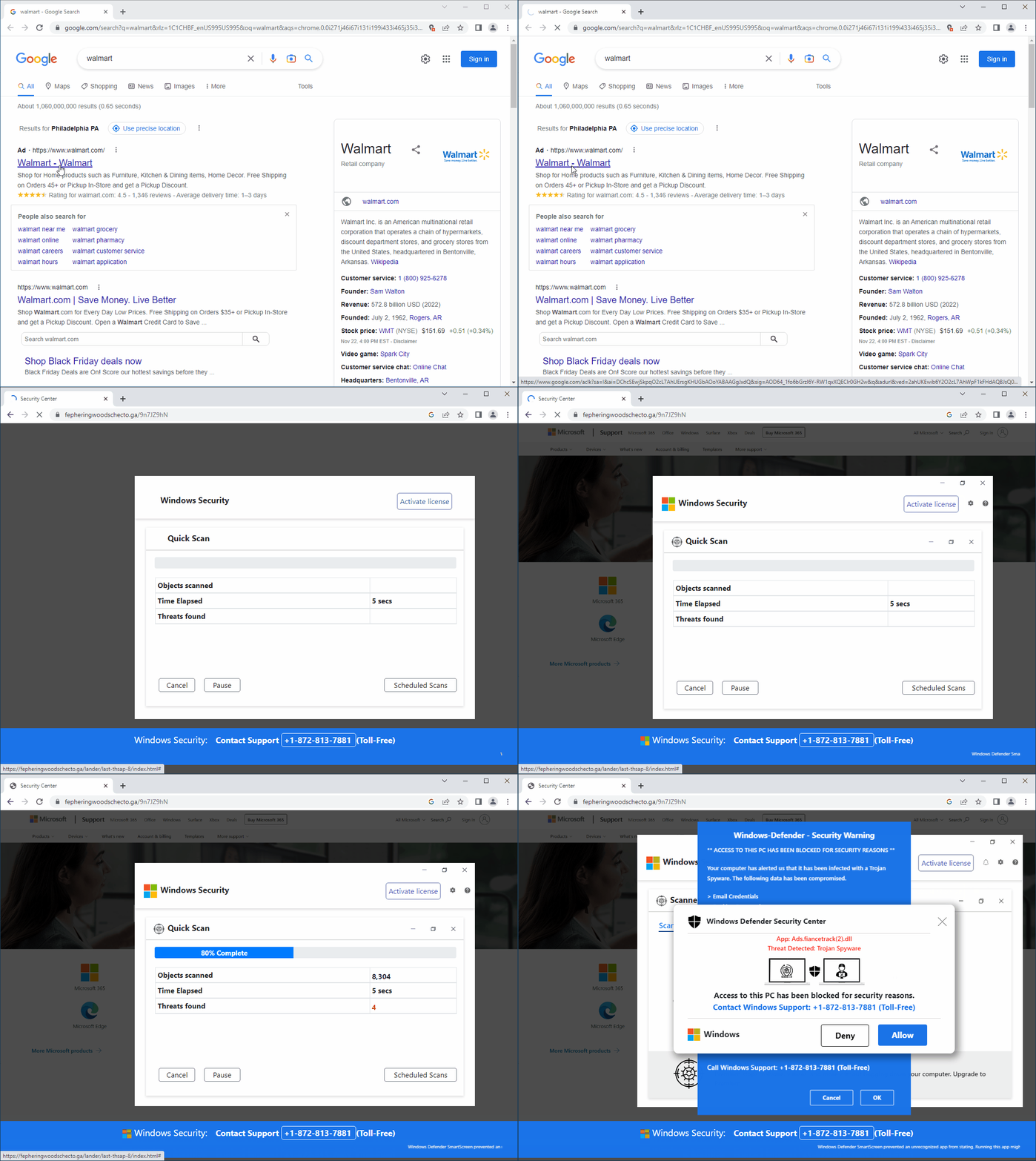
Watch our featured video showing a fake security pop-up telling you that your PC has been blocked, and to call the number presented for "Windows Support". As mentioned before, you should NEVER call a number that pops up on your screen. In the video we show you how to close out of these pop-ups whenever they occur.

Visit YouTube.CTreno.com ...
 
Click to CONTACT US

Connect with us!

Facebook  Twitter  Web  YouTube