Office of Education News

Frontline Professional Growth -

Professional Learning Management (PLM)

The Office of Education has finished the implementation of Frontline Professional Learning Management (PLM) within the Frontline Professional Growth module.


Coming Soon! With the importing of the historical CEU data from the old school database, employees will their CEU information and renewal reports all in one place!


What is new in PLM?


Employees will be able to do the following:


  • Submit continuing education units using the new CEU Form
  • Monitor the approval process of submitted forms (receive automatic form status email notifications)
  • Review CEU renewal report/transcript
  • Download the renewal report in advance of license renewal with NCDPI
  • Register for professional development activities offer by the Diocese of Raleigh and the local schools (upcoming)
  • Take professional development activities assigned by school administration


Topics Cover in this Newsletter


  • Accessing PLM
  • CEU Form - Available Now For Use
  • My File Library
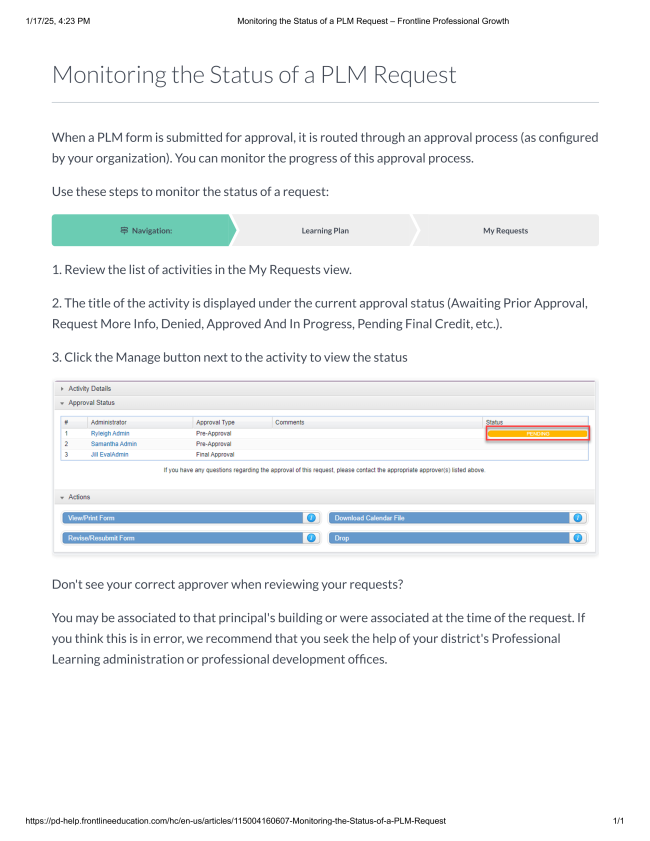
  • Learning Plan - Monitoring Status of a PLM Request (CEU Form)
  • My CEU Report
  • PLM Training Resources


Other PLM topics will be covered in a future newsletter.

Accessing PLM


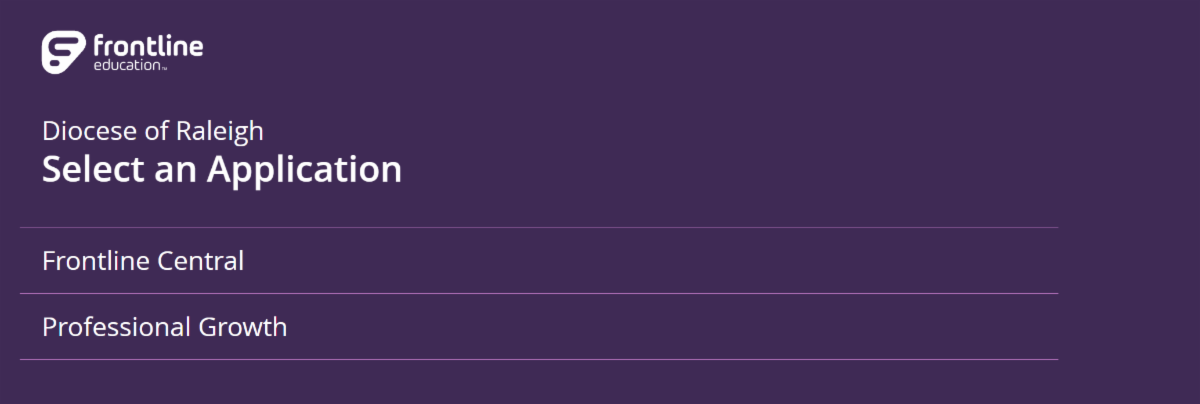
To access PLM, please login into your diocesan MSO365 account with the username (Frontline-MFA related email address given by the Office of Education support), the Authenticator, and the Frontline Education application (found in the app launcher).


Select the Professional Growth module after clicking on the Frontline Education app.


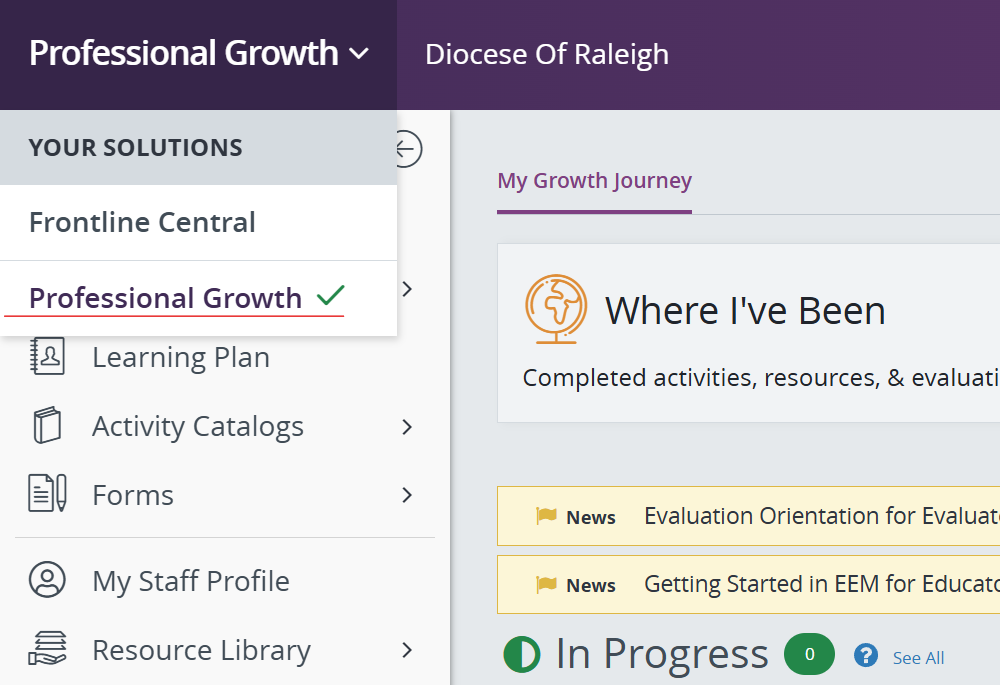
If already in Frontline, toggle between the Frontline modules by clicking on the top banner and select Professional Growth.


If you need help accessing Frontline, please submit a ticket to ooesupport@rcdored.org.

CEU Form


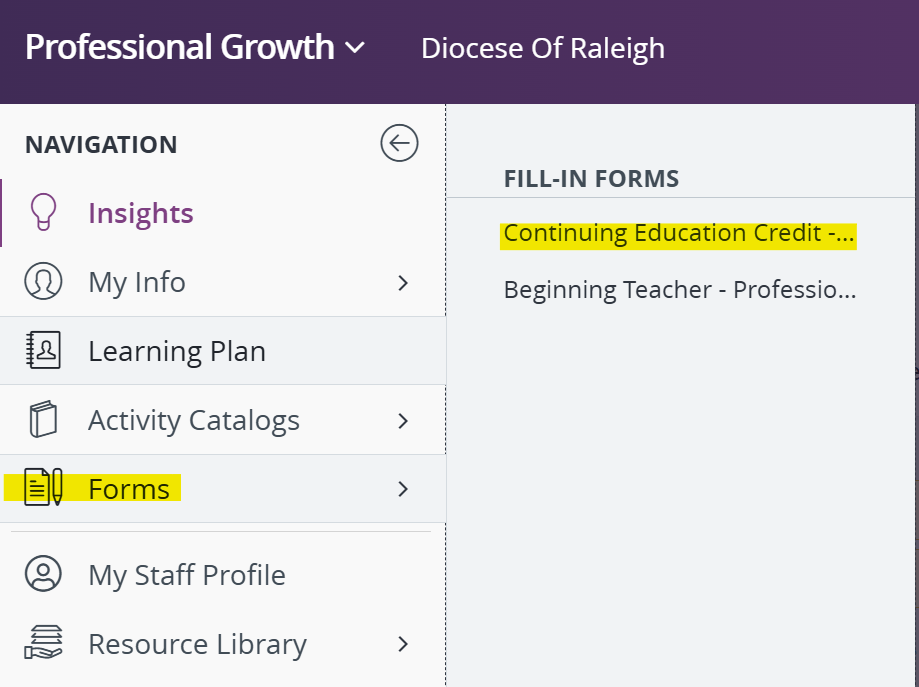
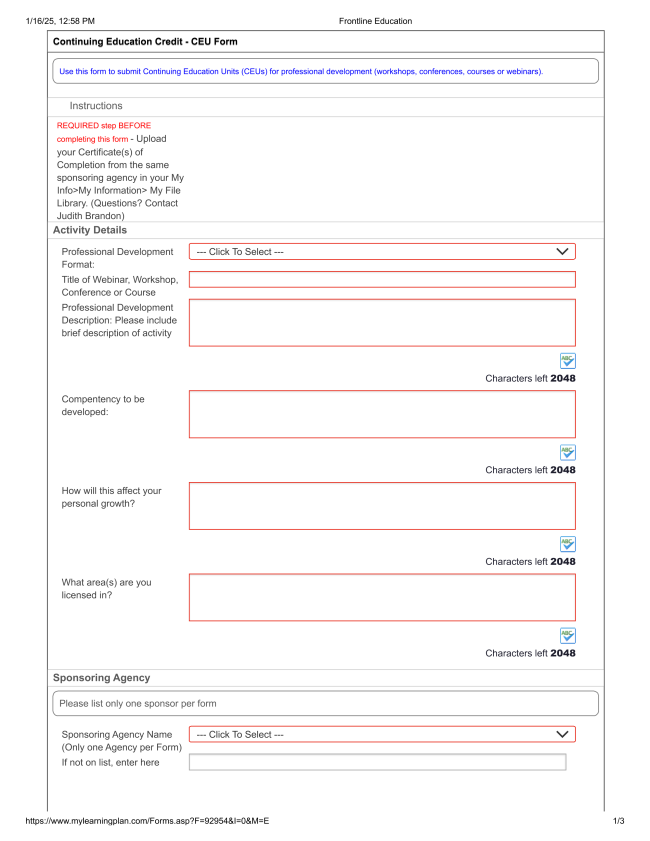
To access the CEU Form, please go to Forms > Fill-In Forms > Continuing Education Credit - CEU Form. For detailed form information, click the image to the right.

My File Library


As part of the CEU Form submittal for approval process, certificate(s) of completion must be uploaded.


File Preparation

Save the certificate(s) of completion as individual PDF files using the nomenclature listed below (no spaces allowed).


NameOfWorkshop.LastName.MM.DD.YY


Example: UnderstandingLearningDisabilities.Doe.04.12.24


Upload File to CEU Form

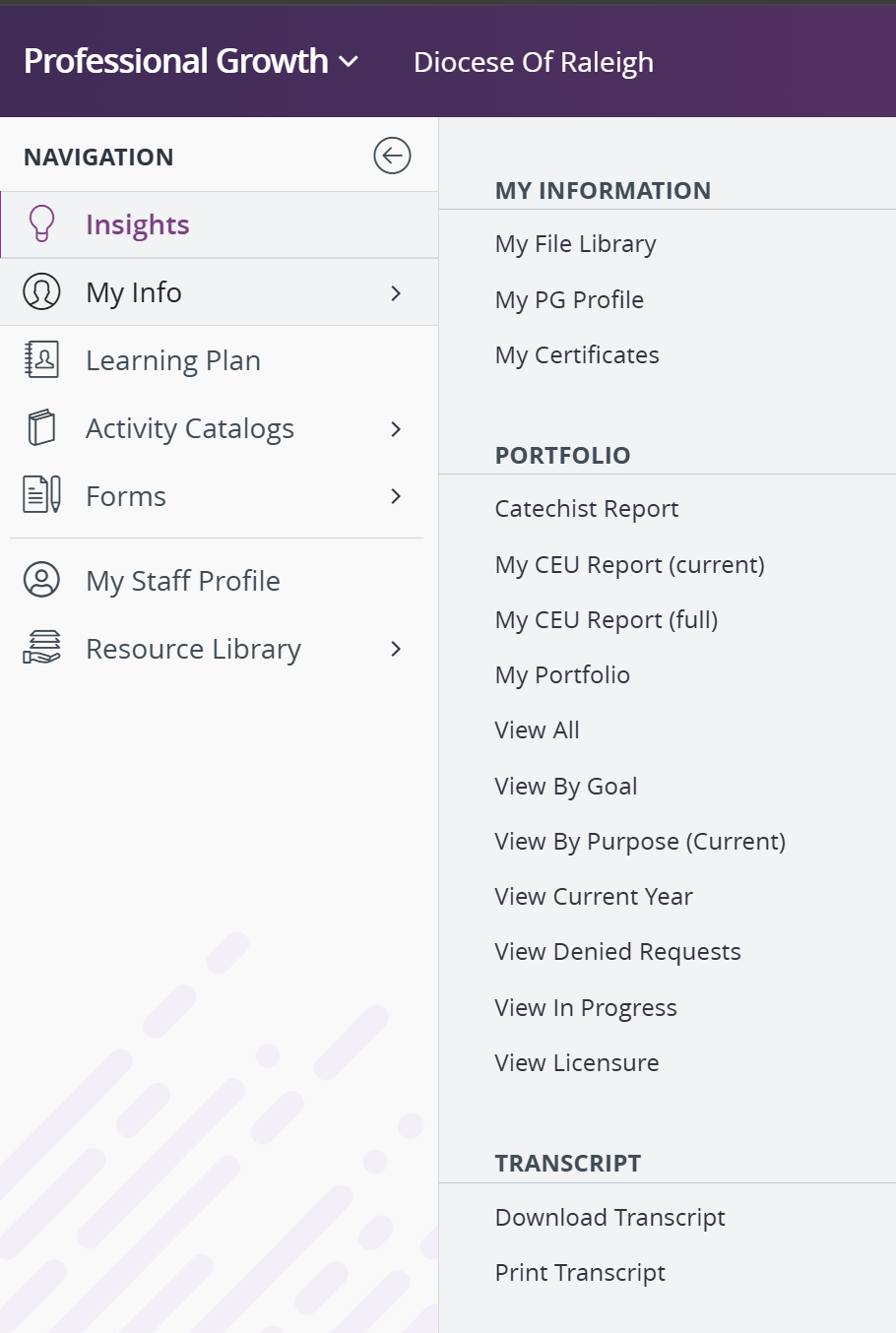
Before filling out the CEU Form, upload the saved PDF certificate(s) of completion file(s) to My Info > My Information > My Library.


Note: The file size limitation is 50 MB.


Some reasons for non-approval:

  • Single PDF file has multiple certificates.
  • Single PDF file has certificates of multiple sponsoring agencies.
  • No certificate of completion attached.

Learning Plan


Employees can do the following PLM related items in this section:


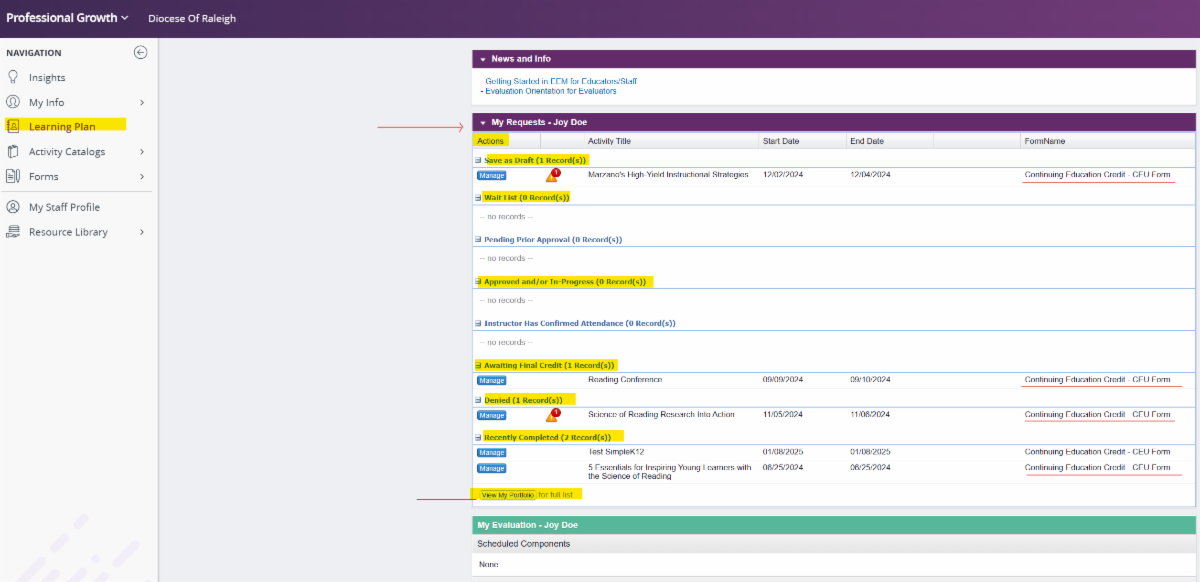
  • Monitor and manage a status of a PLM request (CEU Form) under the section My Requests. To manage a status, click on the Manage icon next to the activity title. The most common statuses are the following (see image below; review Frontline learning information below):
  • Save as Draft - Lists CEU form(s) that have been started but not submitted
  • Awaiting Final Credit - Lists CEU form(s) pending approval
  • Denied - Lists reviewed and denied CEU form(s)
  • Recently Completed - List completed and approved CEU form(s)


  • View My Portfolio - This option produces an unofficial summary of the current CEUs.


  • Review professional development activities (Covered in a future newsletter).


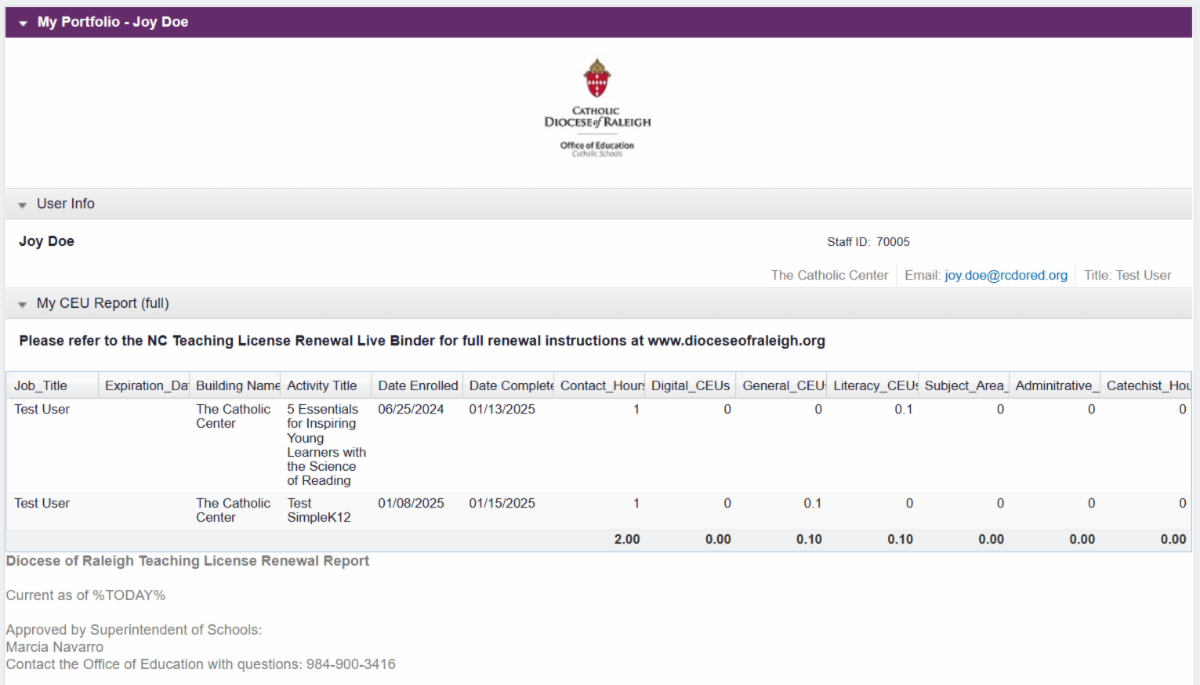
My CEU Report


Employees can now access their license renewal report at any time!


On the site Navigation go to My Info. Under Portfolio, click on My CEU Report:


  • Current (CEUs for Renewal Cycle).This is the new official diocesan teaching license renewal report for NCDPI.


  • Full (Historical and Current CEU Data). Note: Historical CEU data will be available soon.


To download the report, please click on the web browser three dots at the top right hand corner and select Print. You will have the option to print the report or to save it as a PDF file. (Use your web browser print option).


For detailed instructions about renewals, please review the Constant Contact License Renewal Newsletter available in the Frontline Resource Library > My Organization Resources and Live Binders.

PLM Training Resources


Frontline Professional Growth offers valuable product information in their learning centers. Another repository is the resource library that has diocesan produced content as well as third party uploaded content.


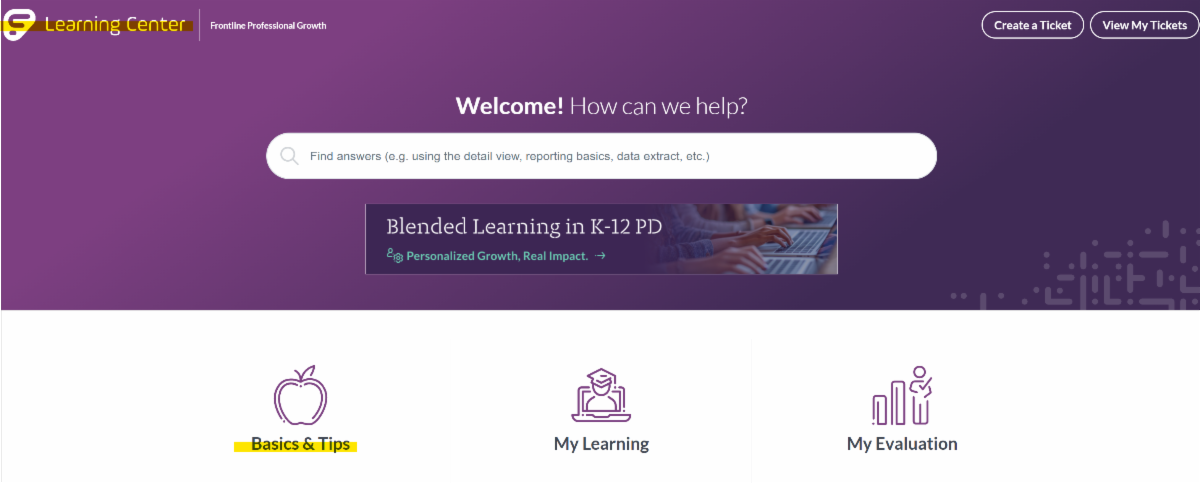
Frontline Learning Center


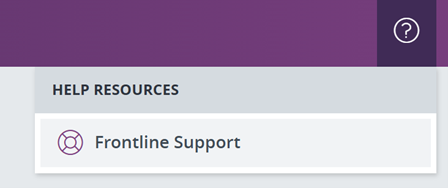
  • Click on the question mark icon (top right corner) to access the Help Resources and select Frontline Support.
  • Click on the Basics & Tips tile
  • Under Getting Started in PLM, click on PLM Orientation for Learners. This is a playlist of videos.
  • View the following videos:
  • My Account Profile (2:16 min)
  • My Portfolio (1:48 min)
  • My File Library (1:35 min)
  • Resource Library (2:49 min)


Note: Do not use "Create a Ticket" or "View My Tickets" here.

If you need help with Frontline, you MUST submit a ticket to ooesupport@rcdored.org.

Resource Library


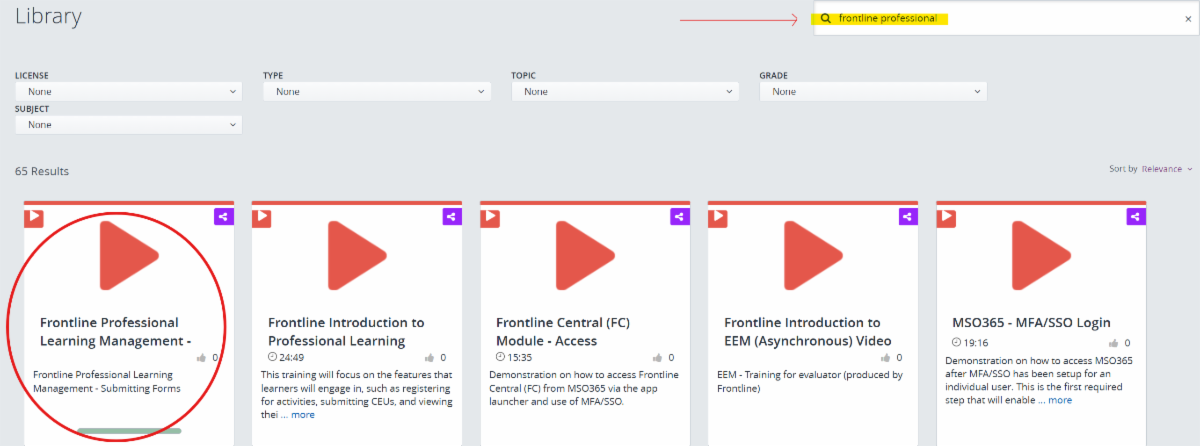
Frontline created an asynchronous training video titled Frontline Professional Learning Management – Submitting Forms (9:27 min), which includes step by step instructions on how to use the CEU Form.


There are two ways to access the video in the Resource Library:


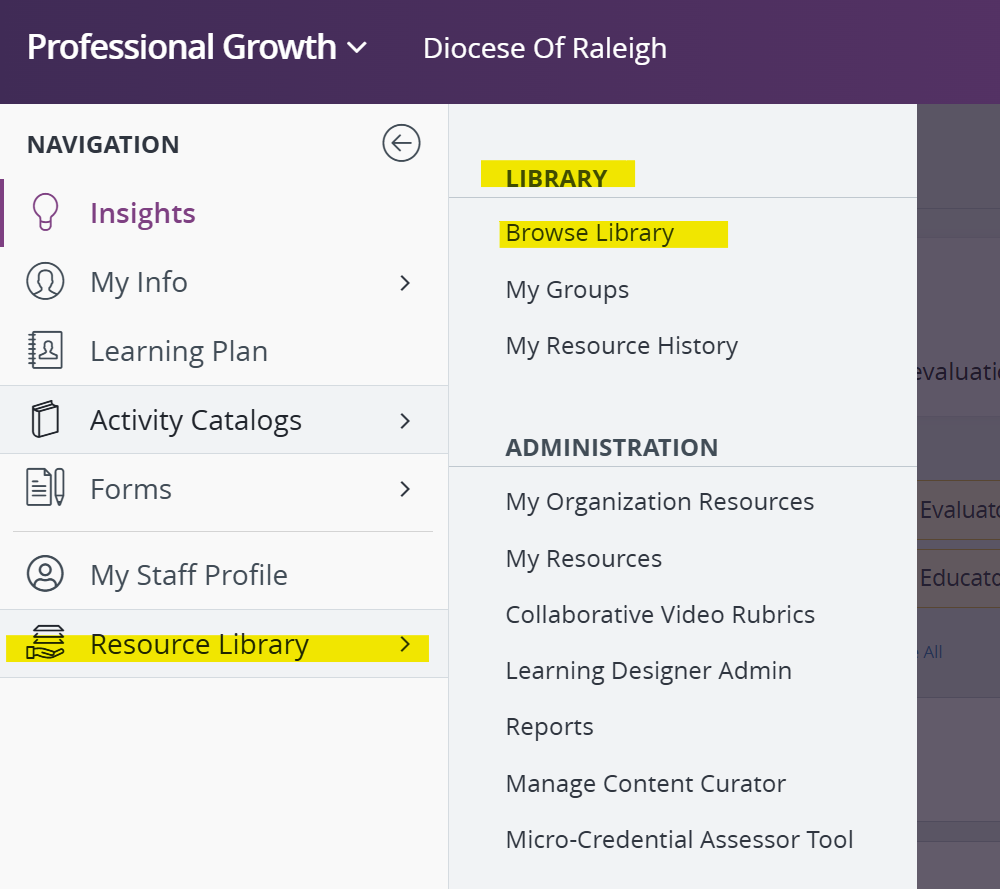
  • On the site Navigation > Resource Library > Browse Library (under the Library menu) > Search for the video by name


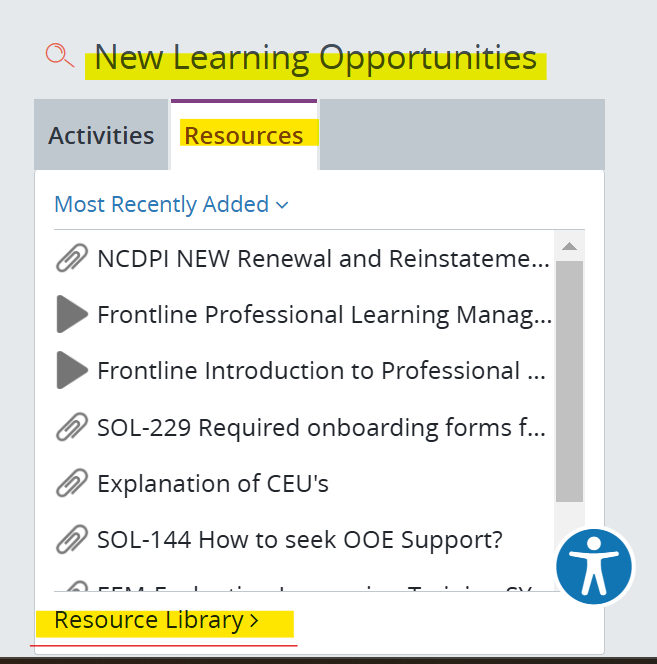
  • On the site Navigation > Insights, click on Resources, under New Learning Opportunities > Search for the video by name

For any additional information about licensure, please check LiveBinder using the button below. Remember to access the diocesan website with the username Teacher and the password provided by your school administrator.

License Renewal LiveBinder

If you have any questions regarding the CEU Form and the license renewal report,

please contact Judith V. Brandon in the Office of Education at judith.brandon@raldioc.org 

or send an email to schoolsoffice@raldioc.org.


For any support or concerns with Frontline Education, please send an email to OOESupport@rcdored.org or click the button below

 OOESupport@rcdored.org

OFFICE OF EDUCATION

7200 Stonehenge Drive

Raleigh, NC 27613

(984) 900-3416

Facebook      Twitter      Instagram      YouTube

Statement of Non-Discriminatory Policy as to Students: The Catholic schools in the Diocese of Raleigh have a racially non-discriminatory policy for all students and admit students of any race, color, national and ethnic origin to the rights, privileges, programs and activities generally accorded or made available to students. Our schools do not discriminate on the basis of race, color, national and ethnic origin in administration of our educational policies, admission policies, scholarship and loan programs, athletics and other school-administered programs.

OFFICE OF EDUCATION


Contact Us