❓ Canvas FAQ Corner
Quick answers to common Canvas questions from faculty like you!
📌 Q1: How can I confirm my Canvas course is ready for students on the first day of class?
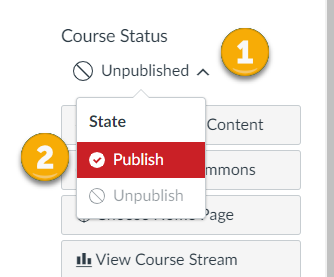
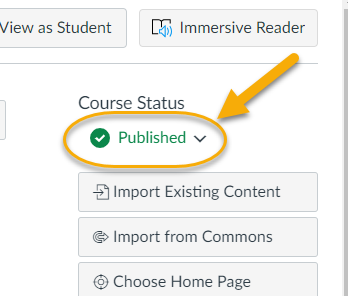
A: Before the term begins, review your course using Student View to verify content visibility, due dates, and navigation settings. Be sure your course and modules are published so students can access materials on day one.
📌 Q2: What should I check before using Honorlock for the first exam or quiz?
A: Confirm that Honorlock is enabled in your course navigation, the Honorlock settings are configured within the assessment, and instructions are clearly provided to students. It’s also recommended to offer a low-stakes practice quiz so students can test their setup.
📌 Q3: How does Turnitin work with Canvas assignments, and do I need to enable it each term?
A: Turnitin must be enabled within each assignment’s settings. Review similarity report options and submission settings to ensure they align with your expectations for originality and feedback before students submit work.
📌 Q4: What is the best way to share or reuse video content using Canvas Studio?
A: Canvas Studio allows you to record, upload, and embed videos directly into assignments, pages, or discussions. You can reuse Studio videos across multiple courses, making it easy to maintain consistent instructional content each semester.
📌 Q5: How can I organize my course to help students stay on track from the start?
A: Using Modules with clear labels, consistent due dates, and a predictable weekly structure helps students navigate the course more effectively. Adding an overview page or checklist in the first module can set expectations and reduce early-semester confusion.
|