Winter Term Starts Monday, January 8th!

Hello Myriam,

SID:

It's time to get ready to register for Winter 2024!


You can register online on or after

 at

in your LancerPoint portal. Please check your LancerPoint for any updates (video tutorial to check your registration date).


NEW: Students with children under the age of 18 can qualify for registration priority. Please visit the Family Resource Center website for more information.

Use the guides below to prepare for your registration date.

Schedule of Classes
Get Help

Your Registration Checklist Overview

Work your way through this list by scrolling down.

Scroll through the email to work through each step:

βœ” Activate your LancerPoint account  πŸ’»

βœ” Set up email forwarding (optional) πŸ“©

βœ” Clear Holds if any πŸ“

βœ” Apply for Financial Aid if you have not done so πŸ“

βœ” Locate your ed plan πŸ“‹

βœ” Complete registration badges πŸ…

βœ” Learn how to use the Schedule of Classes πŸ“š

βœ” Build a schedule using Schedule Planner πŸ“

βœ” Register for classes on or after your scheduled date and time πŸ“

βœ” Pay for classes πŸ“

Connect with Your Success Coach

Success Coach Introduction Video

Anytime you have questions, concerns or you’re not sure about something, you can reach out to your coach and they will help you directly or connect you to services on campus that can best assist you. Your Success Coach is here to guide you and support you so that you can be as successful as possible!

Account Activation & Email Setup

Video on accessing LancerPoint


Before building a schedule, make sure your account is activated. Follow the instructions in the video below to set up your LancerPoint account.


Once your account has been activated, you'll be able to access your PCC student email inbox, along with all of the other Google Suite apps! PCC will send important info here, so you should check your student email often. To make things simple, you may want to set up email forwarding from this account to your personal email inbox.

Holds

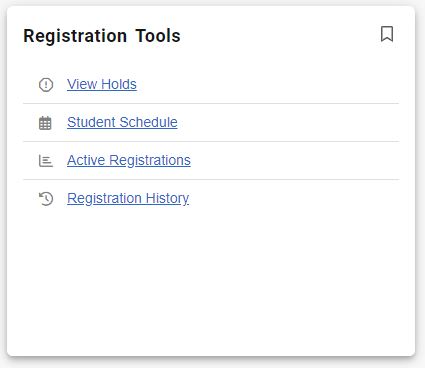
Check on your holds by logging into LancerPoint and find the Registration Tools Card. Click on "View Holds." If you have any questions about your holds, visit our Get Help Page for assistance.

ο»Ώ

Holds:

Financial Aid

It's not too late to apply for financial aid. If you have not done so already, use the "Apply for Aid" button to learn more or visit the Financial Aid Office.


2023/2024 Application on file:

Apply for Aid

Registration Badges

Students can register without finishing their badges. But the classes you want may not be available if your registration date is later in the cycle. So, to get an EARLY date, be sure to complete these steps!

Orientation

Placement

Educational Plan:

How to Access Your Ed Plan

Educational Plan

Courses below are on your educational plan (Lancer Plan) for the Spring 2023 term. If you do not see any courses, you may not have courses on your educational plan for the Spring 2023 term. It's not too late, request a Spring 2023 classes HERE.


YOUR Planned Winter 2024 Classes:

Schedule of Classes/Schedule Planner

The Schedule of Classes is released one month before the term begins. The info can be a little confusing, so here's a video that explains everything in more detail.


Schedule Planner

For college students, life tends to be pretty busy. Luckily, PCC has a tool that helps you balance your classes with the rest of your schedule.

Adding Classes -  at 

How to Add/Drop Classes

Identify the course reference number

(CRN) for each class you want to take,

then enroll in those classes on LancerPoint.


Look for "Add/Drop Classes" type your CRNs into the boxes at the bottom of the screen.

Warning about unsubscribing: This is an official communication from Pasadena City College. If you unsubscribe you will miss all future important campus communications. We will do our best to minimize email communications. If you'd like to leave feedback on future emails, please let us know.