|
In this issue:
- Version 20.01 Released!
- File Compatibility
- Classes and Events
- Other Resources: Technotes / ATUG 2024 Presentations
- Current Versions
- What is the Insider Release and How Do I Get It?
| |
|
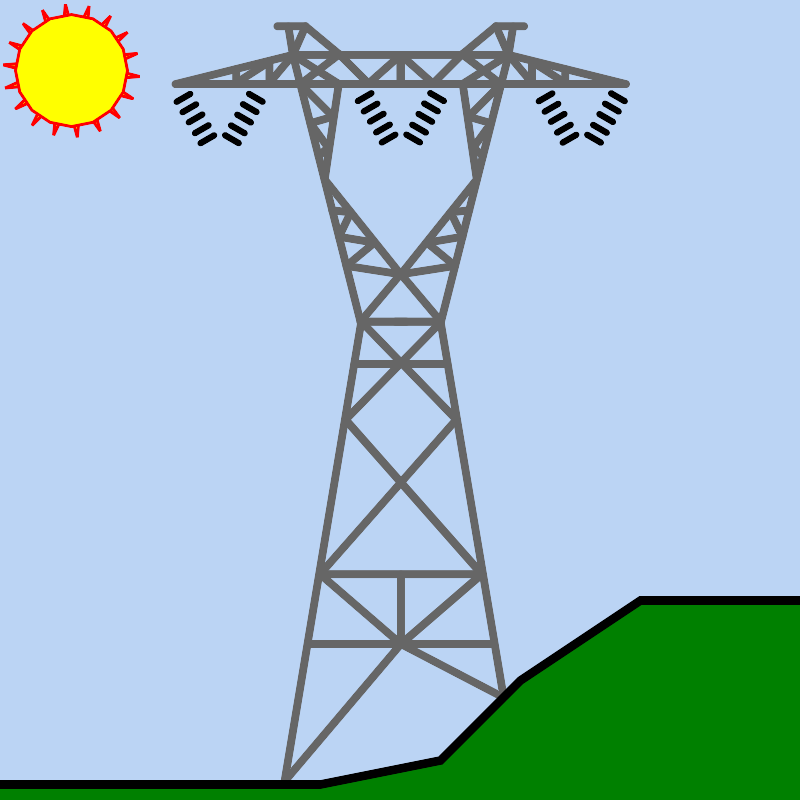
PLS is excited to announce that we have released Version 20.01. This General Release is jam packed with features and improvements; we are especially excited for the addition of new insulator types to PLS-CADD, PLS-POLE and TOWER.
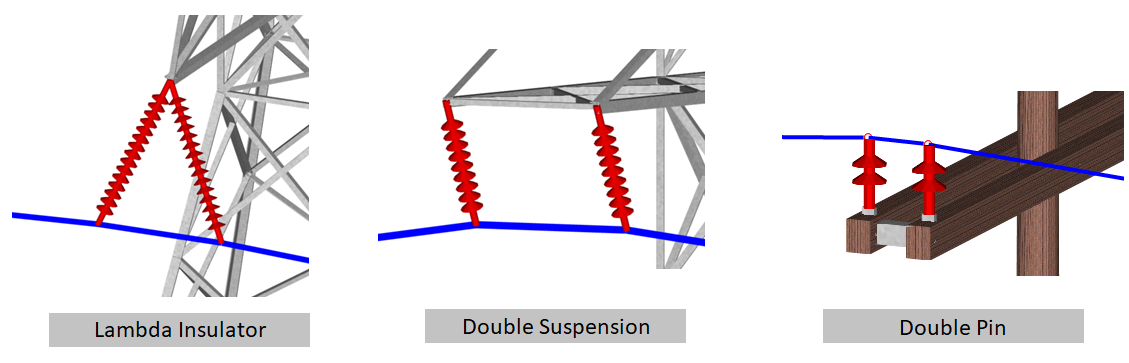
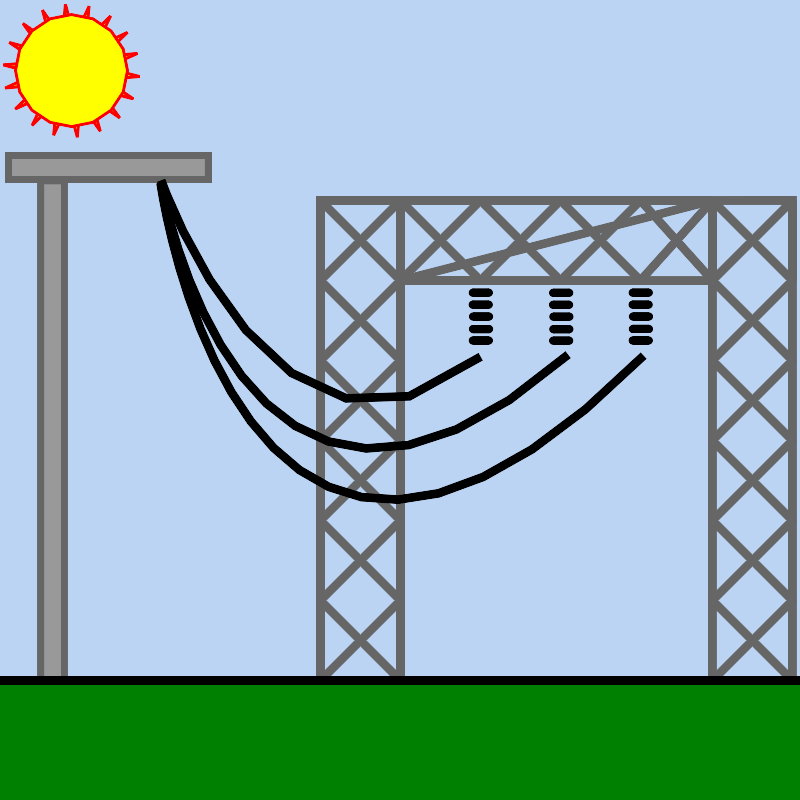
PLS applications now support 3 new insulator types to model: Lambda ("Inverted V"), Double Suspension, and Double Pin insulators. These new types are a combination of two insulators that attach to the conductor at two locations and have a single structure attachment point for Lambda or two structure attachment points for Double Suspension or Double Pin.
These insulators can be used in a variety of situations depending on your requirements for improving reliability/redundancy, clearances, wire departure angles, and giving you the ability to more accurately model and analyze your standard distribution and transmission structures.
| |
|
Version 20.01 continues our long tradition of meeting client requests for additional features and functionality while also supporting the latest industry standards. Some notable features are highlighted below:
PLS-CADD
-
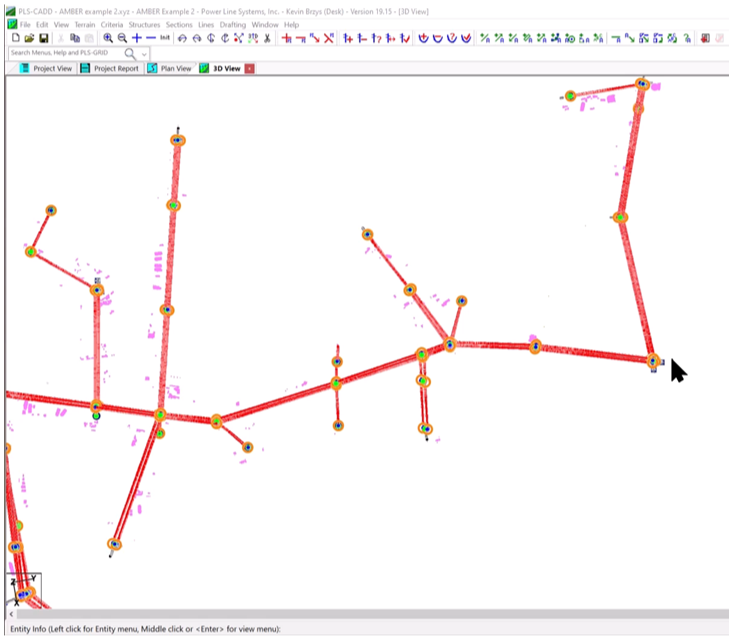
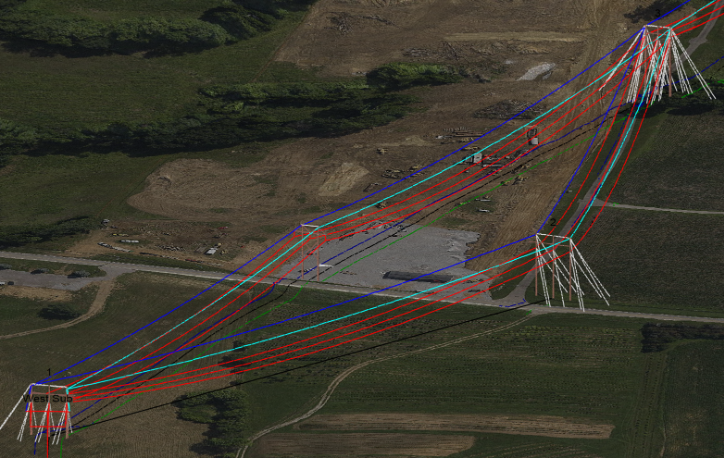
"Terrain/Automatic Model Builder (AMBER)..." to automatically build alignments, place Method 1 structures, and string conductors using classified survey points.
| |
-
"Terrain/Alignment/Line-Specific Alignment Configuration" enables and configures different alignments for different line models. Great for performing route studies with different alignments to consider. This can also be configured in the 'Alignment' tab in "Sections/Display Options".
| |
-
"Lines/Merge Projects..." replaces "Lines/Load DON File or Merge Projects..." and includes significant improvements in merging alignments, structures, sections, constraints, annotations, references and attachments.
-
Added the 'Merge' button in "Lines/Edit..." that creates a new line model based on selected structures and sections from two existing line models. This improved method replaces the older "Lines/Merge..." functionality.
- TIN Improvements:
-
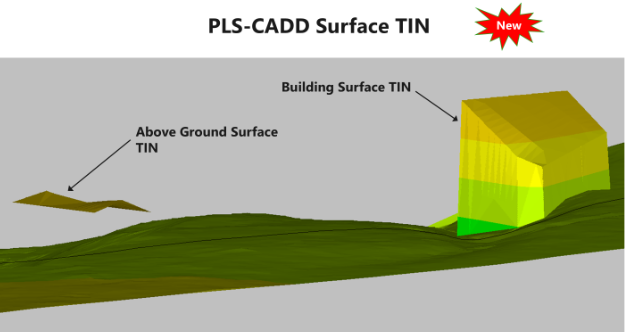
"Terrain/TIN/Create Surface TIN..." creates a TIN mesh from any selected feature codes; not restricted to ground points.
-
Added 'Check clearances to Surface TIN' option to "Lines/Reports/Survey Point Clearances...".
-
Enabled checking clearance to the Ground TIN for jumpers and separator cables in "Lines/Reports/Survey Point Clearances..."
| |
-
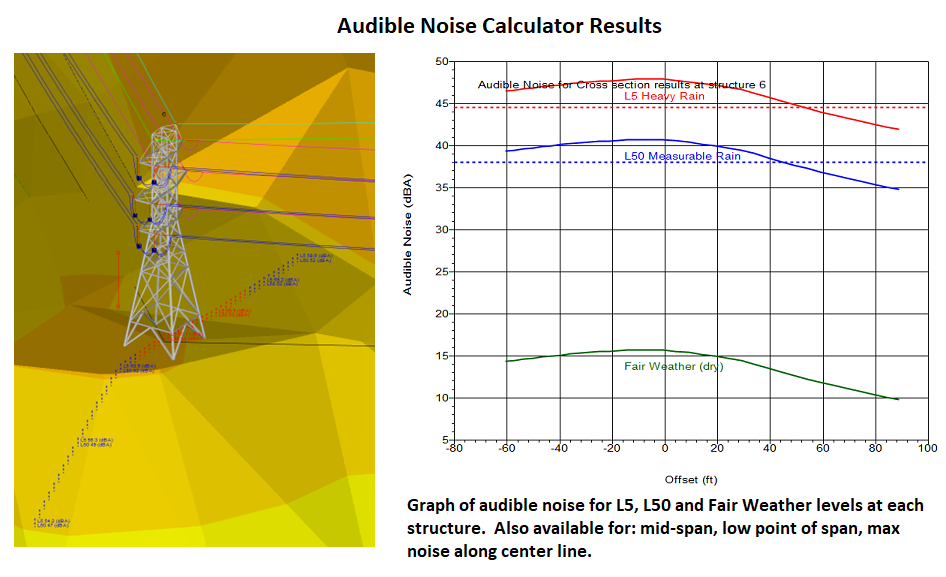
"Sections/Electric/Audible Noise Calculator..." calculates and reports Heavy Rain (L5) and Natural Rain (L50) noise levels.
| |
-
"Structures/Customize Structure/Framing/Batch Add" adds a frame set to multiple pole structures in a PLS-CADD model.
-
"Sections/Autosag All..." autosags all sections.
- Now support hatches and splines in DXF attachments.
- Added custom hatch support to polygon and ellipse annotations.
PLS-CADD/Lite
-
Graphically change the horizontal projection, vertical projection, and azimuth of the selected wire with the context menu command "Move Span End Attachment Point".
-
Graphically change the 'Bearing of Transverse Axis' with the context menu command "Rotate Structure" command.
PLS-POLE
-
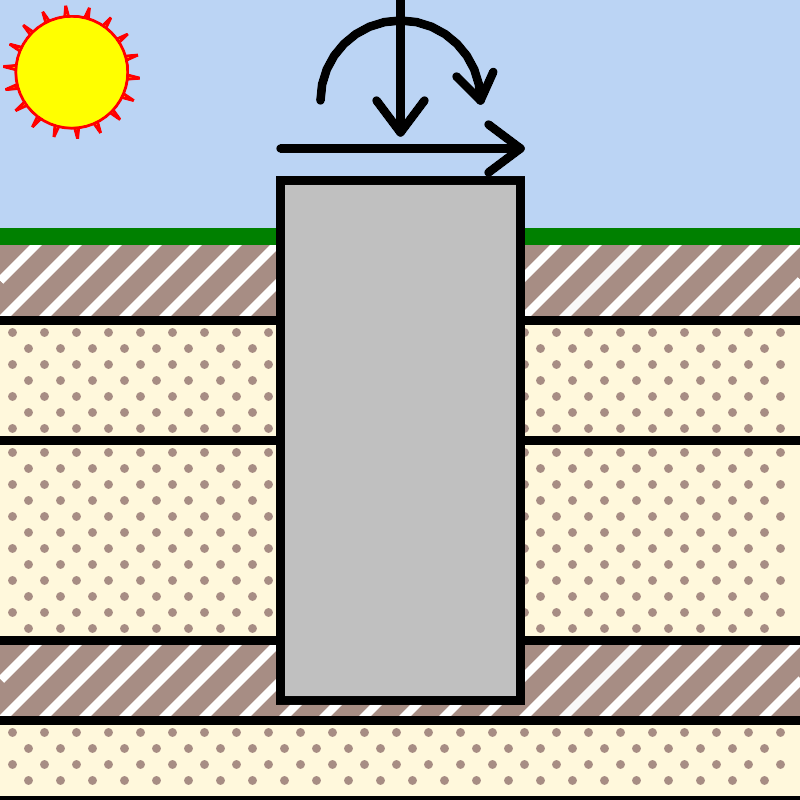
Added "Run Modal Analysis" option to "General/General Data..." to calculate the natural frequency of a steel pole structure.
- Added Mitas Composites single tube FRP library.
TOWER
- Added Crossing Diagonal Check results for each load case to the Deformed Geometry Results browser.
PLS-POLE / TOWER
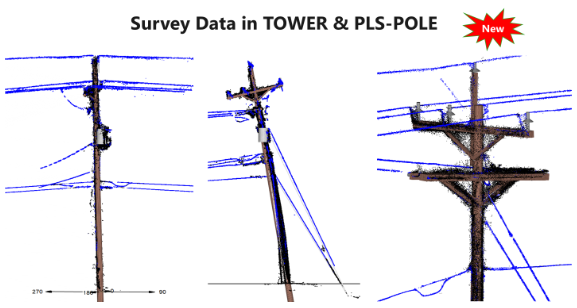
- Allow drawing of survey data or wire annotation even when we don't have any joints or members defined in the view.
| |
PLS-GRID
-
Updated "File/PLS-GRID/Open Grid View" to better display over large areas up to the entire globe without visual tears and gaps.
-
Added the following reports to "File/PLS-GRID/Grid Analytics..."
- "Sections/Stringing Chart/Multiple Sections..."
- "Lines/Reports/Structure Loads Report..."
- "Lines/Reports/Structure Wind Rating Report..."
-
"File/PLS-GRID/Project Discovery" improvements and additions:
-
Added button "Show Results in GRID View" which applies the current Discovery filters to the GRID Map View window.
- Improved search to specify what to search (project names, general data, etc) and directly access recent and saved search queries from a dropdown list.
-
Added option to mark projects as "Favorites" from the context menu, and the user can toggle between showing all / only showing favorites with a checkbox.
- Added option to filter by projects by group affiliation.
- Added an iTwin synchronization option when adding or checking in a project to PLS-GRID.
| |
What about File Compatibility? | |
PLS applications will always save files in the most compatible format based on the features used by the model. If you are not using new features that require file format changes, the software will automatically save to an older file version that will be backwards compatible with versions 18.01 and later.
Less than a dozen features require file format changes and you will be notified which ones that do so you can decide if you want to turn off that new feature to ensure it can be opened by an older version, putting you in full control of file compatibility.
For more details on File Compatibility, please see our white paper.
| | |
|
Introductory - Design of Overhead Transmission and Distribution Lines Using PLS-CADD (includes 20 PDHs)
January 27th-31st, 2025 - Madison, WI
This online variant of our in-person introductory course is a streamlined version focusing on the core concepts of PLS-CADD and PLS-POLE. It will be a lecture and assignment style format as opposed to the more guided hands-on approach our in-person course offers, but will still give students the opportunity to learn the software through using it to complete hands–on project assignments.
| | |
|
Introductory – TOWER: Analysis and Design of Transmission Towers Using the TOWER Software (includes 24.5 PDHs)
April 14th-18th, 2025 - Madison, WI
This course will teach attendees how to use TOWER to model steel lattice structures, whether for construction of new lattice tower lines, analysis of existing towers or upgrading of existing towers. The course examples will utilize real life structure fabrication drawings and cover implementing provisions of the ASCE 10-15 design standard.
| | |
|
Advanced – Topics for Design of Overhead Transmission and Distribution Lines Using PLS-CADD (includes 25 PDHs)
May 12th-16th 2025 - Madison, WI
This course will explore more advanced topics in PLS-CADD and PLS-POLE delving deeply into the details of SAPS finite element sag/tension as well as electrical features and complex structure modeling. The attendees will learn how to utilize and apply these advanced topics to their transmission or distribution projects and become more proficient in the use of the software.
| | |
|
Introductory - Design of Overhead Transmission and Distribution Lines Using PLS-CADD (includes 32 PDHs)
June 9th-13th, 2025 - Madison, WI
This course will teach the attendee how to use the core functionality of PLS-CADD and PLS-POLE on a transmission or distribution project from start to finish, including importing survey data, criteria development, structure design, conductor sagging, Plan & Profile drawing development and material management.
| | |
|
University of Wisconsin Classes
| | |
|
Introductory - Design of Overhead Transmission and Distribution Lines Using PLS-CADD (includes 32 PDHs)
March 3rd-7th, 2025 - Orlando, FL
This course will teach the attendee how to use the core functionality of PLS-CADD and PLS-POLE on a transmission or distribution project from start to finish, including importing survey data, criteria development, structure design, conductor sagging, Plan & Profile drawing development and material management.
| | |
|
|
Classes Authorized by PLS Agents/Consultants
| | |
|
PLS-CADD 201: Advanced
December 16th-20th, 2024 - Online via Zoom Meeting
This online course is for those that have proficiency in the basic functions of PLS-CADD and PLS-POLE. You’ll learn the details and nuances behind finite element sag/tension and using the FEA SAPS engine to make the most accurate and detailed analyses possible. Also covered are electrical functions in PLS-CADD and advanced structure modeling in PLS-POLE and much more.
For more details, see the Course Brochure.
| | |
|
PLS-CADD 301: LiDAR
January 6th-8th, 2025 - Online via Zoom Meeting
This online course utilizes PLS-CADD software for importing and classifying LiDAR data and creating digital twin models for the purposes of clearance analyses, vegetation studies, and thermal ratings.
For more details, see the Course Brochure.
| | |
|
PLS-POLE
January 9th-10th, 2025 - Online via Zoom Meeting
This online course covers PLS-POLE software where participants will explore the intricacies of non-linear finite element analysis specifically tailored for transmission and distribution structures. The course covers various pole materials, frame sets, material tracking, non-linear debugging, X-brace and tubular steel optimizations, and importing and using LiDAR data.
For more details, see the Course Brochure.
| | |
|
|
Other Resources: Technotes / ATUG 2024 Presentations
| |
|
Our solutions engineers have been busy expanding our library of technical notes and videos. We hope that this supplemental feature documentation makes your use of the software more pleasant and productive. Please let us know if you have a topic that you think would benefit from a technical note or video.
Technical Notes
If you missed our Advanced Training and User Group meeting this year, several of the presentations are available on our website: ATUG 2024 Presentations
| |
|
The current General Release is version 20.01 and Insider Release is version 20.06. These versions support the 64-bit editions of Windows 10 and 11.
You can update your PLS applications via "Help/Download Upgrade..." or you can email us and we'll be happy to send you a new Insider Release download link.
Your feedback is vital to our development process as it helps shape our software, ensuring we provide you the best experience and features that meet your needs and expectations. Please send us any suggestions, bugs or other feedback via email at support@powerlinesystems.com
If you have any colleagues that might be interested in joining our Insider Release Program, please have them email us at support@powerlinesystems.com.
| |
What is the Insider Release and How Do I Get It? | |
Did you know that you can try the latest PLS features before anyone else? With our Insider Release Program, you can always have the latest and greatest software at your fingertips.
Every 2-3 weeks, Power Line Systems publishes a new Insider Release packed with the latest improvements and new features. Client feedback from these releases are a vital part of our development process, allowing us to quickly respond to your needs and experiences. Joining our Insider Release Program and giving feedback is the best way to shape new features to ensure that they meet your expectations.
The following is just a small list of new features available in the latest Insider Release Version 20.06:
-
PLS-CADD "Lines/Merge..." has a new 'Graphical Merge' option which gives the user the ability to select features to merge with area selection on each line design.
-
PLS-CADD can show a graphical layout preview when in Sheets View with "Drafting/Plan &Profile Sheet Configuration/Page Layout..."
-
PLS-CADD added the ability to upload the right of way information from "Terrain/Alignment/Display Options for P.I., Alignment, Right of Way..." to the PLS-GRID server and display that information in the Grid View window. Requires PLS-GRID v5.04 or later.
- PLS-GRID now has a disconnected (offline) mode for Web Client Map View including cached reference files and map info. Great for viewing PLS-GRID data in the field where mobile data is limited.
- Over a dozen improvements and suggestions requested from our most recent ATUG.
Getting into the Insider Release Program is easy. Just email support@powerlinesystems.com requesting a download link for the Insider Release and our team will be happy to send you the link and instructions for installing.
Once you've installed the Insider Release, the software will notify you automatically when a new version is available and gives you the option to install it, keeping you up to date with the latest version with the latest features as they are developed.
If you are already on the Insider Release, but don't know if you have the latest installed, you can check by launching any of our applications and navigating to Help/Download Upgrade... and follow the onscreen prompts.
| |
|
If you are not receiving these newsletters directly and would like to do so, please register at PLS Mailing List.
We don't like spam just as much as you; if you do not want to receive any more emails from PLS, please unsubscribe below. You may also verify and update your profile below.
| |
Staff of Power Line Systems | | |
|
The Industry Standard Overhead Line Design & Analysis Software |
Power Line Systems develops, sells and supports software for the design of overhead electric power transmission, distribution, and communication lines and their structures. | |
© 2024 Power Line Systems, a Bentley Company. All Rights Reserved. | | | | |