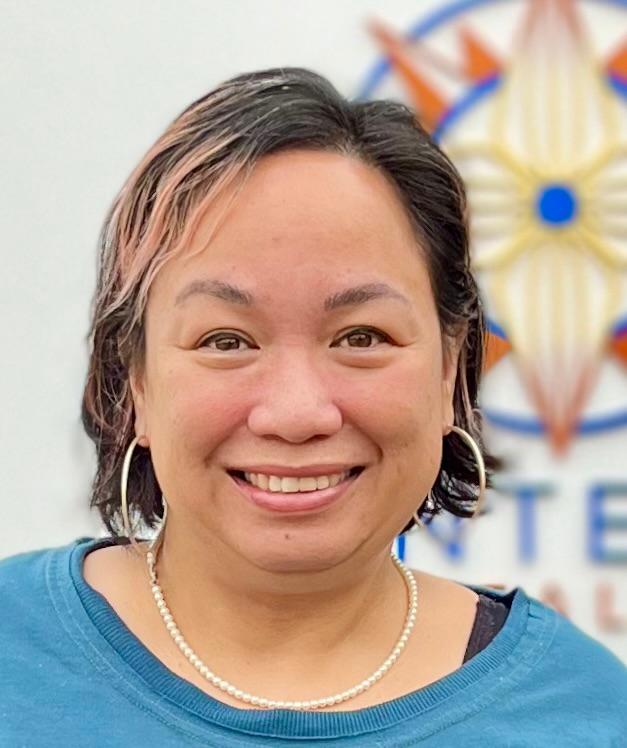
We are happy to welcome Christina Ring to our Centered Wealth family!

Christina will be working from our Fairfield, IA office and providing client support and systems finesse to both of our Centered Wealth offices. She has a background in the financial services industry as a licensed administrative support person for a large national firm.
 
Christina also is the co-founder of Charity Seeds, a non-profit organization that provides sustainable, organic gardens to children in need, as well as providing training in intensive farming practices to at-risk communities internationally.
 
Christina’s early interest in healthy living and holistic approaches to health and wellness inspired her to earn a BA in Ayurveda in 1991. As a single mother, she applied these principles of a balanced lifestyle while raising her brilliant daughter. Christina continued her career development and earned an MBA degree in 2011. Driven by her passion for personal growth and development, Christina is currently pursuing a second master's degree in transpersonal psychology.
 
We feel that Christina is a wonderful addition to Centered Wealth, bringing both a nuanced understanding of human existence, as well as a systematized and professional approach to management and administration of our operations.

Please extend a warm Welcome to Christina! She can be reached via email, christina@centered-wealth.com. Please add her email to your address book.
 
Tax season is upon us. Don't forget to make your contributions!

Wait to file your taxes until after you have completed your IRA and retirement account contributions (but please be aware of tax filing deadlines as well).

In many cases, you have until tax day of 2023 to complete your retirement contributions for 2022.

Please do not wait until the last minute to let us know about any contributions you would like to make. Reach out to your advisor or reply to this email to request personalized information about retirement account contributions available to you!
Where do I find my tax documents on Wealthscape Investor?

  1. Login to investor.wealthscape.com
  2. Click "Accounts" on the upper left of your screen
  3. Click the triangle next to the account sub-type (i.e. Retirement accounts, etc.)
  4. Click "Details" next to your account (should be to the right of your listed account(s))
  5. Click "Documents"
  6. Click "Tax Documents"
  7. Click the link for the statement you wish to view. To save a statement, click the download arrow and save the file to your computer.

To view statements for a different account, just click the "Details" link again for the account you would like to view.
Electronic Statement Delivery
Receive fewer mailings and go green!

To sign up for e-delivery of statements, log in to Wealthscape Investor. Click Menu at the top. Under "Service," click "Document Delivery Instructions." A pop-up window will open.

You must configure the document delivery instructions for each account separately.
Neither Vanderbilt Financial Group nor any of its associates provide tax or legal advice. Please consult with your tax and/or legal advisors regarding your personal circumstances.