TRIO team and Beth Breton for collaborating and training with us leading up to 9/24 Progress Report Campaign Launch
Yarida for downloading a crystal report of all men of color. Saved that report as a CSV(MS-DOS) and was able to upload 365 students to a student list named ALANA recruit. All that was needed was student ID#s in the CSV(MS-DOS). She used our Navigate guide as a reference.
Liz and Lindsey for using the Navigate kiosk for club fairs check-in.
What is a Progress Report Campaign?
Progress Report Campaign #1 has been sent to faculty with TRIO students in their courses on 9/24 for course-based feedback. Click here to learn about the intervention pathways of the TRIO SSS office upon faculty Progress Report submission to provide tailored support to students.
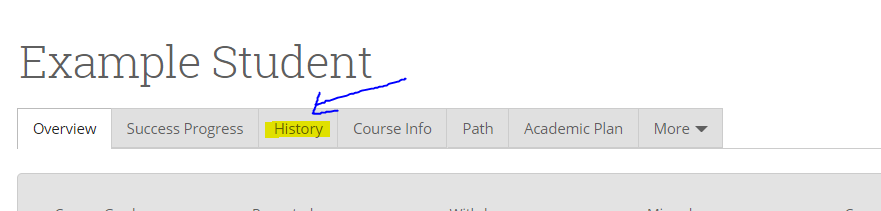
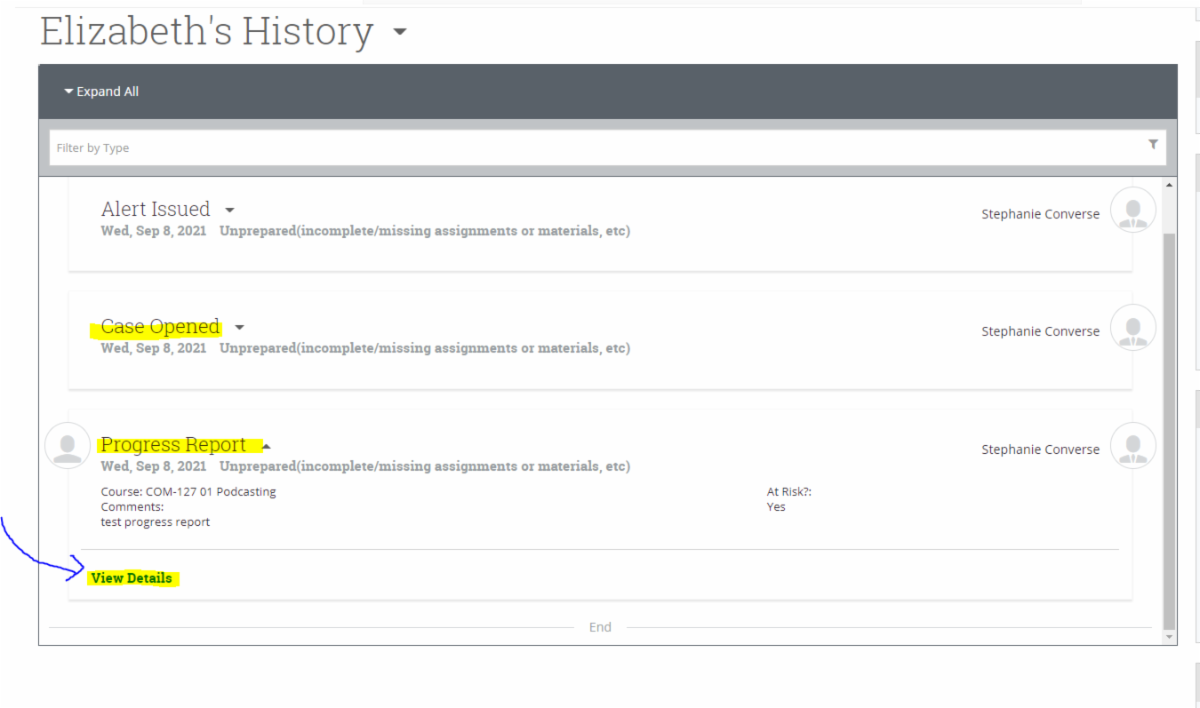
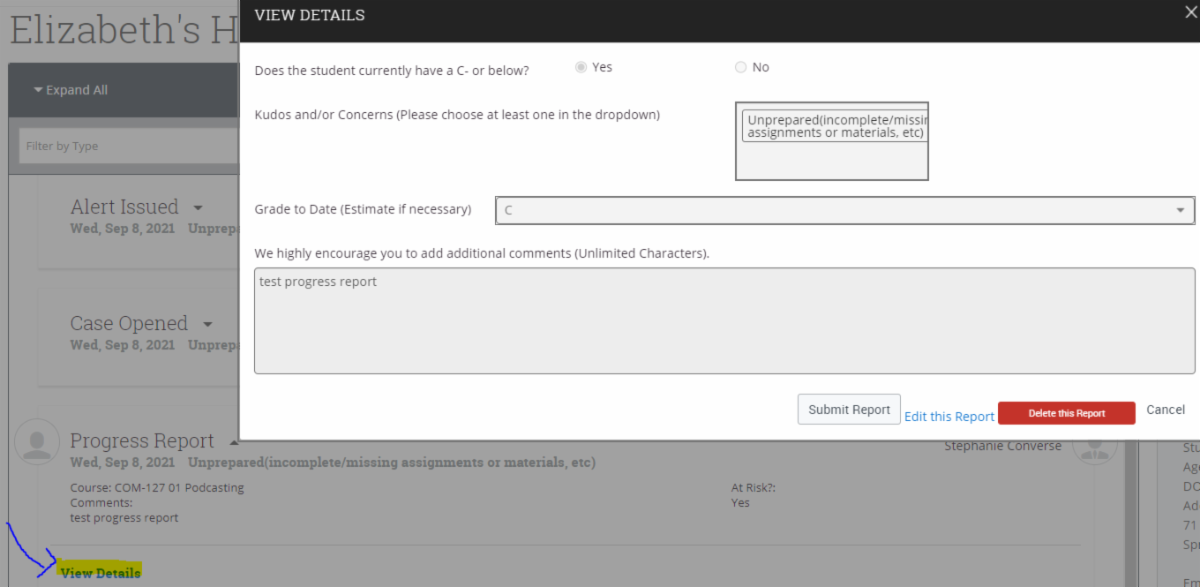
You can check out the History Tab of a student profile to see any progress reports that have been submitted by faculty on a student.
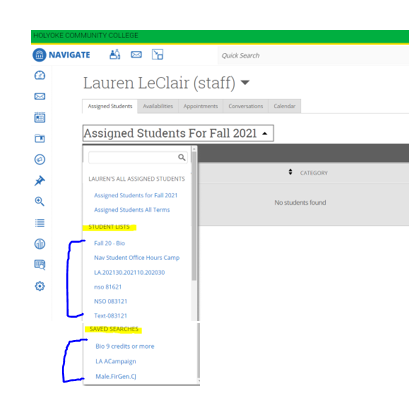
Student Lists and Saved Searches:
Update: Anyone with the permission to look up other staff profiles will be able to see their student lists and saved searches (i.e., advisors).
Recommendation:
Please review and make any necessary changes to the current names of your own student lists and saved searches (as needed).
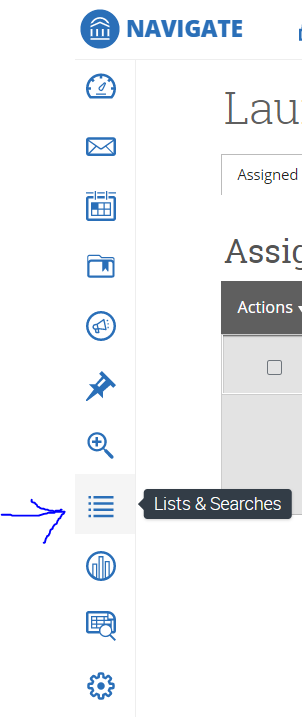
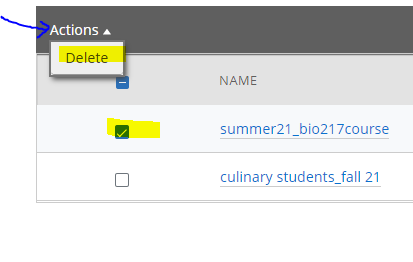
If the Student List or the Saved Search is no longer applicable, you can delete it on your Lists and Searches page which can be accessed on the left-hand side toolbar.
In order to avoid duplicate appointment data, please review these How-To Videos:
Beth Breton, Kelly Champagne, Yarida Cruz, Eric Farrell, Andrew Fletcher, Mark Hudgik, Jason Laprade, Lauren LeClair, Mi Jin Park, Myriam Quinones, Linda Scott, Renee Tastad, Linda Szalankiewicz, Allison Wrobel