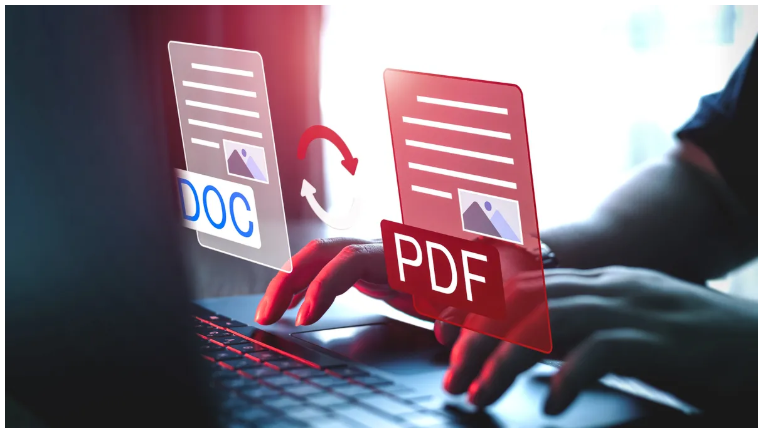
TECH TIP: FILE CONVERTER SCAMS

Whether you want to change a PDF to a DOC or a WebP image to a JPEG, it’s easy to get stumped on the best way to convert one popular file type to another. Sure, Microsoft Office and other writing tools have this functionality built in, but in the heat of the moment, it’s easy to open up your browser and search for a free file converter online.


In a new post, though, the FBI Denver Field Office explains that cyber criminals have seized this opportunity to create malicious sites that instead of converting one file type to another actually install malware on your computer.


While many of these tools do exactly what they say they do, the FBI points out that along with your converted files, you could also be downloading malware to your PC or Mac. This isn’t the only scenario used in this new campaign, though. Unsuspecting users might be coerced into downloading a tool to their computer to do the conversion which is actually malware, or they could be tricked into installing a malicious browser extension that can hijack their search history and steal their browser data.


Once installed on a victim’s computer, the malware used in this campaign can steal personal information and even Social Security numbers, financial data like banking passwords, session tokens that can be used to bypass multi-factor-authentication and more.


The biggest problem with this new online file converter scam is that many victims don’t realize their computers have been infected until it’s too late. Such an infection can lead to you being locked out of your computer by ransomware or you could even fall victim to identity theft.


When it comes to avoiding this new threat, the FBI recommends keeping a level head and stopping to think before you click. I know this can be hard to do when someone sends you a document with the wrong file type and you need to quickly convert it, but the end result can be catastrophic if you end up at the wrong website.


Likewise, instead of searching for free file converters online, you'll want to stop and see if any of the software you already have installed has this same functionality. As I mentioned before, Microsoft Office can be used to convert files, but so can its open-source alternative OpenOffice. When it comes to PDFs, many of the best PDF editors have this functionality built in and if you do want to go the online route, Adobe Acrobat can convert a wide variety of file types to and from PDFs for free.


As for staying safe from malware downloaded accidentally online, you'll want to make sure that you’re using the best antivirus software on your PC or the best Mac antivirus software on your Apple computer. Antivirus software scans all of your existing files for malware and can warn you when you’re about to download a file that contains malware.


Thanx and details here at TomsGuide

REGISTER FOR OUR SPRING SEMESTER
REGISTRATION TIPS
REGISTER FOR HUNTINGTON LAB

FSL SeniorNet at Family Service League, Olsten Family Center

790 Park Avenue, Huntington, NY 11743 1-631-470-6757

MOBILE DEVICES

  • iPhone: What's Next starts on May 15
  • iPad: Getting Started starts on May 28
  • Apple's iCloud starts on Jun 5

THE COMPUTER

  • PC Computing Basics 2 starts on June 2
  • Exploring Files & Folders with Windows 11 starts on May 14

MEDIA

  • Mac Photos: Organizing Your Pictures starts on May 28
  • Smartphone Photography starts on May 27

Refer to our webpage for additional class dates, descriptions, and times.

Available for Tech Help

REGISTER FOR BAY SHORE ANNEX

FSL SeniorNet at Family Service League, South Shore Iovino Family Center

1444 Fifth Avenue, Bay Shore, NY 11706 1-631-647-3100

  • Artificial Intelligence: Hands On on May 13
  • PC Computing Basics 2 starts on May 15
  • Exploring Files and Folders with Windows 11 starts on June 12

Refer to our webpage for additional class dates, descriptions, and times.

Available for Tech Help

REGISTER FOR YAPHANK - LONGWOOD YOUTH SPORTS ASSOCIATION

210 Meadows Blvd. West, Yaphank, NY 11980

  • PC Computing Basics 2 starts on May 20

Refer to our webpage for additional class dates, descriptions, and times.

Available for Tech Help

REGISTER FOR FREE WEBINARS

Webinars are held over Zoom

  • Smartphone Photography on May 6
  • Preventing Fraud & Identity Theft on May 7
  • Internet Security on May 21
  • Computer Security on June 4
  • Google: More than a Search Engine on June 11


Refer to our webpage for descriptions and times.

TECH HELP
IMPORTANT STUFF TO KNOW!

ALL CLASSES:

Registration is open until 10 AM sharp one day before the start of a class.

To participate in our classes, register and pay online with a credit or debit card. If you prefer to pay by check or cash, contact the office at 631-470-6757, or register in person at Open House/ Registration Day in Huntington, Bay Shore, & Blue Point. Reminder emails are sent by fslseniornet@fsl-li.org two days before the first class in a series.


ONLINE CLASSES:

To participate in our online courses, you need to download Zoom on your computing device*. The Zoom link will be included in the confirmation sent by ezregister.com. The teacher will also send the Zoom link and manual before the class.


WEBINARS ARE ONLINE:

Registration is open until one hour prior to the webinar's start time.

The Zoom link will be included in the confirmation sent by ezregister.com. Reminder emails are sent by fslseniornet@fsl-li.org five days before the webinar. Additionally, the teacher will also send the Zoom link and handout the day before the webinar. 


SEMINARS ARE IN-PERSON & LIBRARY HOSTED:

Registration is managed by our host library. Their registration link will be provided on their website, our email blasts, and our webpage.


SOLD OUT:

Please call 631-470-6757 or send an email to fslseniornet@fsl-li.org

to receive an email with information as to when the course (webinar, seminar, class or workshop) is offered again. Please include the name of the course you are interested in.


COMPUTING DEVICES:

Computing devices include Windows and Mac Desktops & Laptops,

iPads, and Android Tablets. It is NOT recommended to Zoom using your smartphone due to the smaller screen size.


ZOOM HELP IS AVAILABLE:

 If you need instructions on downloading and using Zoom, click here:

HOW TO JOIN A ZOOM CHAT. 


REGISTRATION INFORMATION
SeniorNet Community Programs
COMPUTER DONATION & REFURBISHMENT PROGRAM
TECH CONNECT LIBRARY / PUBLIC SERVICE ANNOUNCEMENTS / TECH TIPS
Email  Facebook  Web
FSL SENIORNET WEBSITE
FAMILY SERVICE LEAGUE WEBSITE