Computer technology made easy with SeniorNet!


Since 1999 SeniorNet, now FSL SeniorNet, a program of Family Service League, has provided a welcoming environment for teaching seniors, 50 and older, how to use technology. We invite beginners to advanced students to join us for hands-on instruction learning to use smartphones, tablets, laptops, desktop computers and more. Below are upcoming classes that you may find interest you, or, more importantly, need.

WINTER SEMESTER

Prepare for vacation with

FSL SeniorNet.


Winter Semester Overview

for Classes at


Huntington Lab

Bay Shore Annex

Blue Point Cottage

Yaphank Longwood

We are changing our email cycles to bi-weekly -

so see you two weeks from now.

SCROLL DOWN FOR OUR TECH TIP

SPOTLIGHT ON APPLE:


February arrives soon so don't overlook our Apple-focused classes in Huntington: iPhone: Getting Started and iPhone: What's Next. Both of these can not only help newbies, but those with more experience who need a refresher and advice in the new iOS 26.


Also, Mac folks - take a look at our Mac Photos class and learn how to view and organize your photos on your Mac.


iPhone: Getting Started is also offered in our Bay Shore location in March.

HUNTINGTON LAB CLASSES

FSL SeniorNet at Family Service League, Olsten Family Center

790 Park Avenue, Huntington, NY 11743 1-631-470-6757

THE COMPUTER

  • PC Computing Basics 2 starts on Mar 5
  • Exploring Files and Folders with Windows 11 starts Mar 16

MOBILE DEVICES

  • iPhone: Getting Started starts on Feb 3
  • iPhone: What's Next starts on Feb 24

MEDIA

  • Mac Photos: Organizing Your Pictures starts on Feb 11
  • Canva: An Introduction starts on Mar 2
  • Smartphone Photography starts on Mar 11


BAY SHORE ANNEX

FSL SeniorNet at Family Service League, South Shore Iovino Family Center

1444 Fifth Avenue, Bay Shore, NY 11706 1-631-647-3100

INTRODUCTORY CLASSES

  • Google Docs: Beginners starts on Feb 5

MOBILE DEVICES

  • iPhone: Getting Started starts on Mar 3

THE COMPUTER

  • PC Computing Basics 2 starts on Feb 3
  • Exploring Files and Folders for Windows 11 starts on Mar 2

THE INTERNET

  • Artificial Intelligence: Hands On on Mar 11


BLUE POINT COTTAGE

9 Montauk Highway, Blue Point, NY 11715

Call: 631-470-6757

INTRODUCTORY CLASSES

  • PC Computing Basics 1 starts on Feb 5

THE COMPUTER

  • PC Computing Basics 2 starts on Mar 5


YAPHANK - LONGWOOD

210 Meadows Blvd. West, Yaphank, NY 11980

Call: 631-470-6757

FREE WEBINARS

  • iPhone & iPad: What's New on Jan 22
  • Researching Trusted Medical Information Online on Jan 27
  • Smartphone Photography on Feb 11
  • Google: More than a Search Engine on Mar 10
  • Traveling with Your Smartphone on Mar 24

PUBLIC SERVICE ANNOUNCEMENT

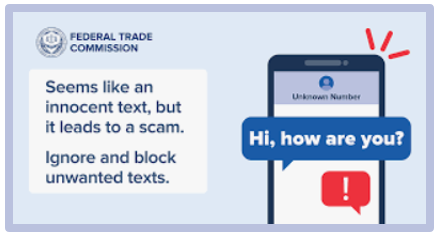
"Hi, How are you?" Text Scam

Have you ever received a friendly "Hi, how are you?" greeting through a text or social media post from a person you don't know? That could be someone making an innocent mistake, or it could be a cyber criminal looking to run an investment scam on you.


Investment scams are now the fifth most common type of fraud in the US, with more than 66,700 reports during the first half of 2025, according to broker comparison site Broker Chooser. Over that period, unsuspecting victims lost a total of $3.5 billion to such fraud. Scammers earned a whopping $939 million in cryptocurrency, a rise of $261 million from the same period in 2024.


Many scammers also use text messages to approach potential victims. A seemingly innocent greeting can easily turn into a friendly, ongoing conversation until the criminal senses the right time to pull off the scam. 


To protect yourself from investment scams, Broker Chooser senior broker analyst Brandon Bovey offers the following six tips: 


1. Be wary of responding to unsolicited messages

2. Look out for people trying to manipulate your trust

3. Watch out if they push you to an encrypted platform

4. Don't fall for so-called success stories

5. Look out for urgent or high-pressure tactics

6. Avoid phony trading websites


More details from ZDNET Tech Today newsletter

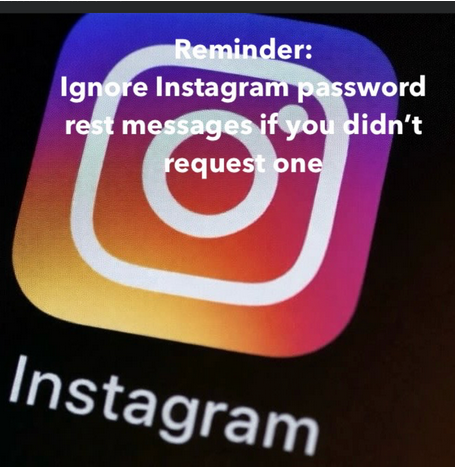
BONUS TIP: DON'T FALL FOR THE INSTAGRAM TEXT TO RESET YOUR PASSWORD


Facebook  Email  Web