|
Dear County Stakeholders,
As we approach DRIVES Upgrade weekend, we want to ensure a smooth transition when you return to the office. Please review the following essential action items for your last business day before cutover begins and the immediate post-cutover period.
Pre-Cutover Checklist (in V11)
Due to varying county office schedules, please complete the following items on your office’s last business day before cutover begins the evening of Friday, February 13.
In-Office Payments (Cash, Check, Money Order, Credit Card, E-check, County Internal)
- All cashiering interactions are fully resolved.
- All cash drawers are reconciled/finalized, including receipt drawers.
- Manually close out and verify drawers, even if your county uses auto-finalize overnight. For any issues in completing this process, please call Application Support at (720) 251-4104 or 1-888-303-1532.
Online Payments (Lockbox, E-Services, Gov2Go, Kiosk)
- Cash drawers should be reconciled/finalized in the nightly revenue stream. No further action required.
-
Note: E-services & Kiosks will be turned off prior to the midnight job, at 7:00 p.m. this Friday, February 13, 2026.
Capture User Settings
-
Follow the instructions to capture and save user settings in V11 to confirm your settings are correct in CORE21.
Immediate Post-Cutover Checklist (in CORE21)
County MV Users
Upon your first login after the upgrade, please complete the following technical and operational steps:
- Uninstall the DRIVES Local V11 software.
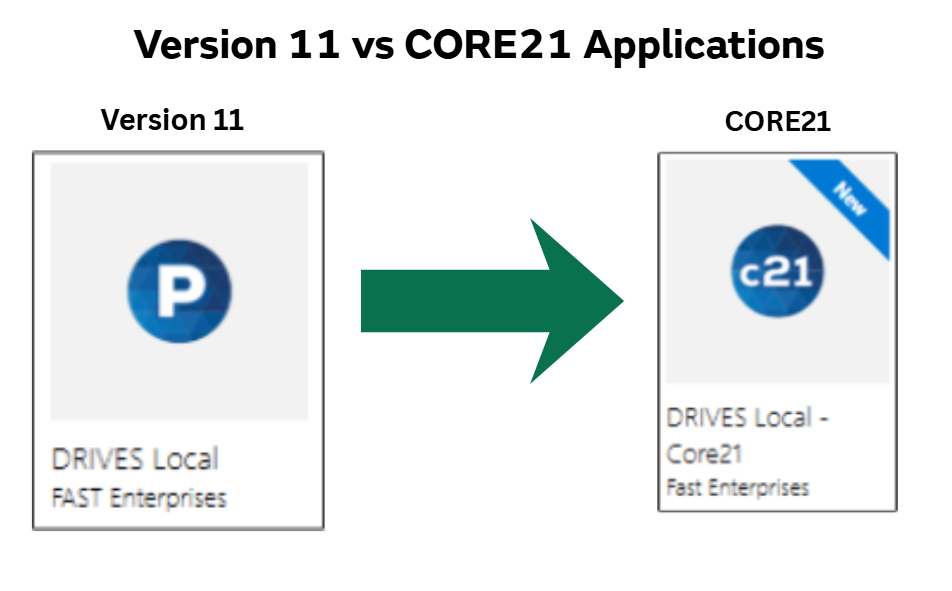
- Download and install the DRIVES Local - C21 software from the software center.
|