ACTION REQUIRED:
Reaffirm Client Eligibility at Every Visit Using the 
Family PACT Portal

Providers are required to reaffirm client eligibility during each visit to confirm a client’s current eligibility status has not changed, as stated in the Family PACT Policies, Procedures and Billing Instructions Manual (PPBI); Client Eligibility (client elig) section. 


Providers must reaffirm eligibility on the Family PACT Portal by following these steps:


1) Navigate to the Client Management page.

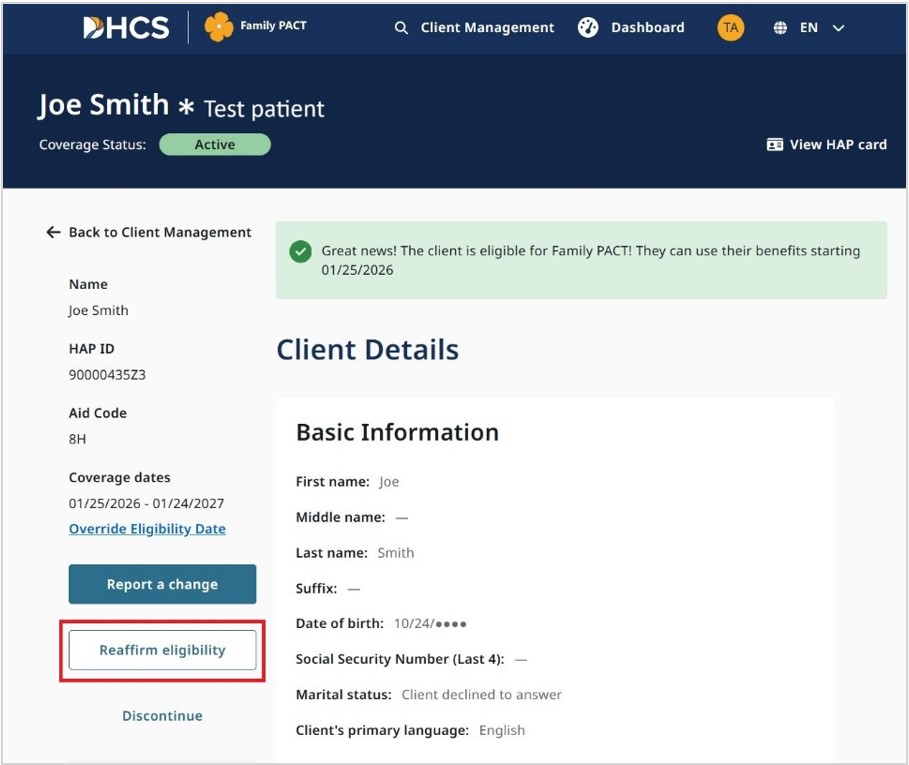
a)   The Reaffirm eligibility button displays only for active clients.

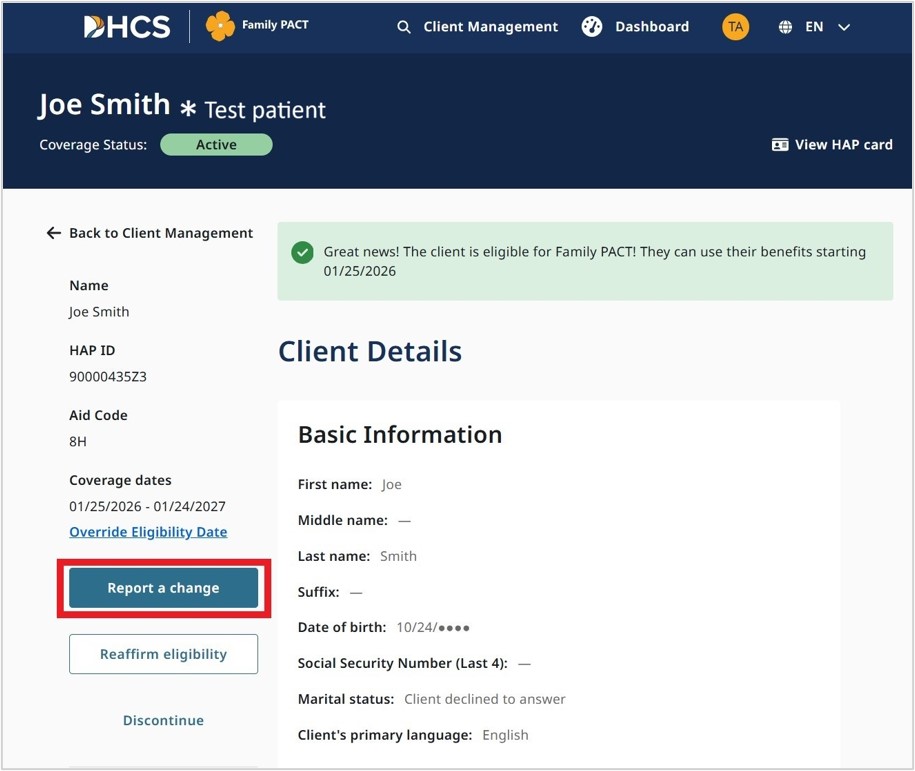
b)   Review the client’s application details.

c)   If the client’s information has changed, click the Report a change button:

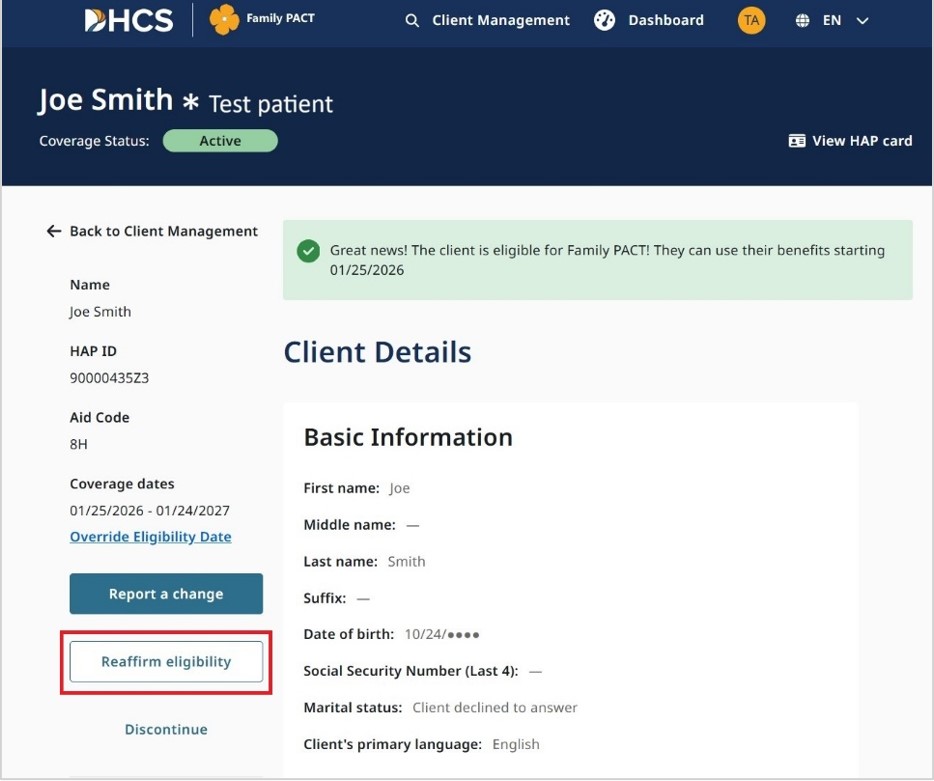
d)   If no changes, click the Reaffirm eligibility button:

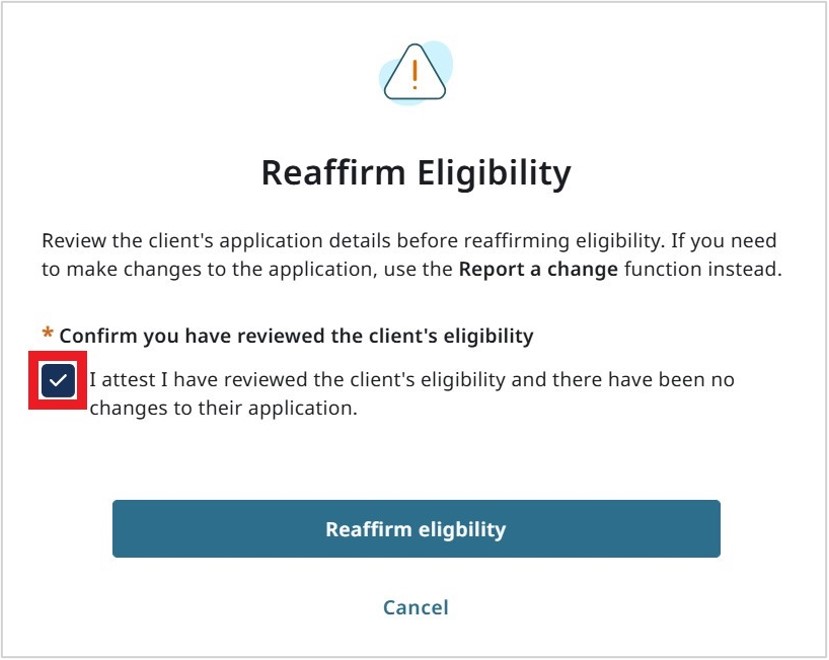
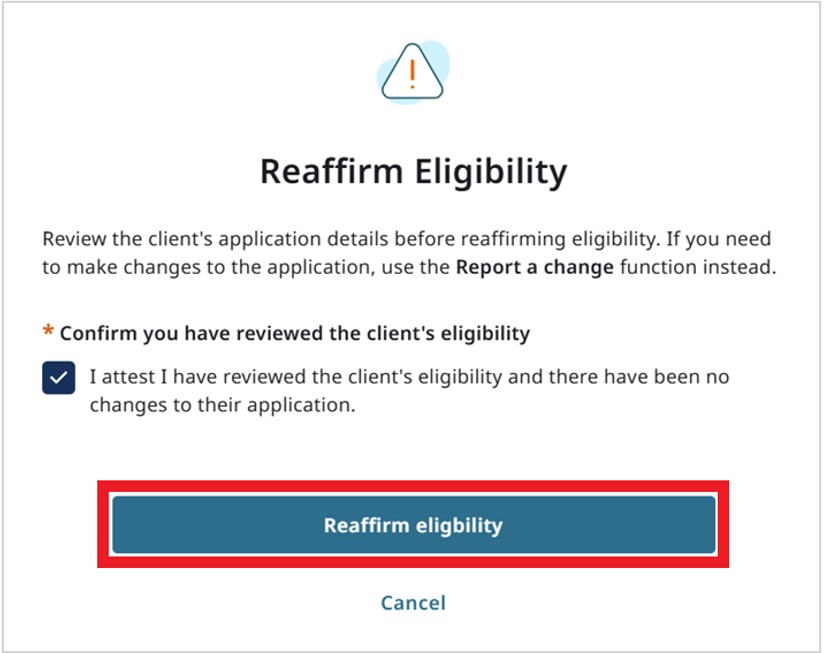
2) Upon clicking Reaffirm eligibility, a Pop-Up Window appears. 

a)   Select the checkbox to attest that you have reviewed the client’s eligibility and there are no changes:

b) Click Reaffirm eligibility:

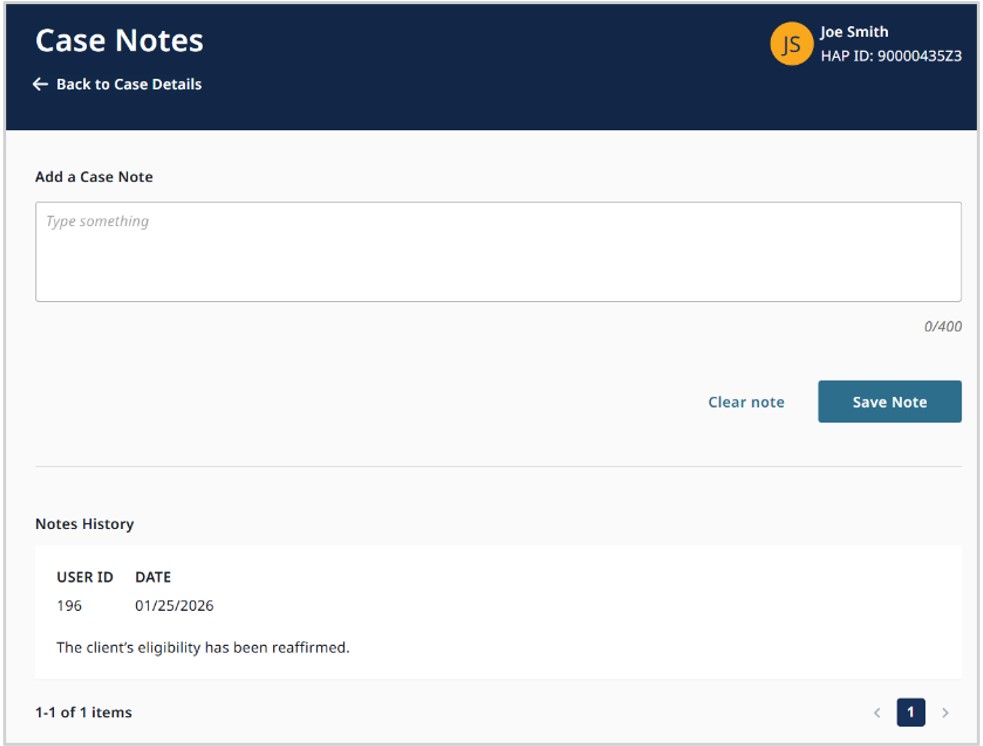
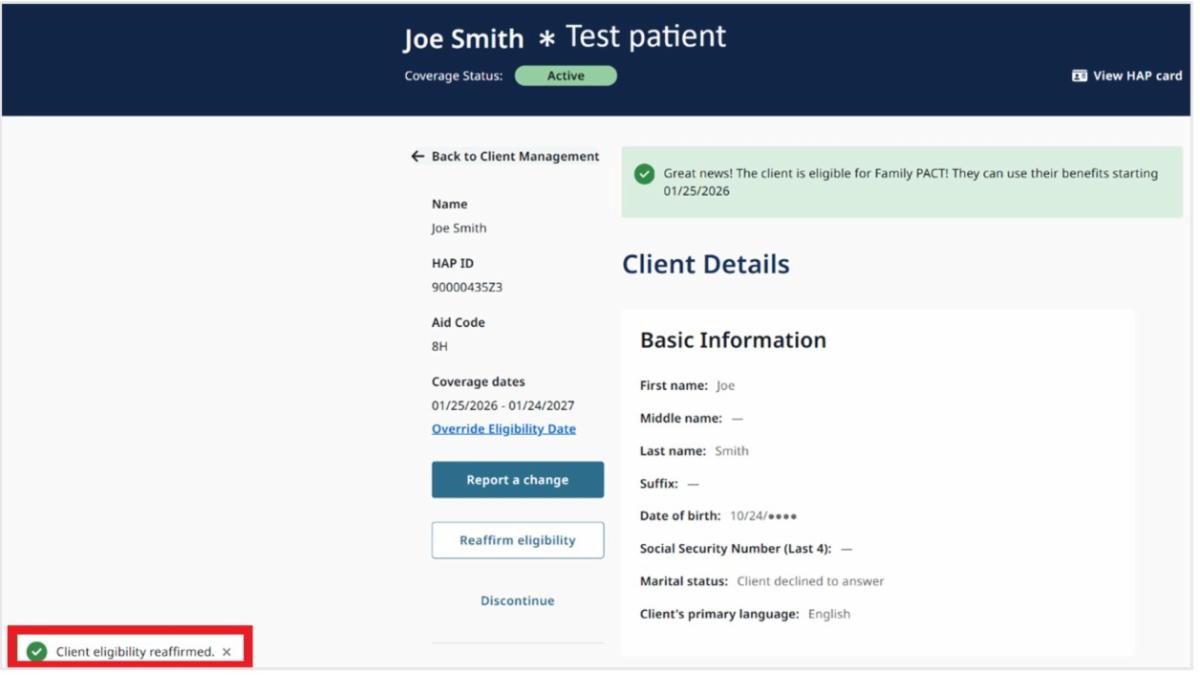
c) This action:

  • Reaffirms the Client's eligibility,
  • Generates an automated Case Note.
  • Displays the Client Details page with a "Client eligibility reaffirmed" message.

For more information regarding the Reaffirm Eligibility function on the Family PACT Portal, view the following:

  1. Site Certifier & Provider Staff Job Aid – Client Management Pages
  2. Online Training Center

a)   Family PACT Site Certifier & Provider Staff Portal Training

Module 8: Client Management & Client Details