December 29, 2022

Dear Staff,

The IT department has been periodically sending out phishing training emails to help you learn how to recognize and report phishing attempts. These ongoing trainings help you protect your account and security, as well as the security of your colleagues and The Village's systems and data.

Below are two screenshots pertaining to the most recent phishing test:
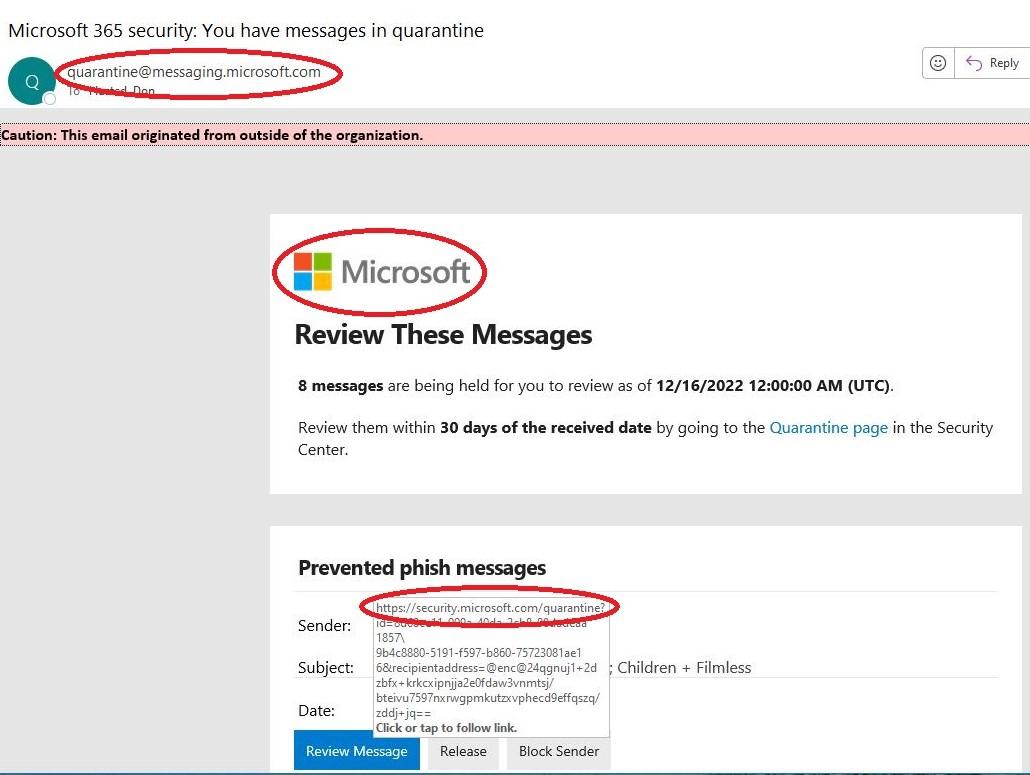
  • The first is an example of a valid email from Microsoft.
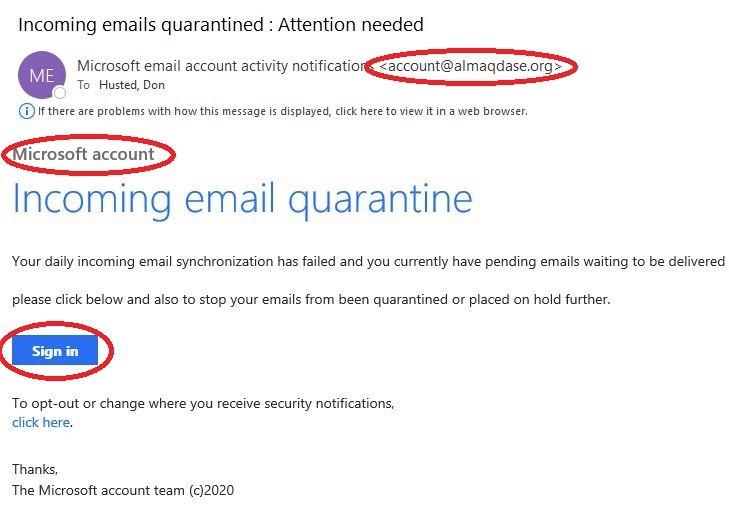
  • The second is a screenshot of the latest phishing training email sent by IT, with notes to help you identify some red flags associated with phishing attempts.

Note: If you clicked on the link from the most recent training email, you would have received an email from Microsoft training. Please be sure to complete the training. 

Valid Microsoft Email Quarantine Message
  1. The sender's email address matches where it says it’s from. In this case, Microsoft.com
  2. The general format of the email does match the company.
  3. If you move the mouse over the hyper-links, they point to an expected website. In this case, Microsoft.com
Invalid Microsoft Email Quarantine Message
  1. The sender's email address doesn’t match where it says it’s from.
  2. The general format of the email doesn’t match the company.
  3. If you move the mouse over the hyper-links, they point to an unexpected website.
Phishing emails are disguised to look convincing and can even impersonate fellow staff. For that reason, it's very important to review emails before clicking any links, opening attachments or sharing any personal information.
The IT department will continue to send out training phishing emails periodically, but not all phishing emails are tests from IT. If any email you receive seems suspicious, please report it to help keep yourself, and your coworkers, secure.
Thank you,
IT Help Desk