SCA Tree - white.png

SCA Sunday

Sunday, September 21, 2025

13640749_928484683929405_1209514104075679601_o.png

SCA House System Update

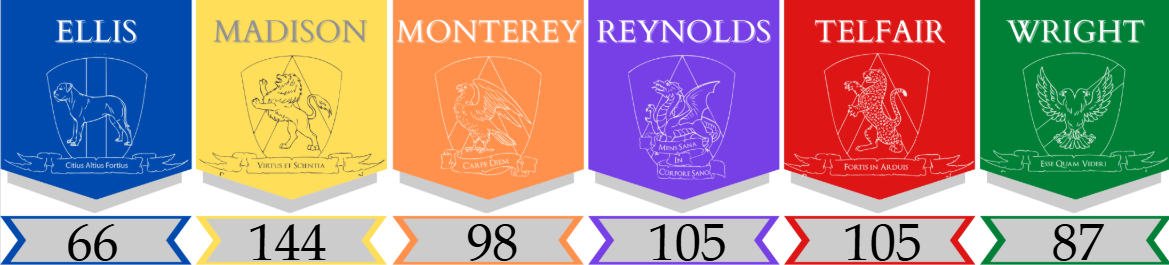
Current House Standings reflect points earned from House Gamesduring the Assembly and the September Virtue Store!

 **Congratulations to Madison for earning the most House points through the September Virtue Store!**


It's now time to start building points for your House!! Students can earn points by: participating in House Academic Challenges, House Service Challenges, and House Assembly Events; displaying Virtuous behaviors to earn Virtue Tickets and turning them in at the School Virtue Store for points and prizes; completing Spartan Sweeper duties; helping with Morning Announcements; House Shirt purchases; Field Day and Housegiving events; receiving an End of Year Honors Award, Honor Roll, or High Honor Roll; and more!!! Be on the lookout for opportunities for your student to earn House points and support their House through SCA Sunday announcements!


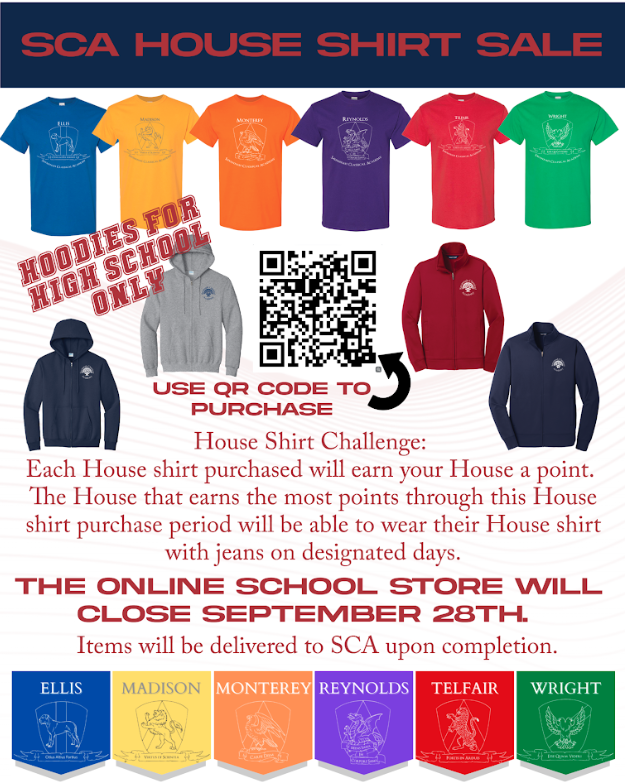
House Shirts are available through Sunday, September 28th!!!

Each child will need a House shirt as one small part of developing a cohesive House is the opportunity for students and staff to wear House shirts at various events throughout the school year to show their House spirit.

Please use this link (SCA SCHOOL STORE) to be directed to SCA's School Store to purchase your House Shirt.

Be sure to purchase the correct House and size!


House Shirt Challenge!!!

Each House Shirt purchase will earn a House Point. The House that earns the most points through this House Shirt purchase period will be able to wear their House Shirt with jeans on designated days.

***SCA Fleece Jackets are also available to purchase for all ages; however, the hoodies are ONLY for High School Students in grades 9th through 12th. All other grade levels will not be allowed to wear the SCA hoodie as a part of their school uniform.***

 
ACADEMIC ANNOUNCEMENTS
 

BOY Screener Reports

Beginning-of-Year (BOY) Screener Reports Posted

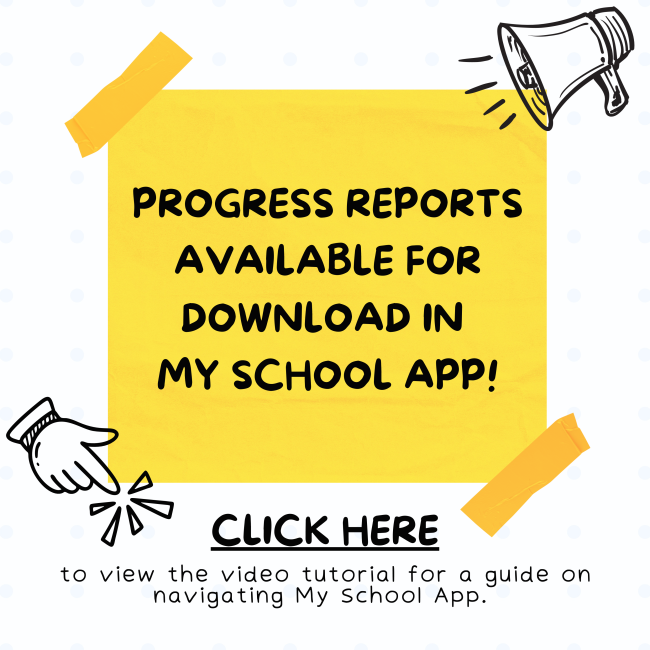
Reports from the K–8 beginning-of-year screeners are now available in MySchoolApp - https://savannahclassicalacademy.myschoolapp.com/. Families can view their student’s results by logging in and navigating to the Progress Tab on the student profile. These reports provide valuable information the school uses to identify areas where students may need additional support as well as opportunities for enrichment.  


How to View Your Child’s BOY Screener Report(s) and Progress Reports in MySchoolApp:


  1. Open the MySchoolApp website - https://savannahclassicalacademy.myschoolapp.com/
  2. Log in with your parent account. (Tap Forgot password if needed.)
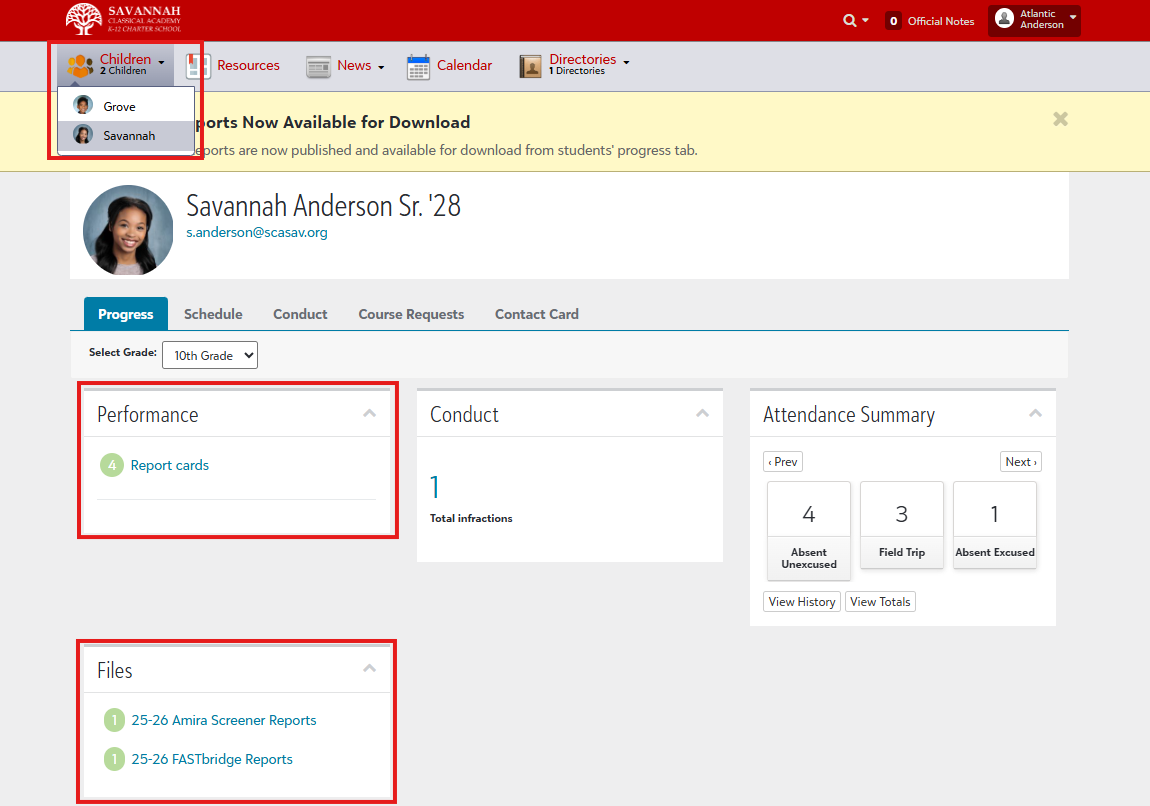
  3. Select your student’s profile. If you have multiple children, choose the correct student from the "Children" dropdown menu.
  4. Tap Progress.
  5. In the Progress view, locate the Performance tile to open progress reports and report cards and the Files tile to open BOY Screening Report(s).


Having trouble?

  • If you can’t see the reports or files, please contact info@scasav.org for support.
  • If you cannot login to access MySchoolApp, please contact info@scasav.org for support.


Progress Reports

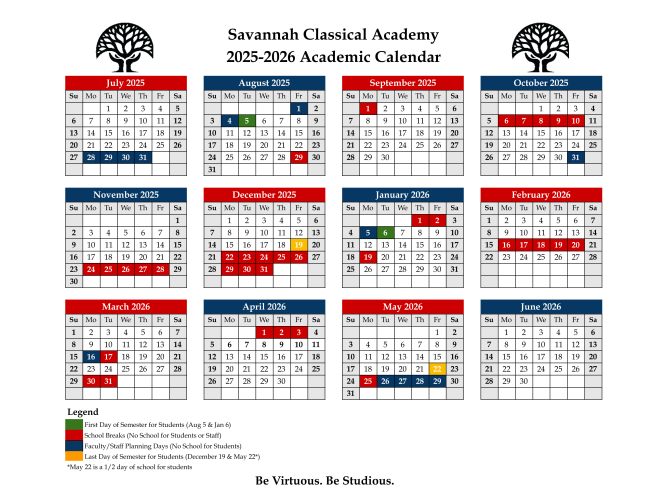
SCA School Calendar 2025-2026

MyAchoolApp Link


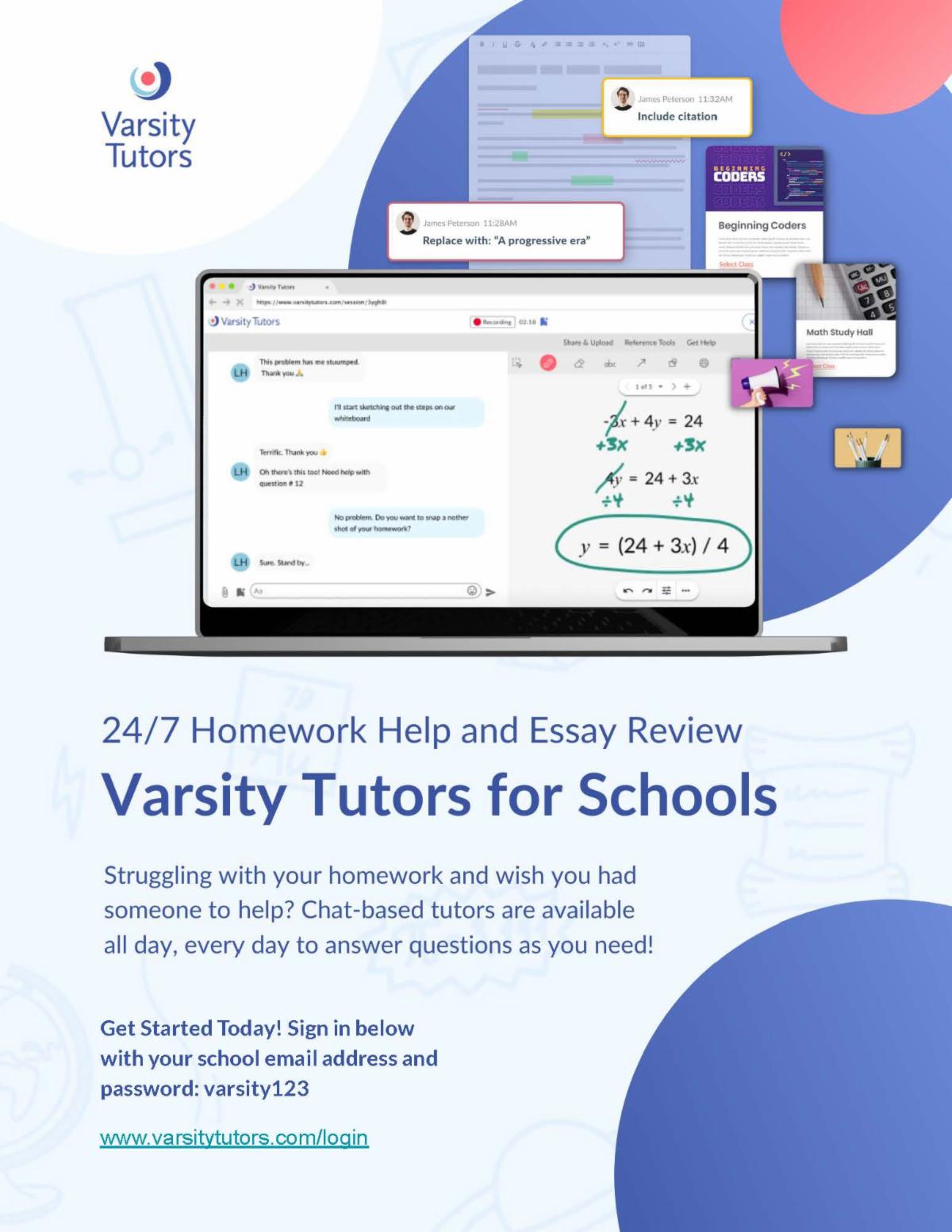
Varsity Tutors


Supporting SCA

The Savannah Classical Academy Foundation is dedicated to raising and stewarding funds to provide resources for support and enhancement of educational and extracurricular programs for SCA and our students.
STAY UP-TO-DATE ON ALL SCA NEWS!
 
Savannah Classical Academy | http://savannahclassicalacademy.org
 
Facebook  Twitter  Linkedin