|
REASSIGNING DIALOGUES
Occasionally, your team may receive a dialogue that isn’t your area of expertise because the customer selected the wrong topic, or wasn’t sure what topic to select.
When this happens, there are two actions you can take.
1. If you know where the dialogue should go, REASSIGN.
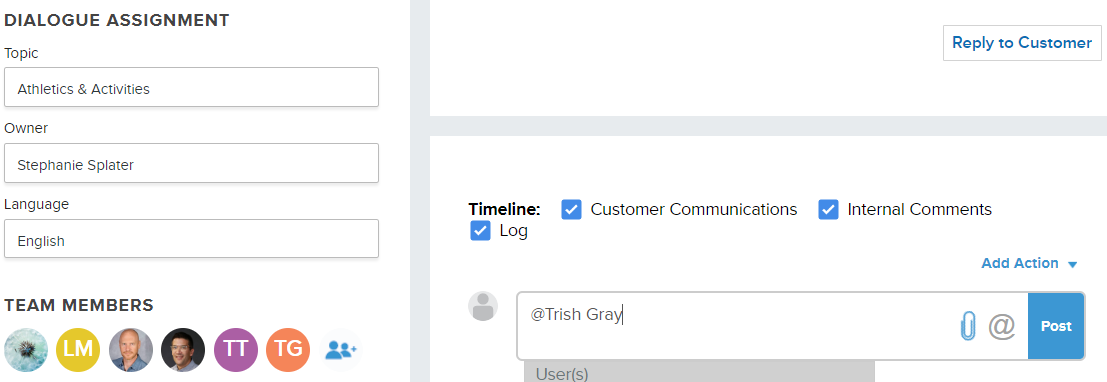
Under DIALOGUE ASSIGNMENTS, you’ll see your team’s topic under TOPIC. Hover your cursor over the topic to open the drop-down menu. From there, you can type to search or scroll to find the Topic best suited to address the dialogue. When you select the Topic, it will be reassigned. If you are not on the new Topic’s team, you will no longer have access to this dialogue.
2. If you aren’t sure where the dialogue should go, TAG IN AN INTERNAL COMMENT.
Tag @TrishGray in an internal comment (below the gray line) to let her know that this dialogue cannot be answered by your team. She will reassign the dialogue to the team best equipped to respond.
Please contact Trish Gray if you need support.
|