Running a Data Quality Report


The HMIS tool Eva was created by HUD to assist communities in preparing for federal reports. The Eva Tool is available in Clarity HMIS to run anytime and view data quality improvement opportunities. Learn more about Running a Data Quality Report in Clarity with this Knowledge Base Article.

Agency Administrator Training was a Success

Thank you to the Agency Administrators and Managers who engaged with the HMIS Support Team this week at training to learn more about creating custom queries and utilizing data analysis features in Clarity HMIS. Administrators navigated reports, completed a practice data request assignment, and shared ideas for additional custom queries.

Stay tuned for more training opportunities in the future!


Changes Coming to Entering a Client's SSN in Clarity

As of Monday, August 12, HMIS users should enter an "X" instead of a zero (0) when there is an incomplete social security number (SSN) or if the client prefers not to share or doesn't know. This is a feature enhancement from Bitfocus Clarity designed to reduce the number of data incompleteness flags that are specific to incomplete or missing SSNs.

Learn about relevant Clarity Updates in this Knowledge Base Article.


Monthly HMIS Office Hours on Wednesday, August 14 at 11AM

HMIS Office Hours is an opportunity to ask any questions direct to the HMIS team and build community with users across agencies. Friendly reminder: No client PII should be shared during Office Hours.

Join HMIS Office Hours here. See you there!


Strategic Planning Continues Forward

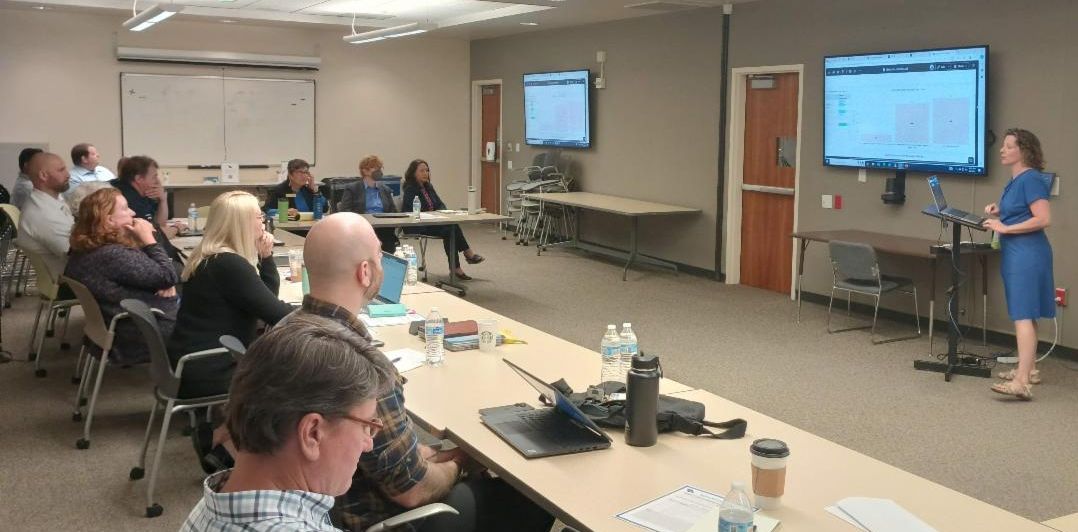
Thank you to the HMIS Steering Committee for engaging with implementation partners from ICA and the County to discuss project priorities as our community continues on a path to a high-functioning HMIS. Pictured below is the Steering Committee engaging with Abby Burgess from ICA during their visit to SLO County.

Q: I'm a case manager and have been assigned to client "care teams." I've noticed that clients can sometimes stay on my caseload even after they exit a program enrollment. How can you help with this?


Answer: Thank you for sharing! When assigning staff to a client's "care team" in Clarity HMIS, be sure to use the pencil icon to add the staff to the program enrollment, and not the client's profile. When a care team member is added to a client's profile, it could result in remaining on a care team member/case manager's caseload in Clarity reports even after a client is exited from a program. Adding a care team member to the program enrollment ensures that when a client is exited from the program, they are also exited from that care team/case manager's case load. Reach out to HMIS Support via email or stop by the HMIS Office Hours happening Wednesday, August 14 at 11am to further discuss this or similar "quirks" as we navigate the new features of Clarity HMIS.


Q: What is the difference between an HMIS "End User" and an "Agency Administrator"?


Answer: There are different levels of access available to users and agencies based on their reporting and operating needs. An HMIS End User, also known as an Enterprise User, is a front-end user with basic case management access. These are the case managers and housing navigators at most agencies. An Agency Administrator is a user with elevated responsibility and reporting capability. Agency Administrators receive Data Quality reports and are accountable for the responsible use of Clarity HMIS by their team. There are additional user roles, while minimal, related to access needs such as entering Coordinated Entry or pulling specific reports. If you or your agency is unsure of who has what type of access, reach out to HMIS Support anytime!


Q: My team is growing. How do I add HMIS users? Can anyone add users?


Answer: New users to HMIS must follow the process outlined in the Helpscout article "How to Become an HMIS End User." Agency administrators are the only representatives allowed to request new users and must complete the sign-up form found in TalentLMS to create an account for a new user, which sets the process in motion. The newly added End User will receive a confirmation email containing a link to verify their email address and directing them to log in to Talent to begin training. Only users who have successfully completed their online training are allowed access to HMIS. Adequate onboarding and training is crucial to ensure data quality and a shared understanding in HMIS. We're grateful for your shared commitment to data quality and efficient processes!

The Medically Fragile Homeless Program at the Center for Family Strengthening opens additional units!


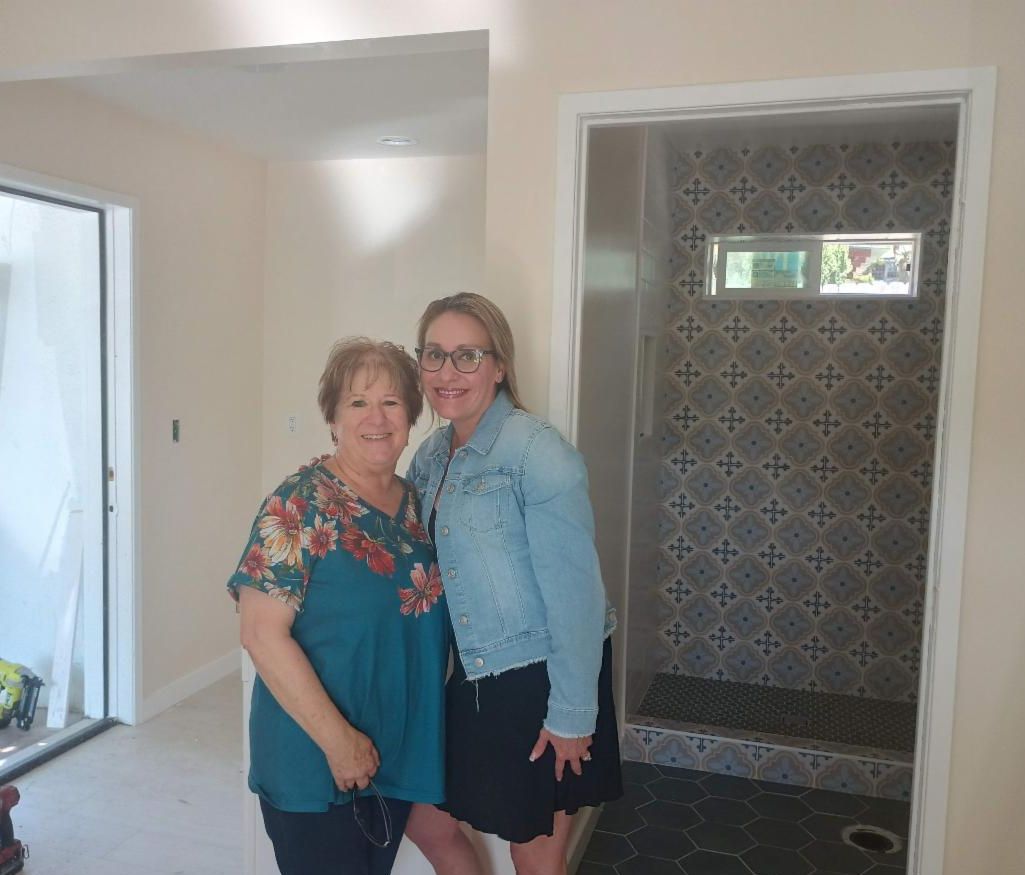
"Most importantly, we make sure every new client receives a brand new pillow," shared Diana Howard with pride as she toured the HMIS Support Team through the new units being constructed for the Medically Fragile Homeless Program. "This program offers a dignified, private reprieve" added Carrie Collins. Construction has been ongoing and is expected to be completed as early as September 2024. Funding from the Department of Social Services and a private philanthropist combined with a supportive landlord has allowed for the two additional units for this critical program.


Client referrals are made exclusively through Adult Protective Services and the CalWORKs' Housing Support Program Services (HSP).

Learn more about the Medically Fragile Homeless Program from the Center for Family Strengthening on their website here.

A message from the CES Management Entity


Announcement: Auto-exit Updates due to Inactivity


Coordinated Entry in Clarity HMIS now automatically records a program exit for an enrollment when none of the enrollment's household members have program-related activity for 120 days. Program-related activities includes services, or program-level assessments such as annual, status, or current living situation (CLS) as well as custom assessments within an enrollment record. Review this Knowledge Base article for the Coordinated Entry Checklist, updated this month to reflect the update.


Reminder: All CES users are encouraged to attend the monthly CE Case Management Meeting, which happens on the fourth Tuesday of each month. The next scheduled CE Case Management Meeting is Tuesday, August 27 at 1:30PM. Be sure to check your email for an updated Zoom link for the monthly meetings.


Questions regarding best practices and CES user support

can be directed to the CES Management Entity

HMIS Newsletter Survey - win swag!


To reward and encourage reading the HMIS Newsletter, the HMIS Support Team is offering a few lucky users the chance to receive Bitfocus swag for completing this HMIS Newsletter Survey by Aug 14.

Contact Us

HMIS Website

Follow us on Instagram