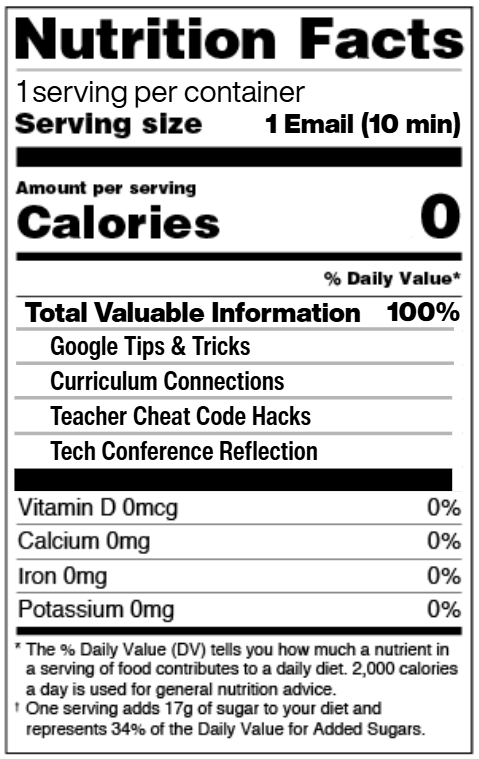
Welcome to the December issue of Tiger Bytes. This is your monthly dose of technology tips and tricks created by your Secondary BTIL team members and delivered to your inbox for you to use.


Curriculum Connections: Clean Up Websites from Ads, Sidebars, and Other Clutter

By Your Secondary Teacher Librarians


The PrintFriendly Extension is an online tool that cleans up web pages for printing or saving as PDFs, removing ads, sidebars, and unnecessary clutter. For teachers and students, it’s a huge time-saver: teachers can create clean handouts, reading materials, or assignment resources directly from online content, and students can save or print articles for research and study without distractions. It makes digital content more classroom-friendly and easier to organize. It also helps conserve our printer ink!


Teacher Hack: Capture, Annotate, and Share

By Hannah Nash & Julie Cuvelier


Awesome Screenshot: Tired of trying to annotate on an image captured with your laptop Snipping Tool? The Awesome Screenshot extension lets you capture your screen, annotate images, and share them instantly. It’s also SUPER EASY. Teachers can use it to create visual instructions, highlight key points, or give feedback, while students can save research visuals, mark up notes, or collaborate on projects—making learning more interactive and organized.


Google Tips & Tricks: Chrome Tab Tricks You Should Try

Do you have too many tabs open at any one time? Are your tabs so small that you have no idea exactly which tab is what across the top of your Chrome browser? If this is you, this might be a blessing or allow for more tabberation!


Create a Tab Group. You can group tabs to keep related pages together in one workspace.

  • Right-click a tab.
  • Click Add Tab to new group.
  • Click New Group or click the name of an existing tab group.


Edit a Tab Group. Right-click the colored circle or name to the left. You can:

  • Name your group.
  • Select the tab group color.
  • Add more tabs to the group.
  • Remove the group.


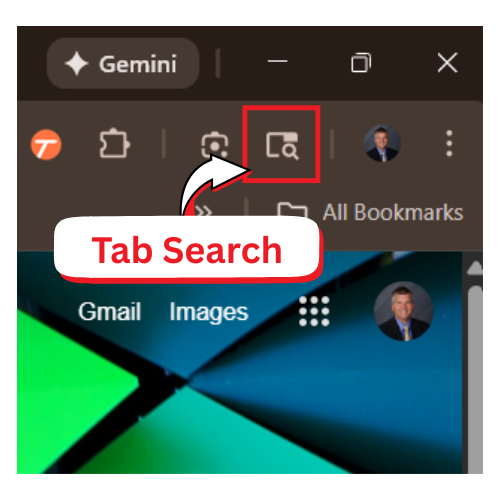
Search Open Tabs with Tab Search. When you have multiple tabs open in Chrome, you can find the specific tab you want.

  • On your computer, open Chrome.
  • From the top right part of your toolbar, select Tab Search.
  • Enter keywords for the site you want to find.
  • Select or Close the tab you want.


Technology Conference Reflection: ITEC

Chew on these great ideas and reflections from Julie Cuvelier who attended ITEC in October. Follow up with her with any questions or if you would like learn more!


Attending this conference in Iowa allowed growth in what may be FORWARD THINKING for skill development. Vendors displayed programs of 3D imagery for students with models of the heart or product development that did not require 3D glasses! Many offered a new insight on translation for ESL students. Technology is making inclusion real, models of hands-on affordable, and offers an environment for ALL learners.  


My focus was on using AI for career development and to be able to share this with staff. The use of AI will save time and resources for area businesses and will allow students to have time for creativity, collaboration, and innovation.  Programs that were displayed can be accessed for CF staff including Notebook LM, Google Gemini, Adobe Express, and various other tools that have seamlessly captured generative AI tools. In order to share with staff, it will be a journey of applying it to units, engaging lessons, and presentations. The field is changing rapidly- we can move and make progress slowly to provide a dynamic experience for students.