March 2026 | Issue 7

Are You Going to OAEYC?

The Ohio Association for the Education of Young Children annual conference will be held in April at Kalahari in Sandusky attracts thousands of early care and education providers from around the state.


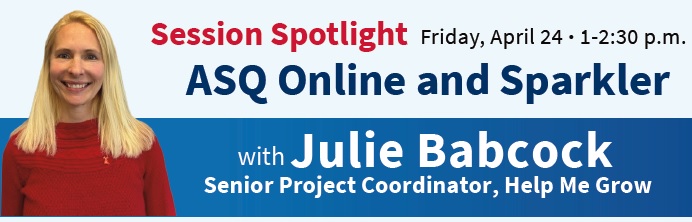
Don't miss a presentation about Sparkler on Friday, April 24 from 1:00-2:30 p.m. from Help Me Grow's senior project coordinator, Julie Babcock.


Three lucky winners can receive conference registration (a $315 value) at no cost from Help Me Grow! Just complete a brief survey about the Sparkler Starter Packs sent to new Sparkler program partners. (If you completed the survey last month, you are already entered in the giveaway).

Stop at the Help Me Grow booth at OAEYC for a chance to win a Brookes Publishing

ASQ materials bag ($325 value). We look forward to seeing you at OAEYC!


Now here's this month's tip for getting the most out of your Sparkler Dashboard.

Correcting a Child's DOB or Prematurity

What should you do if a child is receiving an age-interval ASQ screening that does not match their actual age? 


First, check to ensure the child’s date of birth (DOB) was entered correctly when the family was setting up their profile in the Sparkler: Play for Parenting app.  

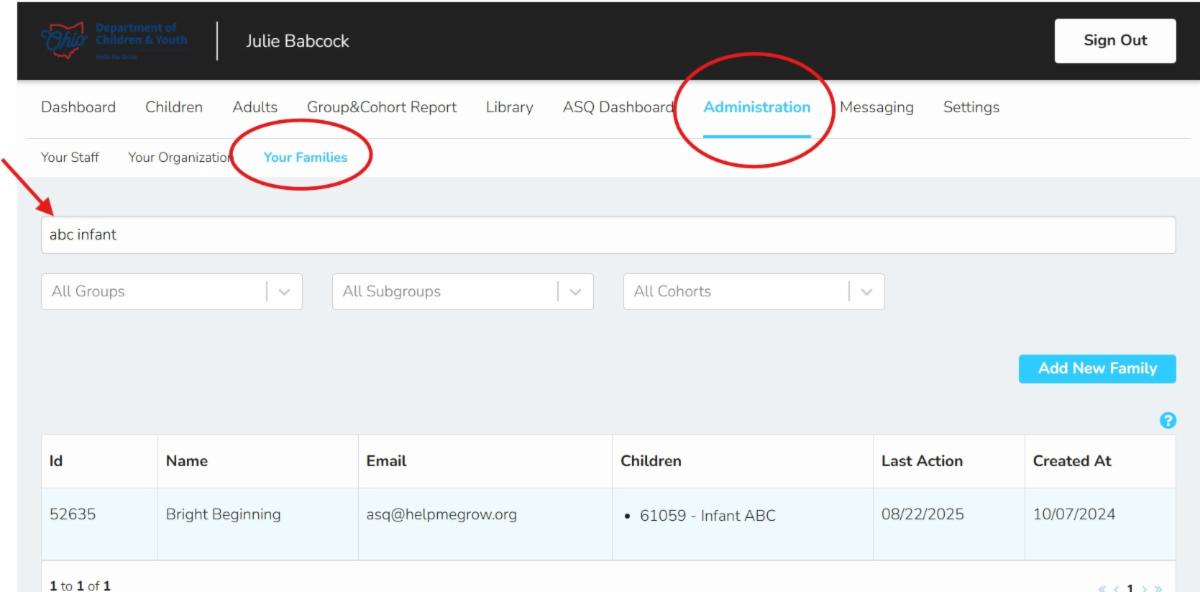
1) After logging into the Sparkler Dashboard from your desktop or laptop computer, navigate to the Administration tab, then select Your Families, and then search by the child's name. Click on the child's name to open their profile.


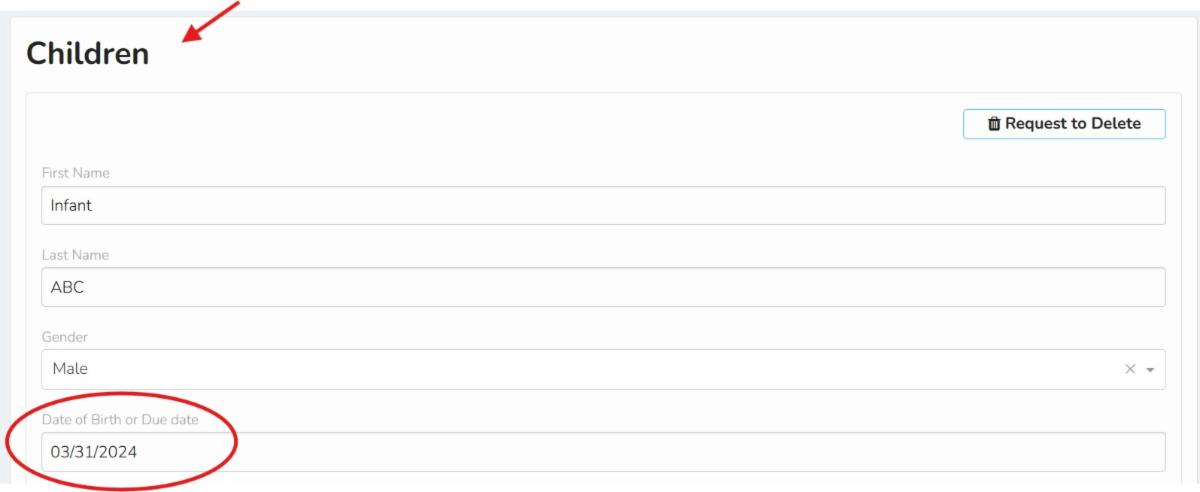
2) Scroll past the parent/caregiver profile until you get to the child's profile.


Locate the section titled Date of Birth or Due Date.


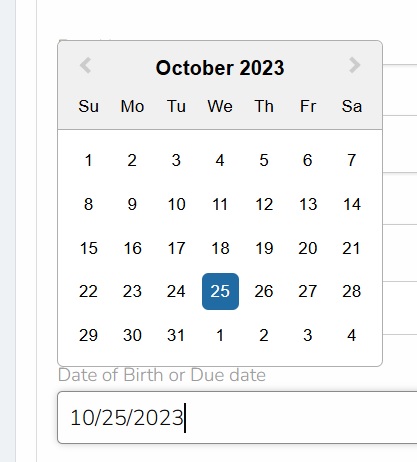
3) If the DOB is incorrect, double click in the box and correct it using the pop-up calendar.


Be sure to click Save.


Note: Please give the system 24 hours to refresh. You will then see the corrected ASQ age-interval screening on your ASQ Dashboard tab and the caregiver will see it in the app.

If the child was born prematurely (i.e., three or more weeks before the estimated due date), you will want to check to ensure the information was entered correctly.


This question is asked for all children under two years of age when the family creates their profile in the Sparkler: Play for Parenting app.


Check out these tips from Brookes Publishing about screening children born prematurely.


If this information needs to be corrected in Sparkler:


1) After logging into the Sparkler Dashboard from your desktop or laptop computer, navigate to the Administration tab, Your Families, and then search by the child's name. Click on the child's name to open their profile.


2) Scroll past the parent/caregiver profile until you get to the child's profile.


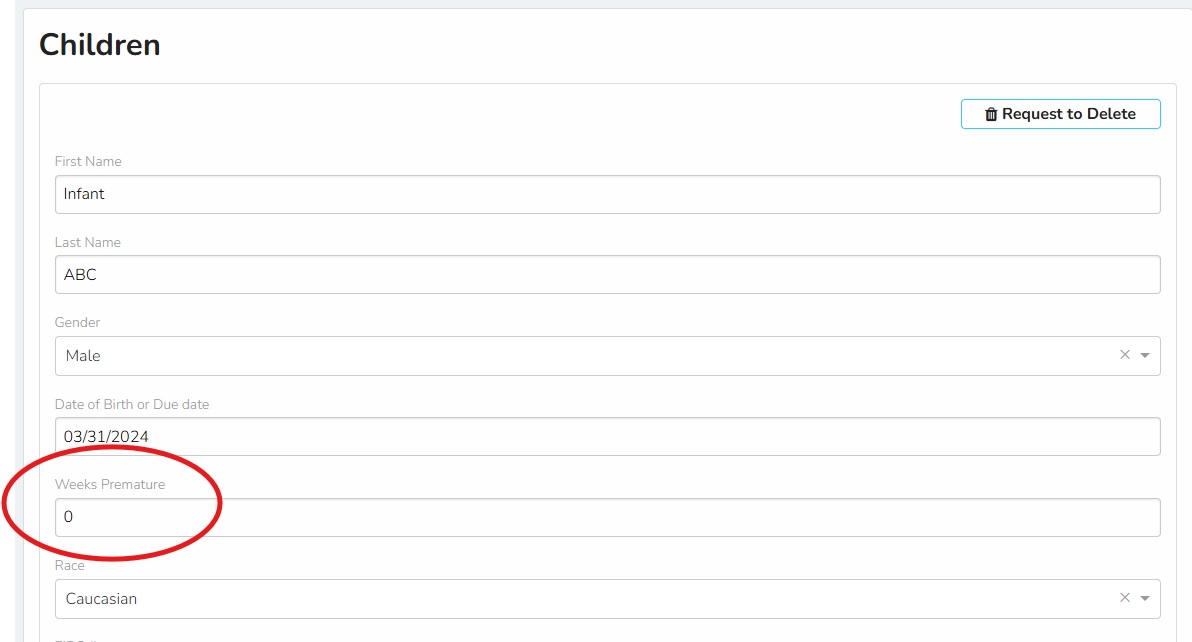
Locate the section titled Weeks Premature.


**Reminder: this is how many weeks early the child was born, not how many weeks mom was pregnant with the child.**

3) If the weeks premature is incorrect, click within the box and enter the correct number. Be sure to click Save.


Note: Please give the system 24 hours to refresh. You will then see the corrected ASQ age-interval screening on your ASQ Dashboard tab and the caregiver will see it in the app.

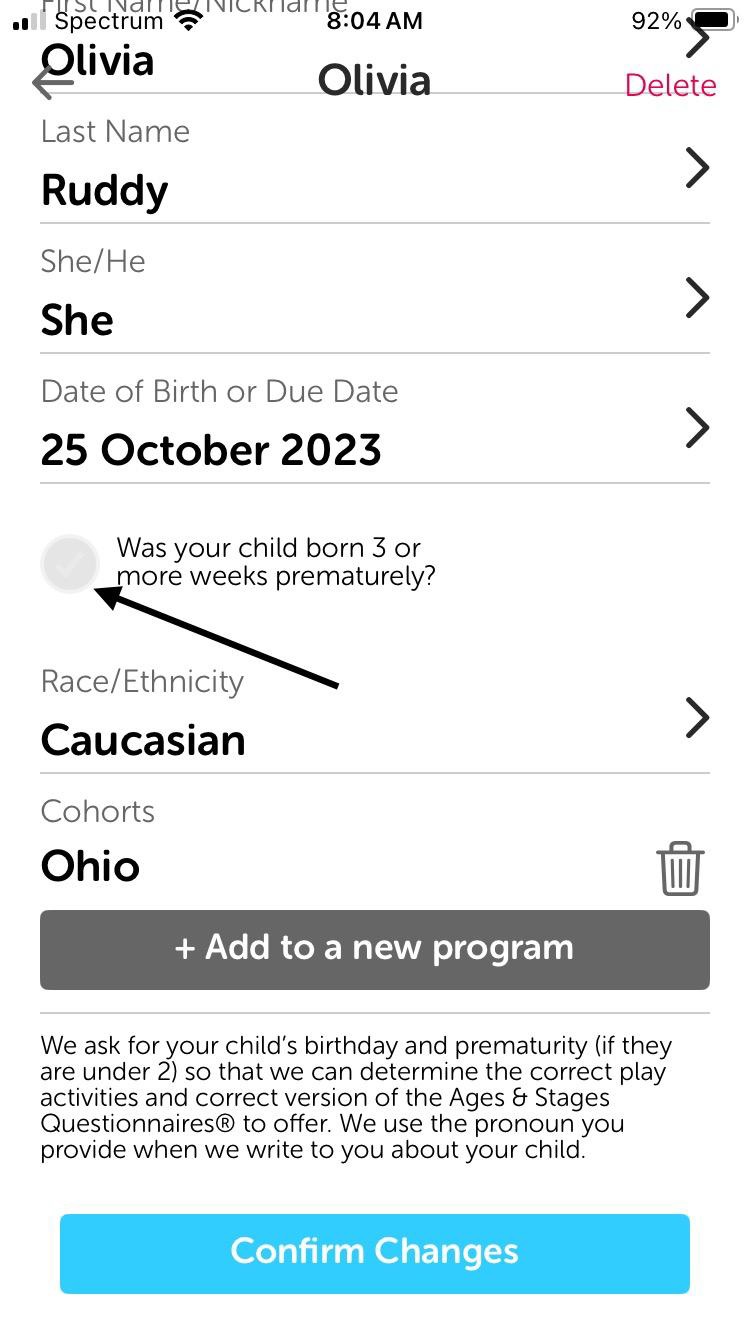
Families can also make these changes within the Sparkler: Play for Parenting app:


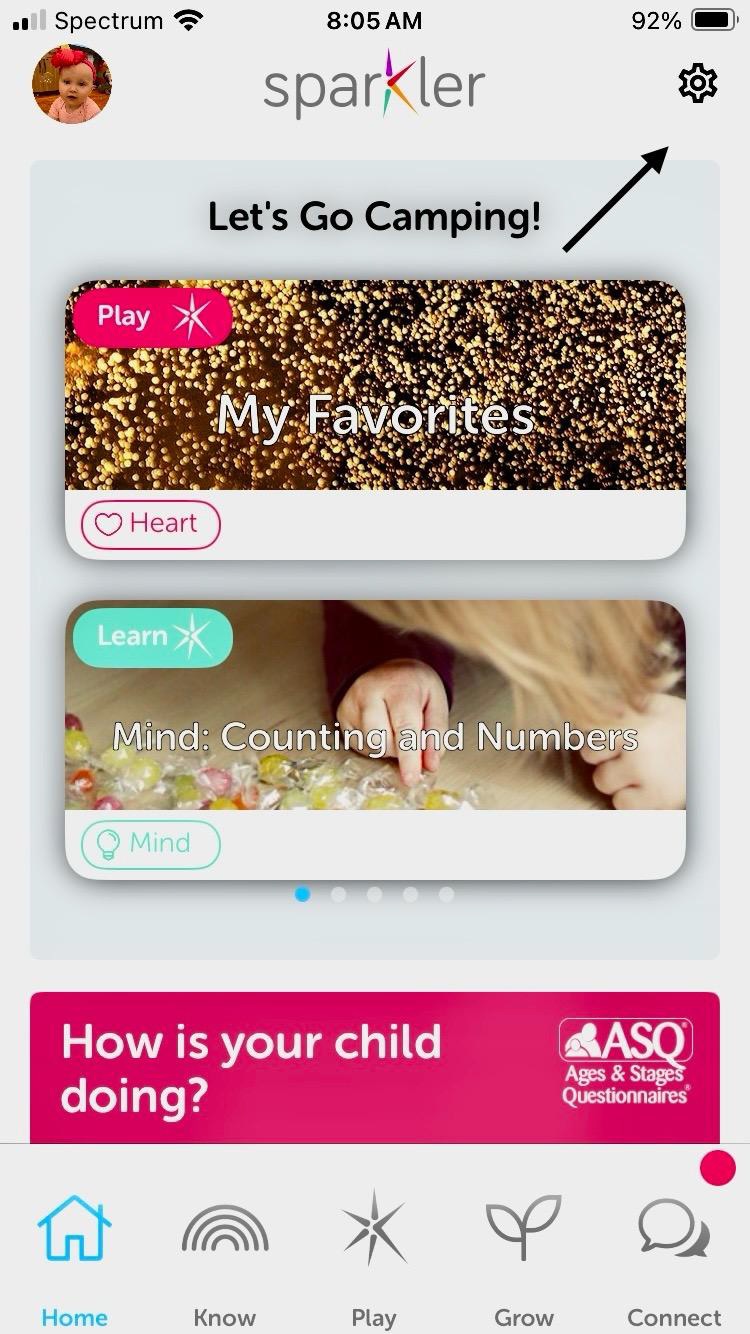
1) Log into the app and click the tool gear symbol in the upper right corner.

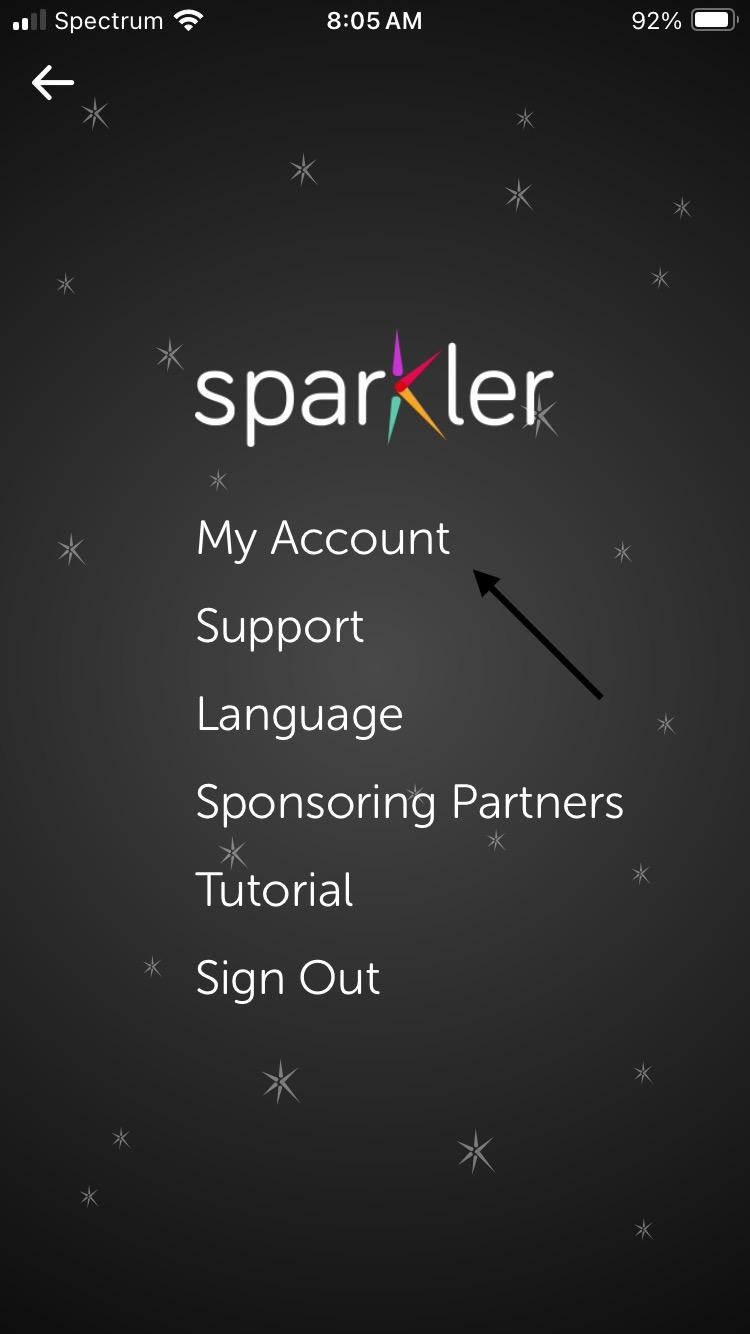
2) Click on "My Account".

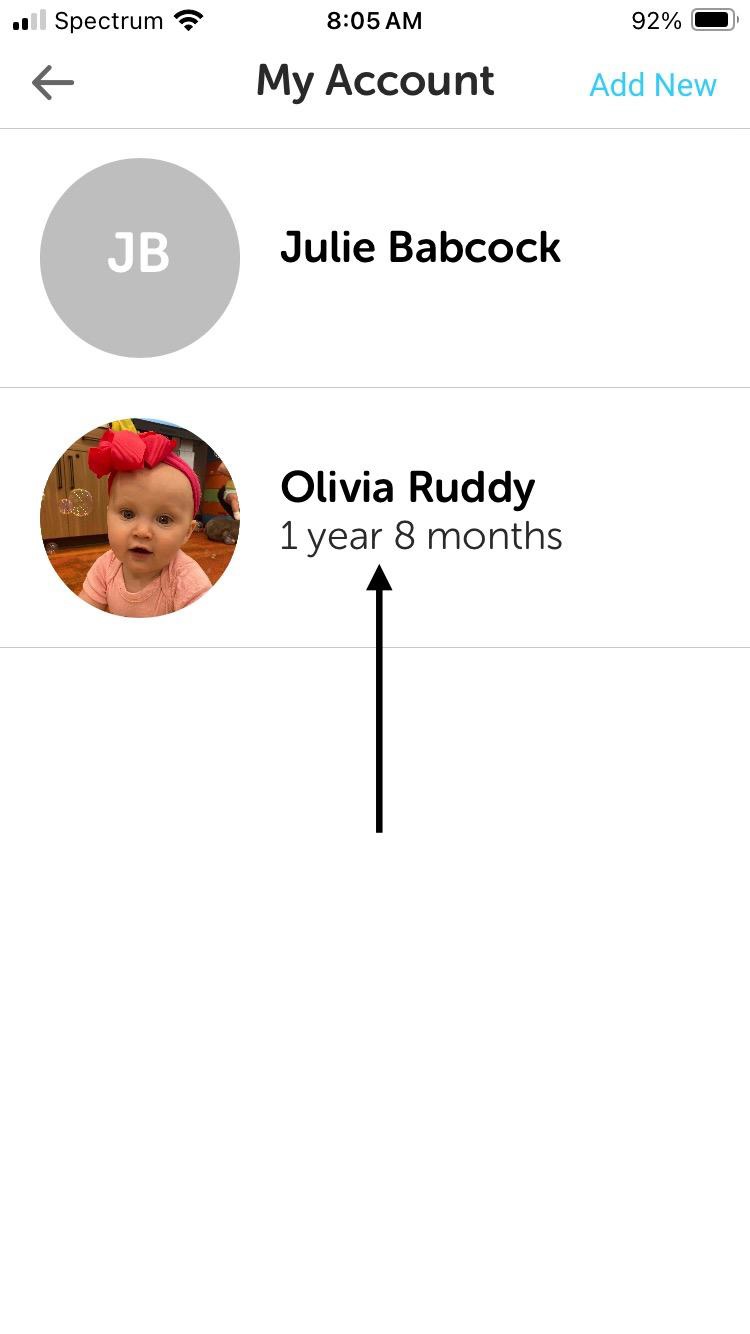
3) Click on the name of the child.

4) Click the button that says, "Was your child born 3 or more weeks prematurely?" Select the correct number of weeks premature and confirm changes.

Still Have Questions?


Join us for ASQ Open Office hours!


You and your staff are welcome to drop in on Wednesdays at 1:30 p.m. to ask questions, gather ideas, or share your successes. Please register here.


Coming next month: Tips for encouraging Sparkler use among your staff and families


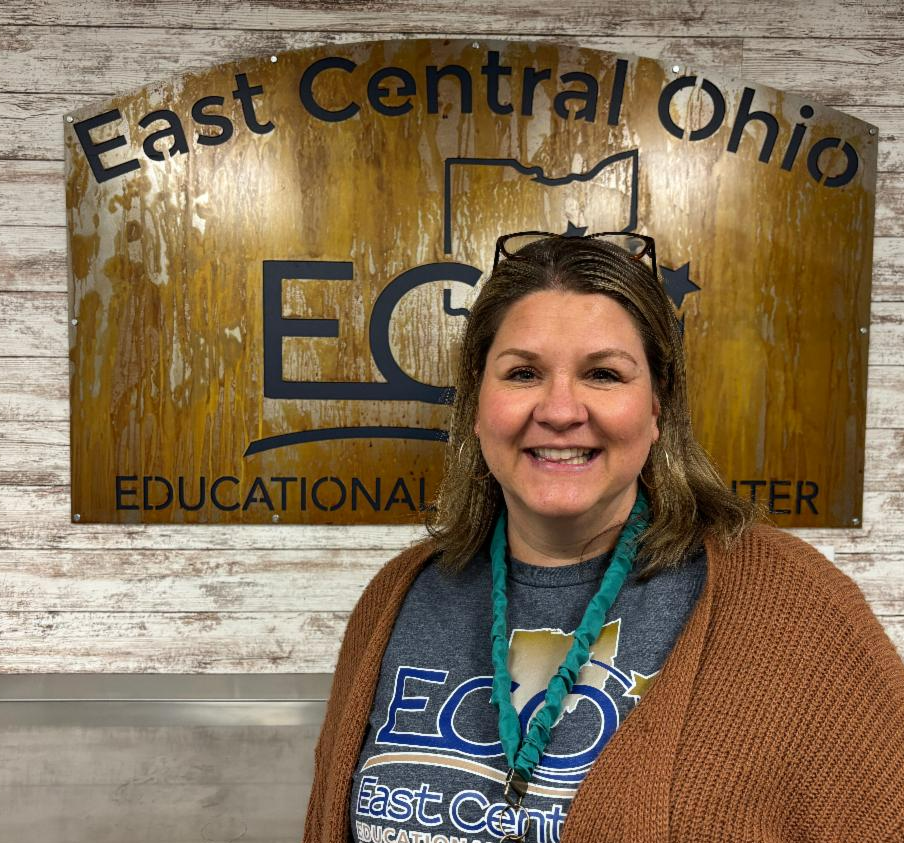
When Andrea Tyson, Help Me Grow Home Visiting supervisor at East Central Ohio Educational Service Center, became a Sparkler Program Partner, she wanted to be sure her staff and the families they serve used Sparkler. She developed a creative way to get them all on board that worked. Look for details in next month's Tip of the Month newsletter.


Help Me Grow is a statewide system of supports that promotes the healthy growth and development of young children from pregnancy through early childhood. Services and supports are provided statewide through Home Visiting, Early Intervention, developmental screenings, and  connections to community resources.

The newest service offered through Help Me Grow is the universal newborn home visiting program, Family Connects Ohio.


Any family in a participating community, regardless of income, can sign up for a no-cost visit from a registered nurse around three weeks after baby's arrival.


FCO aims to help children and families thrive, impacting the health, safety, and school-readiness of children; maternal health, and family stability and financial security. Listen to this story about one family's experience with Family Connects Ohio. Know a family who could benefit from Family Connects Ohio? Click the referral button below and we will contact them.

Other Ways to Refer

Call (800) 755-4769 (GROW) to speak with an Intake Specialist, or click here for regional contact information.

Email your questions and completed referral forms to HMGReferrals

@helpmegrow.org.


Fax completed

referral forms to

(855) 418-3322 or 

(855) 318-3322.


Bright Beginnings is the state-contracted provider of Help Me Grow Central Intake & Referral. It is also a leader in providing services that help young children grow, learn, and develop to their fullest potential.


Follow us on Instagram!


Know someone who could benefit from information in this newsletter? Have them sign up to receive it at helpmegrow.org/ASQ.