August 2026 | Issue 11

Moving children into classrooms/groups (i.e. cohorts)

Back-to-school month is always an exciting time of year! You probably have many new families enrolling in your program and might be wondering how to move them from your overall group (i.e. the group they land in when entering your unique access code) to individual classrooms.


Moving children into smaller groups allows for greater control over who has access to ASQ results, enables you to customize reports, and makes sending group messages a breeze.

Steps to move children into a classroom cohort:


1) If you are the administrator of your Sparkler Dashboard account, log in to the dashboard at https://app.playsparkler.com/dashboard/.

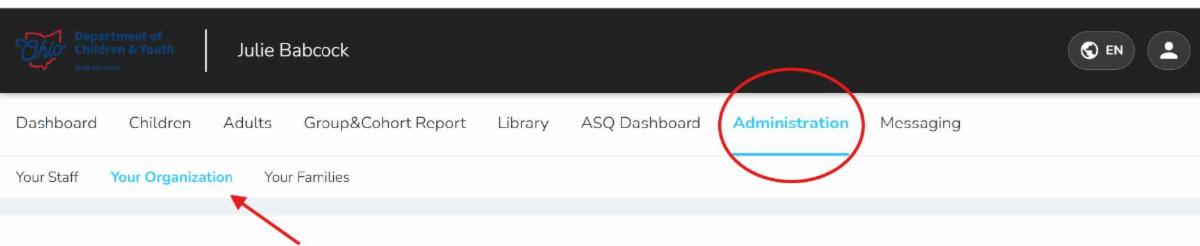
2) First identify how many children are in your overall group versus how many children are in a classroom/group. This will help you identify if there are any new children to move. Navigate to the Administration tab and then click Your Organization.

3) Click the arrow next to the purple square.

4) Locate the name of your program (we're calling it Tuesday Test School for this illustration) and click on the arrow next to the green triangle.


5) You will see the classrooms/groups you have created for your program. In this example, there are two classrooms, the Green Ducks and the Purple Pandas. You will also notice Tuesday Test School has one (1) child connected.

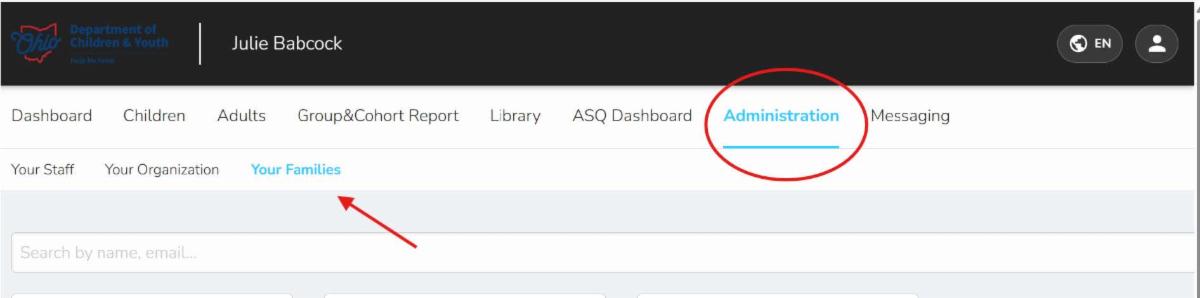
6) To move that child into a classroom/group, stay on the Administration tab and click on Your Families.

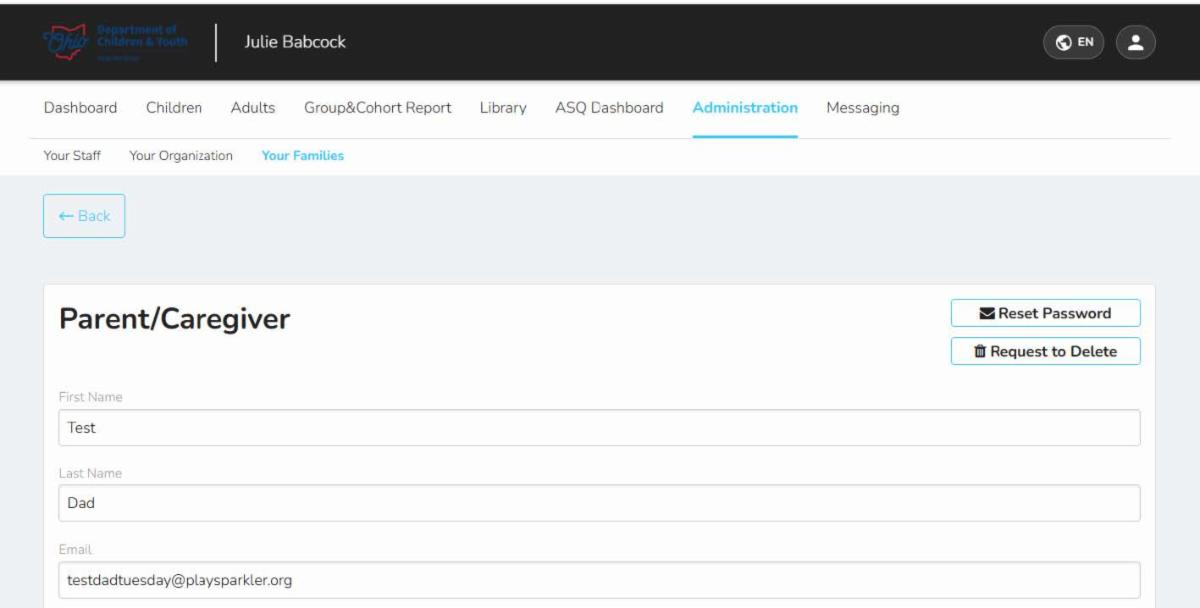
7) Locate the child you would like to move to a classroom/group and click on that child.

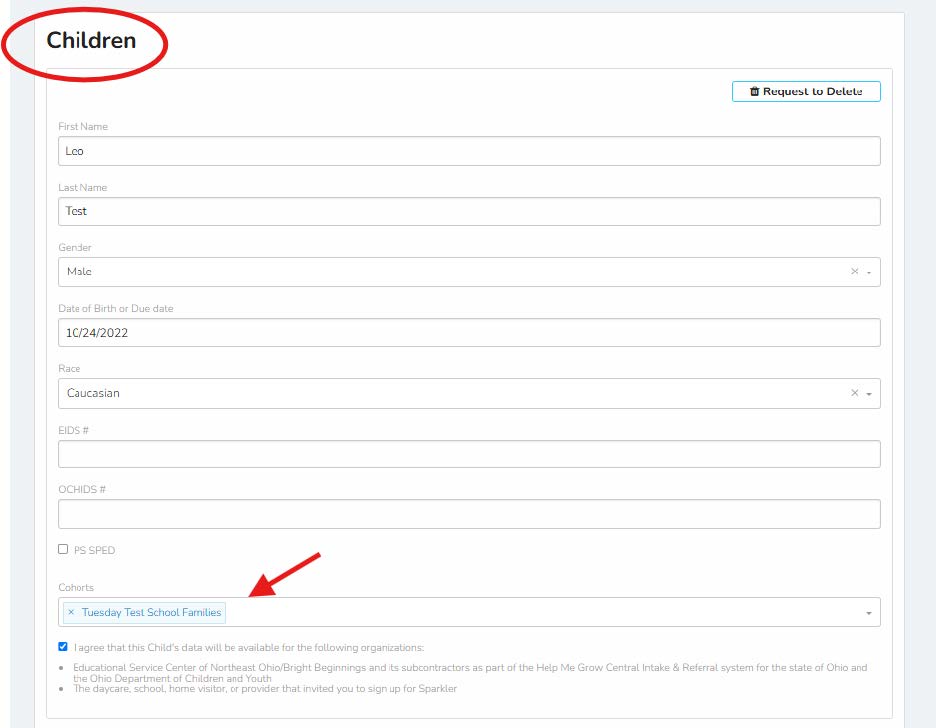
This will open the family's profile, including contact information, child’s date of birth, child’s week(s) of prematurity (if any), and the cohort to which they are connected.


8) Scroll past the parent/caregiver’s information until you locate the child you want to move. You’ll notice that Leo is linked with the program Tuesday Test School.


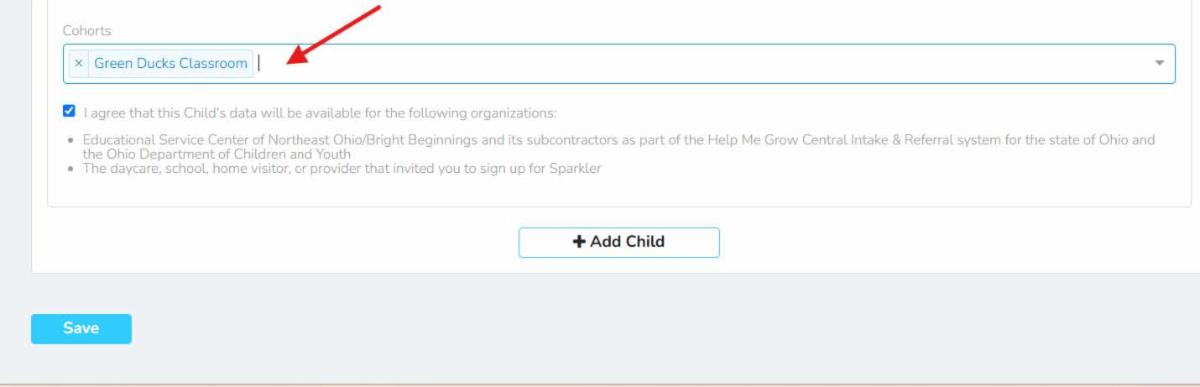
9) To move Leo into the Green Ducks classroom, click on the X in front of Tuesday Test School to remove it; then type in Green Ducks. You can also use the drop-down arrow on the right-hand side and select from a list of all available classrooms /groups. Once you have selected the correct classroom/group, don’t forget to click the blue Save button.


10) You can now navigate back to Your Organization where you will see that Tuesday Test School now has zero children enrolled, but the Green Ducks Classroom now has one (1) - Leo.


*Reminder*

Placing a child in a classroom/group allows the adult(s) assigned to that group to:

  • See any ASQs completed by the child’s caregiver.
  • Complete their own ASQ(s).
  • View any play-based activities or parenting tips the family has engaged in.
  • Access any photos the family has uploaded to their Sparkler digital scrapbook. These photos often come in handy when you are looking for parent input for assessment documentation purposes.


You may want to check weekly to see if there are any new children to move.

If you need support, please don’t hesitate to contact us at asq@helpmegrow.org.


We'd love to hear about a strategy that's worked well for you and your families. Drop us a note at asq@helpmegrow.org. Thank you!


Have More Questions?


Join us for ASQ Open Office hours!


You and your staff are welcome to drop in on Wednesdays at 1:30 p.m. to ask questions, gather ideas, or share your successes. Please register here.


Refer to Help Me Grow

Call (800) 755-4769 (GROW) to speak with an Intake Specialist, or click here for regional contact information.

Email your questions and completed referral forms to HMGReferrals

@helpmegrow.org.


Fax completed

referral forms to

(855) 418-3322 or 

(855) 318-3322.


Bright Beginnings is the state-contracted provider of Help Me Grow Central Intake & Referral. It is also a leader in providing services that help young children grow, learn, and develop to their fullest potential.


Follow us on Instagram!


Know someone who could benefit from information in this newsletter? Have them sign up to receive it at helpmegrow.org/ASQ.