January 2026 | Issue 5

new-year-header.jpg

Before we get to this month's tip, Help Me Grow would like to take a moment to reflect with gratitude on how families and providers have embraced using the Sparkler: Play for Parenting app. A remarkable 28,000 children across Ohio have a profile in Sparkler!


We cannot THANK YOU enough for your collaboration as a Program Partner. By connecting families you serve to Sparkler, more parents are utilizing the app, tracking their child's development, connecting with Help Me Grow services such as Early Intervention and Home Visiting, and accessing play-based, developmentally appropriate activities to do with their young child(ren).


We look forward to continuing to work with you to help all Ohio children get the best possible start in life so they are ready to learn in Kindergarten.

How Do I Link Families with My Program?

If you are not seeing a family on your Sparkler dashboard, this month we want to explain how you can help families link with your program.


There are a number of possible reasons why a family may not appear on your dashboard:


  • The family downloaded the app but forgot to enter a unique access code. Sparkler is used in many other states besides Ohio. If the family did not register with Ohio's code (OH), they are in the "Sparkler Cloud" but not connected with Ohio. This is why families would not have access to ASQ screenings even though they can access all the other app functions. 


  • The family downloaded the app and used the code OH prior to your program becoming a Sparkler Program Partner. They are connected to Ohio's Sparkler account but not your individual program's account. 


  • The family downloaded the app and began utilizing it with another Ohio provider prior to enrolling in your program. 


Regardless of why they aren't connected to your program, it's simple to help families add your program to their Sparkler account so they appear on your Sparkler dashboard.

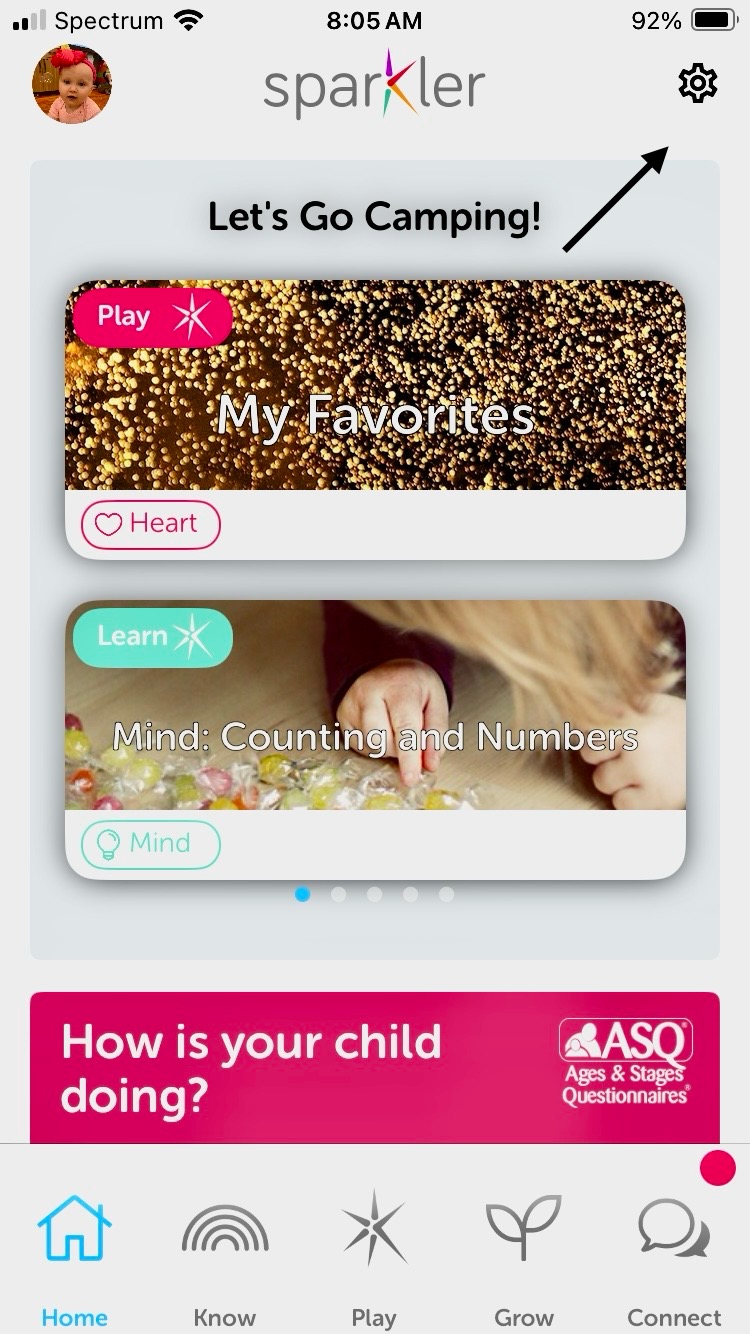
Go to app settings


When they are logged into the app, go to the gear symbol in the upper right corner to access settings.

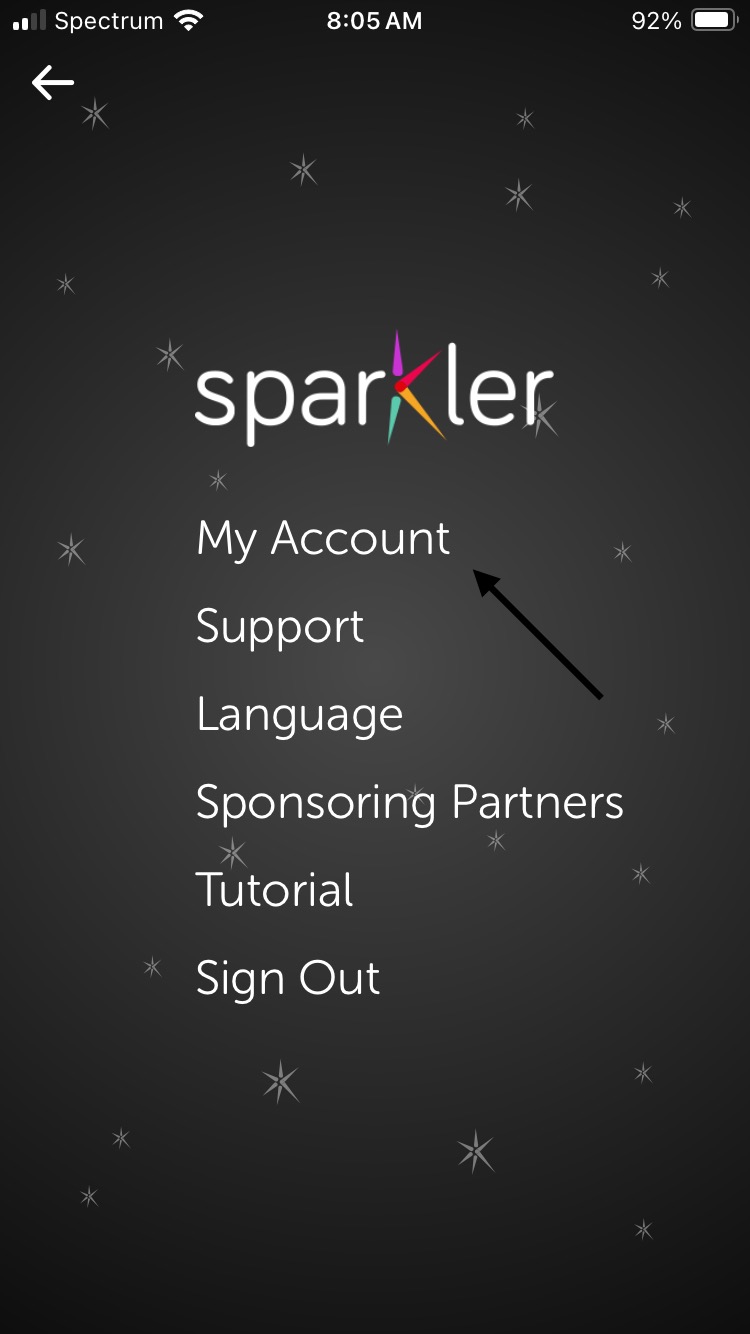
Click on My Account

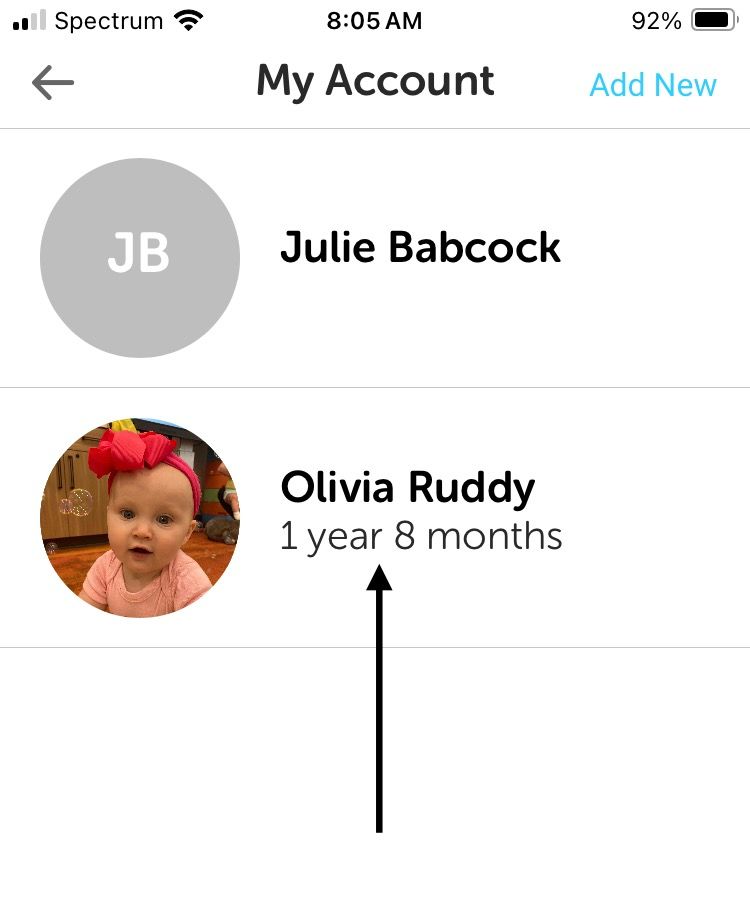
Select Child


The parent should click on the name of the child they wish to link to your program.

Add Program


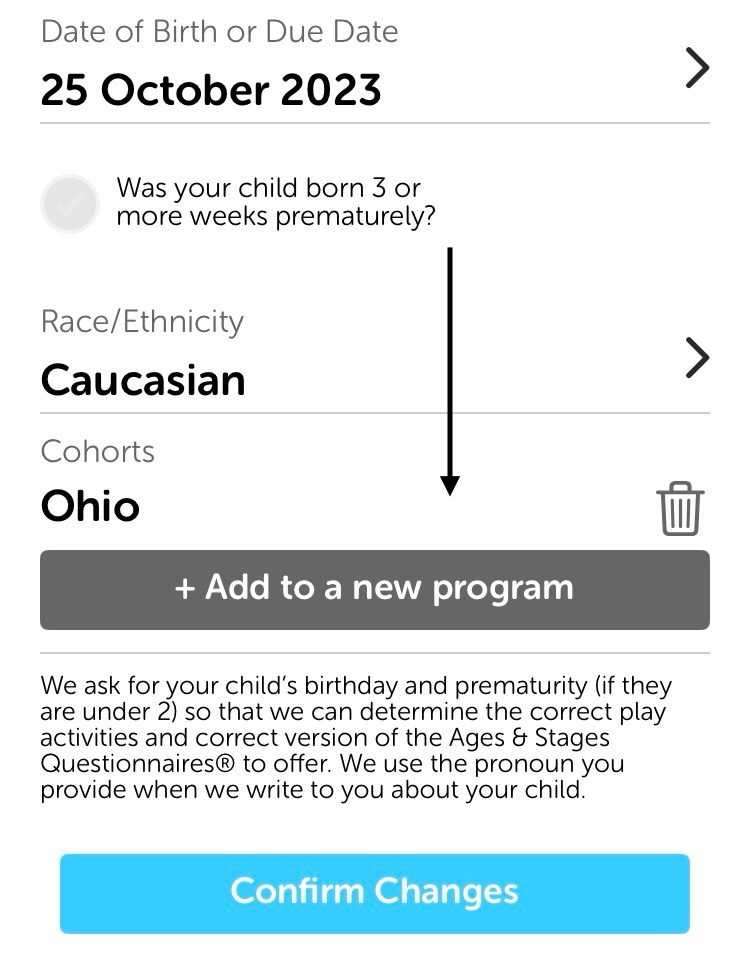
Scroll down to the button that says "+Add to a new program".


When the parent clicks on this button, a screen will appear asking them to "Enter Cohort Code".


The parent will enter your program's unique access code and press submit.


They will be prompted to confirm changes. Once they do so, you should automatically see them populate on your Sparkler dashboard.

Need Help?

If you're still having trouble, we're happy to help. Email asq@helpmegrow.org with the following information:


  • Your program's name.
  • The child's first and last name and the caregiver's first and last name.
  • The child's date of birth.


We will search the system. If we successfully locate the child, we will move them to your dashboard.

Still Have Questions?


Join us for ASQ Open Office hours!


You and your staff are welcome to drop in Wednesdays at 1:30 p.m. to ask questions, gather ideas, or share your successes. Please register here.


Help Me Grow is a statewide system of supports that promotes the healthy growth and development of young children from pregnancy through early childhood. Services and supports are provided statewide through Home Visiting, Early Intervention, developmental screenings, and  connections to community resources.

The newest service offered through Help Me Grow is the universal newborn home visiting program, Family Connects Ohio.


Any family in a participating community, regardless of income, can sign up for a no-cost visit from a registered nurse about three weeks after baby's arrival.


FCO aims to help children and families thrive, impacting the health, safety, and school-readiness of children; maternal health; and family stability and financial security. Listen to this story about one family's experience with Family Connects Ohio. Know a family who could benefit from Family Connects Ohio? Click the referral button below and we will contact them.

Other Ways to Refer

Call (800) 755-4769 (GROW) to speak with an Intake Specialist, or click here for regional contact information.

Email your questions and completed referral forms to HMGReferrals

@helpmegrow.org.


Fax completed

referral forms to

(855) 418-3322 or 

(855) 318-3322.


Bright Beginnings is the state-contracted provider of Help Me Grow Central Intake & Referral. It is also a leader in providing services that help young children grow, learn, and develop to their fullest potential.


Follow us on Instagram!

Know someone who could benefit from information in this newsletter? Have them sign up to receive it at helpmegrow.org/ASQ.