Have you seen the most recent updates to DMAC's online testing platform?
DMAC Updates
Testing Supports & Reference Sheets
Speech-to-Text Testing Support
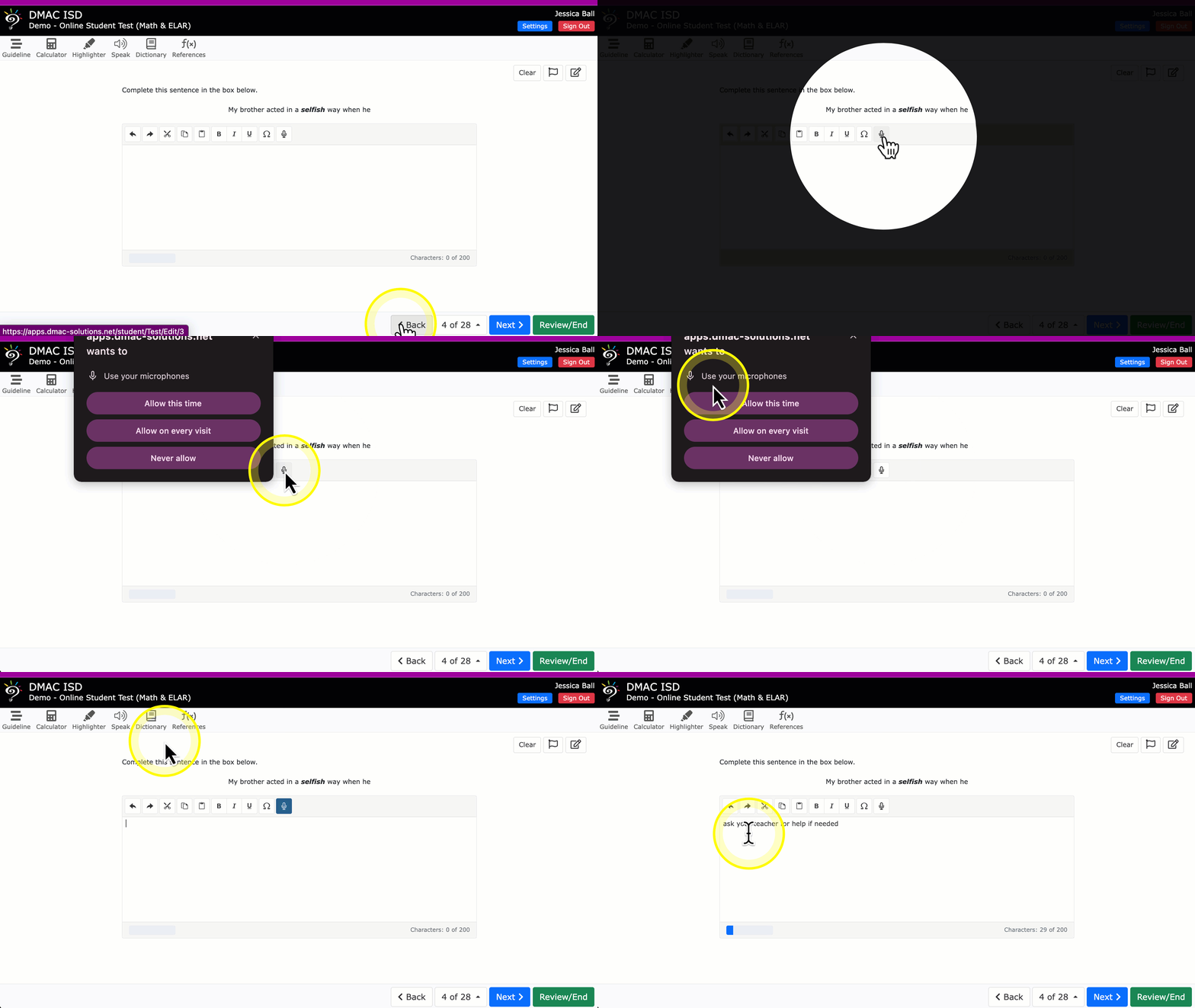
Students can utilize the Speech-to-Text testing support for online assessments in DMAC. These are available for Extended Text/Essay questions only.
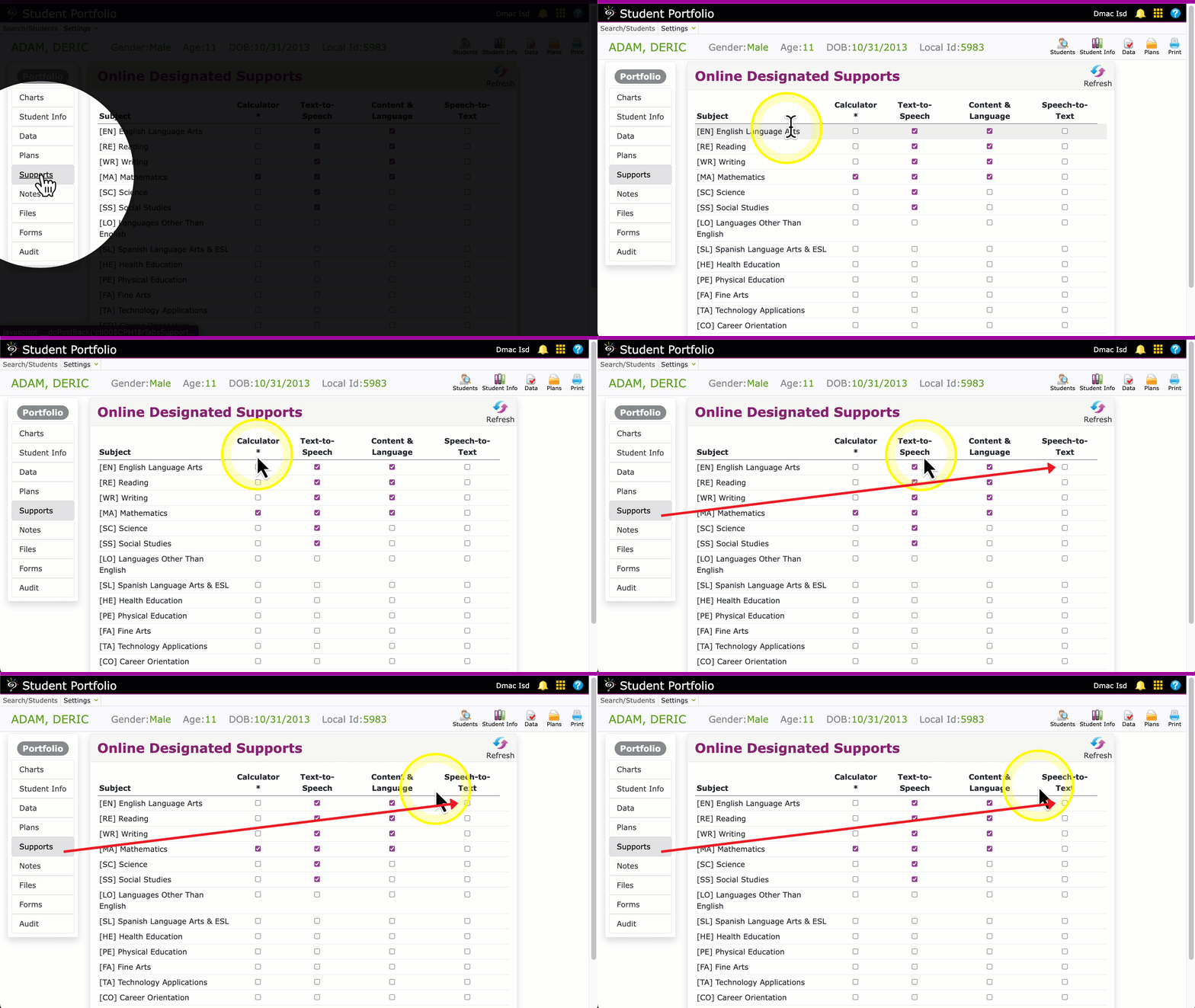
Enable designated online supports in the Supports tab of Student Portfolio for individuals -- or, use the Batch feature to assign the support to more than one student at a time.
Check the desired supports by Subject and click the save icon.
Make sure that microphones are enabled on any devices students use to test.
At this time, Chromebooks are the only devices that can use Speech-to-Text -AND- a lockdown/secure browser at the same time.
Please contact the DMAC Help Desk at 1.866.988.6777 or support@dmac-solutions.net if you have any questions.
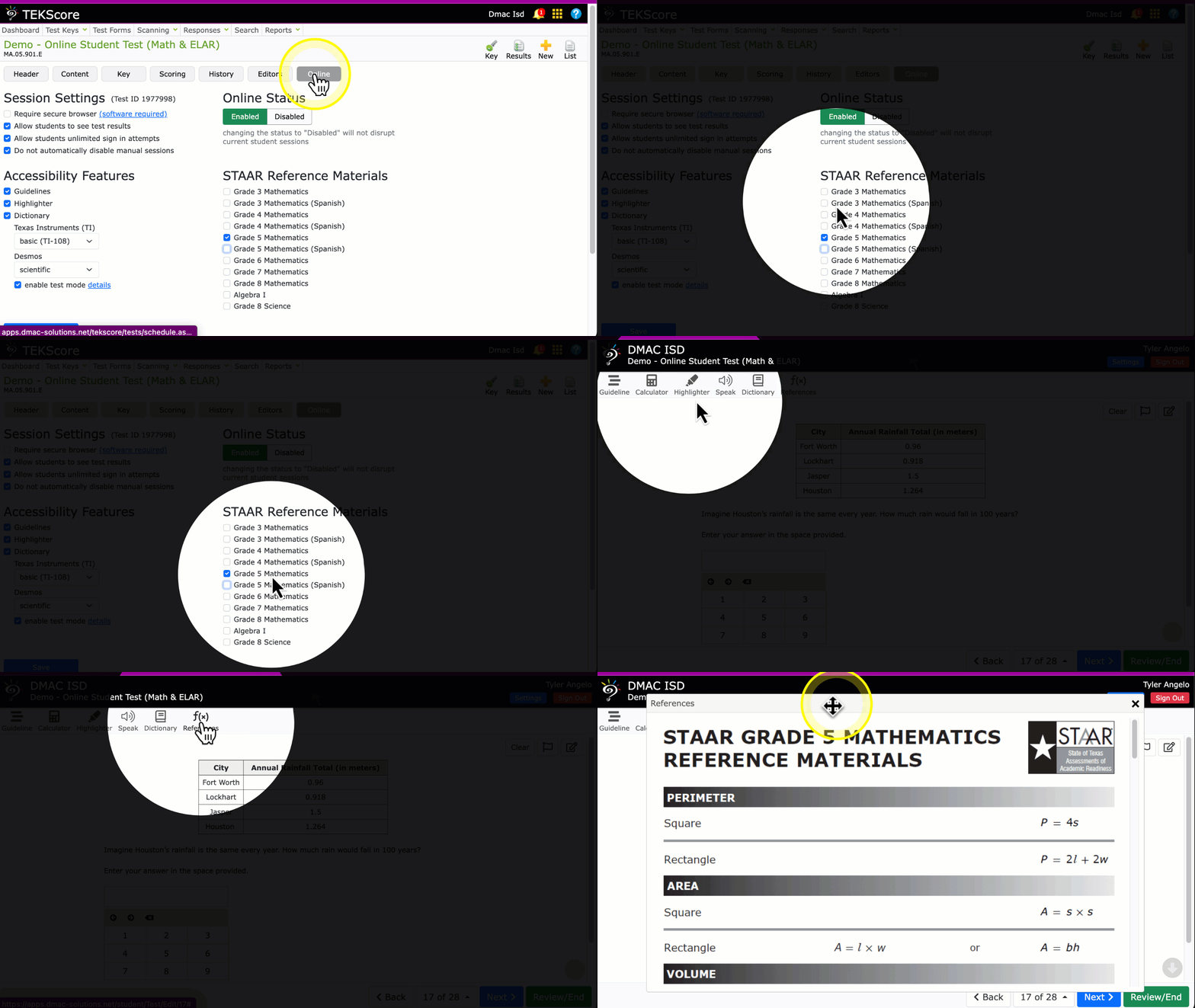
Use the Online tab in TEKScore Test Keys to add STAAR Reference sheets for Math and Science tests! Check the desired grade and/or language and click Save.
Students see a 'References' icon on the top of tests when assigned.
DMAC Solutions | 1909 North Longview St Region 7 Education Service Center | Kilgore, TX 75662 US