|
Still Shuffling Paper Music? Consider Windows or Android Digital Alternatives
by Judy Smutek and ARS Member Collaborators
| | |
Longtime readers of ARS NOVA may remember previous articles about using digital devices to read and play from your music collection. For examples, see The Personal Electronic Music Library (May 2017) and Reading Music from a Tablet (July 2023). Most of the recommendations in those articles remain relevant in 2026.
In this article, I focus on some of the many options available to you if you’re a user of Windows and/or Android devices. To gather information, I asked for volunteers from the readers of ARS NEWS, the monthly emailed newsletter which ARS distributes. This article summarizes the contributions of the people who were willing to share their experiences and thoughts. Next month, we hope to publish more from one or two contributors who will describe their setups in greater detail.
| | |
You Don’t Need the Latest and Greatest Hardware
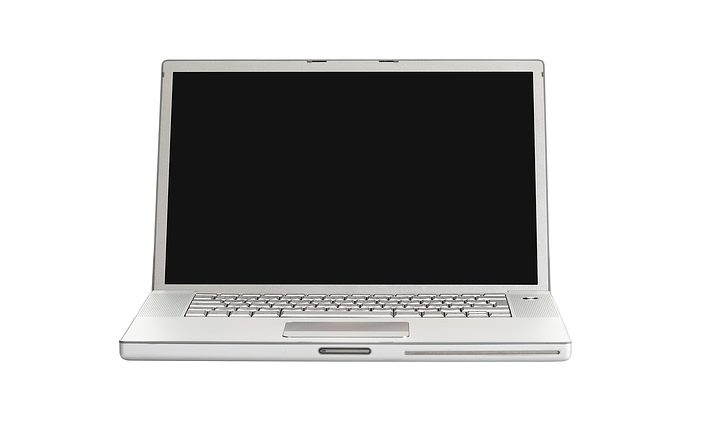
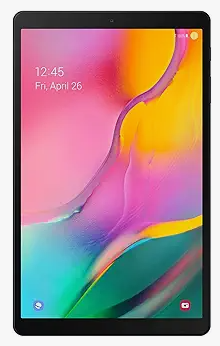
Some people use their everyday devices for storing and playing music, while others are satisfied with older devices that have adequate but not great processing power. Display size is a big factor in readability, and there are software options to improve readability if your display is on the smaller side. Windows 11 devices in our sample were two Microsoft Surface models, the Book 2 and Pro 3, a Lenovo laptop, and an HP EnvyX360 with touchscreen, stylus and mouse. Android devices included a Google Pixel, a Samsung Galaxy Note, a Galaxy Pro, and a Galaxy Tab 8. An older device, even if it’s not running the latest OS version, may work just fine for your music needs. Evidence for this in our sample are the Galaxy Note, which runs an older Android version, and the Galaxy Pro, an older tablet with a 12.2 inch screen. One respondent plans to buy what he describes as an “off brand” tablet, primarily for the larger display (14 to 15.6 inches), when his Microsoft Surface stops working.
| | |
Many Software Options Are Available to Display, File and Organize Your Music
Several software programs are popular among the respondents in our survey.
-
Enscore allows Windows users to upload and view sheet music. It offers search capability and a free music viewer. Additional features allow you to: Display your music pages in fullscreen, side-by-side in landscape mode or one at a time in portrait mode; find your favorite pieces easily, by creating bookmarks in large documents; organize your collection of PDF documents with folders in the app; perform without hassle using Performance Lists, to open documents instantly in concert order; sync your enScore library directly to any folder of sheet music already on your PC.
-
MuseScore Studio runs on Windows (or Mac), enabling users to create and edit music files, and Musescore Scanner will scan music pdfs to convert them into editable files. It also includes a playback function. Musescore also has an AI function where you can upload music via pdf, and it will automatically digitize it for Musescore software editing, transposing, etc. On Android, MuseScore’s app is mainly designed for score viewing and playback. Depending on the OS and software features needed, MuseScore can be free or require a paid subscription.
-
MobileSheets runs on Windows and Android (MacOS and iOS, too) devices and allows users to upload, organize, edit and display music. MobileSheets allows for easy sorting of music files. It’s also possible to upload one large pdf that includes music for several pieces. If you wish to add, remove, or rearrange files for a particular piece at a later date, you can do that, too. Further organization and ordering is possible via grouping pieces in Setlists and Collections. Free trial versions of MobileSheets are offered but to use it long-term, you’ll need to purchase the app via Google Play Store or the Microsoft Store.
-
Adobe Acrobat Reader is also useful for displaying and scanning music files, and Adobe Acrobat Mobile works on phones and tablets for the same purpose.
Note that it’s common for people to use multiple display devices, and their software may vary with the specific device. Depending on how portable or readable they need their music to be in a given context, they’ll choose one device over another.
| | |
Choose from Many Page Turn Options, Too
When you want to turn pages on your device, you have many options. The three types listed below were named by people who answered my survey, and there are more available in the marketplace at varying prices:
-
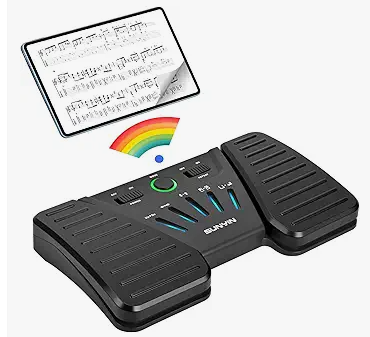
Pageflip devices, including the bestselling Firefly, have two pedals and are used by several respondents. Pageflip supports Bluetooth or wired connectivity to the display device. One person commented that the pedal is responsive in Bluetooth mode with no hesitation.
-
Airturn offers a number of Bluetooth two-pedal devices and is compatible with a long list of display programs.
-
Donner Music offers another Bluetooth two-pedal setup, used by a few who responded. It’s compatible with Windows PCs and Android tablets, though one commenter said that its switches and buttons could be more intuitive, and another said its Bluetooth connection was not consistently reliable.
Four-pedal page turn devices are also available, but no one offered feedback on them. Finally, if you don’t want to invest in or rely on a pedal, finger touch page turning works in some instances.
| | |
Additional Tips from Those With Experience
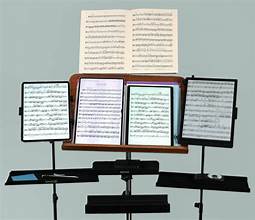
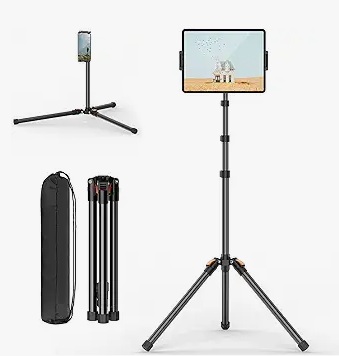
Consider whether your current music stand will support the display device. People using tablets can get stands that grip them from the sides, but a laptop may feel insecure with that setup. You may need to search for a different metal stand if using a laptop.
Other useful utilities exist to help with practice and tuning or playing remotely with others. Examples are:
- "TE Tuner" (iAndroid, iOS, or Desktop) for metronome, tuning, practicing playing with a drone and more.
- "Amazing Slow Downer" (Android, Windows, Mac) for adjusting the tempo and/or pitch of mp3 files when playing along with them.
- "FarPlay" (free download for Mac,Windows, and Linux) is nice for playing with other people remotely.
| | |
Thanks to the Contributors
Sincere thanks to the following people who took the time to respond to my list of questions about playing/performing from Windows and Android devices: Paul Dingle, Mike Richart, Todd Ruskell, Charlie Schultz, Louisa Valentin, and David Wheeler. Any errors in the information presented above are likely mine.
| |
Judy Smutek has served on the ARS Board for nearly eight years. She is Chair of the Communications Committee. She belongs to the Ann Arbor Chapter in Michigan.
| |
|
Do you enjoy our ARS NOVA emails?
Click here for our archives, with articles on many topics ranging from how to care for your recorders, to useful apps, to scholarship and grant opportunities though ARS. If you've received this from a friend, sign up for your own monthly subscription using this link.
| | |
How to Join the ARS
Take advantage of our 1/2 price rate for first-time members! Get immediate access to all the information available on our website, as well as other member benefits including the quarterly American Recorder magazine.
Click here for info
| | |
P.O. Box 480054 Charlotte
NC 28269-5300
Phone: 1-704-509-1422
Toll Free: 1-844-509-1422
Fax: 1-866-773-1538
| | | | | |