BearBuy Scheduled Maintenance


BearBuy production downtime will take place between Friday, March 27, at 6 p.m. through Sunday, March 29, at 9 a.m. to upgrade from release version 25.3 to 26.1. To avoid delays, please complete all BearBuy requests prior to the system maintenance. BearBuy will be available on Monday, March 30.

Match Exception Auto Approval Enhancement


With this release, vouchers can now be automatically approved once they are matched—even if they are already assigned to an approver.

Previous Behavior

If a voucher encountered a match exception and the issue was later resolved, it would not auto-approve if it had already been assigned to an approver. This required additional manual steps to approve the voucher and keep it moving through workflow.

New Functionality

The system will now be configured with a flag on the Match Exceptions workflow step to allow auto-approval in these scenarios.


For example:

  • A voucher enters the Match Exception queue due to being unmatched
  • A change order is processed to increase the purchase order (PO) total
  • The voucher is subsequently matched


With this update, the voucher will now be automatically approved—even if it was previously assigned to an approver.


Vouchers created on or after March 27, 2026, that enter a match exception due to a fully invoiced PO will be automatically approved, provided the voucher exceeds the PO by no more than 10 percent or $500 (whichever is lower).


Vouchers created before March 27, 2026, that trigger this type of match exception must still be manually cleared by a Match Exception Handler prior to payment.

Example Workflow

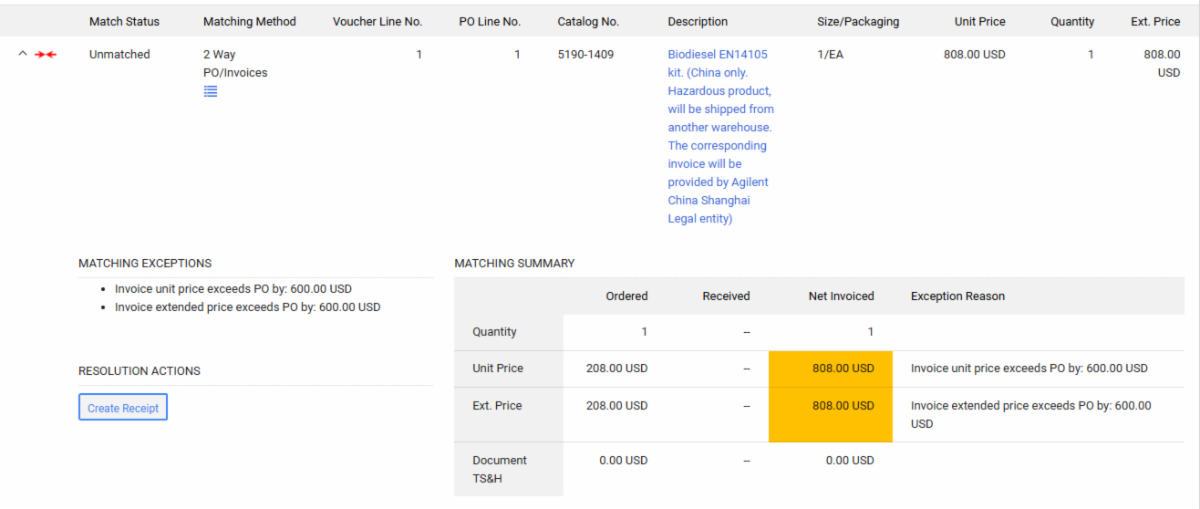
Voucher enters Match Exception

voucher enters match exception

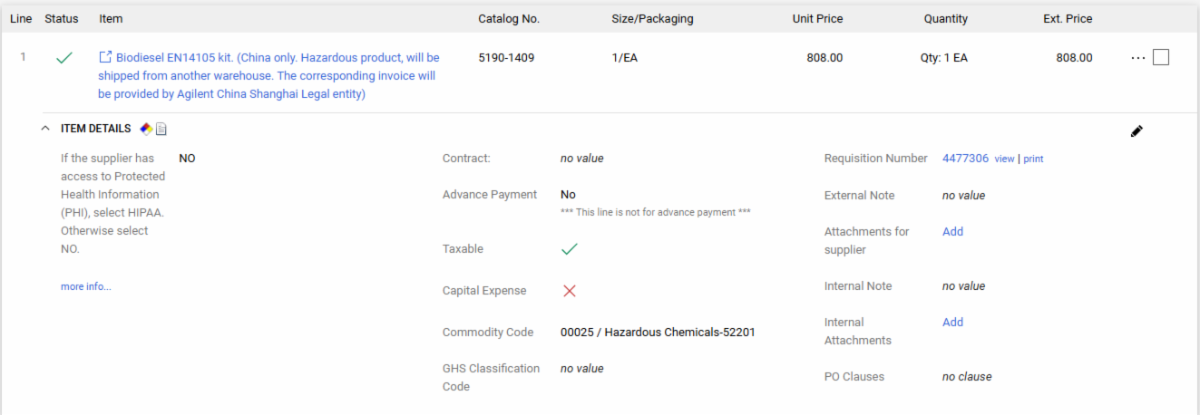
Change order increases the PO total

Change order increases the PO total

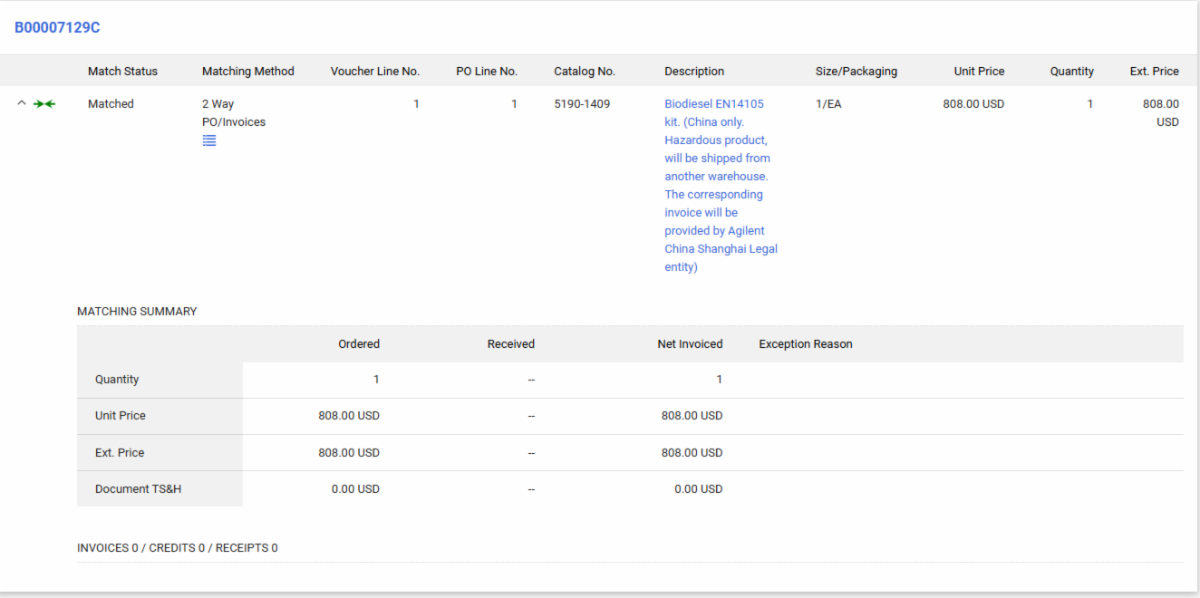
Voucher is matched and automatically approved

Voucher is matched and automatically approved

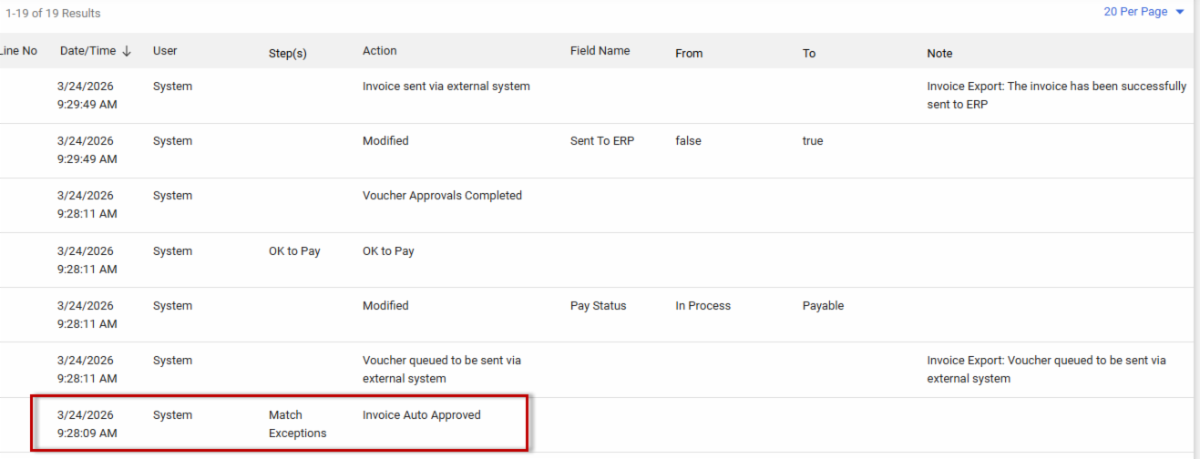
The voucher's History tab will reflect: "Match Exceptions — Invoiced Auto Approved."

The voucher’s History tab will reflect: “Match Exceptions – Invoiced Auto Approved.”

Learn more about BearBuy Feature Updates, including changes to system functionality and user experience.


For BearBuy support, contact IT Service Desk at appsupport@ucsf.edu or (415) 514-4100 option 2 (8 a.m.–5 p.m.).

Need help? Contact the Supply Chain Management Response Team: