29th June #173

New for This week!

  • As a user of Microsoft technologies, you are receiving this publication to stay informed about critical topics such as Microsoft licensing, price increases, end-of-life dates, technical updates, security notices, and more.
    If you do not want
    to continue receiving TOP STORIES, click on the unsubscribe link at the bottom of the mail.
    
  • Another 3 New vendors encodian, aiyoda and actipro are added.
  • Microsoft EoL section updated for April 2027 - New update coming in July
  • DarkWeb Weekly Intelligence Report #173- No rest for the wicked, no good at all
  • Microsoft Promotions - now with it's own home page.
  • Win10 Support extended by 1 Year - but there is a catch.
  • Understanding M365E7 - and the 3 catches!
  • M365 update rolling out early - Most important is Defender P1 for Office E3
  • Power Platform Resources update - soon you will need a PhD to understand it.
  • 8 Gig is now OK for Win11 - Really? Maybe - with a whole lot of "but's".
  • Bluekit phishing kit - Browser in the middle and really slick at it
  • Device code Phishing is surging - You really need users to be trained to be careful
  • Now you can block CoPilot from selected files - The Payroll spreadsheet is safe.
  • OpenAI delays GPT5.6 - same problem as Mythos - we need a careful rethink

Microsoft Modernisation strategy has been updated. This addresses key EoL dates, price increases and updates up to 1 April 2027

We scan the DarkWeb continuously for Hacker signals and Ransomware attacks.

Click above for the report from our live dashboard that we will publish weekly (but actually updated continuously).
This is part of the DarkWeb monitoring services included with many of BUI's managed services offerings. This report is live, and this is a "snapshot" of the top 10 events as of Sunday Afternoon.

Click button above for last weeks news.

encodian, aiyoda and actipro have been added for this week.
See below for Linkedin

Try out our AI to see whats been added since launch.

Get all the releases for the next 4 weeks in South Africa.
June is a big month.
Toy Story 5 is screening, Minions&Monsters and Moana Live action coming up.

Next very big blockbuster is "The Odyssey"

Register with the link above and get access to the entire TOP STORIES Archive with an AI to help you find what you want. You can also find all the vendors added to FirstMarketPlace and get a whole lot of detail about them!

It's in Beta so it could make mistakes.

Microsoft New Promotions

There are going to be MANY promotions coming, so these have been moved to their own home page.

Microsoft News This Week

gHacks-articles-2026-06-26T122216 image

Windows 10 Support extended another year for consumers


Microsoft has quietly (well, not so quietly anymore) extended the free Windows 10 Extended Security Updates (ESU) programme for consumers by another year.


No press release, no fanfare..... it simply turned up as an edit to a support page.

The consumer cutoff moves from October 2026 to October 2027, and anyone already enrolled rolls over automatically with nothing to do.


Free enrolment is unchanged: sync your settings to a Microsoft account via Windows Backup, redeem 1,000 Microsoft Rewards points, or pay a one off $30 that covers up to 10 devices.


Now for the part that matters to you.

Microsoft is very clear that the Consumer ESU programme cannot be used in commercial scenarios. 
Devices joined to Active Directory, Microsoft Entra, or managed through MDM do not qualify. So if your Windows 10 device is part of the corporate estate, this does not save you.


For business, the message is unchanged: keep your Windows 11 migration plans moving, check your unsupported hardware, and make sure any remaining Windows 10 devices are covered through the proper commercial ESU route if they cannot be replaced in time.


Nice for home users. Not a corporate get-out-of-jail-free card.


Please contact your First Technology Group account manager to connect you with our Microsoft specialists to plan your Windows 10 to 11 migration properly..... because nothing has actually changed.

realm365E7costs image

Understanding M365 E7 the 3 risks


Don't let the headline make you stop reading - even if you have F3 this story applies equally to you!

Directions on Microsoft is warning that the new Microsoft 365 E7 price of $99 per user per month is really only the starting line.

The three big risks are that more users will need it as AI spreads through the business, usage-based charges like Work IQ, Cowork and Copilot Studio credits can stack on top, and Microsoft’s AI licensing rules are changing fast enough to make any three-year commitment feel a little brave.


In short: negotiate the whole E7 cost, not just the seat price... otherwise that $99 “deal” may grow a very Microsoft-shaped tail.


Please contact your First Technology Group account manager to connect you with our licensing, Azure, FinOps, security, AI and even Directions on Microsoft Analysts before that fish grows a very large tail!

M365 Updates for July


Microsoft announced these changes back in December, though the dates are a little all over the place, just to keep licensing specialists gainfully employed. 
The update adds more Copilot Chat capability, extra mailbox storage for certain Microsoft 365 Business plans, and additional Intune functionality for selected licences.

More importantly for E3 customers, Microsoft Defender for Office 365 Plan 1 is now being added to Office 365 E3 and Microsoft 365 E3, and Microsoft has confirmed that the rollout has started.


Please contact your First Technology Group Account Manager to connect you with our CoPilot, Dynamics, Power Platform and licensing specialists to understand which billing option makes sense before your clever new agent becomes very clever at consuming budget!

Power Platform Licensing Resources updated June


Microsoft has given the Power Platform Licensing Guide a light but useful polish.

DLP policies now get their own mention, helping stop company data from wandering off.

The Terminology appendix also gets a fresh dose of Agent-speak, while the Licensing Deck remains unchanged.


Please contact your First Technology Group account manager to connect you with our Power Platform Specialists to help address implementing DLP policies which are critical before your AI deployments run away from you (which you don't want either).

Windows-11-32GB-RAM image

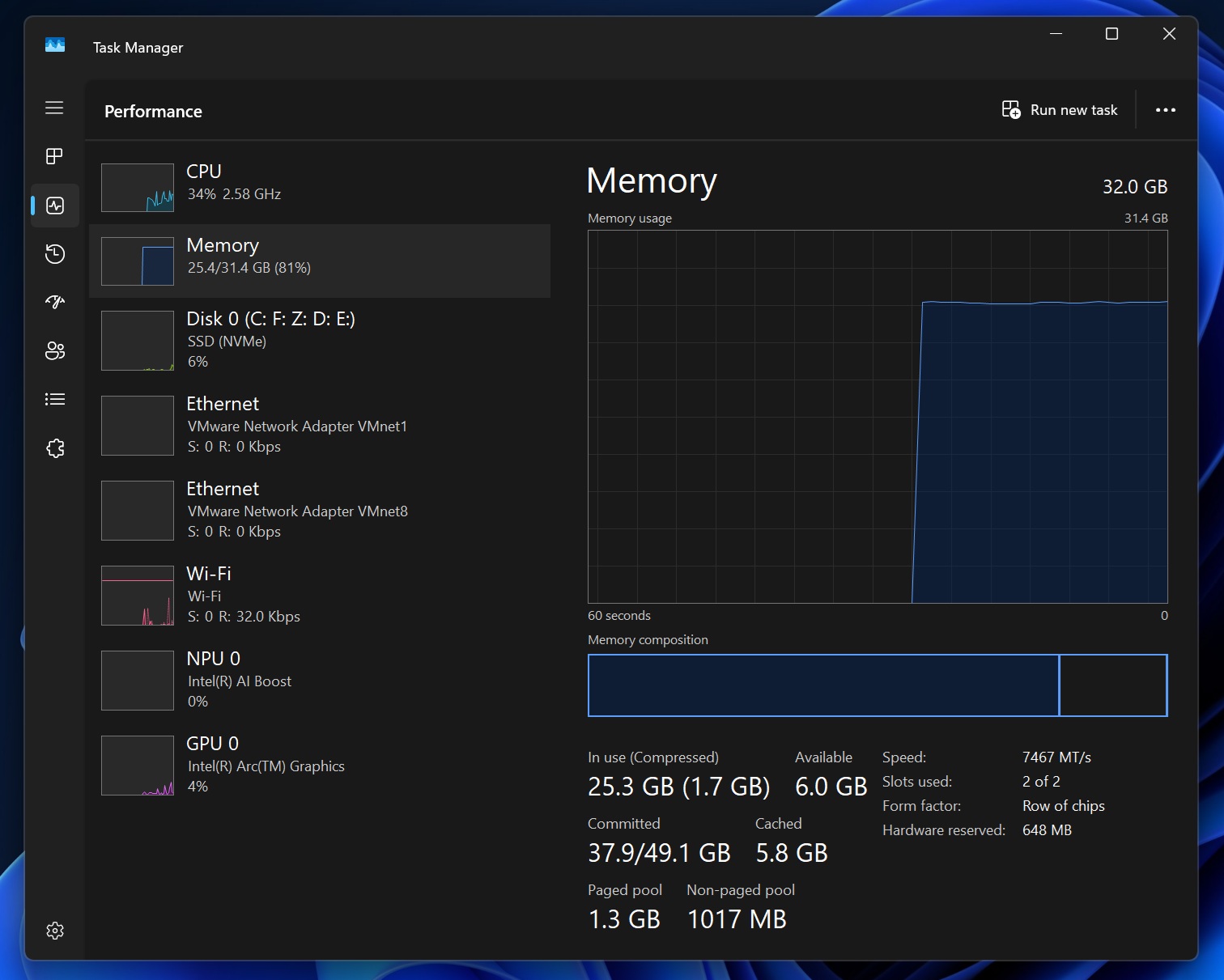
8Gig is OK... until you actually start working


Microsoft has now updated its Surface guidance to say that devices with 8GB RAM are designed for “everyday tasks” such as browsing, streaming, schoolwork and productivity apps, while 16GB or more provides the headroom for multitasking, demanding applications and Copilot+ PC experiences.


Microsoft’s own footnote also makes it clear that Copilot+ PC features are only available on selected configurations with 16GB+ RAM.


The Windows Latest publication is not impressed by this mixed messaging, pointing out that Microsoft has spent years pushing 16GB as the sensible baseline, only to now tell buyers that 8GB is fine again.

And to be fair, 8GB CAN be OK. If you are running a browser, maybe Word, streaming something, and generally doing one thing at a time, it will probably work. 
In the same way, a "Smart car" can technically be used to move house.... it's possible but extremely painful!


Corporate machines are different.


A real corporate notebook does not wake up gently. 
It wakes up with Defender EDR, inventory collection, VPN, DLP, Teams, Outlook, Edge with too many tabs, Adobe Acrobat, printer agents, management agents, and a few mystery utilities that have survived three hardware refreshes because nobody is brave enough to remove them.
Add a few corporate portals and suddenly 16GB starts looking less like “plenty” and more like “let’s hope today is quiet”.
As I'm writing this, I have 4 browser tabs open, and it is using 7.5GB with efficiency mode enabled!


This is not a new TOP STORIES warning. 
Back in TOP STORIES #46, when Microsoft was already talking about a 16GB RAM minimum and 40 TOPS for AI PCs, the recommendation was already that 32GB RAM should be regarded as the practical corporate minimum. 
TOP STORIES #111 was even blunter: 16Gig is NOT enough! 

The recommendation was to plan for 32GB RAM and 1TB SSD for machines expected to last in the business.


The nuance now is important. Microsoft is clearly under pressure to make Windows leaner, and that is a good thing. 
A "properly engineered" Windows 11 deployment image, stripped of unnecessary services, duplicate agents, OEM trialware, background clutter and pointless startup apps, may allow 16GB to work for some corporate users. 
But this phrase is doing a lot of work: "properly engineered".


TOP STORIES #145 already set out the survival plan: remove OEM trialware, keep startup apps under control, stop unnecessary background apps, make browser tabs sleep aggressively, and standardise a lean corporate image with reduced agent duplication where policy allows.
That is not just housekeeping anymore. It is becoming a procurement defence strategy.


The problem is that the RAM crisis is not fading away. TechRadar reports that Lenovo sees a “new normal” for higher memory pricing through to 2030 and beyond, while Microsoft expects memory costs to double again in just over a year.

Microsoft’s own Xbox update says storage and memory prices have already increased by more than 2.5x, with another doubling expected by autumn 2027.


So, waiting for RAM prices to “go back to normal” is not a strategy. It is a wish.


So, do not only argue about whether the next RFQ should say 16GB or 32GB. 
First, evaluate the actual corporate application stack.


  • Measure what is running.
  • Remove duplication.
  • Challenge every background agent.
  • Review browser behaviour.
  • Clean the image.
  • Standardise the build.
  • Keep drivers, firmware and Windows versions current.


Then decide which users can safely survive on 16GB, and which users still need 32GB because they actually NEED 32Gig to do work!.


Please contact your First Technology Group account manager to connect you with our specialist engineers who can help assess your endpoint estate, rationalise your corporate software stack, optimise your Windows image, and build a practical hardware roadmap.

In 2026, performance will not only come from buying more RAM — because you may not be able to afford enough of it. It will come from buying cleverly, building properly, and maintaining the image like it actually matters.
Because now it really does!

Security

phishing image

Bluekit phishing kit adopts browser-in-the-middle for login theft.


Phishing kits are no longer just badly spelt emails from a “bank” that has forgotten how English works.


The BlueKit phishing-as-a-service platform has now adopted a Browser-in-the-Middle technique, in which the victim is shown a real login page, but the login occurs inside an attacker-controlled browser

.

Netcraft says around 70 BlueKit hostnames were detected in just one week, so this is not a lab curiosity anymore.


It is active, scaled and getting clever.


The nasty part is that the user thinks they are logging into Microsoft, Google, GitHub or another legitimate service, but their keystrokes and clicks are being relayed to the attacker’s browser.

Once the login completes, the attacker gets the live session. This means the conversation is no longer just about “did they steal your password?”, but “did they steal your logged-in session?” That is a much bigger problem.


BlueKit is also using tricks to avoid scanners and security researchers, including fake CAPTCHA screens, browser fingerprinting, WebRTC checks, obfuscated JavaScript and randomised page changes to make automated detection harder.

The one small clue users may notice is a strange lag, delays when typing, clicking or interacting with the login page.

Of course, expecting a user to spot milliseconds of delay while they are trying to get into a system before their next meeting is not exactly a security strategy!


The lesson is the same one we keep coming back to: the human being remains the softest target. 
We can deploy MFA, conditional access, endpoint security, mail filtering and all the clever tools we like, and we absolutely should, but attackers are designing these scams to look normal to a busy person on a busy day.

That is why CyberSecurity training cannot be a once a year tick box exercise. 
Users need regular, current training that explains the latest attack methods, because the bad guys are updating their playbook all the time.

Please contact your First Technology account manager to connect you with our Cyber Security training partners to arrange for the latest training that will help your users from falling for the attacks too easily!

fig01_devicecodeflowphishdiagram image

Device Code Phishing is Surging


Following on from the Bluekit phishing kit story, LevelBlue is warning that device-code phishing is now surging. The nasty part?

Attackers do not need to steal your password.

They trick you into entering a Microsoft device code on the real Microsoft login page and approving MFA, which then hands them Microsoft 365 access and refresh tokens. Kits like EvilTokens, Kali365, Ghost Hub, Cyb3r and Tycoon2FA are already using this, making it another phishing-as-a-service problem.


Rule of thumb: if you did not start the device-code login yourself, do not approve it. Also, review Conditional Access controls for device-code flow.

Please contact your First Technology Group account manager to connect you with our security specialists to ensure that Conditional Access is securely implemented and, based on that, arrange for training of your users to be aware of phishing attempts that do not adhere to the MFA process you have implemented.

Microsoft Allows Companies to Block CoPilot from selected files


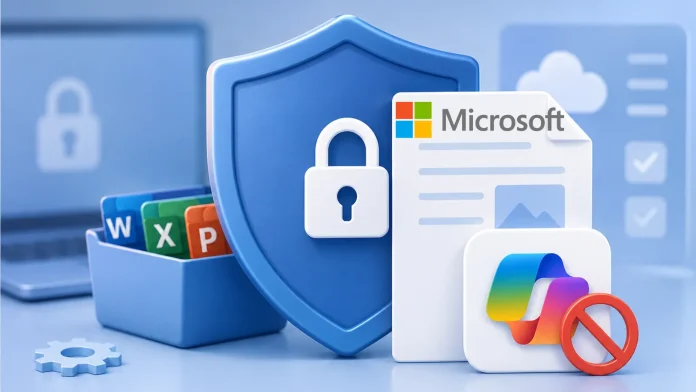
Microsoft is adding a new Purview sensitivity label control that allows organisations to stop CoPilot, and other connected Office experiences, from analysing the contents of Word, Excel and PowerPoint files.


This is not Microsoft slowing down AI. It is Microsoft tightening the corporate AI control plane.
According to the article, files carrying the configured sensitivity label will no longer be sent to Microsoft-connected services for content analysis, and existing labels using the setting will automatically inherit the expanded blocking behaviour as the rollout completes.


This is an important reminder that AI security is not just about the AI model. The real issue is what the AI is allowed to see, who gave it permission to see it, and whether the organisation even knows where the sensitive data is hiding.


The article highlights the obvious examples - legal data, financial reports and intellectual property - but the bigger problem is the ordinary corporate reality of badly labelled documents, over-shared SharePoint folders, legacy Teams sites, and Excel files called “Final-final-really-final-updated-v9.xlsx”. Yes, that one.


This ties directly back to the TOP STORIES theme we have already covered.

In TOP STORIES #170, Microsoft was described as building the default control plane for enterprise AI, with identity, governance, security and compliance sitting underneath the AI layer.


TOP STORIES #172 pushed the point even harder: Agent 365 is not just a licence, it is governance and control.
E7 is not just a bundle, it changes the commercial baseline, and licensing, Azure, CoPilot, Fabric, Foundry, support and security are not separate conversations.


This is also why the Directions on Microsoft warnings we have summarised before matter.

Microsoft is not simply selling an AI button inside Office. It is steadily turning AI into a governed, licensed, secured and measured enterprise platform.

Customers may start the journey by asking for “just CoPilot”, but the pull is towards the higher suites.

For many companies, buying into Microsoft 365 E7 will become less of an optional upgrade and more of an inevitability, especially once agents are allowed to do real work, access systems, use company data and act on behalf of users.


TOP STORIES #171 already warned that customers should engage Microsoft licensing, security and CoPilot specialists to work out what they already have, what they actually need, and where Agent 365 or Microsoft 365 E7 may make sense.


The practical message for customers is simple: do not wait until CoPilot and agents are fully deployed before discovering that the data estate is a mess.

AI does not need to “hack” your data if it has already been given permission to read it.


Reach out to your First Technology Group account manager to connect you with our Microsoft, security, licensing and data governance specialists to help start securing, categorising and labelling corporate data now.

First, secure the data estate. Then unleash the AI. In that order, please!

Cloud & AI

OpenAI Delays GPT 5.6 like with Mythos


OpenAI has delayed the wider release of GPT‑5.6 after a request from the US administration to start with a limited preview for a small group of trusted partners. OpenAI says the new GPT‑5.6 family, including Sol, Terra and Luna, has stronger cyber capabilities and its most robust safety stack to date, but it also confirms that the first rollout is being restricted while it works with government and selected partners.


That is the really important part of this story.


The issue is not simply that a new AI model is late. The issue is that these frontier models are now becoming powerful enough to worry governments. The concern is that, in the wrong hands, they could accelerate vulnerability discovery, cyber operations, biological research, or other sensitive workflows that were previously limited to highly skilled teams.


Anthropic has already shown how serious this can become. Its Fable 5 and Mythos 5 models were abruptly disabled for all customers after a US government export-control directive, even though Anthropic argued that the issue was narrow and that applying this standard across the industry could halt frontier model deployment altogether.


That creates a very uncomfortable question for businesses.....


What happens if you build a critical process, security workflow, research platform, customer service process, or internal productivity system around an AI service, and then the provider is told to restrict it, delay it, or switch it off?


This is where sovereign AI starts to look a lot more like basic business continuity planning.


Not every organisation needs the most powerful, almost AGI model in the world! 
In many cases, a fit-for-purpose AI that is trained, hosted, governed and secured for a specific business, industry, country, or regulatory environment may be far more sensible. 
It does not need to break every benchmark on the internet. It needs to answer the right questions, protect the right data, support the right users, and stay available when the business needs it and use only the amount of GPU and RAM (remember that stuff is getting EXPENSIVE) necessary for the job!


Of course, other ways are being developed to deliver Mythos-like capabilities from China, which you can read about below, reminding us that the race for smarter AI's continues to accelerate, and "brute force" is not the only way - something we should think about for Sovereign AI implementations.


The race for “the most powerful AI” is not going away, but this story is a reminder that the more powerful these models become, the more likely governments are to treat them like strategic assets.

For customers, that means AI strategy cannot only be about capability.
It must also be about control, jurisdiction, resilience, and whether the service you are betting on can suddenly become someone else’s national security problem.

That datacenter you have turned into a storeroom might just need to become a datacenter again!

Please contact your First Technology Group account manager to connect you with our AI and Server specialists to start working with you to establish your Sovereign AI requirements could actually be like - and maybe you do not need AGI level capability!