|
It's Digital Citizenship Week!
Kids today may seem like experts at using technology, but the digital world requires all kinds of skills and habits that kids may not just pick up as they go. Just as we teach them life skills, we must also impart the principles of good digital citizenship.
| |
|
Talk with your child about what is safe to share online vs. what should be kept private and who is safe to interact with. Explain what to do if they feel unsafe. Be careful not to judge them – they’re more likely to be honest with you this way.
- Show them how to block and report unsafe people on their social media and video games.
- Help them with privacy settings.
- Keep/charge tech in common spaces (ex. living room).
- Know what apps they use.
| |
|
Just like you teach them to use kind words and to be friendly to people they meet in person, tell them the same rules apply online. Always be kind.
- Model what this looks like using real examples from your social media – how do you respectfully disagree with someone?
- How can you help someone who is being disrespected online?
- Explain which people you are comfortable with them talking to online and why.
- Teach respectful phrases to use in different situations.
| |
|
Help your child learn to tell the difference between fact and fiction (or embellished stories) online.
- Read the article before you share it, don’t share based on the headline alone.
- Check the author to determine if they are a credible source.
- Learn about deep fakes and how to identify them and avoid sharing them.
- Explain possible consequences that can come from sharing inaccurate information both with regard to social inaccuracies (gossip) and news.
| |
|
Digital Citizenship for the Win
Here's why teaching digital citizenship matters:
1. Safety First: Teach your children to protect their personal information and privacy online. Encourage them to use strong, unique passwords and to be cautious about sharing personal details.
2. Respect and Kindness: Promote respectful communication online. Teach your children about the impact of their words and actions on others, and the importance of being kind, empathetic, and inclusive in their online interactions.
3. Critical Thinking: Help your children develop critical thinking skills to assess the credibility and accuracy of online information. Encourage them to question, fact-check, and seek diverse perspectives.
4. Digital Footprint: Explain the concept of a digital footprint. Remind them that what they post online can have long-lasting consequences, affecting college admissions, job opportunities, and personal relationships.
5. Cyberbullying Awareness: Discuss cyberbullying and its consequences. Encourage your children to report any online harassment they witness or experience and to stand up against it.
6. Balance and Screen Time: Set reasonable limits on screen time and encourage a healthy balance between online and offline activities. Promote face-to-face interactions and physical activities.
7. Lead by Example: Children learn by observing. Model responsible digital behavior by practicing what you preach. Show them how to engage positively and respectfully online.
8. Open Communication: Create an environment where your children feel comfortable discussing their online experiences and concerns with you. Be nonjudgmental and supportive.
9. Keep Learning Together: Stay informed about the latest digital trends, apps, and platforms. Explore the digital world together, and learn alongside your children.
10. Encourage Creativity and Positive Use: Encourage your children to use technology for creative and educational purposes. Help them find positive online communities and outlets for their interests.
In our connected world, digital citizenship is an essential life skill. By instilling these values and practices in our children, we empower them to navigate the digital landscape responsibly, ethically, and confidently.
| |
Think Before You Post
What you do online, what you post, and what others post about you reflect who you are as a person. It may seem like a funny thing to post now, but inappropriate content and photos remain online long after the moment has passed. Once content hits the Internet, it's not as simple as just hitting the delete button. Copies may have been printed or shared, and browser settings or server backups can make content available long after it has been deleted locally.
- Limit the personal information that you make available to others. For example, your social media profile should not contain your full name, date of birth, or reflect your relationship with others. Protect yourself further by not using location check-ins and limiting location-specific information.
- Don’t say anything online that you wouldn’t say in real life.
- Don’t post anything that would be hurtful to someone. Remember to treat others the way you would want to be treated.
- Don’t post pictures or videos that may be embarrassing for yourself or others.
- Carefully consider whether to post your personal information or photos, because they affect your reputation in public.
- Remember that anything you post online has a chance of staying online forever. Take control of your privacy.
If you're unsure whether the content is appropriate or not, don't post it.
| |
Privacy Settings for Social Media Apps
Protect yourself on social media by adjusting your privacy settings. Sit with your children and show them how to adjust their privacy settings, too. Being informed is one of the best safeguards we can establish for our children. Teach them how.
- Turn off location sharing on your social media apps.
- Set your audience for social media posts to “friends only.”
- Many apps will ask for permission to access and/or share your data - you should restrict third-party app access to keep your data secure. - ex. Third-party apps may request access to your social media account, phone camera, or contacts list to allow you to share photos between apps or connect you to more “people you may know.” Check with an adult before allowing such access.
- Do not fill out online quizzes and questionnaires about your personal information.
| |
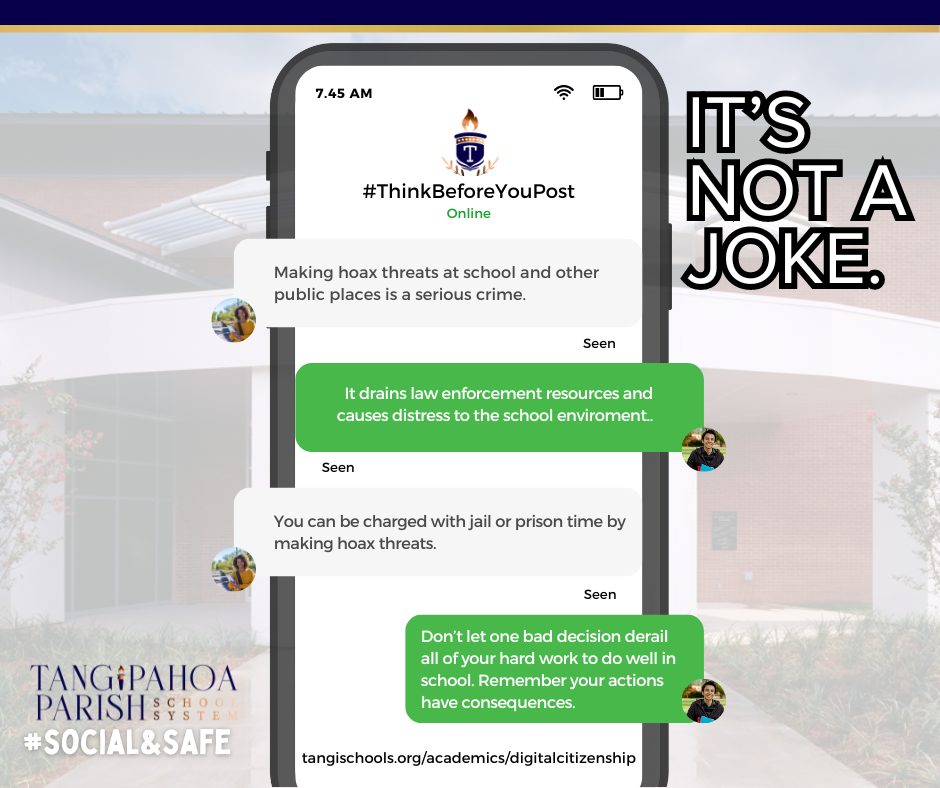
Hoax Threats Are No Joke
Remember, if you see something, say something.
Hoax threats are not a joke, so think before you post.
| |
|
Parental warnings against hoax threats are essential to ensure the safety and well-being of children and to teach them responsible online behavior. Hoax threats can cause panic, disrupt communities, and have legal consequences. By fostering open communication and providing education, parents can help their children make safe and responsible choices online.
Read More About Hoax Threats
| |
Report, Don't Repost
If you see a threat which has been posted online, report it before the post begins to spread.
Students, school staff, family, and other members of the community are critical partners in the process of addressing threats against schools. Whether a threat is reported directly to a teacher, school staff, law enforcement, or via our tip line, bringing a threat to someone's attention is the first step towards addressing it quickly and effectively.
Stopping the spread of a threat both aids investigation and limits the potential impact of the threat.
Proper Procedures for Reporting Threats on Social Media
SUBMIT A TIP TO CRIMESTOPPERS
| | |
|
|
Parent and Caregiver Responsibilities
Make sure your child understands policies and expectations. Share values with your children by having open discussions with them about what is, and is not, acceptable online behavior.
| |
Be Internet Smart
Make your online browsing experience a safer one by being aware of some of these internet safety tips. It's important to go online with caution. Slow down and check your settings before you dive into the web.
| |
|
Use Wifi you Can Trust
- Personal wifi at home
- Public schools and libraries
- Look for HTTPS or the lock symbol before the web address. This let's you know it is a secure site to visit.
| |
|
Keep it Locked
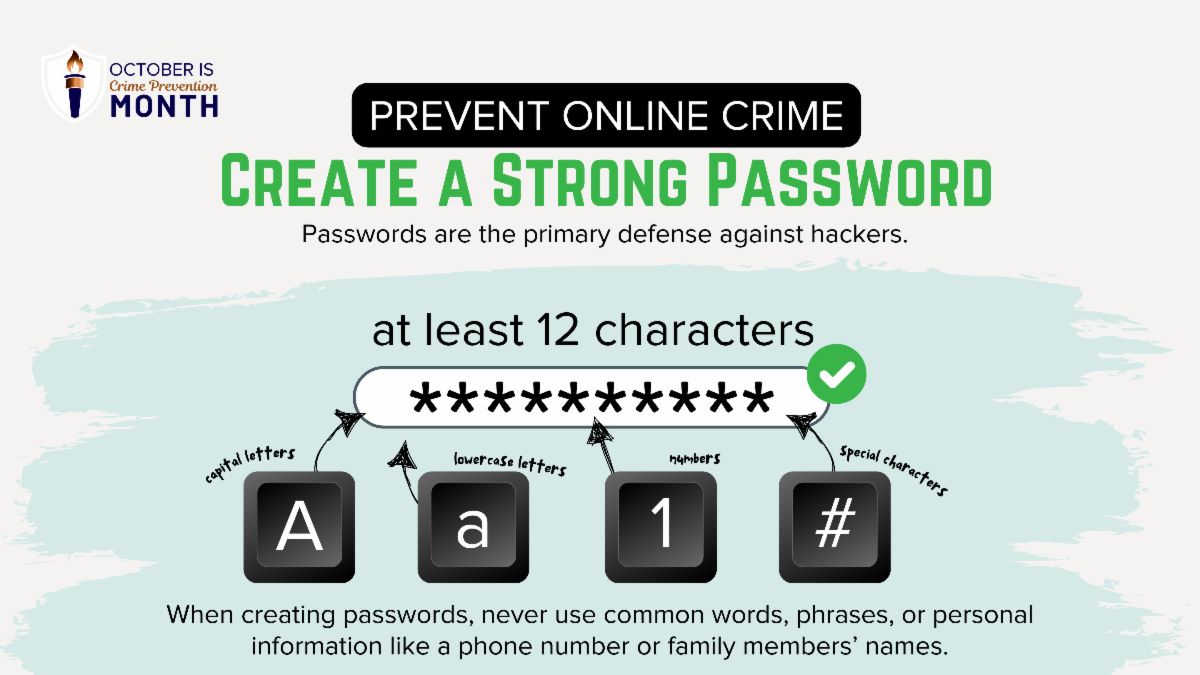
Having a strong password will help fight against your personal information being stolen. Do not let your accounts be compromised! Create a password that is long, includes a mixture of capital, lowercase letters and numbers, and has special characters.
| |
October is Crime Prevention Month
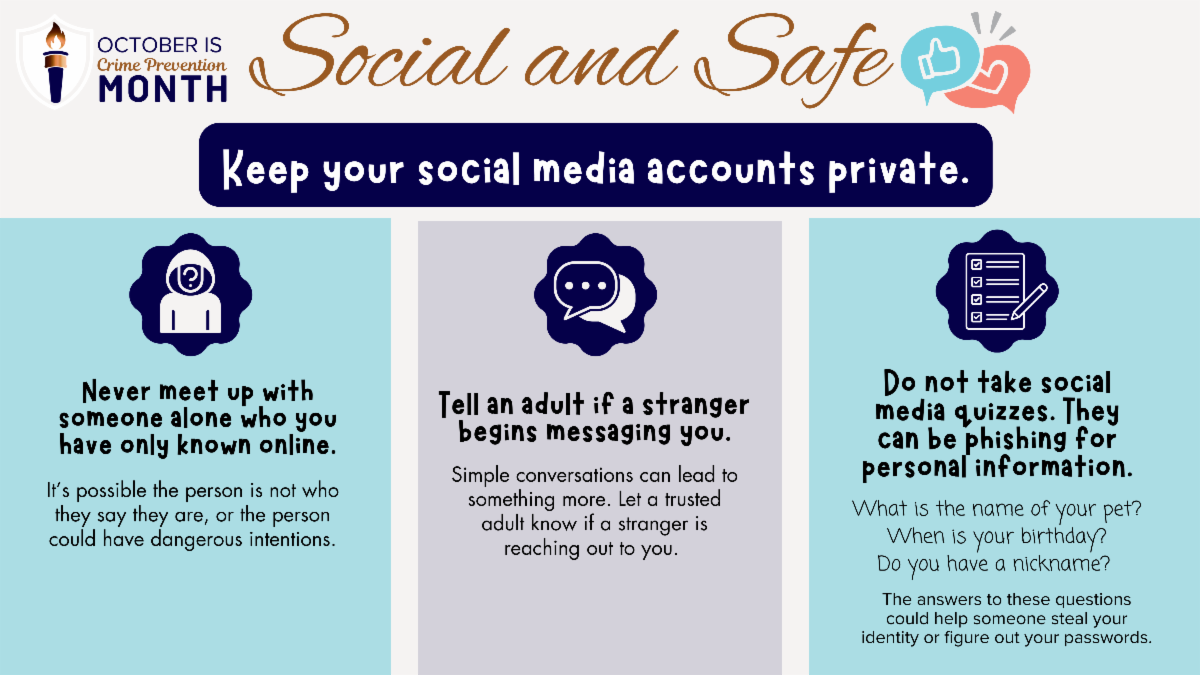
There are ways that we all can help prevent online crime. Keep your personal information safe, do not meet up with strangers you meet online, be careful when downloading files, verify what you read to make sure it is reliable, and reach out for help if you ever feel worried or uncomfortable.
| |
|
P3 - TAP THE APP
The P3 platform enables the public to share information anonymously with Crime Stoppers programs, law enforcement entities, schools, and large corporations around the world. If you have crime or safety-related information that may be deemed useful in your community, submit a tip via the P3 web page – or download the P3 Tips App for iPhone or android devices.
| |
|
Speak to Crime Stoppers to make a report:
1 877 668 2421
Submit a tip online:
SUBMIT A TIP
| | |
|
Kids and Tech: How Much Is Too Much?
Explore ways to establish healthy screen habits and help your children manage their entertainment and tech time.
| |
|
Setting screen time guidelines can help ensure that children have a healthy and balanced relationship with digital devices and technology. Keep in mind that these guidelines are general recommendations, and it's essential to adapt them to your child's age, developmental stage, and individual needs. Here are some screen time recommendations for parents:
1. Set Screen Time Limits:
Follow the American Academy of Pediatrics (AAP) guidelines, which recommend:
- For children under 18 months: Avoid the use of screen media other than video chatting.
- For children aged 18 to 24 months: Choose high-quality programming/apps and watch with them to help them understand what they're seeing.
- For children aged 2 to 5 years: Limit screen time to one hour per day of high-quality programming, and co-view with them to help them understand content.
- For children aged 6 years and older: Establish consistent limits on screen time, taking into consideration the child's developmental stage, schoolwork, and other activities.
2. Create Screen-Free Zones and Times
- Designate specific areas of the house (e.g., bedrooms and dining areas) as screen-free zones.
- Establish screen-free times, such as during family meals or at least an hour before bedtime.
3. Choose Quality Content
- Select age-appropriate and educational content for your child.
- Use trusted resources like Common Sense Media to review and choose appropriate movies, apps, and games.
4. Model Healthy Screen Use
- Children often learn by observing their parents. Demonstrate healthy screen use habits by setting an example for your child.
5. Engage in Co-Viewing and Co-Playing
- Watch TV shows, movies, or play video games together as a family. This can provide opportunities for discussion and learning.
- Be involved in your child's digital activities and show an interest in what they are doing online.
6. Encourage Offline Activities
- Promote physical activity, reading, hobbies, and outdoor play as alternatives to screen time.
- Provide a variety of non-screen activities to keep your child engaged and entertained.
7. Set Screen Time Rules and Consequences
- Establish clear rules about when and how screens can be used.
- Communicate consequences for breaking screen time rules and follow through with them consistently.
8. Use Parental Controls
- Use parental control features on devices and apps to restrict access to age-inappropriate content and to set time limits.
9. Monitor Online Safety
- Teach your child about online safety, privacy, and responsible digital behavior.
- Keep an eye on your child's online activities and communicate openly about any concerns or issues they may encounter.
10. Regularly Assess and Adjust
- As your child grows and their needs change, be willing to adapt your screen time rules and limits accordingly.
- Encourage open communication with your child about screen time and its impact on their well-being.
Remember that the key is to strike a balance between screen time and other activities to support your child's healthy development. Every child is unique, so tailor your approach to what works best for your family. Additionally, stay informed about current research and recommendations related to screen time to make well-informed decisions.
| |
How to help preteens and teens use their phones safely and responsibly.
Read Article
| |
Tips for managing screentime so your kids can get a good night's sleep.
Read Article
| |
What should I Teach My Child About Safe Online Behavior?
Read Article
| |
Family Tech Planners
Entertainment and tech have the potential to spark meaningful conversations. And tech planners are a great way for kids to have a shared understanding of how your family makes the most out of entertainment and tech time.
Make Screen Time Safe and Positive
Use these tech planners to help your kids think through important questions around tech use: What will I do? How much time will I spend? Am I making thoughtful choices?
| |
|
Strive to Be a Life-Long Learner
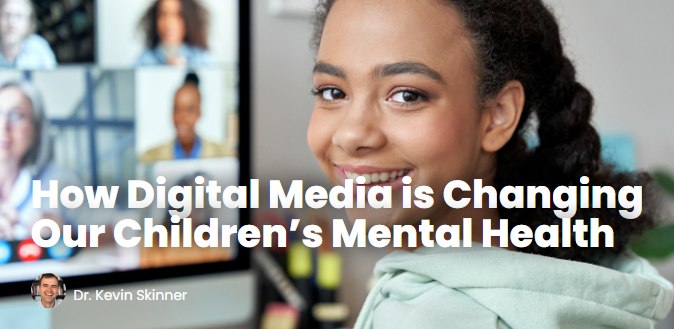
In this necessary and current class, Dr. Skinner shares research and gives practical and implementable advice to parents around technology and how it’s impacting our children’s mental healthDr. Skinner addresses
- What’s Driving the Rapid Acceleration of Anxiety and Depression in Teens?
- How to Talk with Your Child about Their Screen Time
- Four Strategies to Protect Our Children’s Mental Well-Being
| |
Unity Day
TPSS recognizes Unity Day on Wednesday, October 16, 2024.
We unite for kindness, acceptance, and inclusion to send a visible message that no child should ever experience bullying.
| |
Be Respectful. Be Compassionate. Be Great
| |
TANGIPAHOA PARISH SCHOOL SYSTEM
59656 PULESTON ROAD, AMITE, LA 70422
P: 985-748-7153
F: 985-748-8587
| |
| | | |