Computer technology made easy with SeniorNet!


Since 1999 SeniorNet, now FSL SeniorNet, a program of Family Service League, has provided a welcoming environment for teaching seniors, 50 and older, how to use technology. We invite beginners to advanced students to join us for hands-on instruction learning to use smartphones, tablets, laptops, desktop computers and more. Below are upcoming classes that you may find interest you, or, more importantly, need.

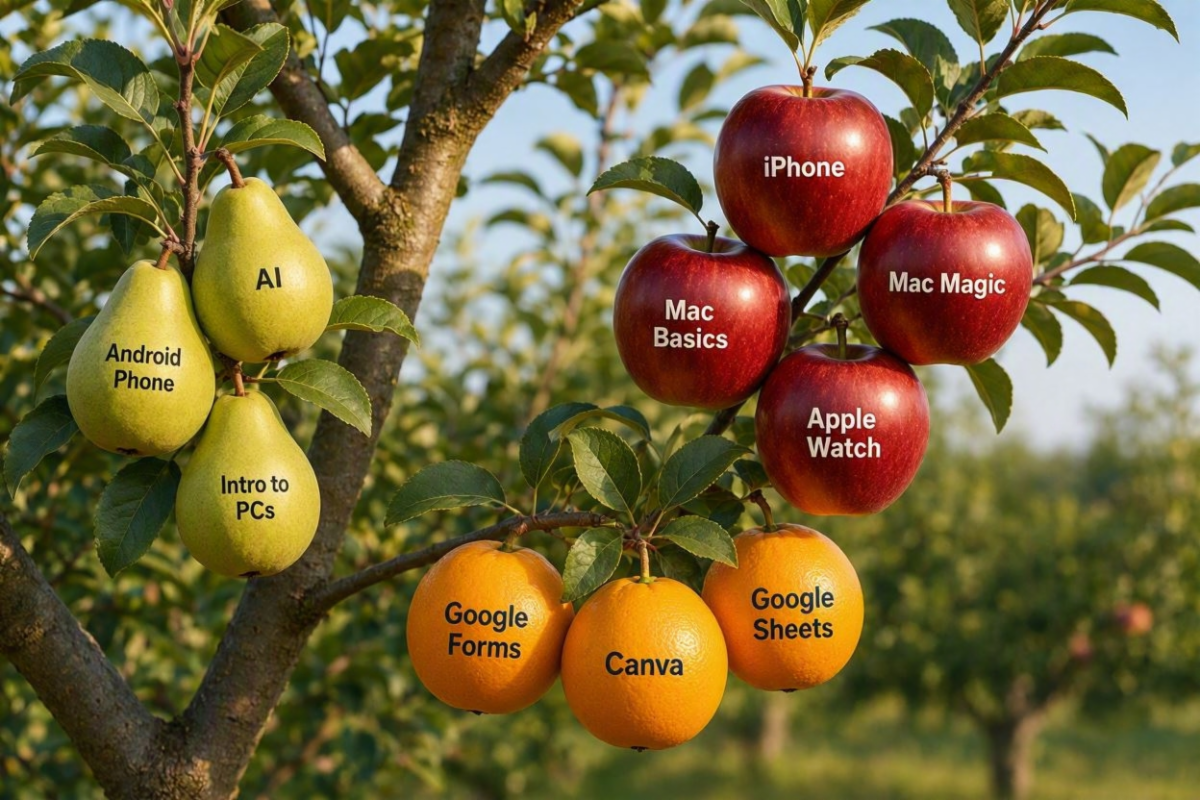
FALL HARVEST - PICK YOUR CLASS!

FALL SEMESTER

Fall Semester Overview

for Classes at


Huntington Lab

Bay Shore Annex

Blue Point Cottage

Yaphank Longwood


REGISTER NOW!


For your convenience, click here or the printer icon below to

print the Fall semester class schedule.


Visit our New Facebook page and follow!

(Our other Facebook page has been retired.)

SPOTLIGHT ON APPLE - REGISTER NOW!

REGISTRATION LINKS BELOW


HUNTINGTON:

iPhone: An Introduction starts Oct 14

Mac Magic: Intro to Apple Intelligence starts Oct 21 NEW CLASS

Apple Watch: What You Want to Know starts Oct 22

Mac Computer Basics starts Nov 5


BAY SHORE:

Apple Passwords App on Oct 21 NEW WORKSHOP


BLUE POINT:

Apple Passwords App on Oct 21 NEW WORKSHOP


HUNTINGTON LAB CLASSES

FSL SeniorNet at Family Service League, Olsten Family Center

790 Park Avenue, Huntington, NY 11743 1-631-470-6757

INTRODUCTORY CLASSES

  • PC Computing Basics 1 starts Oct 19
  • PC Computing Basics 2 starts Nov 30

THE COMPUTER

  • Mac Magic: Intro to Apple Intelligence starts Oct 21 NEW CLASS
  • Mac Computer Basics starts Nov 5

MOBILE DEVICES

  • iPhone: An Introduction starts Oct 14
  • Apple Watch: What You Want to Know starts Oct 22
  • Android Phone starts Oct 27
  • Passport Parking & MTA Train Time Apps on Nov 5 NEW WORKSHOP

MEDIA

  • Canva: An Introduction and More starts Nov 23

THE INTERNET

  • Artificial Intelligence: Hands On starts Oct 26
  • Google Forms starts Nov 18
  • Google Sheets: Basics starts Nov 24


Available for Tech Help

BAY SHORE ANNEX

FSL SeniorNet at Family Service League, South Shore Iovino Family Center

1444 Fifth Avenue, Bay Shore, NY 11706 1-631-647-3100

INTRODUCTORY CLASSES

  • Chromebook: Basics and More starts Oct 21

MOBILE DEVICES

  • Apple Passwords App on Oct 21 NEW WORKSHOP

THE INTERNET

  • Google Docs: Advanced starts Nov 2 NEW CLASS
  • Google Forms on Nov 16
  • Artificial Intelligence: Hands On son Nov 18


BLUE POINT COTTAGE

9 Montauk Highway, Blue Point, NY 11715

Call: 631-470-6757

INTRODUCTORY CLASSES

  • PC Computing Basics 2 starts Nov 4

APPS

  • Apple Passwords App on Oct 21 NEW WORKSHOP


Available for Tech Help

YAPHANK - LONGWOOD

210 Meadows Blvd. West, Yaphank, NY 11980

Call: 631-470-6757

INTRODUCTORY CLASSES

  • Google Docs: Beginners starts Nov 10

MEDIA

  • YouTube starts on Nov 24 NEW CLASS


Available for Tech Help

FREE WEBINARS

  • Android Phone: Getting Started - Oct 6 at 2 PM
  • Smartphone Photography - Oct 20 at 2 PM
  • Google: More than a Search Engine - Dec 2 at 2 PM
  • Researching Trusted Online Medical Information - Dec 03 at 2 PM

TECH TIP: RETAILERS THAT PAY FOR OLD ELECTRONICS


These trade-in programs offer cash or store credit for used devices.


Key takeaways

  • Seven major retailers offer trade-in programs that pay with cash, gift cards or store credit for eligible electronics.
  • Trade-in values, payment methods and processing times vary widely, making it worthwhile to compare offers.
  • Before trading in electronics, back up files and wipe personal data.


COSTCO

GAME STOP

AMAZON

BEST BUY

TARGET

STAPLES

SAM'S CLUB


Three steps to take before you trade in

  • Shop around.
  • Back up your files.
  • Wipe your data clean.


When a device isn't eligible for trade-in, don’t put lithium-ion batteries or devices containing them in household garbage or recycle bins. Instead, take it to an appropriate battery or electronics recycling location, the Environmental Protection Agency recommends.  


Thanx to AARP's Donna Fuscaldo - details here.


Facebook  Email  Web