|
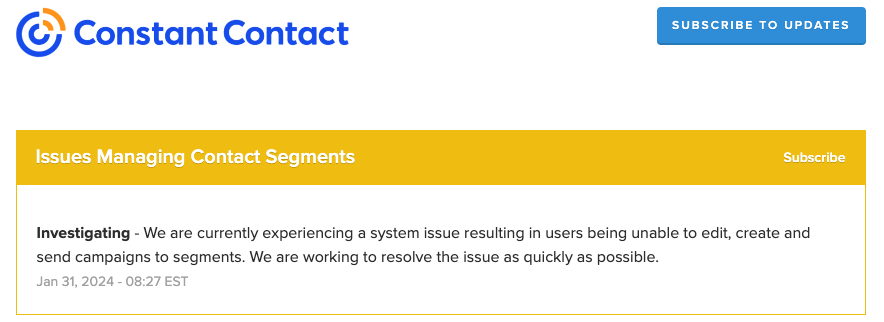
In case you've received this newsletter late (or have gotten multiple copies), it's due to technical issues over at Constant Contact, the company that handles my newsletter. I pride myself on making certain my newsletter hits your inbox first thing on the morning of the first day of every month, so it may not happen this time, no fault of mine. Sorry about that!
| |
Now Back To Our Originally Scheduled Programing! | |
|
Happy February!
It's still too cold and rainy out there, up in the upper right corner of the country! That said, this time around I point out an error that I often see - one that can lead to trouble! In addition, I talk more about some of the "scary" warnings users encounter in the course of daily computer use, along with some relevant tech news, is all part of the fun monthly newsletter that hits your inbox the first day of the month, no matter what day of the week (or holiday) it is - all with the goal of streamlining your tech life and making you more knowledgeable and productive.
Stay warm, and in 29 days, I'll do it all over again. Talk soon.
-CC
| |
I'm In The News - Check It Out! | |
Last fall, I was interviewed by Reader's Digest as an Apple Expert, to shed some light on some oft-asked questions that surround Macs and other Apple products. The article was published on its site on October 30th. RD.com has conducted another interview with me, publication date TBA. Meanwhile, check out the first piece here! | |
|
The Correct Way To Web Surf... | |
|
Is this something you do?
You want to go to one of your oft-visited websites, say Amazon, Facebook, or your bank. So, you launch your browser of choice (according to workawesome.com, and yours truly, it’s most likely Google), and in the search field in the middle of the page, you type in “Amazon.” Then the next page loads, and you click on the top link, and all is good, right?
Not really.
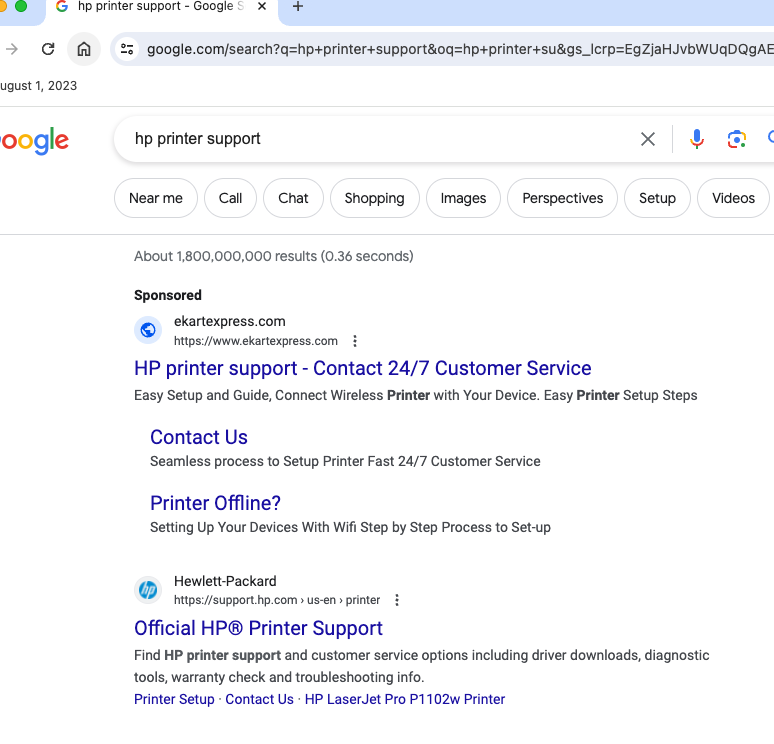
That’s the WRONG way to do that, for a couple of reasons. And the question that begs to be asked; what exactly ARE these reasons? Find out here!
| |
Look at the results from searching "HP Printer Support" - the first few are NOT HP, but other sites trying to make a buck off of unsuspecting users. | |
Today is the Tomorrow You Worried About Yesterday... | |
|
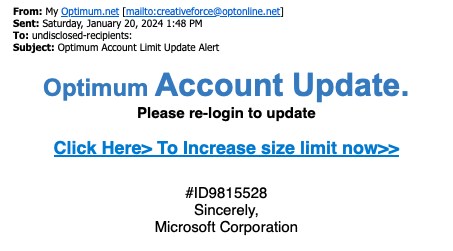
Take a look at the email on the right - what's wrong with it?
A lot, it turns out. Of course, it's a sc@m (using the real "s word" sometimes gets this newsletter blocked, something that would be terrible for both of us), but that's not the only thing.
What these types of emails (and quite often, websites that pop up and flash and sound the alarm) do is try to push an agenda of urgency - do it NOW. In other words, trying to get your emotions to make you click or call or whatever they're trying to get you to do.
Again - no company is going to call, email, or pop a web page up at you telling you that you have to perform some action NOW. Take your time - for example, look at the tells that this email is giving you:
- From: creativeforce@optonline.net - does that sound like an authentic email address?
- To: undisclosed-recipients - sounds like that email is going to many different users.
-
Optimum Account Update - note the different sized fonts in the graphic above.
- Click here> To Increase size limit now>> - again, rushing you to do something. (Also note the misuse of caps and the overuse of the "greater than symbol" a.k.a. "right angle bracket."
- Sincerely, Microsoft Corporation - the punch line of the entire email!
Moral of the story: Time is valuable. Don't feel rushed because some email wants you to act according to its timeline, not yours. Delete the mail. Don't click anything. Ask me if you're still unsure. Remember - if you think it's a sc@m, it probably is.
| |
|
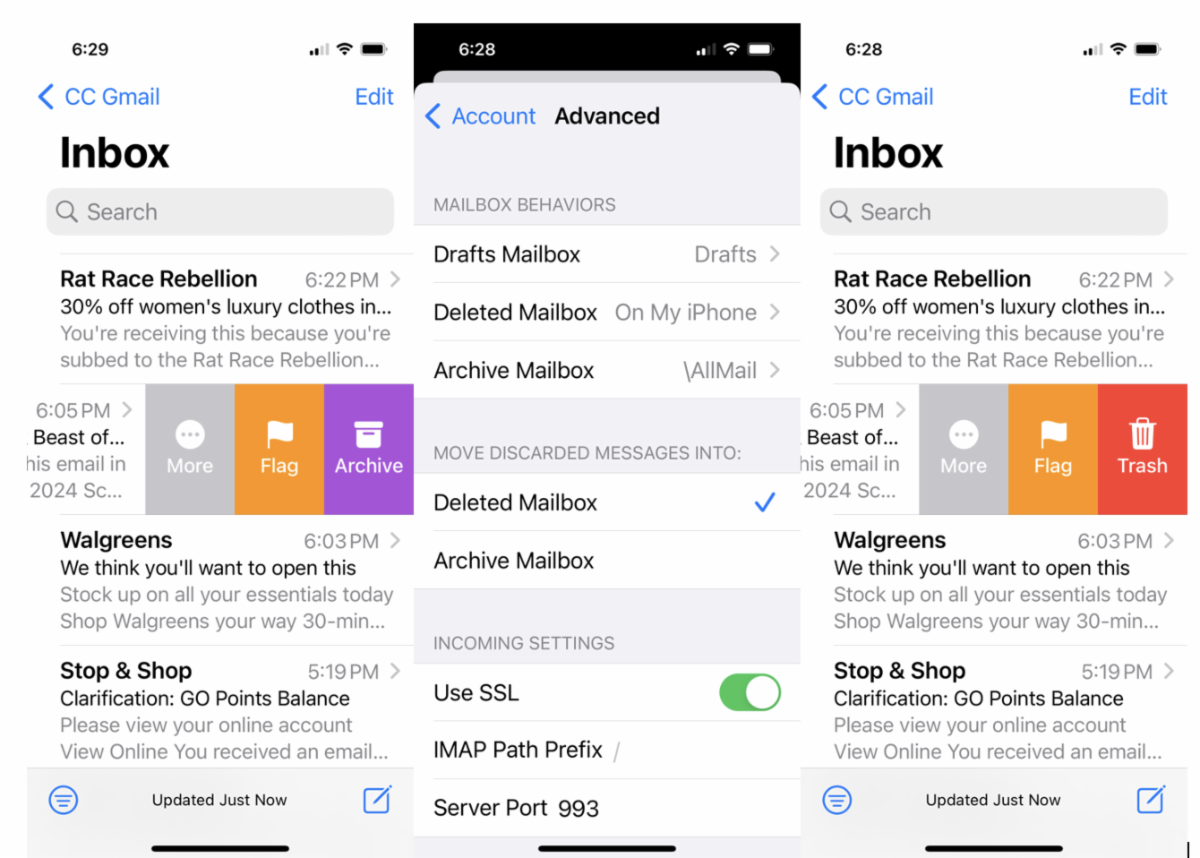
If you're using email on your iPhone or iPad (particularly Gmail), are you having trouble deleting email messages? Does swiping to the left only give you the option to "archive" the message, never delete? (Understand that moving to discarded messages to Archive Mailbox is the default setting for Google-hosted mail on your iOS devices.)
Quick fix: Go into SETTINGS, tap MAIL and ACCOUNTS. Tap on the account in question, and then on the name of the account, to the right of "account."
Then tap ADVANCED and select DELETED MAILBOX under "move discarded messages into:" to change their final resting place.
Now this won't empty your "Archive" mailbox, you're on your own for that one. You'll have to move those messages into your "Deleted" mailbox. And, of course, don't forget to expunge your deleted messages!
| |
Before; the correct settings; after. | |
|
Happenings in the Apple and tech world that could possibly impact you!
📲 If you haven't filed a claim against Apple for it's underhanded iPhone slowdown, you're late to the party, you'll get nothing. But - if you did file a claim to get a piece of the $310+ million before the deadline (which was way back in 2020), you should be receiving your $92 per phone. Read about it here in Forbes.
Also (assuming you're reading this on February 1), tomorrow is a big day in the Apple world; the release of the long-awaited Vision Pro headset, at least for readers in North America. Didn't order the $3499 mixed reality headset yet? Get it here! And I'm sure the Apple Stores nationwide will be a madhouse. I may just stop by to see the hoopla.
📲 Unless you're cash poor, don't bother with the trade-in of your iPhone to a major carrier who won't be identified, but is usually found "at the top of the list." It sounds simple in theory; you spread your payments over 36 months, but you receive a credit every month for your trade-in, which offsets most of the cost of the new iPhone. EVERY MONTH I have to call that company and get them to apply the credit, which they seem to conveniently leave off the bill every month. No worries, only nine more months of that! When I get my iPhone 16, I'll buy it outright. And most likely I'll be switching carriers.
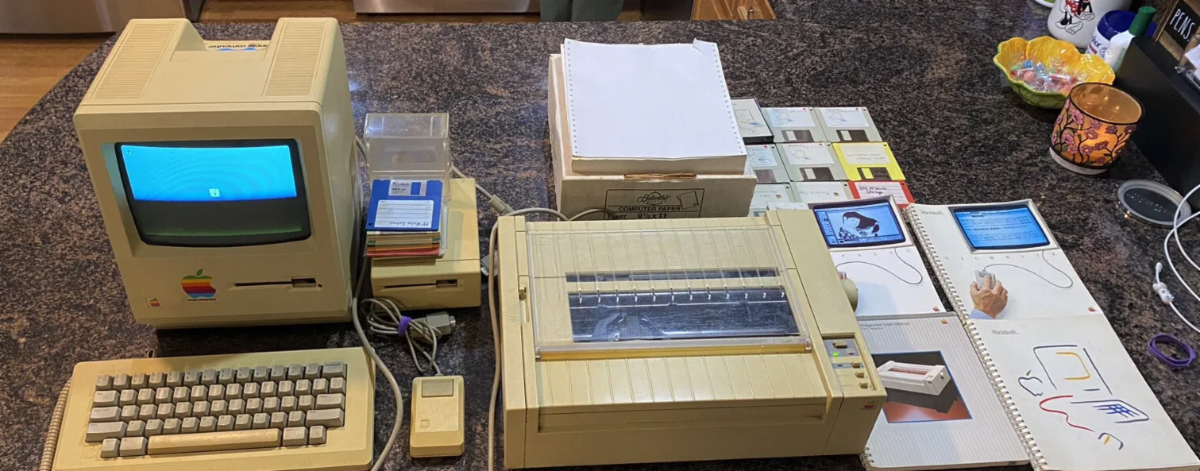
💸 A 1984 Mac cost $2495 - over $7000 in 2024 dollars!
| |
Forty years ago, this was a cutting edge office. The cost? Over $3000 in Orwellian 1984. The future was then! | |
What's On The Horizon For March... | |
|
My crystal ball tells me that BOOKMARKS are going to be featured in next month's newsletter! If there's anything else you want to read about here, let me know. You know how to reach me!
| |
Nine Helpful and (Hopefully) Fun Links for February 2024! | | |
|
Like what you're seeing here? Learning something new, or simply entertained? Then feel free to forward this newsletter to any of your friends, family members, or coworkers who will get some value out of it. Thank you! | |
|
Chris Capelle
Macintosh Computer &
Apple Products Expert
P.O. Box 7512
Wilton, CT 06897
203.451.1377 (cell/text)
| |
|
Don't forget to follow me on social media!
(Though I don't really use Twitter, err, X very much...)
| | | | |