|
The Digital Approach:
Organizing Music on Android/Windows Devices
by Todd Ruskell
| | |
This article is building on our series helping users who are transitioning to using tablets to read music. For example, you can reference Reading Music from a Tablet (July 2023); and most recently, our March 2026 ARS NOVA topic addresses software options available to you if you are a Windows and/or Android user - the archive of this will soon be available on our website. The following helpful hints come from ARS member Todd Ruskell to help you organize your music on your Android/Windows device.
Many of us are showing up to more and more chapter meetings, workshops, and rehearsals and seeing our colleagues reading music off of tablets. Deciding to use a tablet is only the first step - learning how to organize the music on your tablet is equally a skill worth the effort. The following paragraphs describe the choices I made when digitizing my music library, some of the things I learned along the way, and include some advice and opinions. It is what worked for me as an Android/Windows user, but it is not the only way to do things. In fact, I would argue that the only “right” way to digitize your music is to use a system that works for you.
| | |
Software Allows Organizing, Filing, Editing, and Searching
There are many possibilities for reading music on Android tablets, including:
- basic PDF readers,
- MuseScore,
- MusicReader,
- Orpheus,
- MobileSheets, and others.
I chose MobileSheets software to upload, store, organize, edit, and display my music. It is inexpensive (free trial, and $16 pay once–no subscription), and available on Android, iOS, and Windows. To import sheet music, I need a pdf, jpg, gif, or png file of the music. Most of the time I scan paper copies of music at home with my personal scanner/printer. But if I have several pages to do at once, I visit my public library. There I can scan for free then email the resulting pdf file to myself or copy it to a USB thumb drive; and the large copier/scanners are very fast. Once you have the files, you can import one or more files for each piece of music. You can also import one large pdf that includes music for several pieces. Modifying the files later is also possible.
| | |
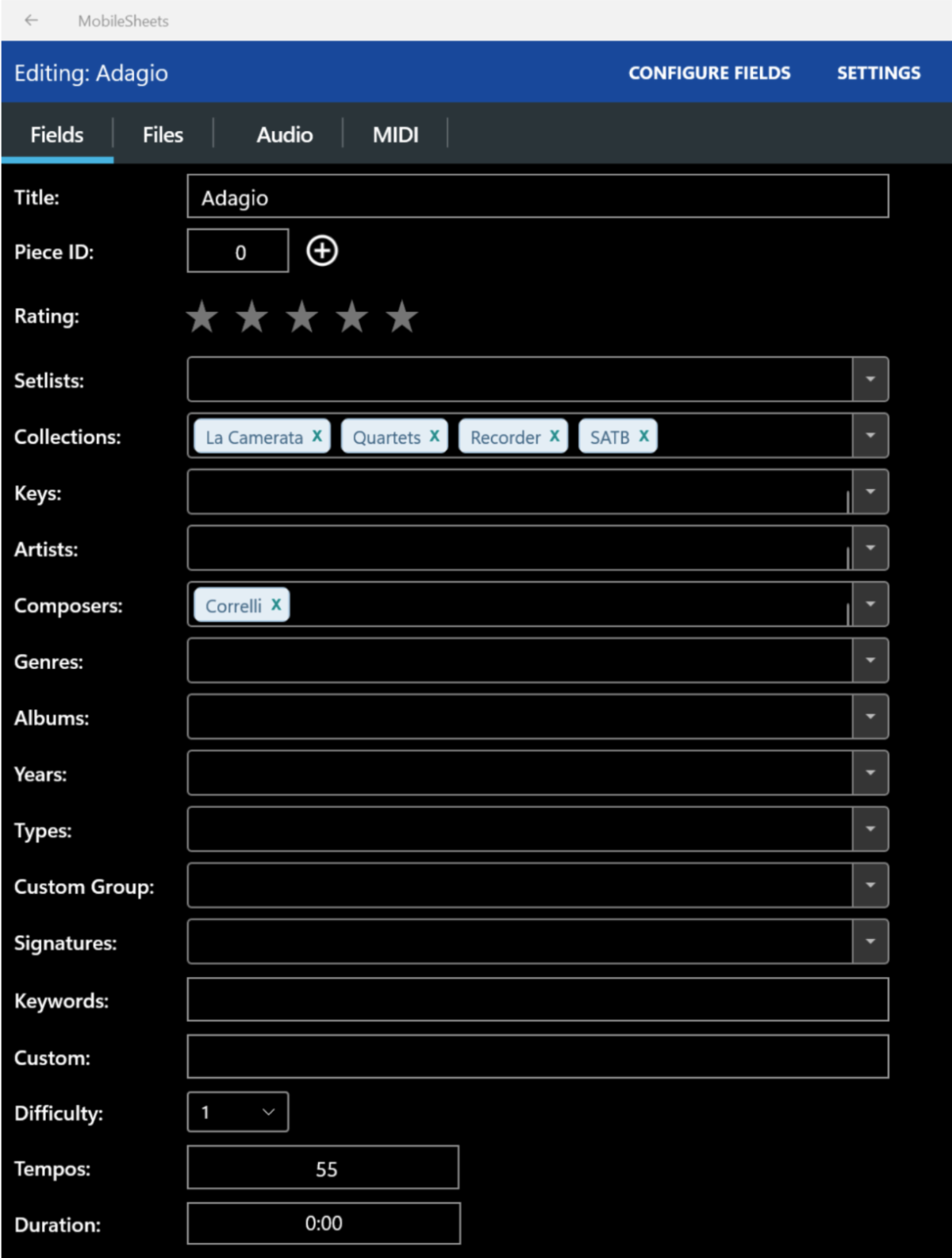
Add the Metadata! The most time consuming, but extremely useful, aspect of digitizing your music is adding the metadata. Metadata is a fancy word for additional information about a piece of music. At a minimum, you probably want to include the Title and Composer. But you can also add Genre, Year, Artist (you can associate a piece of music with an audio file of the piece), and several other fields, some of which you can customize. You can add as much, or as little, metadata as you'd like. And you don't have to do it all at once. You can always add more later.
Once you have your metadata in place, it will help you to organize your music into multiple different options within your chosen software. Once you add your metadata, you can organize and search by:
- Title,
- Composer,
- Genre,
- Solos,
- Duets,
- Trios,
- Your imagination is the the only limit in categorization!
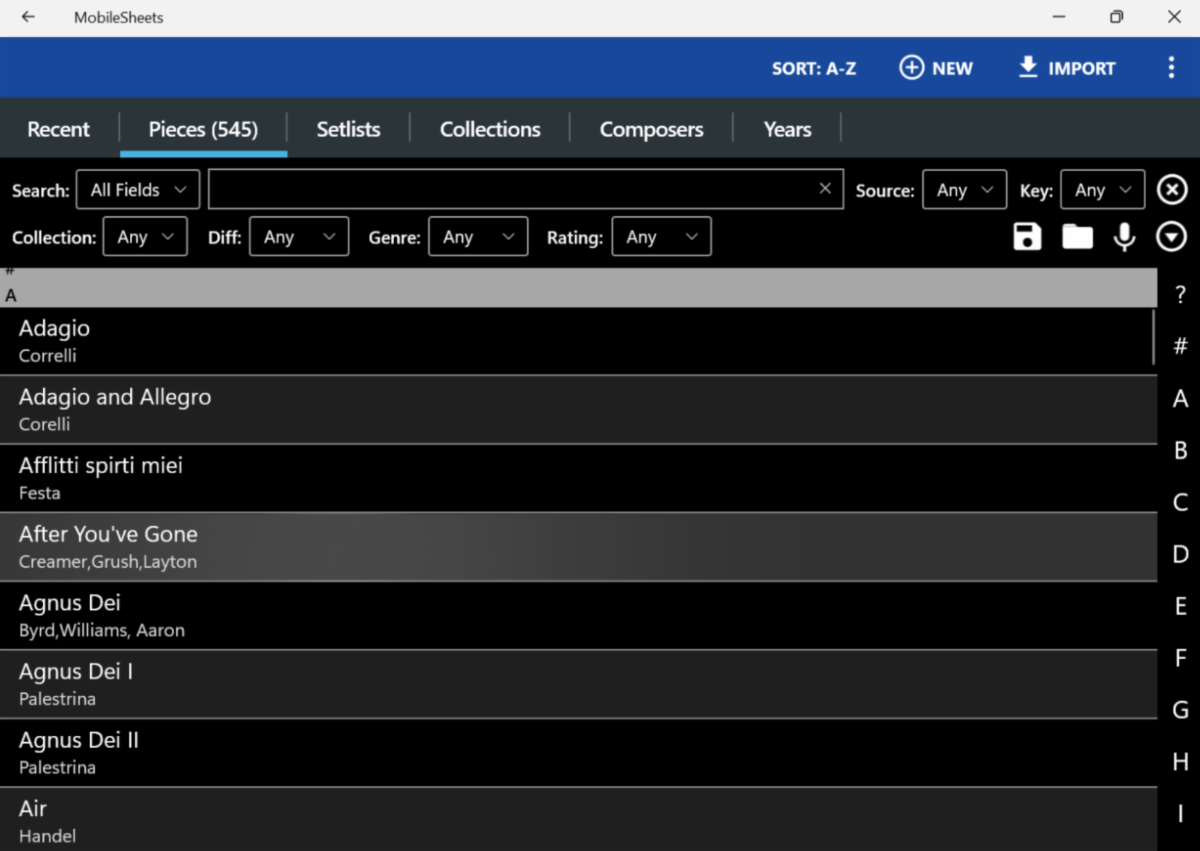
Metadata is really helpful when searching for a piece of music. By default, I have MobileSheets list all my music alphabetically by Title. But you can also list music by Composer, Years, etc. You can search for music using any or all of the metadata you have provided.
Setlists: In addition, you can create multiple Setlists, placing pieces in the appropriate order for one or more performances or rehearsals. You can also place pieces into one or more Collections. For instance, whenever I download another Play the Recorder Month piece from the ARS website, I add it to my Play the Recorder Month Collection. When looking for one of those pieces, I can then browse that Collection, even if I cannot recall the title or composer. You can create setlists based on:
- workshop classes,
- performances,
- ensembles,
- society meetings,
- again, your imagination is the only limit.
| | |
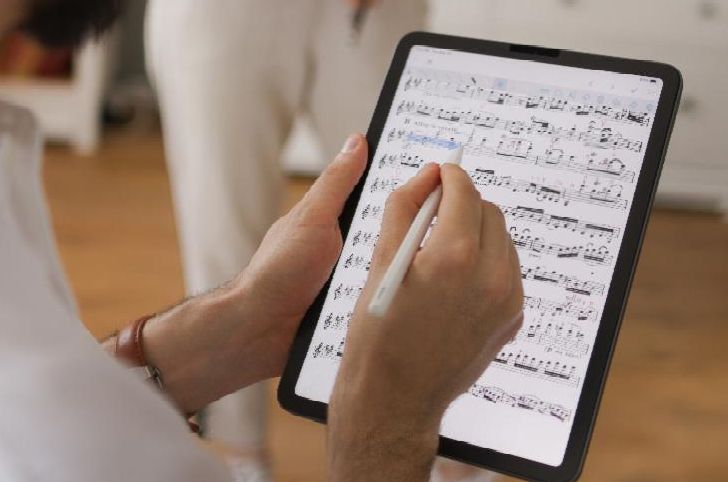
Editing and Note Taking: MobileSheets also allows for music editing. You can easily hand annotate music using either your finger or a stylus. You can write freehand or add one of the many predefined musical notations in your colors of choice. It is also easy to add, delete, or rearrange the pages of a piece.
MobileSheets can display one-half, one, or two pages at a time while playing. You can set it to scroll automatically, or turn pages using a finger touch, gestures like nodding or turning your head, or with a page turner. I have found the gestures to be both too sensitive and not sensitive enough, so I usually use a finger touch or an inexpensive bluetooth, step-on page turner that allows me to turn forward or backward. However, I am considering an upgrade to a quieter and more sensitive foot turner.
| | |
Backup Precautions
I probably have too much faith in my devices. Still, to guard against catastrophic failure, I keep all my original music pdf files saved in the cloud. In addition, MobileSheets reminds me once a month to backup my system. I make sure to save this backup file in the cloud as well. In the event my tablet meets an untimely demise, I can install MobileSheets on a new tablet, and use that backup file to completely restore my entire music environment with just a couple of taps. It doesn't even have to be the same kind of tablet (Windows, Android, or iOS).
How You Might Get Started
I love having my music on a tablet, and will never go back to shuffling papers. However, any time you switch your method of operation, you’ll encounter snags as you learn. And it's going to take time. Take a deep breath and start small. If you can, find someone who already uses the same software who can help you get started. Or start with a friend so the two of you can learn together. Start by scanning and loading a few of the pieces you are currently playing. See how it goes. For at least a little while, take your paper copies of music to rehearsal as a backup. As you get new music, load it onto your device. Your electronic library will grow automatically. Once you become comfortable, you can gradually load other music in your library, and improve the metadata. I think you'll soon wonder how you managed without it.
| | |
Further Thoughts on Screen Display Sizes: Bigger Really is Better
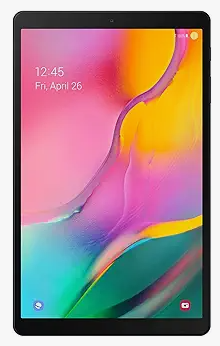
I started digitizing my music in 2023 with an Android-based Samsung Galaxy Tab S8 tablet - it's 11" diagonal screen works well, but the display is only 5.75" wide. When compared to the standard 8.5” width of letter-sized paper, this size reduction might seem like a non-starter. But if the printed page has 1” margins, the actual music is only 6.5” wide. It’s relatively easy to zoom in or crop pages to maximize viewing size. So the size penalty is not as great as you might think.
I now use a Microsoft Surface Pro 3 with a 12” screen because it provides a noticeably larger display with a maximum width of 6.7". Depending on the original page margins, I can sometimes display music on the screen larger than it is on the original printed page!
Many inexpensive tablets with 14” or larger displays are now available, including this attractive option - the 14.3” TCL NXTPAPER 14 tablet. One ARS NOVA reader reported great success with his new NXTPAPER 14 tablet, and I have a colleague who just gave up his iPad for one of these. I now suffer from tablet envy.
| | Todd Ruskell was first introduced to soprano recorder in 5th grade. In middle and high school he played tenor as part of a recorder trio. He taught himself alto while in college, and even played recorder on stage as a Shakespearean musician. After a considerable break, he picked up a bass recorder about 8 years ago, and has been playing continuously since. He now plays with several ensembles at least 3 times a week. He’s a member of the Boulder Colorado Chapter and the Colorado Recorder Orchestra. | |
|
Do you enjoy our ARS NOVA emails?
Click here for our archives, with articles on many topics ranging from how to care for your recorders, to useful apps, to scholarship and grant opportunities though ARS. If you've received this from a friend, sign up for your own monthly subscription using this link.
| | |
How to Join the ARS
Take advantage of our 1/2 price rate for first-time members! Get immediate access to all the information available on our website, as well as other member benefits including the quarterly American Recorder magazine.
Click here for info
| | |
P.O. Box 480054 Charlotte
NC 28269-5300
Phone: 1-704-509-1422
Toll Free: 1-844-509-1422
Fax: 1-866-773-1538
| | | | | |