7/25/2024


Dear Members,


It is almost renewal time! Invoices for renewal will be sent out next week, with a due date of October 1.


Additionally, we are also starting to prepare the 2025 Membership Directory for print. To make sure your member profile is accurate and up to date, we kindly ask you to review it promptly. If you need assistance, please follow the instructions below.


Login to the Info Hub (You must first be listed as a contact in your company's member profile and have created a user account). Please contact us if you need assistance.

Update Your Coach Count:

Operator annual dues are calculated by multiplying the number of vehicles (tour buses and shuttle buses carrying 16 or more passengers) by $36. Minimum dues are $360 and maximum dues are $4,000. Please make sure the number of vehicles listed in your member profile is correct to ensure you are billed correctly.


To Update Vehicle Count:

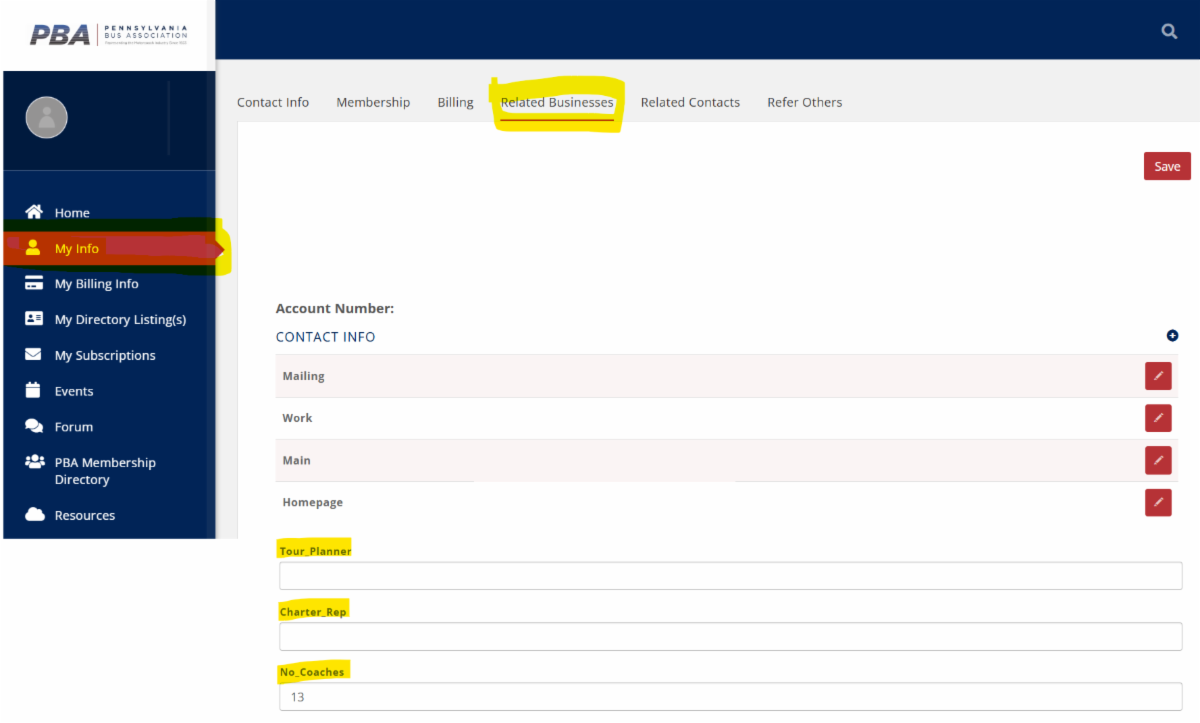
Click on My Info, then click the Related Businesses link in the top of the screen.


Scroll down and make the change to your No. coaches. While you are there, make sure your Tour Planner and Charter Rep information is current too.

Update Your Membership Profile:

To Review and Update Contacts:

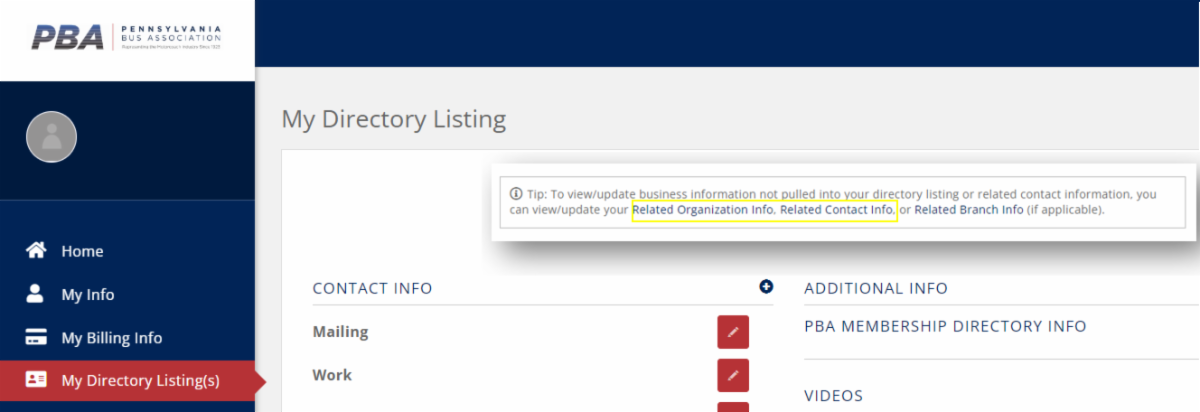
Click on My Directory Listing(s), then click the Related Contact Information link in the top right of the screen.


To Review and Update Address, Phone, Website:

Click on My Directory Listing(s), then click the Related Organizational Information link in the top right of the screen.

To Update Your Business Description:

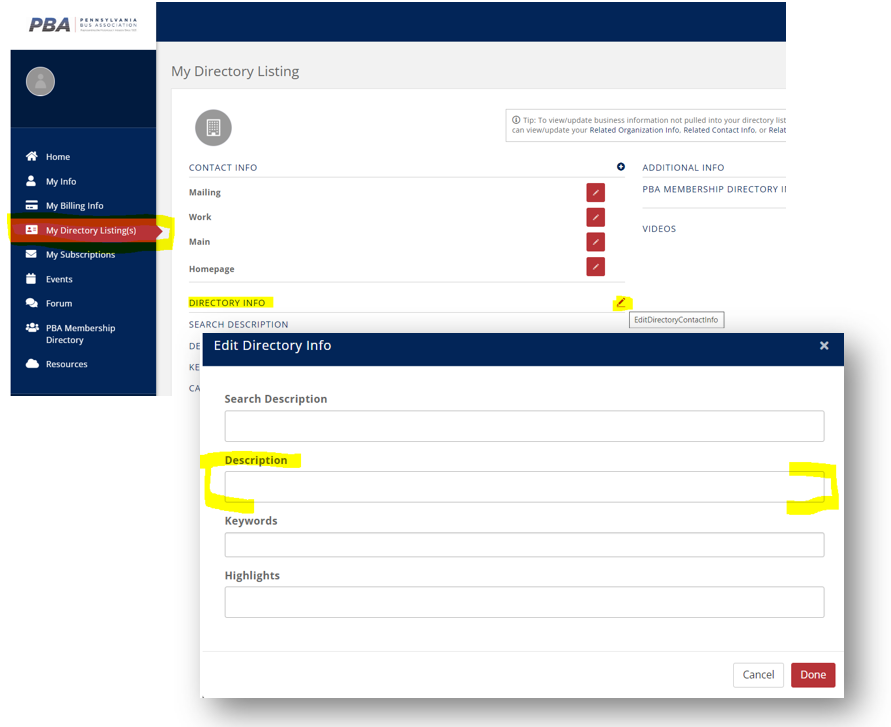
Click on My Directory Listing(s), then click the pencil icon next to Directory Info, a pop-up screen will appear. Then review/edit your organization's description info and click Done.

Did You Know That You Can Set-Up an Autopay Option?


Autopay:


The Autopay & Billing tab allows you to set-up and manage any stored payment profiles you may have, view your membership billings, and manage any autopay options you may have set-up.

To get started:


  • Click "My Billing Info" in the side navigation bar.
  • Click the Autopay & Billing tab.
  • Click Manage Autopay under Actions.
Once you create your autopay, it will be displayed in the Payment Profiles section under the Autopay & Billing tab. You can select the "Manage Autopay" button to update or disable autopay for your membership billing.

Not responsible for managing billing? Please pass this along to your accounting folks, and while you're at it, you may want to add them to your PBA member profile!
Please reach out to me if you have any questions.
Thank you,
Patricia Cowley 
Executive Director 
Telephone: 717-236-9042 
Email:  director@pabus.org 
Website: www.pabus.org
Facebook  LinkedIn  X