Overview
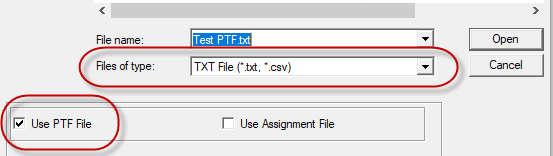
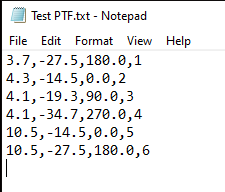
When importing a CAD file into Elements the types of CAD files Elements can import are shown as Gerber files, DXF files, Elements CAD files, and text or comma separated value (CSV) files. In this article we will focus on the text or CSV files and how they can be used with the Programmable Text File. This feature allows a user to create a usable CAD file in Elements without a file in typical CAD formats.
This is especially useful when either the CAD file format is not one that Elements can import, or a CAD file cannot be given in one of the formats Elements supports. In these cases, a file with nominal locations of features and other optional information can be used to generate the file in Elements CAD File (.ecf) format.
Programmable Text File (PTF) Setup
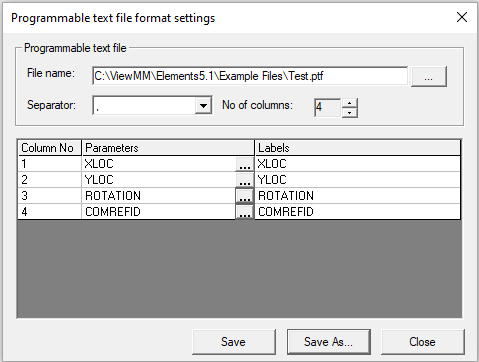
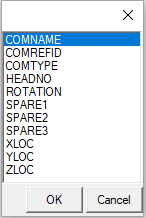
The first step is to define what our PTF looks like. To do this go to Setup->PTF Setup from the Project tab in Elements. A dialog will pop up as in the image below and will allow the user to define how their PTF will look.